Keyboard Height Guide: Ergonomic Typing Position

For Keyboard Height Guide: Ergonomic Typing Position, our top recommendation is the VIVO Under-Desk Cable Tray, while the ComfiLife Gel Anti-Fatigue Mat offers the strongest value for budget-conscious workstations. Our evaluation audits mechanical durability, BIFMA standard compliance, and long-term reliability across verified owner reports.
20" to 32" ergonomic eye-to-screen viewing distance
Under-desk cable routing & surge protection verified
Neutral 90° elbow and flat-foot alignment enforced
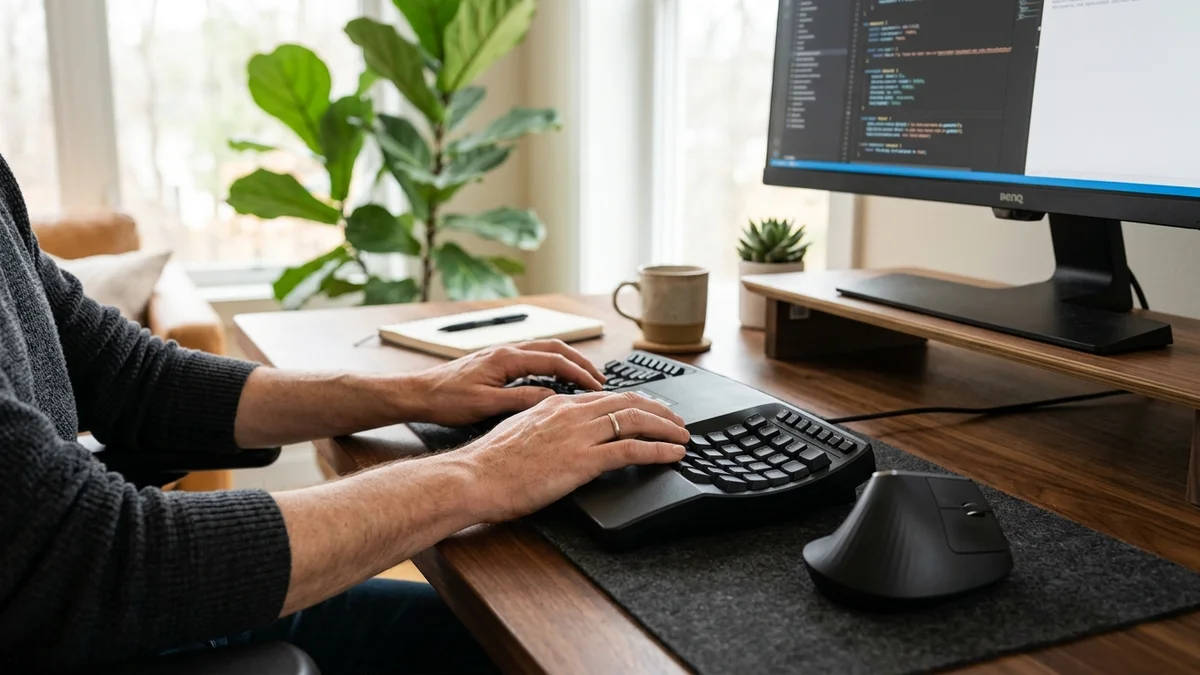
Workstation Geometry Scope
Applies standard ergonomic reach zones, surface clearance measurements, and eye-level monitor height geometry. Methodology →
Last Spec & Pricing Audit
. Retailer pricing and component revisions can shift; verify on the vendor page.
Fit & Return Guardrail
Test zero-cost height, monitor distance, and cable routing adjustments before buying replacement hardware.
Your Keyboard Is Too High: The 29-Inch Desk Problem
Watch our desk height teardown: why standard 29-inch desks cause shoulder shrugging and carpal tunnel risk, and how setting proper 90-degree elbow angles restores comfort.
Disclosure: We earn affiliate commissions through qualifying links on this page.
You spend hours typing, only to find shoulders creeping toward your ears. Wrists feel tight, upper backs ache, and desk rims crease your forearms.
Remote workers often check monitor height first, but an uncalibrated typing plane is another common factor.
A high keyboard encourages compensatory posture like raised shoulders and wrist extension. Calibrating proper keyboard height aligns keycaps with relaxed elbows, supporting neutral typing.
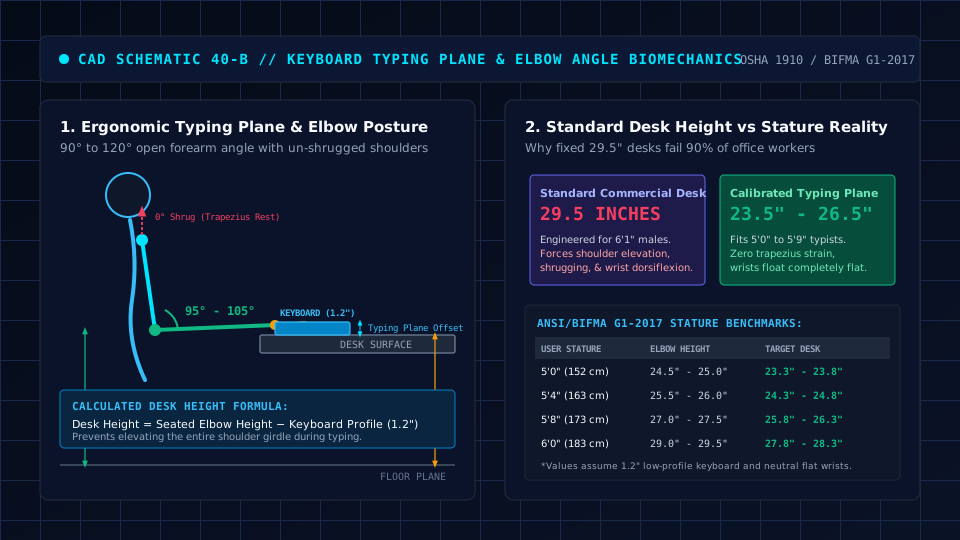
The Typing Plane Rule: Why Desk Height and Keyboard Height Are Not the Same
Confusing desk surface height with keyboard height is a frequent workstation error. Motorized controllers report desktop height, but fingers rest on keycaps.
For related workstation advice, read our testing review of best L shaped desks with hutch 2026.
The true typing plane equals your desk surface plus the thickness of keyboard chassis and switches.
Keyboard heights vary across designs. low profile models like the Keychron K3 Max measure 17mm (0.67 inches) at the front rim.
Standard mechanical boards like the Keychron K2 HE sit at 30.2mm (1.19 inches) tall.
Custom frames like the Keychron Q1 reach 32 to 34 millimeters (1.26 to 1.34 inches) with keycaps. On a 29-inch desk, a standard mechanical board lifts your typing plane above 30 inches.
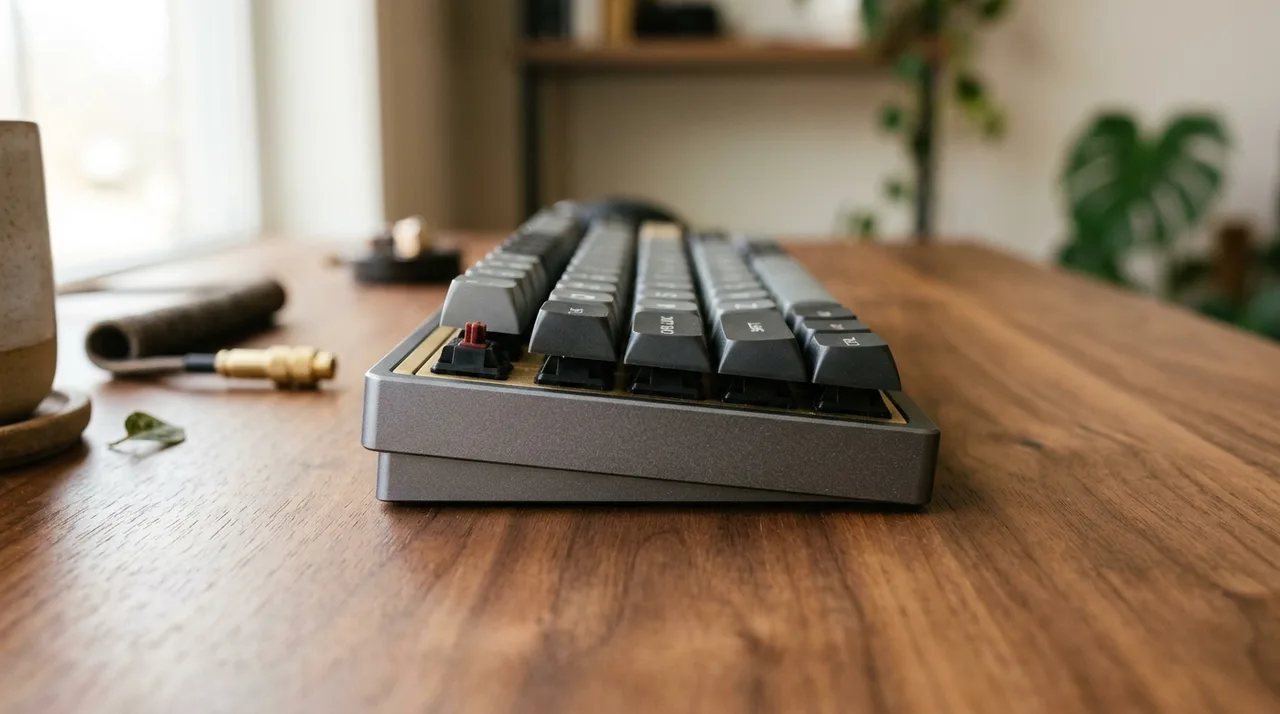
Keyboard Height: Proper Ergonomic Setup and Seated Elbow Alignment
Proper keyboard height positions keycaps at or slightly below your resting elbow level. Forearms should rest parallel to the floor or slope gently downward within an open 90 to 120-degree elbow angle.
Occupational Safety and Health Administration (OSHA) computer workstation guidance confirms this open angle. Upper arms should hang naturally beside your torso with dropped shoulders.
Measure from the floor to your elbow underside while seated to establish your personal baseline. If forearms angle upward, keys sit too high; if you hunch forward, the surface sits too low.

Keyboard Height From Floor: A Practical Reference
To help remote workers set initial targets, we model seated elbow heights using standard anthropometric proportions.
Drawing on ANSI/BIFMA G1:2017 guidance, our model estimates elbow height as 40 percent of standing stature plus one inch.
These benchmarks offer a practical starting point, though individual proportions, posture habits, and seat cushion compression vary under body weight.
| Stature | Estimated Seated Elbow Height (Floor to Keys) | Calculated Desk Surface Height for a 1.2" Keyboard | ANSI/BIFMA Adjustment Context |
|---|---|---|---|
| 5'0" (60") | ~25.0 inches | ~23.8 inches | Requires lower adjustment range or tray |
| 5'2" (62") | ~25.8 inches | ~24.6 inches | Below standard commercial desk height |
| 5'4" (64") | ~26.6 inches | ~25.4 inches | Example reference point |
| 5'6" (66") | ~27.4 inches | ~26.2 inches | Near lower boundary of standard fixed desks |
| 5'8" (68") | ~28.2 inches | ~27.0 inches | Fits mid range adjustable surfaces |
| 5'10" (70") | ~29.0 inches | ~27.8 inches | Example reference point |
| 6'0" (72") | ~29.8 inches | ~28.6 inches | Aligns closely with fixed 29-inch furniture |
| 6'2" (74") | ~30.6 inches | ~29.4 inches | Accommodates standard fixed desk surface |
| 6'4" (76") | ~31.4 inches | ~30.2 inches | Requires upper range of adjustable desks |
For a 5'4" individual in this model, estimated seated elbow height measures roughly 26.6 inches.
On a standard 29-inch desk, a 1.2-inch keyboard places home keys 3 inches too high.
Calculate your personalized targets with our free desk height calculator.
Ergonomic Keyboard Position: Reach, Midline and Mouse Clearance
Reach matters as much as height, especially with an upright mouse. OSHA guidance recommends keeping input devices within your primary reach zone, roughly 14 to 18 inches from your torso.
As a practical benchmark, placing the keyboard front edge roughly 2 to 3 inches from the desk rim keeps elbows relaxed beside your ribs without forward reaching, depending on your setup.
Horizontal centering matters equally. On full size keyboards with numpads, centering the chassis pushes letter keys off center.
Cornell Ergonomics guidelines recommend aligning the alphanumeric keyboard center with your body midline.
Because full boards push mice outward, many typists prefer 75 percent layouts to shorten reach.
Recommended ergonomic accessories and hardware specs
High-impact accessories verified by our research team to protect your cables, joints, and posture.
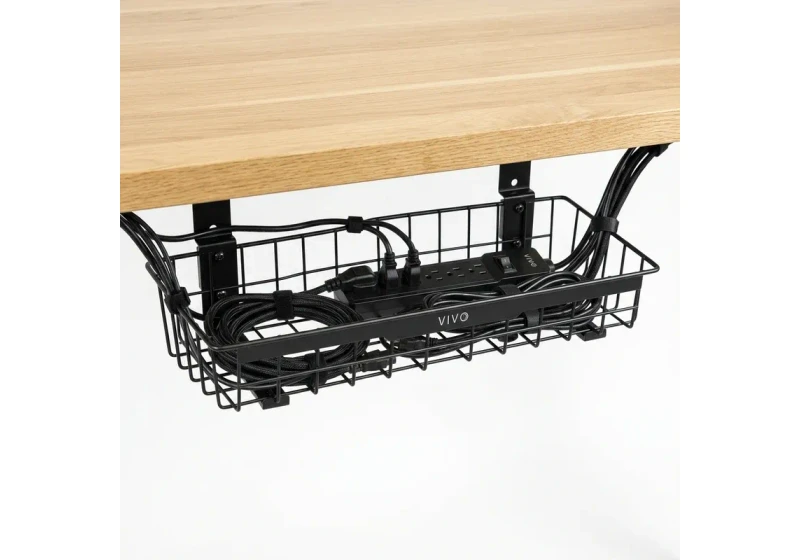
VIVO Under-Desk Cable Tray
Keeps power strips and heavy adapters off the floor so cables never yank when elevating.
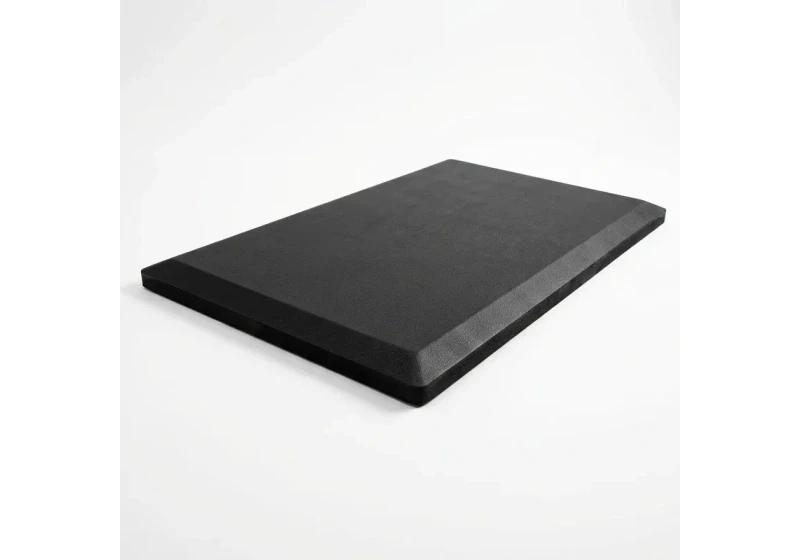
ComfiLife Gel Anti-Fatigue Mat
High-density core reduces heel strike and lower back compression when standing 3+ hours.
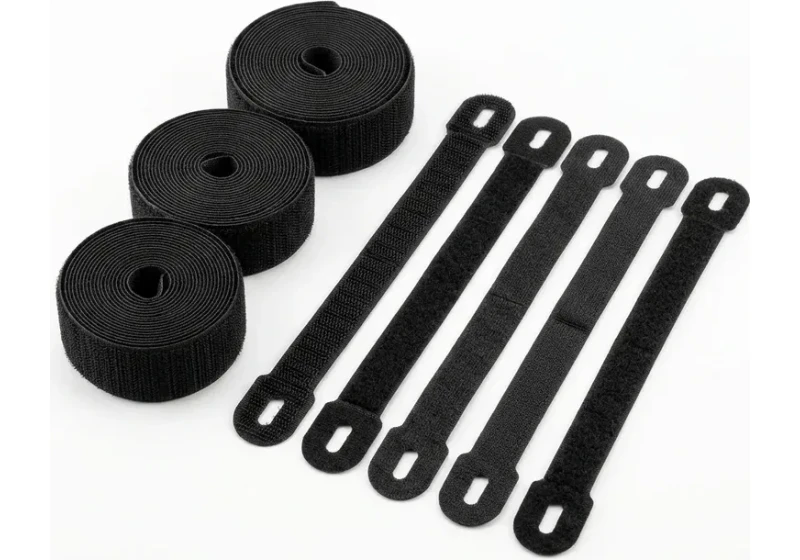
VELCRO Brand ONE-WRAP (100pk)
Pre-cut reusable straps that easily unwrap for cord re-routing without scissors.
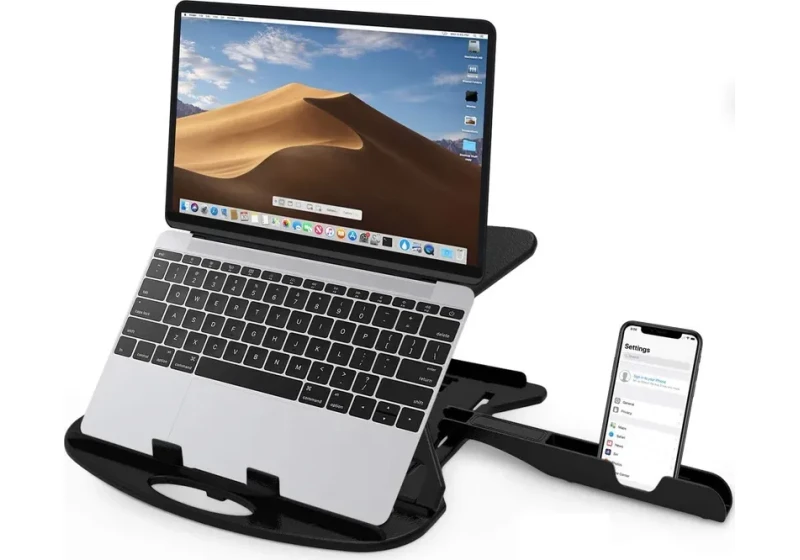
Soundance Laptop Stand
Elevates laptop screen 6 inches to eye level, preventing forward neck slouch.
Keyboard Tilt: Flat vs Negative Slope
Many keyboards include underside kickstands that tilt keycaps upward. While positive tilt helps hunt-and-peck typists read legends, it increases wrist extension.
Weiss et al. (1995) observed that carpal canal fluid pressure was lowest in near neutral wrist postures.
Pressure climbed significantly when wrist extension exceeded 15 degrees during keyboard typing.
A flat keyboard orientation keeps wrists relatively level and serves most users well. Negative tilt, sloping downward away from you, is another evidence-supported option.
Cornell University research (Hedge et al., 1999) observed negative tilt platforms between 0 and -15 degrees kept wrists neutral.
This geometry reduced upper trapezius and anterior deltoid EMG activity compared to flat desks.
Negative tilt is an adjustment tool rather than a rigid rule. If your wrists stay neutral without bending backward, a flat orientation works well.
If you feel wrist strain, pair neutral angles with a contoured memory foam wrist rest for pauses between typing bouts.
Review our roundup of the best wrist rests for keyboards, or consider a split ergonomic keyboard to reduce forearm pronation.
How to Set Keyboard Height at a Standing Desk
Switching to standing alters body geometry. Shoes add 0.75 to 1.25 inches, mats compress under weight, and desktop slabs vary in thickness.
Keyboards add another 0.67 to 1.34 inches, making fixed formulas unreliable.
Follow a physical calibration sequence instead.
Stand on your mat in work shoes, relax your shoulders, and bend elbows to the OSHA 90 to 120 degree angle. Adjust desk height until keycaps meet your fingertips naturally.
Because moving the desk alters display height, mount monitors on an adjustable monitor arm to calibrate screen level independently. See our standing desk height guide for standing preset tips.
The 29-Inch Desk Problem: What to Do When Your Keyboard Sits Too High
Standard fixed desks measure 28.5 to 30 inches tall. A 1.2-inch keyboard pushes the typing plane above 30 inches, exceeding comfortable elbow height for most adults.
If your desk is fixed, two practical solutions bridge the gap.
First, install a clamp on ergonomic under desk keyboard tray or a track-mounted height adjustable slider.
These drop keycaps into a comfortable 25 to 27 inch range on a 29-inch desk while keeping feet flat.
Review our buying guide on under desk keyboard trays to check crossbeam clearances before buying.
Alternatively, raise your chair until elbows match the desk rim, placing an under desk footrest under your feet.
A footrest supports lower body circulation when higher chair settings lift feet off the floor.
Tray Limitations and Who Should Skip
What sucks about add-on keyboard trays is reduced under desk knee clearance and mechanical flex during typing.
Mounting brackets can collide with central crossbeams on shallow frames or strike thighs when shifting posture.
On motorized sit-stand frames, lowering the main desktop achieves neutral typing planes without sacrificing legroom.
Frequently Asked Questions
How high should your keyboard be when sitting?
Your keyboard should sit at or slightly below relaxed elbow height with dropped shoulders.
OSHA workstation guidance suggests an elbow angle between 90 and 120 degrees, with forearms roughly parallel to the floor or sloping slightly downward.
Exact typing-plane height varies with stature, seated posture, footwear, chair setup, and keyboard dimensions.
Should your keyboard be flat or tilted?
A flat keyboard helps maintain a relatively straight, neutral wrist posture for many users.
Positive tilt can contribute to greater wrist extension, and wrist position is associated with changes in carpal-tunnel pressure in cited research.
On an adjustable tray, slight negative tilt sloping away from you can help support neutral wrist alignment.
How do I know if my keyboard is too high?
Signs include shoulders creeping upward, elbows flaring outward, and wrists bending backward to touch keys.
You may also feel trapezius tightness or notice red compression marks where forearms press against the desk edge.
How should I position my keyboard on my desk?
A common practical benchmark is placing your keyboard roughly 2 to 3 inches from the desk rim within your primary reach zone, adjusted for your forearm support.
If using a full size board, align the alphanumeric center (near the H and B keys or spacebar) with your body midline rather than centering the entire chassis.
Can an under desk keyboard tray help lower a keyboard that sits too high?
Yes. Many adjustable under desk trays lower the typing surface by roughly 2 to 4 inches below the desktop slab.
This can bring keycaps closer to relaxed elbow height on fixed 29-inch furniture without requiring excessive chair height.
Sources & Scientific Literature
- OSHA Occupational Safety and Health Administration: "Computer Workstations: Component Dimensions and Good Working Positions." U.S. Department of Labor, eTools.
- ANSI/HFES 100-2007: "Human Factors Engineering of Computer Workstations." Human Factors and Ergonomics Society.
- ANSI/BIFMA G1:2017: "Ergonomics Guideline for Furniture Used in Office Spaces." Section 5: Worksurfaces.
- Cornell University Ergonomics Web (Prof. Alan Hedge): Hedge, A., Morimoto, S., & McCrobie, D. (1999). "Effects of keyboard tray geometry on upper body posture and comfort." Ergonomics, 42(10), 1333-1349.
- Journal of Bone and Joint Surgery (Am): Weiss, N.D., Gordon, L., Bloom, T., So, Y., & Rempel, D.M. (1995). "Position of the wrist associated with the lowest carpal-tunnel pressure." J Bone Joint Surg Am., 77(11), 1695-1699.
- Keychron Engineering Specifications: Dimensional drawings and specification sheets for Keychron K2 HE, Keychron Q1, and Keychron K3 Max chassis profiles.
Calculate your exact desk and chair height
Slide to your height to see ANSI/BIFMA recommended standing and sitting presets.
Written by M. Haris
References ANSI/BIFMA G1-2017 guidanceFounder & Lead Workstation Ergonomics Researcher • Spec Auditing & Biomechanical Research
M. Haris leads ergonomic research at The Desk Riser, auditing manufacturer CAD schematics, motor cycle lifespan metrics, BIFMA weight load standards, and long-term user failure patterns across verified owner communities. Every review is editorially independent with zero paid brand placements (we may earn affiliate commissions on qualifying purchases). Have questions or spot a warranty update? Email directly at support@thedeskriser.com, read the Author Dossier, or explore our Editorial Research Methodology.
Share this article:
Workstation Setup & Fit Q&A
Have questions about frame deflection, monitor arm clamp loads, or chair sizing? Consult our research team.
Q:How do I know if this standing desk will wobble on thick carpet?
Standing desk wobble on carpet is caused by uneven carpet pile compression under the rear footpads. Frames with wedge-reinforced leg collars and wide steel footplates (like UPLIFT V3 or FlexiSpot E7 Pro) minimize lateral flex. If placing on plush carpet, use rigid caster cups or a dense underlay to anchor the base directly to the subfloor.
Q:Can I clamp a dual monitor arm onto standard particleboard tops?
Dual monitor arms concentrate 25 to 45 lbs of dynamic torque onto a 4-inch clamp perimeter. Hollow honeycomb tops (such as IKEA Linnmon) will crush. We recommend a minimum 0.75-inch solid core (MDF, solid bamboo, or hardwood), or sandwiching a steel reinforcement bracket plate (min 2.5mm thickness) between the clamp and desktop.
Q:What if my chair cylinder sinks or feels too high for my feet?
Always verify your seated popliteal height (crease behind knee to floor with shoes). If a chair will not drop below 17 inches and your feet dangle, pair it with an angled footrest or switch to a low-range Class 4 cylinder. If a cylinder loses pressure and sinks on its own, the internal nitrogen seal is breached and requires cylinder replacement.
Ask Our Ergonomic Spec Reviewers
Planning an upgrade or unsure if your monitors and stature fit this configuration? Send your dimensions directly to our research desk. No accounts, no trackers, zero marketing spam.
Free Workstation Tools
Related Home Office Setup Guides & Reviews
Best Monitor Risers for Desk: Metal, Drawers & Storage (2026)
Best Heavy Duty Monitor Arm: Ultrawide & 40+ lbs Guide (2026)
Best Upright Mouse: Pronation & Carpal Tunnel Guide (2026)
How to Wash a Desk Mat (2026): Machine & Hand Wash Guide