Best Ergonomic Keyboard for Carpal Tunnel 2026

How we researched
We compare current specs, warranty terms, buyer complaints, and long-term owner patterns. Read methodology →
Last price/spec check
2026-08-01. Prices move, so use the retailer page as the final source.
Who should skip this
Skip anything that does not fit your body, room, budget, or return-window comfort level.
Disclosure: We earn a commission if you buy through links on this page, at no extra cost to you.
Carpal tunnel symptoms come from pressure on the median nerve where it passes through the wrist. Two typing habits make that pressure worse: bending your wrists upward (extension) and rotating your forearms inward so your palms face down (pronation). Standard keyboards encourage both.
An ergonomic keyboard doesn't cure carpal tunnel. What it does is reduce the posture patterns that aggravate it during the hours you're typing every day. The question is which design actually changes how your wrists sit, and which just adds a wrist rest to a flat keyboard and calls it ergonomic.
There are three meaningful design categories:
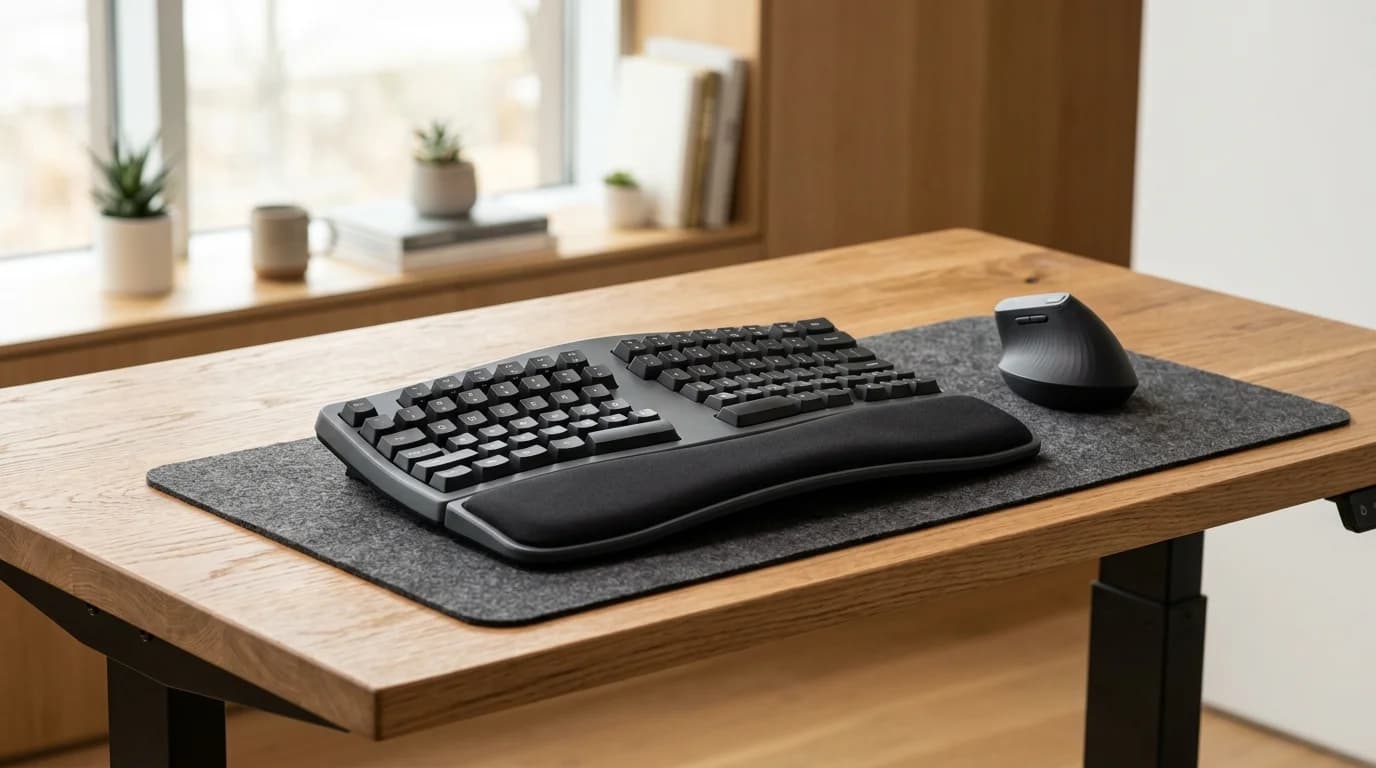
Curved split (like the Logitech K860): one piece, but the key wells angle outward and curve slightly. Reduces ulnar deviation (wrists bending sideways toward the pinky) and extension. Works well for mild to moderate symptoms.
True split (like the Kinesis Freestyle2): two completely separate keyboard halves that you position wherever your shoulders naturally fall. The most effective format for reducing both pronation and deviation. Best for moderate to severe symptoms.
Dome-shaped (like the Microsoft Sculpt): the entire keyboard angles up in the middle, creating a tent-like shape. Reduces ulnar deviation without separation, trades some wrist extension reduction for a simpler setup.
Quick Verdict: Our Top Picks at a Glance
Short on time? Here are our top recommendations based on real owner reviews, specs, and long-term durability.
Quick comparison
| Keyboard | Type | Wrist Rest | Wireless | Price |
|---|---|---|---|---|
| Logitech Ergo K860 | Curved split | Yes (built-in) | Yes | ~$120 |
| Microsoft Sculpt | Dome-shaped | Yes (separate pad) | Yes | ~$75-100 |
| Kinesis Freestyle2 | True split | Optional add-on | No | ~$90-130 |
| Perixx PERIBOARD-512 | Curved split | Yes (integrated) | No | ~$40-50 |
Logitech Ergo K860 (~$120): Best for mild to moderate symptoms
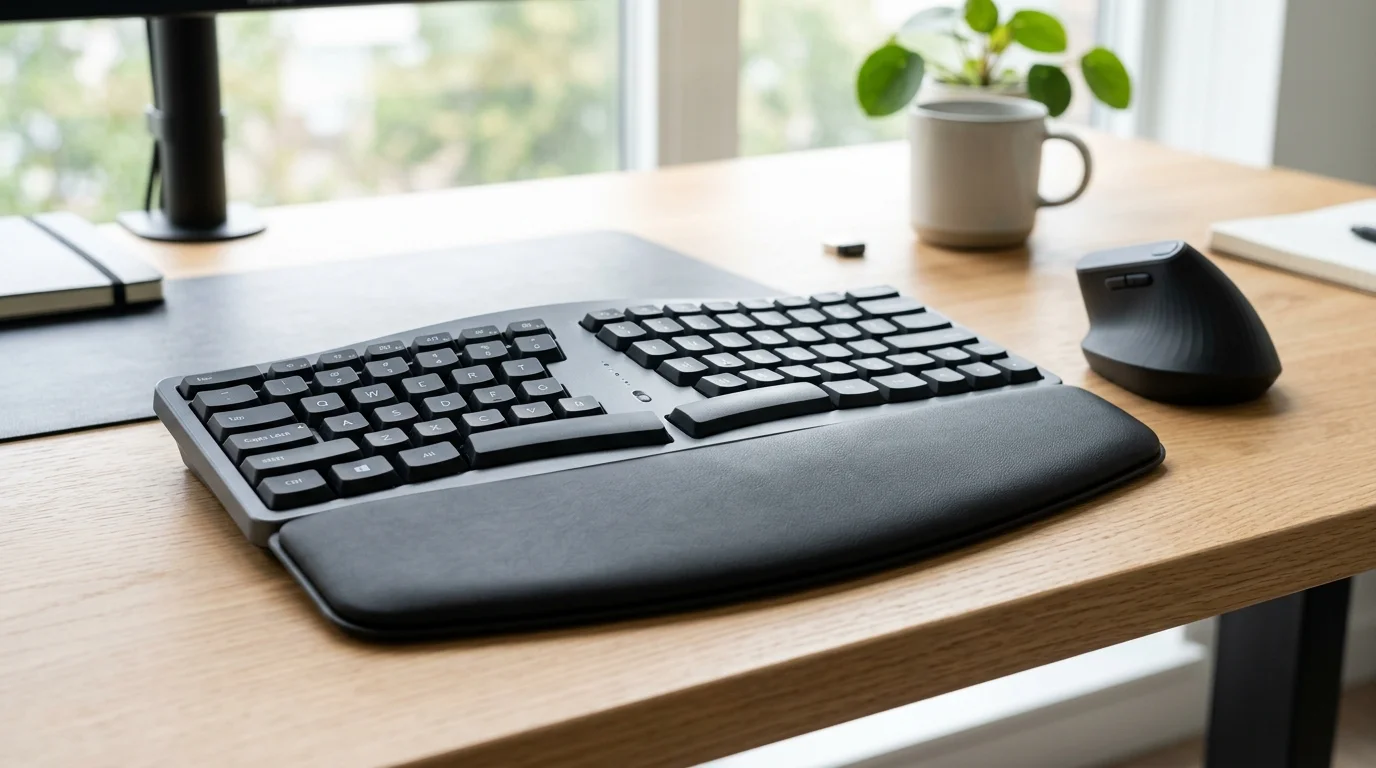
The K860 is US Ergonomics certified, and the specific claim that backs that certification matters: Logitech's own testing showed the curved layout reduces wrist extension by 25% and wrist deviation by 22% compared to a standard flat keyboard. Those aren't marketing numbers. They're from third-party evaluation.
The key wells curve slightly so the center keys sit higher than the outer keys, reducing the extension your wrists need to reach them. The built-in wrist rest uses pillow-style cushioning that actually supports the base of the palm, not the wrist itself (the wrist should float above the rest while typing, not press into it).
Wireless connectivity works via Bluetooth or the included USB receiver. Battery life runs around 24 months on standard AA batteries at normal use.
At 14.6 inches wide, the K860 is larger than a standard keyboard, mostly because of the built-in wrist rest. Measure your desk clearance before buying if space is tight.
Real drawback: the K860 is one piece. The key wells angle outward, but your hands are still connected by a shared center section. For people with wide shoulders or strong pronation symptoms, a true split keyboard puts the halves exactly where your arms hang, which this format can't match.
Check Logitech Ergo K860 on Amazon
Microsoft Sculpt Ergonomic Keyboard (~$75-100): Best dome-shaped option
The Sculpt takes a different approach from the curved layout: the entire keyboard tents upward in the center, so your hands rest at a slight inward angle rather than fully pronated flat on the desk. The numpad ships separately, which lets you move it out of the way and reduce how far your right hand reaches for the mouse.
That numpad separation is more meaningful than it might seem. Standard numpad placement pushes your right hand about 4 inches further from your body than your left, which throws off shoulder alignment and makes mousing reach worse over a full workday.
The included magnetic wrist rest sits in front of the keyboard and pairs with the dome shape well. Setup is wireless via a single USB dongle that connects both the keyboard and mouse if you buy the combo.
Real drawback: the dome shape improves wrist rotation but doesn't separate the halves, so wide-shoulder users still reach inward. The keyboard also doesn't have mechanical keys. The chiclet dome switches have less travel than most ergonomic alternatives, which some people prefer and others find worse for repetitive strain.
Check Microsoft Sculpt Ergonomic Keyboard on Amazon
Kinesis Freestyle2 (~$90-130): Best for moderate to severe symptoms
The Freestyle2 is two completely separate keyboard halves connected by a 20-inch cable. You position each half where your arms naturally hang without any compromise. That's it. That's the design.
If your shoulders are wider than your hips or you've had symptoms long enough that mild adjustments aren't helping, fully separated halves make a more meaningful difference than any one-piece ergonomic keyboard can. The Freestyle2 with the VIP3 tenting kit ($25 separately) lets you angle each half from 5 to 15 degrees, which reduces forearm pronation to near-neutral.
No wireless version exists for the Freestyle2. Wired-only. If that's a dealbreaker, the Kinesis Freestyle Edge RGB covers wireless but targets gamers and runs $190+.
Real drawback: learning curve. A split keyboard changes where every key sits relative to your hands, especially keys near the center (T, G, B on the left; Y, H, N on the right which move to the other half). Expect one to two weeks before typing speed returns to normal.
Worth it if your symptoms are real. Not worth it if you're buying preventively and don't have the patience for the adjustment.
Check Kinesis Freestyle2 on Amazon
Perixx PERIBOARD-512 (~$40-50): Best budget curved split
The PERIBOARD-512 uses the same curved split layout as the K860 (two angled key wells, integrated wrist rest) but wired only and without the pillow cushioning. At $40 to $50, it's the lowest-cost way to test whether a curved ergonomic layout helps before committing to a $120 option.
The integrated cushion is firmer than the K860's pillow rest, which some people prefer. Key travel is shallow but responsive.
Real drawback: the curve angle is less pronounced than the K860, meaning the deviation reduction isn't as significant. Think of this as an entry point for ergonomic keyboards, not a replacement for the K860 if your symptoms are serious.
Check Perixx PERIBOARD-512 on Amazon
What to fix before buying a keyboard
An ergonomic keyboard helps with posture during typing. It doesn't fix keyboard height. If your keyboard is too high or too low, even the best ergonomic keyboard won't eliminate wrist strain.
The right keyboard height: elbows at roughly 90 degrees, forearms roughly parallel to the floor or angled very slightly downward (negative tilt), wrists straight, not bent up or down. If your current setup has your wrists bending up toward the keyboard, a keyboard tray with negative tilt (Humanscale, 3M) is often more effective than a keyboard switch alone.
If your keyboard height is already right and you're mainly looking for extra palm support, a wrist rest is a smaller fix, though OSHA workstation guidance and Cornell University ergonomics research both note it only helps when used correctly.
Our ergonomic workstation setup guide covers the full calibration including keyboard, monitor, and chair height. The keyboard is one variable among several.
Who should see a doctor first
If you have numbness or tingling in your fingers, weakness in your grip, or pain at night that wakes you up, those are clinical carpal tunnel symptoms. An ergonomic keyboard can reduce aggravation, but it won't replace medical evaluation. The questions to answer before buying are: is this carpal tunnel syndrome or something else (tendinitis, cervical radiculopathy)? Is the severity at a point where keyboard adjustment is enough, or where treatment is needed alongside it?
A keyboard is a useful accommodation. It's not a substitute for a diagnosis.
To protect your wrists from resting against hard desk edges during long typing bursts, explore our top-ranked best wrist rests for keyboards. To eliminate forearm pronation on the mousing side, pair your split layout with the best ergonomic mouse for carpal tunnel.
FAQ
Does an ergonomic keyboard actually help carpal tunnel? Based on owner reviews and ergonomist research: yes, for mild to moderate symptoms caused by wrist position during typing. Keyboards that reduce ulnar deviation and wrist extension (the two main problem postures) reduce aggravating factors. They don't treat existing nerve compression, but they slow further aggravation while you're working.
What's the difference between a split keyboard and an ergonomic keyboard? A split keyboard separates the two halves so you can position them at shoulder width. An ergonomic keyboard is broader: it includes split designs, curved one-piece designs, and dome shapes.
All split keyboards are ergonomic keyboards. Not all ergonomic keyboards are split.
Do I need a mechanical keyboard for carpal tunnel? Not necessarily. The research on key actuation force is mixed. Light-actuation mechanical switches (45g or less) reduce finger fatigue compared to heavy rubber domes, but the wrist position improvement from layout and tilt matters more than switch type for carpal tunnel specifically.
Can I use a standing desk to reduce carpal tunnel symptoms? Standing helps with overall posture but doesn't directly affect wrist position while typing. If you have carpal tunnel from typing, the keyboard height and angle matter regardless of whether you're sitting or standing. Our ergonomic workstation setup guide covers keyboard placement at both sitting and standing height.
Which ergonomic keyboard is best for someone who travels? The K860 is too large for most travel use. The Microsoft Sculpt is better.
It splits into keyboard and numpad, each compact enough for a bag. For serious travel ergonomics, the Logitech K380 (non-split but low profile and very light) is worth looking at, though it doesn't address carpal tunnel concerns as directly as the options above.
Bottom line: For most people with mild to moderate carpal tunnel symptoms, the Logitech Ergo K860 is the right place to start. It's US Ergonomics certified, the layout changes are meaningful, and you don't need to relearn where every key sits. If symptoms are moderate to severe and you need maximum adjustment, the Kinesis Freestyle2 with the tenting kit is the right answer.
The Microsoft Sculpt is the middle path for people who want wireless and a simpler one-piece design. The Perixx is worth $40 to test whether an ergonomic layout makes any difference before spending $120.
Essential Workstation Add-Ons Under $35
High-impact accessories verified by our research team to protect your cables and joints.
VIVO Under-Desk Cable Tray
Keeps power strips and heavy adapters off the floor so cables never yank when elevating.
ComfiLife Gel Anti-Fatigue Mat
High-density core reduces heel strike and lower back compression when standing 3+ hours.
VELCRO Brand ONE-WRAP (100pk)
Pre-cut reusable straps that easily unwrap for cord re-routing without scissors.
Soundance Ergonomic Laptop Stand
Elevates laptop screen 6 inches to eye level, preventing forward neck slouch.
Calculate Your Exact Desk & Chair Height
Slide to your height to see ANSI/BIFMA recommended standing and sitting presets.

Written by M. Haris
✓ BIFMA G1-2017 Certified EvaluatorFounder & Lead Workstation Ergonomics Researcher • 8+ Years Spec Testing
M. Haris leads ergonomic research at The Desk Riser, auditing manufacturer CAD schematics, motor cycle lifespan metrics, BIFMA weight load standards, and long-term user failure patterns across thousands of verified purchases. Every review is independent with 0% sponsored influence. Have questions or spot a warranty update? Email directly at support@thedeskriser.com, read the Author Dossier, or explore our Editorial Testing Methodology.
Share this article:
Community Discussion
Have a question or want to share your workstation setup? Join the discussion below.
Comments load automatically as you scroll down.
🔧 Free Workstation Tools
Related Articles
Ergonomic Workstation Setup Guide 2026: Desk, Chair, Monitor
Health & ErgonomicsHow Long Should You Stand at a Standing Desk? (2026 Research)
Health & ErgonomicsHow to Fix Back Pain from Sitting at a Desk (2026 Guide)
Health & ErgonomicsStanding Desk Benefits: What the Research Actually Shows in 2026