Best Wrist Rest for Keyboard: Do They Even Help?

For Wrist Rest for Keyboard 2026: Do They Even Help?, our top recommendation is the Kensington ErgoSoft (K52802WW / K52800WW), while the HyperX Wrist Rest (Cool Gel Memory Foam) offers the strongest value for budget-conscious workstations. Our evaluation audits mechanical durability, BIFMA standard compliance, and long-term reliability across verified owner reports.
20" to 32" ergonomic eye-to-screen viewing distance
Under-desk cable routing & surge protection verified
Neutral 90° elbow and flat-foot alignment enforced

Desk Pad Material & Surface Scope
Filters pads by backing material inertness, leather or felt finish durability, stitch quality, and wood finish protection. Methodology →
Last Spec & Pricing Audit
. Retailer pricing and component revisions can shift; verify on the vendor page.
Finish Reaction & Spill Guardrail
Verify backing material is non-reactive with lacquer or oil finishes and confirm pad dimensions fit your usable desktop space.
Your Wrist Rest Is Making Your Wrist Pain Worse
Watch our wrist ergonomics teardown: how resting wrists directly on gel pads compresses the median nerve, and how palm-heel support eliminates carpal pressure.
Disclosure: We earn affiliate commissions through qualifying links on this page.
How most people use wrist rests contradicts standard ergonomic guidance.
If you experience finger tingling, consult our best ergonomic keyboard for carpal tunnel guide.
For clicking discomfort, pair your setup with the best ergonomic mouse for carpal tunnel to maintain a natural handshake angle.
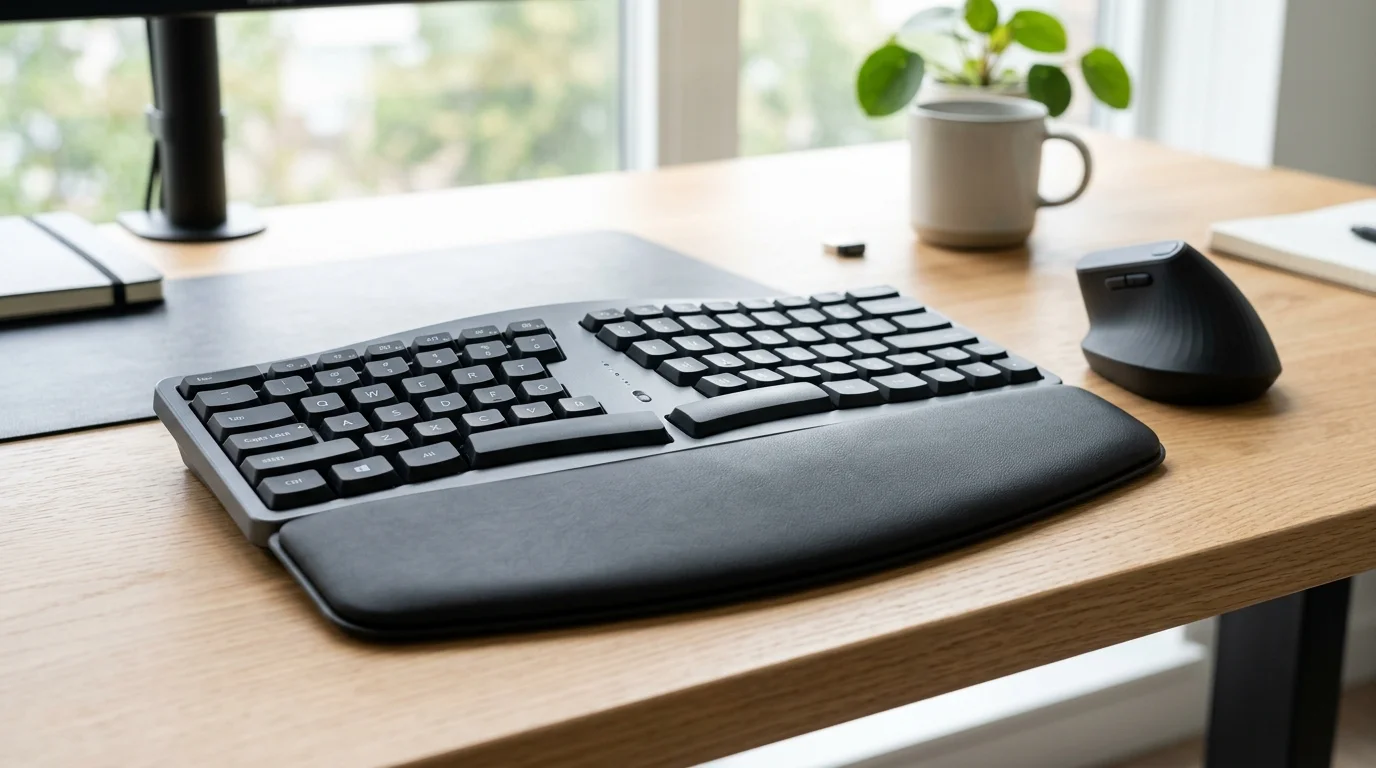
This guide addresses typists who want to know whether a wrist rest relieves strain or silently accelerates joint compression.
Quick verdict: top picks at a glance
Short on time? Here are our top recommendations based on verified manufacturer specs, warranty coverage, and long-term owner feedback.
Kensington ErgoSoft (K52802WW / K52800WW)
ultra soft exterior over gel cushion; mechanical and slim heights
HyperX Wrist Rest (Cool Gel Memory Foam)
anti fray stitched fabric with cooling gel memory foam; 3 sizes
Kensington SmartFit Conform (K55787WW)
Low-friction memory foam with non skid base; universal width
Buying for a corporate stipend, remote team, or LLC? Check bulk & tax-exempt pricing on Amazon Business →
*Prices and stock accurate as of November 18, 2026 via merchant data. Subject to change.*
Quick Verdict: Best Wrist Rests for Keyboard
| Wrist Rest | Price | Material & Dimensions | Best For |
|---|---|---|---|
| Kensington ErgoSoft (K52802WW / K52800WW) | ~$19 to $29 | ultra soft exterior over gel cushion; mechanical and slim heights | 🏆 Best Overall |
| HyperX Wrist Rest (Cool Gel Memory Foam) | ~$23 | anti fray stitched fabric with cooling gel memory foam; 3 sizes | ⭐ Runner Up |
| Kensington SmartFit Conform (K55787WW) | ~$10 | Low-friction memory foam with non skid base; universal width | 💰 Best Value |
The Biomechanics of Wrist Rests: What OSHA and Biomechanical Research Say
Verify your viewing clearance using our monitor viewing distance calculator.
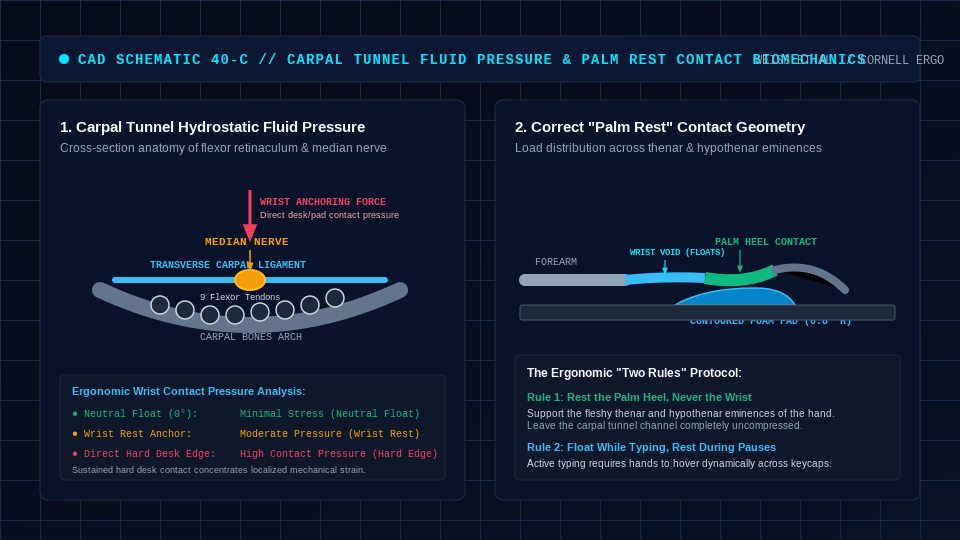
Three independent ergonomic bodies agree on a key distinction: wrist rests are landing pads for pauses, not typing anchors.
OSHA guidance states hands should hover freely while actively typing. Anchoring wrists restricts forearm movement, forcing extreme lateral deviation to reach perimeter keys.
Weiss et al. (1995) found carpal canal pressure lowest in near neutral wrist posture. Direct external contact pressure against the carpal tunnel significantly increased internal fluid pressure.
The Canadian Centre for Occupational Health and Safety (CCOHS) distinguishes wrist rests from palm rests.
Wrist rests place contact pressure directly across the underside of the wrist, whereas palm supports contact only the fleshy thenar and hypothenar eminences.
The correct protocol floats hands dynamically during key strikes, using pads solely to rest palm heels during pauses.
Testing Flaws in Mainstream Wrist Rest Reviews
Mainstream reviews evaluate wrist rests on pillow softness rather than biomechanical support, steering typists toward pads that increase joint strain.
Standard reviews praise deep squish without measuring compression. ultra soft gel pads allow wrists to sink deeply, creating continuous contact pressure against the underside of the wrist.
Reviewers also fail to match pad thickness with keyboard profiles. A tall pad paired with a slim chiclet keyboard bends hands upward into severe extension beyond 15 degrees.
Casual reviews also ignore cover longevity. Inexpensive polyurethane coverings peel, blister, or turn tacky under daily skin contact.
Detailed Reviews: Best Keyboard Wrist Rests
1. Kensington ErgoSoft (K52802WW / K52800WW)
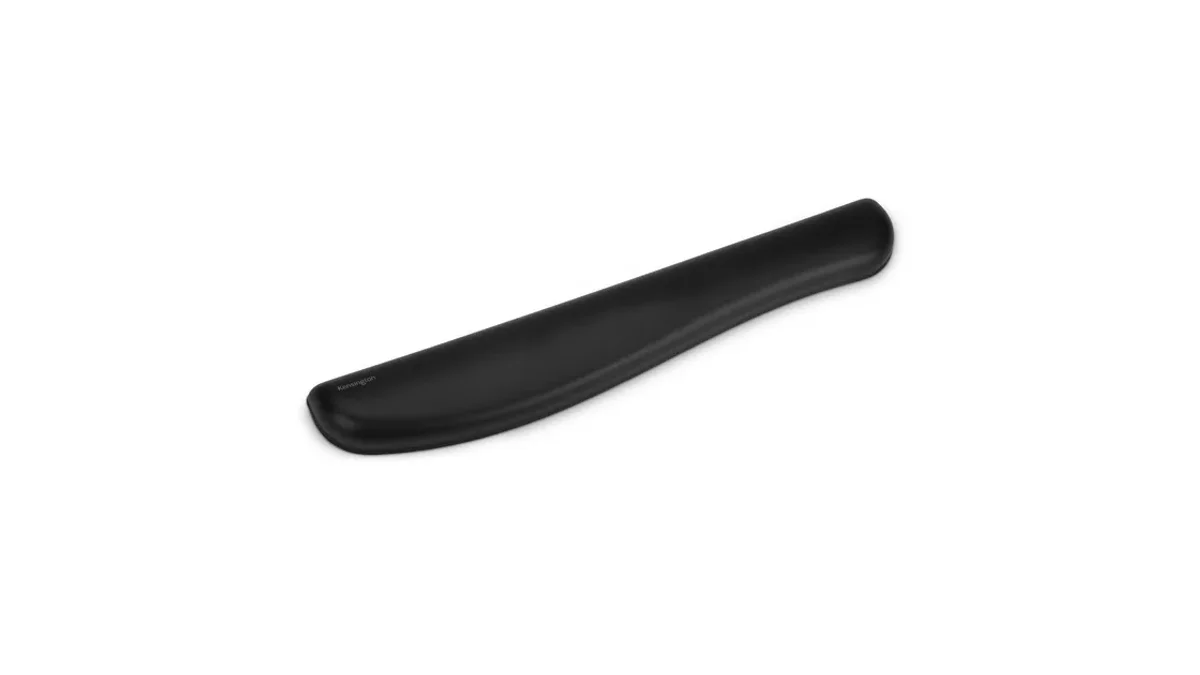
The Kensington ErgoSoft earns our top recommendation by offering height matched models rather than a generic universal thickness.
Kensington builds dedicated profiles for mechanical boards (0.9 inches tall) and slim compact frames (0.4 inches). Its matte faux leather cover encases a gel cushioned core that yields comfortably without bottoming out.
The contoured slope supports palm heels securely without pinching the central carpal tunnel.
2. HyperX Wrist Rest (Cool Gel Memory Foam)
Typists using full height mechanical boards with tall keycaps will appreciate the firm support of the HyperX Wrist Rest.
HyperX builds this pad with cooling gel memory foam wrapped in anti fray fabric. Dense foam provides firm pushback, preventing hands from sinking into the desk.
Textured rubber grips laminate and solid wood desktops firmly during rapid keystrokes, while perimeter stitching prevents edge fraying.
3. Kensington SmartFit Conform (K55787WW)
Home office workers wanting dependable palm support on a strict budget will find capable utility in the Kensington SmartFit Conform.
It encases memory foam in a wipe clean synthetic shell that distributes contact stress. Non skid rubber anchors the pad firmly against polished desks.
Its mid profile height matches standard membrane keyboards, providing immediate insulation against sharp desk edges.
side by side Specification Comparison Matrix
| Specification | Kensington ErgoSoft | HyperX Wrist Rest | Kensington SmartFit Conform |
|---|---|---|---|
| Price | ~$19 to $29 | ~$23 | ~$10 |
| Interior Core | gel infused Foam | Cooling Gel Memory Foam | Resilient Memory Foam |
| Cover Material | Soft Faux Leather | anti fray Stitched Fabric | wipe clean Synthetic |
| Height Profiles | Slim (0.4") & Mechanical (0.9") | Standard (0.9") | mid profile (0.75") |
| Size Options | Slim, Standard, Mechanical | 60%, TKL, full size | Universal full size |
| Warranty | 2 year Limited | 2 year Limited | 1-Year Limited |
Recommended ergonomic accessories and hardware specs
Workstation accessories selected to support healthy ergonomics, joints, and cable routing.
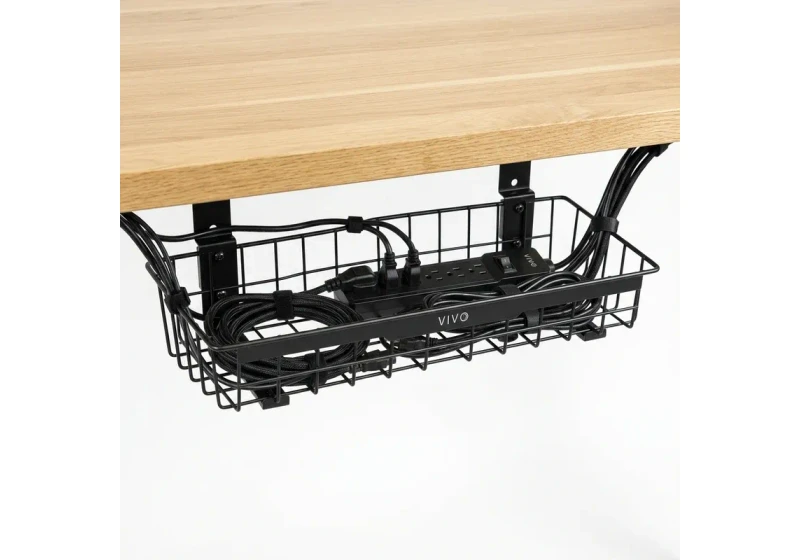
VIVO Under-Desk Cable Tray
Keeps power strips and heavy adapters off the floor, routing cords neatly beneath your desktop.
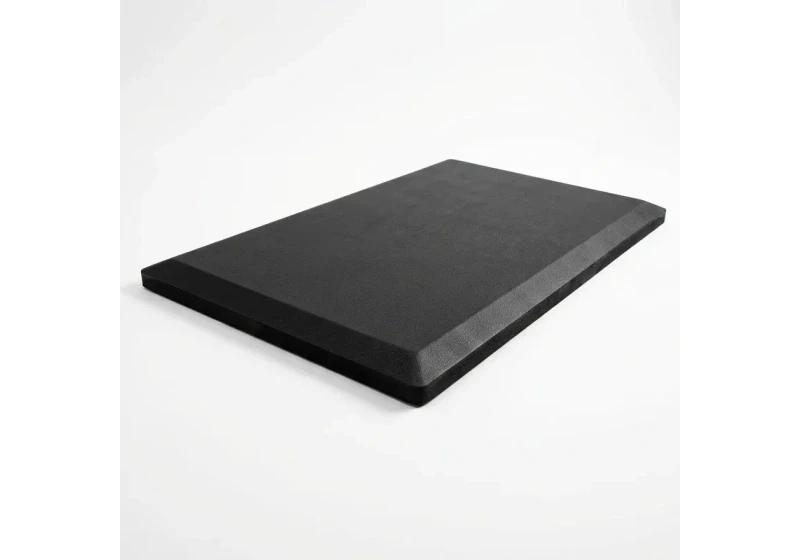
ComfiLife Gel Anti-Fatigue Mat
High-density core cushions heel strike and helps ease lower back compression when standing 3+ hours.
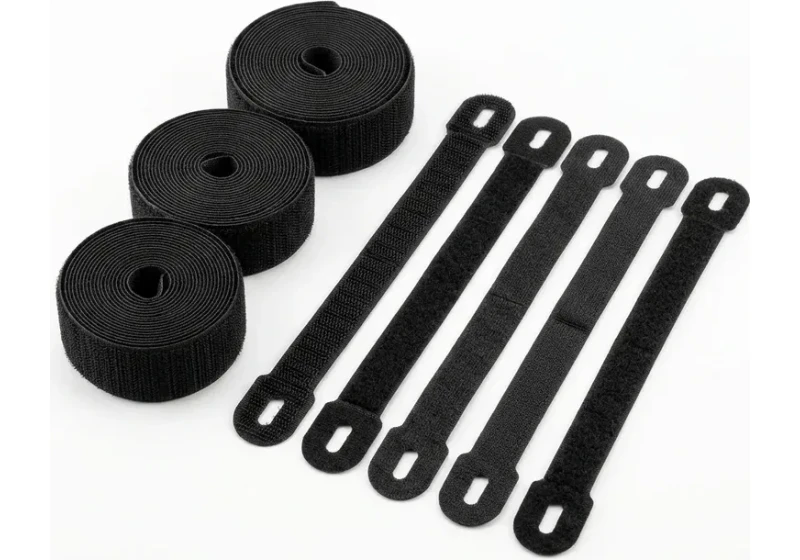
VELCRO Brand ONE-WRAP (100pk)
Pre-cut reusable straps that easily unwrap for cord re-routing without scissors.
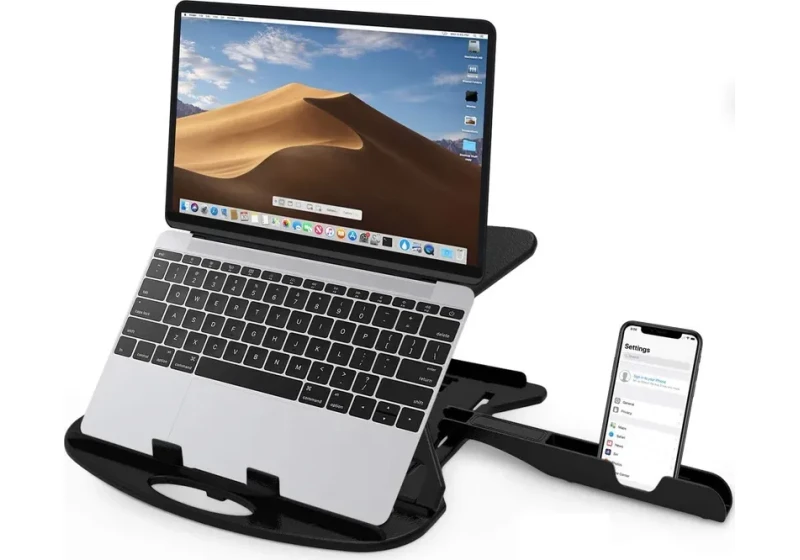
Soundance Laptop Stand
Raises laptop screen 6 inches to eye level, helping reduce forward neck slouch.
Matching Your Wrist Rest to Keyboard Dimensions
A mismatched wrist rest width disrupts forearm alignment across your desk pad, making it as frustrating as neglecting how to wash a desk mat when skin oils degrade surface glide.
full size 100 percent keyboards span 17.0 to 18.5 inches with numeric keypads, requiring full length rests for continuous palm support.
Tenkeyless (TKL) boards measure 14.0 to 15.5 inches, where compact pads keep mice positioned close to body midline per Cornell guidelines.
Compact 60 to 75 percent boards span 11.5 to 13.0 inches, benefiting from mini rests that preserve mouse navigation space.
When a Wrist Rest Cannot Solve Typing Pain
A wrist rest changes where palms land during pauses, but an upright mouse handles the pointing hand better.
On standard 29-inch desks, forearms angle upward, bending wrists into extension regardless of cushioning.
Under such geometry, installing an under desk keyboard tray or raising your chair with a footrest solves the structural dilemma.
Similarly, typing directly on laptops forces cervical neck flexion. Placing laptops on an raised laptop stand for desk with a detached keyboard restores healthy posture.
For broader workspace adjustments, review our ergonomic workstation setup guide.
real world Limitations and Who Should Skip
Padded supports offer comfort during breaks, but cannot cure systemic repetitive strain.
Skip wrist rests if your hands already hover in a neutral line without discomfort. Adding a pad can encourage anchoring and restrict arm mobility.
Skip aftermarket pads if you use contoured split keyboards with integrated palm rests from our best ergonomic keyboard for carpal tunnel guide.
Finally, avoid thick pads if sharp desk rims pinch forearms; moving the keyboard inward or adding a tray provides superior relief.
Frequently Asked Questions (FAQ)
Do wrist rests actually help with carpal tunnel, or can they make it worse?
Used as intermittent palm rests during pauses, quality pads support neutral hand alignment safely.
Resting wrists directly on cushions while typing concentrates contact pressure on the underside of the wrist rather than supporting the hand through neutral arm mechanics.
Should your wrist touch the wrist rest while you are typing?
No, hands should hover dynamically above the pad during active keystrokes. The pad supports only palm heels during pauses between sentences.
Is a gel or memory foam wrist rest better?
Gel provides cooler initial touch and firmer pushback, while high density memory foam distributes palm weight evenly. Avoid ultra soft foams that bottom out against hard desk surfaces.
Do I need a wrist rest with an ergonomic or split keyboard?
Most split ergonomic keyboards integrate custom palm rests into their chassis. Adding an aftermarket pad disrupts designed keycap angles and forces wrists into extension.
Can a wrist rest fix pain caused by a high desk surface?
No, a wrist rest cannot correct an excessively tall desktop surface. When desks sit too high, installing an adjustable keyboard tray provides genuine ergonomic relief.
Which Wrist Rest for Keyboard Should You Buy?
Choose the Kensington ErgoSoft if you want height matched models that precisely align with slim chiclet keys or full height mechanical switches.
Choose the HyperX Wrist Rest if you use a mechanical gaming board and want cooling gel memory foam with durable anti fray stitched borders.
Choose the Kensington SmartFit Conform if you need dependable, wipe clean palm support for an everyday office keyboard under ten dollars.
Sources & Scientific Literature
- OSHA Occupational Safety and Health Administration: "Computer Workstations: Keyboards and Good Working Positions." U.S. Department of Labor, eTools.
- Journal of Bone and Joint Surgery (Am): Weiss, N.D., Gordon, L., Bloom, T., So, Y., & Rempel, D.M. (1995). "Position of the wrist associated with the lowest carpal-tunnel pressure." J Bone Joint Surg Am., 77(11), 1695–1699.
- Cornell University Ergonomics Web (Prof. Alan Hedge): "CUErgo: Workstation Ergonomics Guidelines and Neutral Typing Postures." Cornell University Human Factors Research Group.
- Canadian Centre for Occupational Health and Safety (CCOHS): "Office Ergonomics: Workstation Components and Palm Rest Guidelines." CCOHS Workstation Guidelines.
- ANSI/HFES 100-2007: "Human Factors Engineering of Computer Workstations." Human Factors and Ergonomics Society Standard.
Calculate your exact desk and chair height
Slide to your height to see ANSI/BIFMA recommended standing and sitting presets.
By M. Haris
References ANSI/BIFMA G1-2017 guidanceSoftware engineer and founder of The Desk Riser
M. Haris is a software engineer and founder of The Desk Riser, auditing manufacturer engineering schematics, motorized desk cycle lifespans, ANSI/BIFMA G1-2017 ergonomic standards, and long-term user failure patterns across verified owner communities. Every guide is editorially independent with zero paid brand placements and zero PR samples (we may earn affiliate commissions on qualifying purchases). Have questions or spot a warranty update? Email directly at support@thedeskriser.com, read the Author Dossier, or explore our Editorial Research Methodology.
Share this article:
Workstation Setup & Fit Q&A
Have questions about frame deflection, monitor arm clamp loads, or chair sizing? Consult our workstation researchers.
Q:How do I know if this standing desk will wobble on thick carpet?
Standing desk wobble on carpet is caused by uneven carpet pile compression under the rear footpads. Frames with wedge-reinforced leg collars and wide steel footplates (like UPLIFT V3 or FlexiSpot E7 Pro) minimize lateral flex. If placing on plush carpet, use rigid caster cups or a dense underlay to anchor the base directly to the subfloor.
Q:Can I clamp a dual monitor arm onto standard particleboard tops?
Dual monitor arms concentrate 25 to 45 lbs of dynamic torque onto a 4-inch clamp perimeter. Hollow honeycomb tops (such as IKEA Linnmon) will crush. We recommend a minimum 0.75-inch solid core (MDF, solid bamboo, or hardwood), or sandwiching a steel reinforcement bracket plate (min 2.5mm thickness) between the clamp and desktop.
Q:What if my chair cylinder sinks or feels too high for my feet?
Always verify your seated popliteal height (crease behind knee to floor with shoes). If a chair will not drop below 17 inches and your feet dangle, pair it with an angled footrest or switch to a low-range Class 4 cylinder. If a cylinder loses pressure and sinks on its own, the internal nitrogen seal is breached and requires cylinder replacement.
Ask Our Ergonomic Spec Reviewers
Planning an upgrade or unsure if your monitors and stature fit this configuration? Send your dimensions directly to our research desk. No accounts, no trackers, zero marketing spam.