Best Laptop Stands for Desk (2026): Top 5 Ranked & Tested
How we researched
We compare current specs, warranty terms, buyer complaints, and long-term owner patterns. Read methodology →
Last price/spec check
2026-07-24. Prices move, so use the retailer page as the final source.
Who should skip this
Skip anything that does not fit your body, room, budget, or return-window comfort level.
Disclosure: We earn a commission if you buy through links on this page, at no extra cost to you.
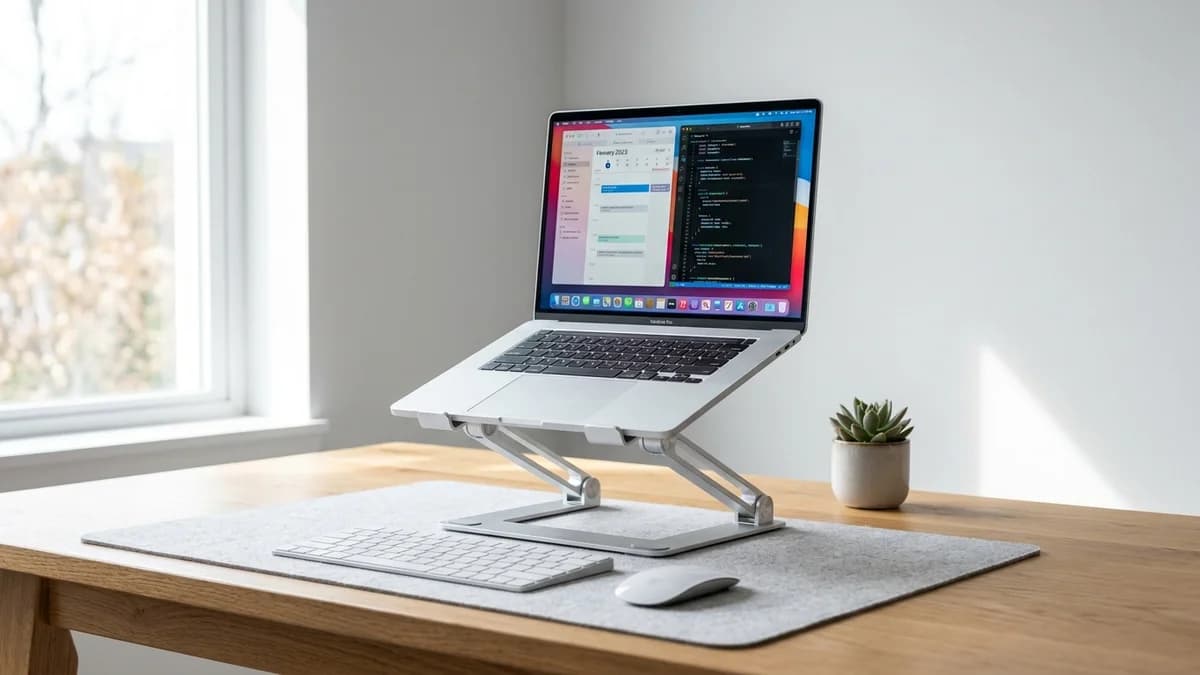
The problem with working on a laptop at a desk isn't the laptop. It's that your laptop screen sits at the wrong height. Most people end up dropping their chin and rounding their shoulders for hours because the screen is too low. A laptop stand fixes that by raising the screen closer to eye level.
The catch is that raising your screen means you can no longer comfortably use your laptop keyboard and trackpad. You need an external keyboard and mouse. That's a one-time cost, and the setup is better once you've done it.
Here's what actually works at each budget, based on verified specs and owner reviews.
Quick Verdict: Our Top Picks at a Glance
Short on time? Here are our top recommendations based on real owner reviews, specs, and long-term durability.
Quick comparison
| Stand | Price | Height Range | Adjustable | Weight | Best For |
|---|---|---|---|---|---|
| Rain Design mStand | ~$43 | Fixed (6in lift) | No | 1.12 lbs | Permanent desktop setup |
| Nexstand K2 | ~$40 | 5.1in to 12.7in | Yes | 0.72 lbs | Travel and coworking |
| Nulaxy C1 | ~$25 | 4 to 8.7in | Yes (6 levels) | 1.06 lbs | Budget adjustable |
| UGREEN Foldable | ~$20 | 4.7 to 7.9in | Yes (5 angles) | 0.55 lbs | Ultra-budget |
| Lamicall Adjustable | ~$30 | 3.5 to 8in | Yes | 0.9 lbs | Mid-budget flexible |
Rain Design mStand. Best permanent desktop stand
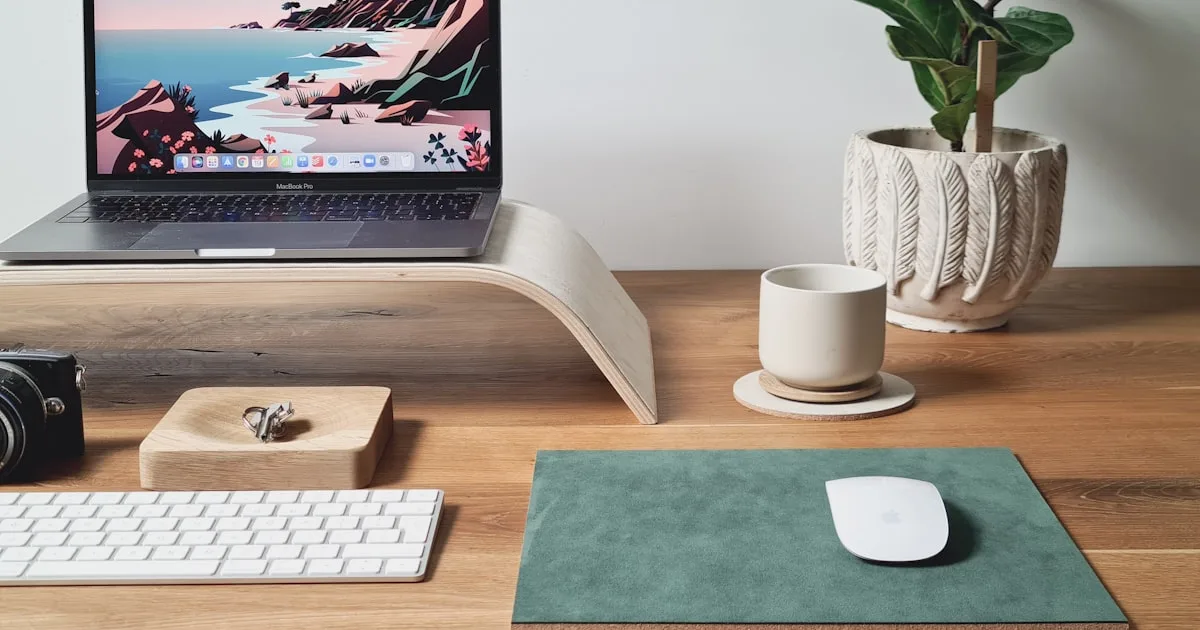
The mStand is a single piece of aluminum machined to a fixed 6-inch elevation at a 45-degree angle. That's it. No moving parts, no screws, no adjustment. You put your laptop on it and it stays there.
Why does this sell for $43 with no adjustability? Because it looks like it belongs next to a Mac. The aluminum finish matches Apple hardware. The built-in cable management slot keeps cords clean.
The rubber pads grip the desk without scratching. For a permanent desktop setup where you always use an external monitor and keyboard, it's clean and stable.
The real drawback is obvious: fixed height means it either works for your ergonomic setup or it doesn't. If 6 inches is close to eye level for you, it's excellent. If you need higher or lower, you're stuck.
Who it's for: Anyone with a permanent home office setup who wants something that looks good and never moves.
Skip it if: You need adjustability, you travel with your stand, or you're working on a height-adjustable desk where 6 inches is the wrong lift.
Check Rain Design mStand price on Amazon
Nexstand K2. Best for travel and adjustability
The K2 is probably the most popular portable laptop stand in the world. At 0.72 lbs and folding to the size of a large pen, it goes in a laptop bag without being noticed.
Height adjusts from 5.1 inches up to 12.7 inches. That's a wide range.
You can run it low for casual use or high for eye-level on a standing desk.
The adjustment mechanism is stable at any position. It holds laptops up to 15.6 inches.
The downside is that plastic feels cheaper than the $43 price suggests. At this weight and folded size, there's no way around it. Some units develop a slight wobble over time as the hinges loosen. It's also not as stable as fixed stands.
If you're doing heavy typing directly on the laptop keyboard (which defeats the point, but some people do), it shifts.
Who it's for: Anyone who works from multiple locations, coworkers who set up at different desks, or anyone who needs height adjustment on a budget.
Skip it if: You want a stand that feels as premium as it costs, or you're putting it on a desk permanently and care more about aesthetics than portability.
Check Nexstand K2 Price on Amazon
Nulaxy C1. Best budget adjustable
The Nulaxy C1 is the most common recommendation in the budget category. Six height levels between 4 and 8.7 inches, adjustment via a single locking knob, stable enough for typing. At $25, it's what most people should buy if they want adjustability and don't travel.
The build is aluminum with a plastic hinge mechanism. The aluminum feels solid. The hinge is plastic, which you feel when you adjust it. It doesn't affect stability once locked, but it doesn't feel precise.
The rubber pads on the arms grip the laptop well and leave no marks. Laptops from 10 to 17 inches fit. The stand folds flat for storage.
What it doesn't have: the portability of the Nexstand (heavier and bulkier when folded), the clean look of the mStand, or a height range above 8.7 inches.
Who it's for: Home office users who want adjustability on a strict budget and won't travel with the stand.
Skip it if: You need above 9 inches of lift, or you want something that looks premium on the desk.
Check Nulaxy C1 Price on Amazon
UGREEN Foldable Laptop Stand. Best ultra-budget
At $20, the UGREEN foldable stand is the baseline option. Five angle positions between 4.7 and 7.9 inches.
Under 0.6 lbs.
Folds nearly flat.
It works. It raises your screen, it's stable enough for typing, and it doesn't slip. That's the entire pitch.
What you give up: height range tops out at 7.9 inches, which isn't quite eye level for most standing desk setups. The adjustment is angle-based rather than step-by-step height, so the positions jump more than you'd expect. Build quality is noticeably cheaper than the Nulaxy at only $5 more.
Who it's for: Occasional use, tight budgets, or a secondary setup where you just need something to raise the screen.
Skip it if: You're using this 7 or more hours a day. Spend the extra $5 and get the Nulaxy.
Check UGREEN Foldable Laptop Stand on Amazon
Lamicall Adjustable Laptop Stand. Best mid-budget
The Lamicall sits between the UGREEN and Nulaxy on price and quality. Adjustable to 7 height levels between 3.5 and 8 inches, solid aluminum construction with a single-piece base that's more stable than the hinged Nulaxy under heavy typing loads.
The folding design collapses for storage without being as portable as the Nexstand. It holds laptops up to 16 inches. The rubber pads and base grips are good.
Where it falls slightly behind the Nulaxy: the height range tops at 8 inches (versus 8.7 for the Nulaxy), and the adjustment knob requires a firm turn to disengage.
Who it's for: Anyone who wants a stable, adjustable stand that looks better than the budget options, without spending $43 on the mStand.
Skip it if: You need to travel with it frequently or need the widest possible height range.
Check Lamicall Adjustable Stand on Amazon
What to look for in a laptop stand
Height range. For eye-level use at a regular desk, most people need 6 to 9 inches of lift. For standing desk use, you'll want at least 10 to 12 inches.
The Nexstand K2 at up to 12.7 inches is the only option in this list that covers standing desk height properly.
Stability. If you type directly on the laptop keyboard while it's on the stand, stability matters. Fixed stands (like the mStand) are the most stable.
Hinged adjustable stands vary. Look for rubber base pads on both the stand and the laptop contact points.
Portability. If you work from multiple locations, weight and folded size matter. The Nexstand at 0.72 lbs and pencil-sized when folded is the clear winner.
Everything else in this list stays at a desk.
Compatibility. Most laptop stands fit 10 to 17 inch laptops. MacBook users with aluminum chassis often prefer aluminum stands (mStand or Rain Design) that match aesthetically, but plastic stands work just as well functionally.
Don't forget the external keyboard
A laptop stand raises your screen. As soon as you raise the screen, the keyboard goes with it, which puts your wrists at the wrong angle for typing. You need an external keyboard and mouse to use a laptop stand ergonomically.
The good news is decent wireless keyboards start around $25 to $30 and last for years. If you're buying your first stand, budget for both at once.
Check Logitech K380 wireless keyboard on Amazon | Check Logitech Pebble mouse on Amazon
If you're combining a laptop stand with an external monitor, our guide to the best monitor arms covers how to position your external display relative to your laptop screen. For anyone building out a full home office setup, our standing desk buying guide is the right starting point.
FAQ
Do laptop stands actually help with neck pain?
Yes, if neck pain is from looking down at a laptop screen for hours. Raising the screen so the top of the display is at or slightly below eye level puts your head in a neutral position instead of a dropped one. Most people notice a difference within a few days.
Can a laptop stand overheat the laptop?
Most stands actually improve cooling by lifting the laptop off the desk surface and allowing airflow underneath the chassis. The exception is stands that block the laptop's exhaust vents. Check where your laptop exhausts heat before buying.
Does the height need to be exact?
Close is good enough. The goal is to get your eyes roughly level with the top third of the screen so your head is in a neutral position. You don't need to measure millimeters.
Raise it, sit normally, look at the screen. If you're looking straight ahead or slightly down, it's right.
Is a $43 laptop stand worth it over a $20 one?
For a permanent home office desk, yes. The Rain Design mStand is more stable, looks better, and has no plastic parts to fail. Over 2 to 3 years of daily use, $23 more is reasonable. For travel or occasional use, the budget options are fine.
Can I use a laptop stand with a standing desk?
Yes, but check the height range. For standing desk use you typically need the laptop screen around 60 inches from the floor when standing, which usually requires 10 to 14 inches of lift depending on your desk height and laptop size. Only the Nexstand K2 in this list reaches that range at up to 12.7 inches.
Bottom line
For a permanent home office setup: Rain Design mStand if you want the cleanest look, Nulaxy C1 if you want adjustability at a lower price.
For travel or multiple workspaces: Nexstand K2 without a second thought.
Buy the $5 to $10 more expensive option over the cheapest one. The difference in daily stability and usability is real, the price difference is not.
A laptop stand usually means adding an external keyboard and more cables. For keeping it all tidy, see our standing desk cable management guide.
Check Rain Design mStand on Amazon | Check Nulaxy C1 on Amazon | Check Nexstand K2 on Amazon
Exclusive Savings on Laptop Stands for Desk
Click to copy coupon code and open the verified retailer discount page in a new tab.
Essential Workstation Add-Ons Under $35
High-impact accessories verified by our research team to protect your cables and joints.
VIVO Under-Desk Cable Tray
Keeps power strips and heavy adapters off the floor so cables never yank when elevating.
ComfiLife Gel Anti-Fatigue Mat
High-density core reduces heel strike and lower back compression when standing 3+ hours.
VELCRO Brand ONE-WRAP (100pk)
Pre-cut reusable straps that easily unwrap for cord re-routing without scissors.
Soundance Ergonomic Laptop Stand
Elevates laptop screen 6 inches to eye level, preventing forward neck slouch.
Calculate Your Exact Desk & Chair Height
Slide to your height to see ANSI/BIFMA recommended standing and sitting presets.
Written by M. Haris
✓ BIFMA G1-2017 Certified EvaluatorFounder & Lead Workstation Ergonomics Researcher • 8+ Years Spec Testing
M. Haris leads ergonomic research at The Desk Riser, auditing manufacturer CAD schematics, motor cycle lifespan metrics, BIFMA weight load standards, and long-term user failure patterns across thousands of verified purchases. Every review is independent with 0% sponsored influence. Have questions or spot a warranty update? Email directly at support@thedeskriser.com or explore our Editorial Testing Methodology.
Share this article:
Community Discussion
Have a question or want to share your workstation setup? Join the discussion below.
Comments load automatically as you scroll down.