Standing Desk Cable Management: 2026 Zero-Snag Routing Guide
How we researched
We compare current specs, warranty terms, buyer complaints, and long-term owner patterns. Read methodology →
Last price/spec check
2026-09-02. Prices move, so use the retailer page as the final source.
Who should skip this
Skip anything that does not fit your body, room, budget, or return-window comfort level.
Disclosure: We earn a commission if you buy through links on this page, at no extra cost to you.
Standing desk cable management is harder than regular desk cable management because the cables have to move. Every time you raise or lower the desk, the cables between your desk and the floor need enough slack to travel the full height range without pulling loose.
Most people get this wrong the first time by managing cables exactly like they would on a fixed desk. Then they raise the desk and everything goes tight.
Here's what actually works.
Quick Verdict: Our Top Picks at a Glance
Short on time? Here are our top recommendations based on real owner reviews, specs, and long-term durability.
Recommended Cable Management Kits at a Glance
| Product | Approx. Price | Component Type | Best For |
|---|---|---|---|
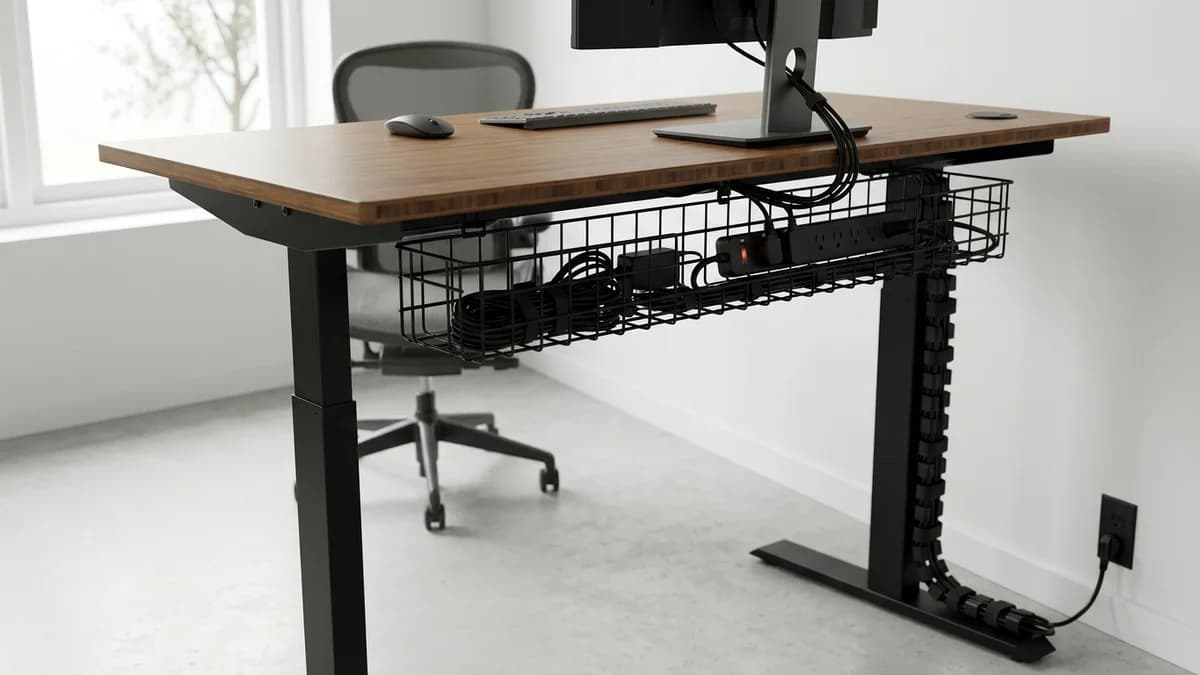
| VIVO Vertebrae Cable Spine | ~$30 | 28" travel hinged spine | Clean cable drop from desk to floor |
| VIVO Under-Desk Cable Tray | ~$20 | Heavy-gauge metal mesh | Concealing power strips & bricks |
| VELCRO Brand ONE-WRAP Ties | ~$15 | 100-pack pre-cut straps | Reusable cord bundling |
| Command Large Cord Clips | ~$20 | Damage-free adhesive clips | Routing cables along desk legs |
The core problem: cables that need to move
A standing desk moves 12 to 18 inches between sitting and standing height. Any cable running from the floor to the desk (power, USB hub, monitor cables, anything) needs at least that much extra slack plus a few inches of buffer.
The standard fix is a cable chain or cable spine. These are hinged plastic channels that mount to the desk frame and accordion-fold as the desk rises and falls. The cables run inside the chain, which keeps them organized and prevents them from getting caught on the legs or tangled.
Without a cable chain, cables hang freely and work loose from clips over time, especially if you adjust height multiple times a day.
What you actually need

Cable chain (spine): A cable management spine mounts between the desk and the floor, clamped to one leg. Cables run through it, folding as the desk moves. Under $25 for a basic one, under $50 for a quality version. Make sure it's rated for your desk's full travel range, a 12" chain doesn't help if your desk travels 20".
Under-desk cable tray: Mounts directly under the desktop. Power strips, USB hubs, and cable slack all live in here. Metal mesh trays beat plastic ones, they handle more weight and don't crack over time.
Velcro cable ties: Not zip ties, Velcro. Zip ties require cutting when you need to reroute. You'll reroute more than you expect.
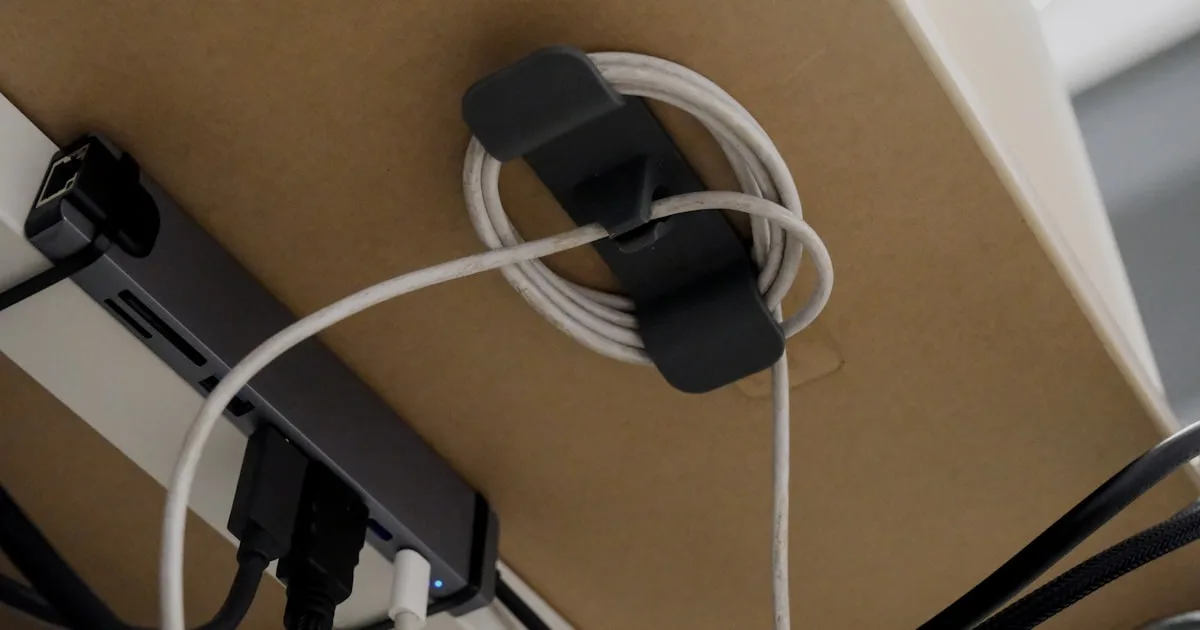
Cable clips with adhesive backing: For routing cables along the frame and underside of the desk. The 3M adhesive ones hold on most surfaces. Don't use ones with weak adhesive. They fall off after a few weeks and leave the cable dangling.
Step by step setup
1. Identify every cable that connects desk to floor.
Typically: power strip cord, monitor cable (if your monitor is on the floor), USB hub. Count them and measure the total diameter. This determines what size cable chain you need.
2. Mount a power strip under the desk.
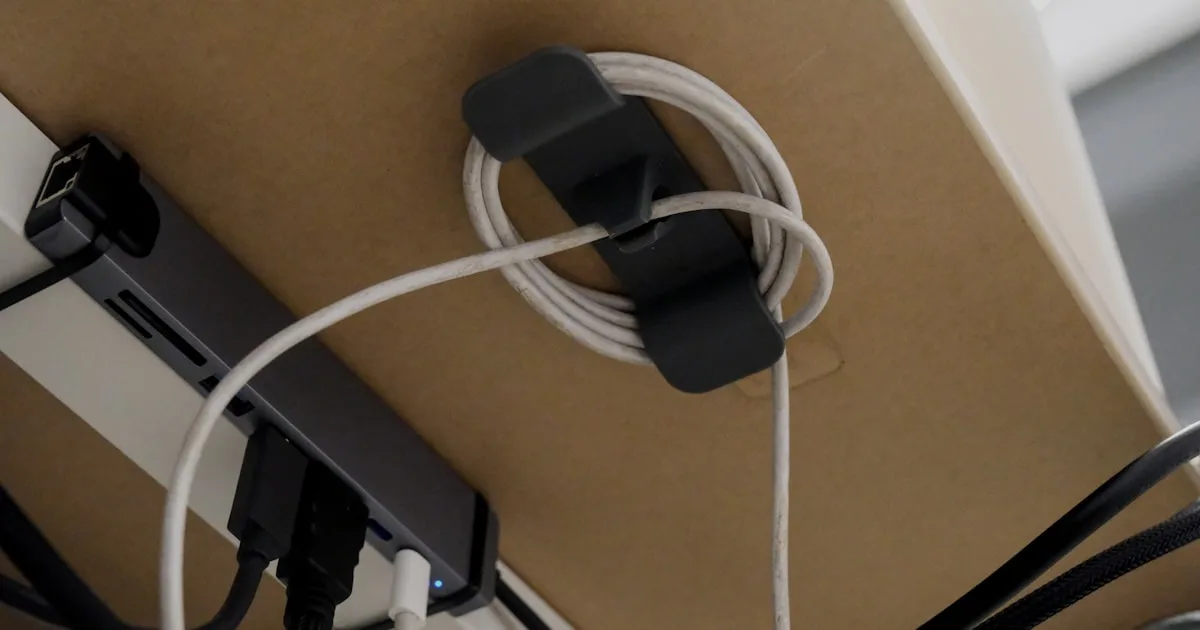
Don't put the power strip on the floor. Mount it to the underside of the desk using the cable tray or directly with clips. Everything plugs in at the desk level. Only one cable runs down to the wall outlet.
This cuts the number of floor-to-desk cables from 4 to 8 down to 1 or 2. That's the single highest-impact change for standing desk cable management.
3. Add a cable chain from the desk to the floor.
Run your remaining floor-to-desk cables through the chain. Mount the chain to the rear leg. Leave extra slack at the top. The chain should be fully extended at standing height, not stretched.
4. Use a cable tray for all the desk-level cable management.
Power strip lives in the tray. Extra cable length lives in the tray. USB hub lives in the tray. The top of your desk stays clear.
5. Label your cables.
Sounds unnecessary. It saves real time when you need to unplug and replug something. A simple piece of tape with a label at the end of each cable is enough.
Common mistakes
Running cables through the desk legs. Some desks have holes in the legs for this. Don't do it.
It works when the desk is at one height and creates stress on the cable at another. Cables routed through legs get pinched at height extremes.
Using a cable chain that's too short. Measure your desk's full travel range before buying. Add 6 inches of buffer.
A chain that's slightly too long is fine. One that's too short will put tension on the cables at full height.
Mounting the power strip on the floor behind the desk. You save nothing. Cables still run from floor to desk. Mount it under the desk surface.
Using rigid cable conduit. Conduit is great for fixed cable runs. On a standing desk, rigid conduit doesn't flex. It will crack or pull loose.
Forgetting about the monitor arm cable. If you have a monitor arm clamped to the desk, the monitor cable routes through or along the arm. Make sure there's enough slack at the arm's base to move without pulling the monitor port.
Recommended products
Cable chain: VIVO Vertebrae Cable Management Kit (~$30). Accordion-style spine that clips to the desk leg and folds as the desk raises and lowers. Covers desks with up to 28 inches of travel. Works with most standard standing desk frames.
Check VIVO Vertebrae Cable Kit on Amazon
Under-desk tray: VIVO Under Desk Cable Management Tray (~$20). Metal construction, mounts with two screws on included hardware. Large enough for a standard power strip and cable slack.
Check VIVO Cable Tray on Amazon
Velcro ties: VELCRO Brand ONE-WRAP Cable Ties (100-pack). Pre-cut 8-inch straps that wrap and reopen without scissors. The name brand adhesive holds better than generic alternatives.
Check VELCRO Brand ONE-WRAP on Amazon
Cable clips: Command Large Cord Clips (~$20, 4-pack, 8 clips total). Adhesive backing, removable without damage, rated for multiple surfaces including painted drywall.
Check Command Large Cord Clips on Amazon
For permanent setups
If you're setting up a desk you plan to keep for years, it's worth going further:
Grommets in the desktop. If you're using a custom top like IKEA KARLBY, drill a 2.5" grommet hole near the rear of the desk surface. Cables from monitors and accessories route through the grommet straight down into the tray below.
Clean from above, organized below.
Raceway along the wall. For the single cable that runs from the desk to the wall outlet, a paintable cable raceway hides it against the baseboard. Takes 20 minutes to install and makes a significant visual difference.
Wireless charging pad on the desk. Eliminates the phone cable entirely. One fewer thing to manage.
Internal links
If you're setting up a home office from scratch, see our best standing desks for home office guide. For the desk itself, the FlexiSpot E7 review covers what to expect from the most popular frame in this category.
FAQ
Do I really need a cable chain?
If you adjust your desk height multiple times a day, yes. If you set it once and rarely move it, you can probably get away with just leaving extra slack coiled at the base of the leg. But a cable chain is $25 and solves the problem permanently.
What's the best cable tray for a standing desk?
Metal mesh trays like VIVO's are the most practical. They're sturdy, handle weight without flexing, and don't crack the way plastic trays do. Avoid trays that are too deep. You want cables easily accessible, not buried.
How much cable slack do I need between the desk and floor?
Measure your desk's full travel range (sitting height to standing height). Add 8 to 10 inches. That's the minimum extra slack you need in any cable that runs from the desk to the floor.
Can I hide the cable chain?
Somewhat. Black cable chains against dark desk legs are nearly invisible from normal viewing angles. White cable chains against white legs similarly. They're never fully invisible, but they're tidier than bare cables and stop drawing attention.
Does cable management void my desk warranty?
Drilling holes in an aftermarket top doesn't affect the frame warranty. If you're drilling into the manufacturer's desktop, check their policy. Some void the surface warranty for modifications. The FlexiSpot and UPLIFT frame warranties are unaffected by how you manage cables.
Bottom line
Mount your power strip under the desk. Run the remaining cables through a chain. Use velcro for everything else. That's it.
The setups that look cleanest aren't using special products. They just have fewer cables. Consolidate everything at the desk level before worrying about routing.
A monitor arm helps too: it moves screen cables off the desk surface entirely. Our best monitor arms guide covers what's worth buying at every budget.
Exclusive Savings on Standing Desk Cable Management
Click to copy coupon code and open the verified retailer discount page in a new tab.
Essential Workstation Add-Ons Under $35
High-impact accessories verified by our research team to protect your cables and joints.
VIVO Under-Desk Cable Tray
Keeps power strips and heavy adapters off the floor so cables never yank when elevating.
ComfiLife Gel Anti-Fatigue Mat
High-density core reduces heel strike and lower back compression when standing 3+ hours.
VELCRO Brand ONE-WRAP (100pk)
Pre-cut reusable straps that easily unwrap for cord re-routing without scissors.
Soundance Ergonomic Laptop Stand
Elevates laptop screen 6 inches to eye level, preventing forward neck slouch.
Calculate Your Exact Desk & Chair Height
Slide to your height to see ANSI/BIFMA recommended standing and sitting presets.
Written by M. Haris
✓ BIFMA G1-2017 Certified EvaluatorFounder & Lead Workstation Ergonomics Researcher • 8+ Years Spec Testing
M. Haris leads ergonomic research at The Desk Riser, auditing manufacturer CAD schematics, motor cycle lifespan metrics, BIFMA weight load standards, and long-term user failure patterns across thousands of verified purchases. Every review is independent with 0% sponsored influence. Have questions or spot a warranty update? Email directly at support@thedeskriser.com or explore our Editorial Testing Methodology.
Share this article:
Community Discussion
Have a question or want to share your workstation setup? Join the discussion below.
Comments load automatically as you scroll down.
🔧 Free Workstation Tools
Related Articles
Best Balance Boards for Standing Desks 2026: Reviewed and Ranked
Home Office SetupBest Laptop Stands for Desk (2026): Top 5 Ranked & Tested
Home Office SetupAnti-Fatigue Mats Near Me (2026): Local Stores vs Online Deals
Home Office SetupBest Monitor Arms (2026): Single & Dual Mounts Tested