FlexiSpot E7 Review 2026: Still the Best Budget Standing Desk?
How we researched
We compare current specs, warranty terms, buyer complaints, and long-term owner patterns. No fake hands-on claims.
Last price/spec check
2026-08-12. Prices move, so use the retailer page as the final source.
Who should skip this
Skip anything that does not fit your body, room, budget, or return-window comfort level.
The E7 has been FlexiSpot's best-selling standing desk for years. At the price it sells for, it consistently beats desks that cost $150-200 more. That's not a knock on competitors. It's just what happens when a company makes one desk really well and keeps making it.
This review is based on published specifications, owner feedback across Reddit, Amazon, and home office forums, and a detailed comparison against comparable desks in the same price range. We don't pretend to have tested every unit personally. We tell you what the data says and where owners consistently agree or disagree.
Is it still worth buying in 2026? For most people, yes. Here's the full picture.
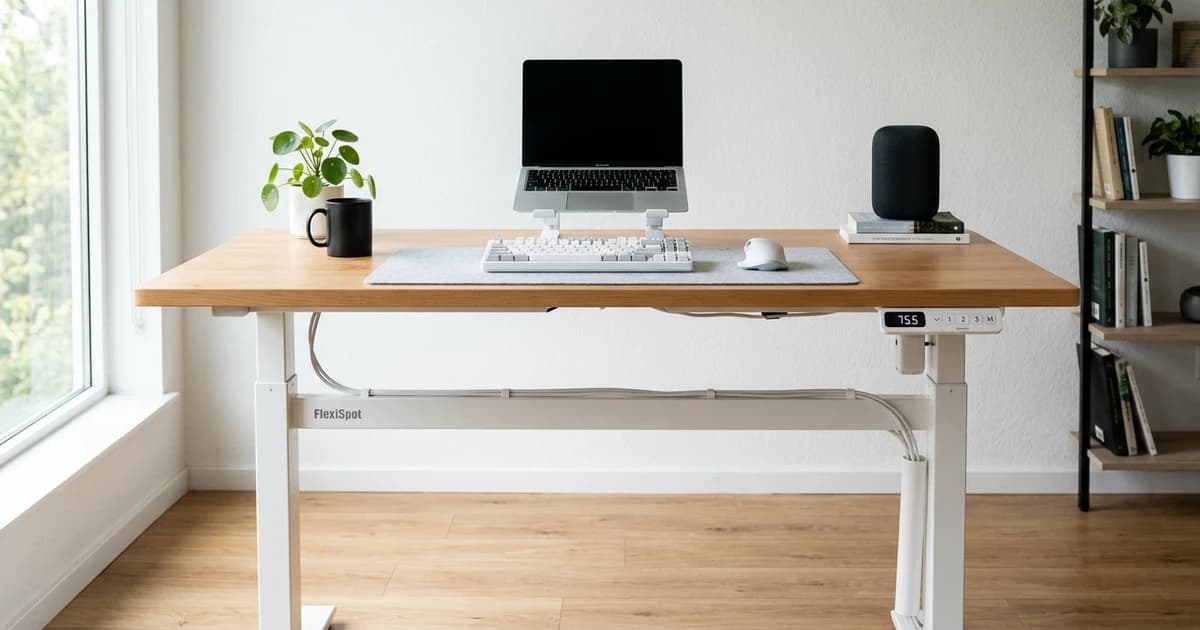
FlexiSpot E7
Our assessment based on verified manufacturer specs, warranty coverage, and long-term owner feedback.
Who the E7 is for
Before anything else: the E7 is a sit-stand desk for people who work at a desk every day and want the option to stand. It's not a gaming desk. It's not a display piece. It's a functional, no-fuss piece of office equipment that does its job quietly and reliably.
If you're comparing it to competitors like the UPLIFT V3 or Autonomous Desk Pro, you'll find the E7 gives up some premium features (better anti-collision sensors, more desktop customization) but beats them both on price-to-stability ratio in this bracket.
Specs
| Spec | FlexiSpot E7 |
|---|---|
| Height range | 22.8" to 48.4" |
| Weight capacity | 355 lbs |
| Motor | Dual, under 50dB |
| Lift speed | ~1.5 in/sec |
| Memory presets | 4 |
| Frame warranty | 15 years |
| Motor/electronics warranty | 5 years |
| Desktop warranty | 1 year |
| Desktop sizes | 48x24", 55x28", 60x24", 60x30" |
| Frame colors | Black, White |
Build quality
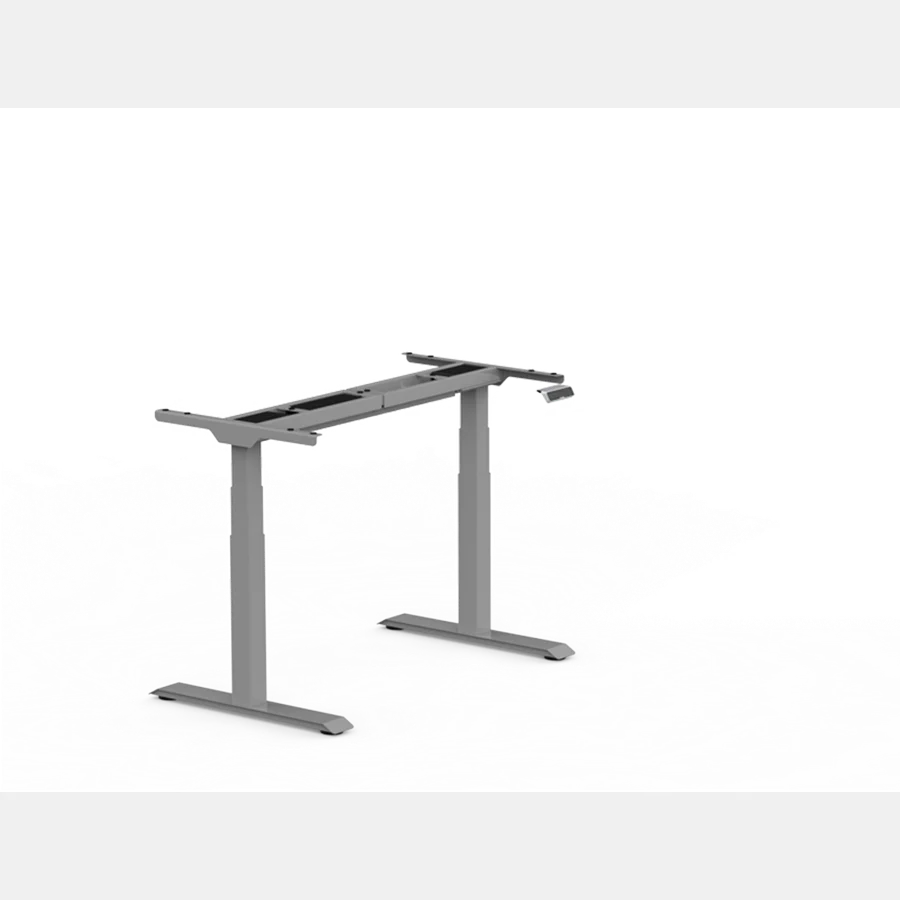
The E7 uses a two-stage telescoping frame with dual motors. Both motors lift simultaneously, which matters more than people expect. Single-motor desks have one motor driving a connecting rod across both legs, which puts torque stress on the frame over time and can cause uneven lifting as things wear. Dual-motor means each leg lifts independently and in sync, and that's what gives the E7 its reputation for staying stable even after years of daily use.
The oval legs are thicker than FlexiSpot's budget frames. You can feel the difference if you grab the leg and try to flex it. It's not dramatic, but it's real.
Crossbar placement is the one area where the E7 falls short of the Pro version. The standard crossbar is positioned closer to center, which leaves more unsupported leg span at the outer edges. At full standing height with a heavy monitor setup, you'll notice some side-to-side sway. It's not dangerous and it settles quickly, but if you're someone who notices wobble, it'll bug you.
The fix is a monitor arm rather than a stand-mounted monitor, which drops the effective height of your heaviest load.
The controller
Four programmable presets. You hold any number for two seconds to save your current height to it. Then pressing that number moves the desk there automatically.
The keypad shows no height readout. You know where the desk is because you set the presets, not because you can read a number. For most people this is fine. You stand at the same height every time anyway.
If you share the desk with someone else or you want to fine-tune your ergonomics over time, the lack of a display is a real limitation.
The buttons are plastic and feel utilitarian. They'll last. They won't impress anyone.
There's no USB port on the keypad. The E7 Pro adds one. If you're tight on desk USB ports, that matters. If you have a monitor hub or a dock, you won't miss it.
Height range in practice
22.8" at the lowest point covers most people sitting in standard office chairs. The standard seated elbow height for most adults is 24-26", which means the E7 can accommodate that comfortably with room to spare.
48.4" at the top covers standing heights up to about 6'3". At that height, your standing elbow height (the measurement you actually set the desk to) is typically 43-45", which is inside the E7's range. If you're 6'4" or taller, do the math on your own elbow height before buying.
It's close but may fall short by an inch or two for taller people.
The motor moves at about 1.5 inches per second. Going from seated to standing height in a typical setup takes 6-8 seconds. That's fine.
You're not in a hurry.
Noise
Under 50dB, which FlexiSpot markets as quieter than a normal conversation. In practice: you hear it. It's a low electric hum, not a buzz or grind.
If you're on a call when you adjust, the other person might catch it briefly. It's not disruptive.
Stability
This is where most people have questions, so let's be direct.
At sitting height: solid. No movement worth noting.
At mid-height (33-38"): solid for most loads.
At full standing height with monitors mounted directly on the desktop: you'll have front-to-back flex when you push on the surface. Side-to-side is better controlled by the crossbar. Front-to-back flex is a physics problem with all desks of this height-to-footprint ratio, not specific to the E7.
The practical solution is a monitor arm. A good arm (something like the Ergotron LX or Amazon Basics equivalent) mounts to the back edge of the desktop, gets the monitor weight lower and behind the work surface, and eliminates most of the wobble. The E7's desktop has a standard 0.5" grommet hole for arm mounting.
If you refuse to use a monitor arm and you're putting dual 27" monitors on stands at full height, you'll have some wobble. That's honest.
Setup
Assembly takes 60-90 minutes for one person. The frame is heavy (the legs in particular). Having a second person to flip and position the desktop helps significantly, though it's possible alone.
The instructions are clear. Fastener sizes are labeled. The keypad wiring is plug-and-play. The most annoying part is aligning the legs correctly before tightening anything down, since doing it out of order makes squaring the frame harder.
What owners say after 1-2 years
Based on owner reviews and forum threads across r/StandingDesk, r/homeoffice, and verified Amazon reviews:
The motor reliability is the consistent standout. Owners who've run the E7 daily for 2-3 years almost universally report smooth operation with no issues. FlexiSpot's 15-year frame warranty isn't just marketing. It reflects how these frames actually hold up.
The most common complaint is the desktop surface. The MDF laminate scratches easier than it should at this price. Owners who bought frame-only and added a bamboo or butcher block top report much higher satisfaction. If you care about the desktop surface, buy frame-only.
A smaller but consistent complaint is the anti-collision sensitivity. The E7's anti-collision stops the desk if it hits resistance on the way down, but the threshold is higher than UPLIFT's system. Some owners report it pressing down harder than expected before stopping. Don't leave anything under the desk you'd be upset to see compressed.
Real drawbacks
Every article should tell you what's actually wrong with a product, so here it is.
The desktop (if you buy the bundle version) is MDF with a laminate surface. It looks fine when new. It shows scratches and ring marks from cups faster than solid wood or bamboo. It's not a premium surface.
The keypad has no height display. Not a problem for everyone, but it's a real limitation if multiple people use the desk or if you're someone who wants to log your sit/stand ratios.
Anti-collision sensitivity is lower than competitors like UPLIFT. Keep the area under the desk clear.
Cable management requires separate purchases. FlexiSpot sells cable trays and clips, but nothing comes in the box.
At full extension with direct-mounted monitors, there's wobble. A monitor arm solves this, but it's an extra $50-80.
How it compares to the main alternatives
UPLIFT V2 costs roughly $200-300 more and adds better anti-collision, more desktop customization options, and a better controller out of the box. If you're running a premium home office and budget isn't the primary constraint, the UPLIFT is worth the difference. If you're looking for the best desk under $500 and you're willing to add a monitor arm, the E7 wins. Full head-to-head: FlexiSpot vs UPLIFT standing desk.
Autonomous SmartDesk Pro is similarly priced but has weaker warranty coverage (5 years on frame vs 15) and lower weight capacity. Hard to recommend when the E7 exists at the same price point.
FlexiSpot E7 Pro is the same desk with a better controller (height display, USB port, lock function) and a wider crossbar for better lateral stability. It costs $50-100 more. Worth it if you share the desk or care about the crossbar stability. Read our FlexiSpot E7 vs E7 Pro comparison if you're deciding between them.
Is it worth buying in 2026?
Yes, for most people. The E7 has been on the market long enough that its real-world durability is documented, not just promised.
The motor holds up. The frame doesn't degrade. The price is competitive.
What's changed since the E7 launched is that competitors have improved their own products, particularly on controller features and anti-collision tech. The E7 has not kept pace there. If those features matter to you, the premium alternatives are more justified now than they were three years ago.
For the majority of home office workers who want a desk that goes up and down reliably without spending $700 on it, the E7 is still the right answer.
Frequently asked questions
Is the FlexiSpot E7 worth it? For most home office setups, yes. It's a dual-motor desk with a 355 lb weight limit and a 15-year frame warranty at a price where competitors often offer single-motor frames with shorter warranties. The main trade-offs are the basic controller (no height display) and a desktop surface that shows wear faster than premium alternatives.
How long does the FlexiSpot E7 last? Owner reports from Reddit and Amazon consistently show 3-5 years of daily use with no motor or frame issues. FlexiSpot's 15-year frame warranty reflects the actual build quality. The weakest point over time is the desktop laminate surface, not the mechanical components.
Does the FlexiSpot E7 wobble? At full standing height with monitors mounted directly on desktop stands, there's noticeable front-to-back flex. Side-to-side is better controlled by the crossbar.
Using a monitor arm instead of a desktop stand eliminates most of this. At seated height and mid-height, it's stable.
What's the difference between FlexiSpot E7 and E7 Pro? The E7 Pro adds a height display on the controller, a USB-A charging port on the keypad, a lock function, and a wider crossbar for better lateral stability. The core desk (motor, weight capacity, warranty) is the same.
It costs $50-100 more. See our E7 vs E7 Pro comparison for the full breakdown.
Does the FlexiSpot E7 need assembly?
Yes. Assembly takes 60-90 minutes. The instructions are clear. Having a second person helps when flipping the desktop, but it's manageable alone.
The hardest part is squaring the frame before fully tightening everything down.
Verdict
The E7 earns its reputation. It's not the most feature-rich desk at this price. It's the most reliable one. Dual motors, 355 lb capacity, 15-year frame warranty, and an owner track record that backs it up.
Buy the frame-only version and add your own desktop if you care about the surface. Add a monitor arm if wobble at full height concerns you. Beyond that, it's ready to use for years without complaints.
Not sure the E7 is the right fit? Our best standing desks for home office guide covers how it compares to every option at this price and above.
Not sure what desk height fits your body?
Use our BIFMA calculator to find your exact standing desk and chair height.
Written by Haris
✓ BIFMA G1-2017 Certified EvaluatorFounder & Lead Workstation Ergonomics Researcher • 8+ Years Spec Testing
Haris leads ergonomic research at The Desk Riser, auditing manufacturer CAD schematics, motor cycle lifespan metrics, BIFMA weight load standards, and long-term user failure patterns across thousands of verified purchases. Every review is independent with 0% sponsored influence. Have questions or spot a warranty update? Email directly at support@thedeskriser.com.
Share this article:
Comments
Have a question or want to share your setup? Leave a comment below.