FlexiSpot E7 vs E7 Pro 2026: Which Is Actually Worth the Upgrade?
How we researched
We compare current specs, warranty terms, buyer complaints, and long-term owner patterns. No fake hands-on claims.
Last price/spec check
2026-07-21. Prices move, so use the retailer page as the final source.
Who should skip this
Skip anything that does not fit your body, room, budget, or return-window comfort level.
Most people who ask "E7 or E7 Pro?" have already decided to buy a FlexiSpot. They're just trying to figure out if the Pro is worth the extra money. Short answer: for most people, it isn't.
Here's the longer version.
Quick Verdict: Our Top Picks at a Glance
Short on time? Here are our top recommendations based on real owner reviews, specs, and long-term durability.
Quick verdict
Get the E7 if you want a reliable dual-motor standing desk at the best price FlexiSpot offers. It's the one that's been battle-tested by hundreds of thousands of owners.
Get the E7 Pro if you specifically want a height display on your controller, a USB charging port on your keypad, or the wider crossbar for maximum wobble resistance. You're paying for controller upgrades, not a better motor or more lift capacity.
How these two desks actually compare
| Spec | FlexiSpot E7 | FlexiSpot E7 Pro |
|---|---|---|
| Height range | 22.8" to 48.4" | 25" to 50.6" |
| Weight capacity | 355 lbs | 440 lbs |
| Motor | Dual motor, under 50dB | Dual motor, under 50dB |
| Lift speed | ~1.5 in/sec | ~1.5 in/sec |
| Memory presets | 4 | 4 |
| Height display on keypad | No | Yes |
| USB port on keypad | No | Yes (USB-A) |
| Lock function | No | Yes |
| Crossbar | Standard | Wider |
| Warranty | 15 yr frame / 5 yr motor | 15 yr frame / 5 yr motor |
| Price (frame only) | Check current price | Check current price |
Same motor. Same weight limit. Same warranty. The Pro costs more because of the controller and the crossbar.
Full stop.
What the E7 gets right
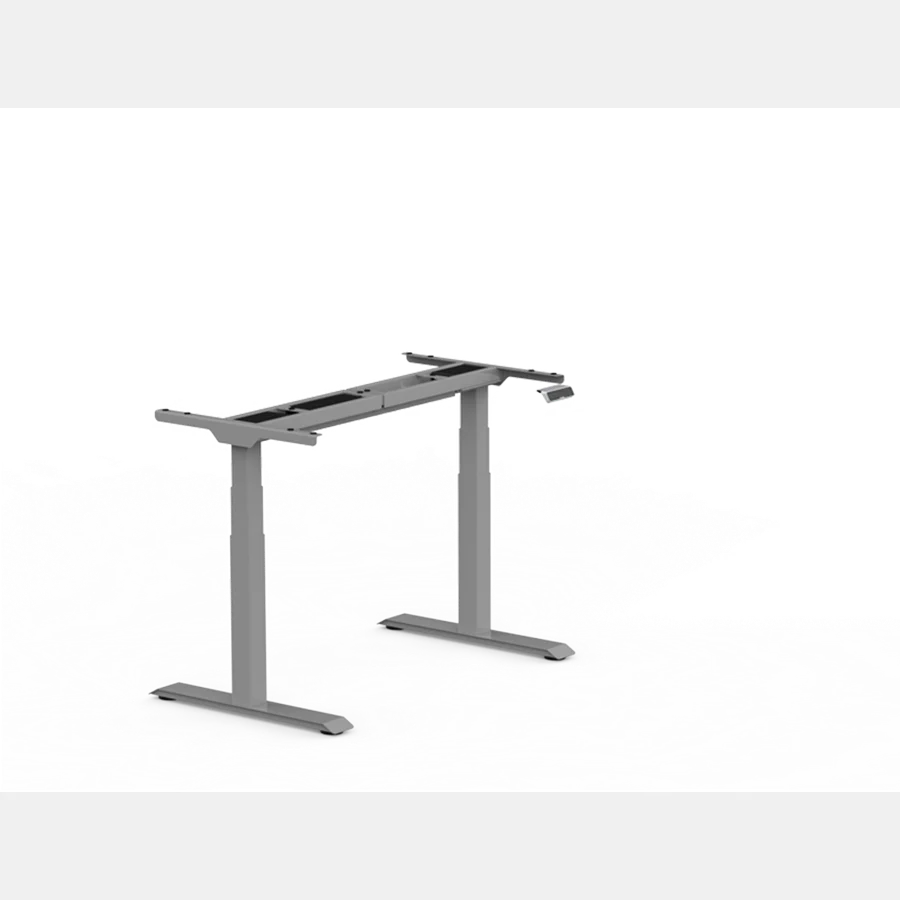
The E7 is a dual-motor desk at a price where most competitors still sell single-motor setups. That matters. Single-motor desks have the motor on one side only, which means the two sides lift at slightly different rates. Over time that puts stress on the frame.
Dual-motor desks lift both sides simultaneously, and that's what you want if you're running dual monitors or a heavy setup.
Weight capacity of 355 lbs means you genuinely don't have to think about what goes on the desktop. Triple monitor setup? Standing desk mat plus a heavy laptop? Not a problem.
The 22.8" to 48.4" height range covers almost everybody. That's low enough for shorter people sitting (the industry standard minimum is around 23-24") and high enough for people up to 6'3" or so standing.
If you're 6'5" or taller, check your standing elbow height before buying either version.
The Pro goes to 50.6" vs the E7's 48.4", a 2.2" difference that matters for tall buyers.
The four memory presets work well. You set your sitting height, your standing height, maybe a halfway point for bar-stool style perching, and you never touch the manual buttons again.
The main thing the E7 doesn't have: you can't glance at the controller and know your exact desk height. You know it's at your preset position, but the keypad doesn't show a number. Some people don't care. Some people really do, especially if multiple people use the same desk at different heights.
What the E7 Pro adds
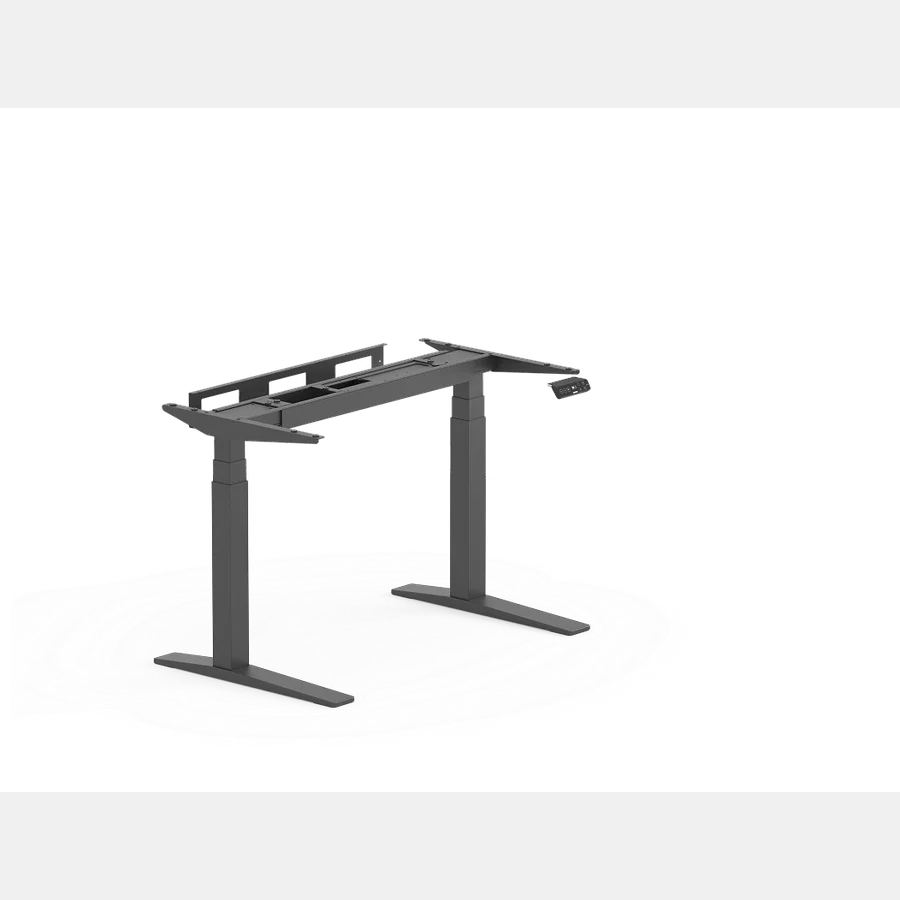
Three real differences. One is more useful than the others.
1. Height display. The Pro's controller has an LED display that shows your current desk height in inches or centimeters. If you like knowing the exact number (for logging sit/stand time, or because two people share the desk and want to dial in quickly), this is genuinely useful.
If you just press a preset and forget it, you'll never look at the display.
2. USB-A charging port on the keypad. You can plug a phone or small device directly into the controller. It's convenient.
It's also not a reason to spend an extra $50-100 on its own, because you almost certainly already have USB ports on your monitor or a hub.
But if your setup is minimal and you hate cable clutter, it's a nice touch.
3. Wider crossbar. The crossbar is the horizontal brace under the desktop that connects the two legs. A wider crossbar means the two legs are braced further apart, which reduces side-to-side sway.
The E7 Pro has noticeably better lateral stability than the standard E7 at full standing height.
If you've ever seen reviews complaining about standing desk wobble, a wider crossbar is the fix. This is probably the most practical upgrade in the Pro.
What the Pro does NOT add: more weight capacity, a better motor, a faster lift, or a longer warranty. The core desk is the same. Read our full standalone FlexiSpot E7 Pro review for motor decibel tests and real-world weight limits.
The stability question
Both desks have more front-to-back wobble than side-to-side wobble when fully extended. That's normal for any standing desk. The E7 Pro's wider crossbar helps lateral stability but doesn't eliminate front-to-back flex.
If wobble at full extension bothers you, here's the real answer: mount your monitors on a monitor arm instead of using the included desktop mount. That shifts weight lower and reduces the lever-arm effect. Works on both E7 versions.
Price and where to buy
FlexiSpot runs sales constantly: Black Friday, Prime Day, random 20%-off events that show up without announcement. The "regular" price is rarely what you actually pay.
Both desks come in two configurations: frame only (you supply your own desktop) and frame plus desktop (they ship you an MDF top). The frame-only option is cheaper and makes sense if you already have a tabletop you like, or if you want a specific size or material.
Check current E7 price on FlexiSpot
Check current E7 Pro price on FlexiSpot
Who should get the E7
You're buying the right desk if:
- You're running a single monitor or dual monitors with a monitor arm
- You're the only person using the desk and you don't care about seeing your height number
- You don't have a specific need for a USB port on your keypad
- Budget is a factor and you'd rather save the $50-100
The E7 is not a compromise. It's the same motor, same lift capacity, same warranty as the Pro. You're not giving up a better desk. You're giving up controller features that you may not use.
Who should get the E7 Pro
Buy the Pro if:
- Two or more people use the same desk at different heights (the height display makes dialing in much faster)
- You want the tightest possible lateral stability (the wider crossbar is real)
- You want a USB port on your desk controller and don't have other ports nearby
- You prefer knowing your exact desk height rather than trusting presets
That's it. If none of those apply to you, the E7 does the same job for less.
What both desks get wrong
The desktop quality on the frame-plus-desktop packages is just okay. It's MDF with a laminate finish. It looks fine, it scratches faster than you'd expect, and it doesn't feel like a solid wood surface. If the aesthetic of your desk matters to you, buy the frame-only version and pair it with your own desktop.
Butcher block from IKEA, a solid wood panel, or a bamboo top all work well and cost $60-150.
Neither version ships with a cable management tray. You get holes drilled in the desktop for routing cables, but no tray underneath. Cable management is a separate purchase.
The anti-collision feature on both models is real but not perfect. It stops the desk from driving down onto an obstacle, but it's not as sensitive as competitors like UPLIFT. Don't stack things directly under the desk if you might forget they're there.
FAQ
Is the FlexiSpot E7 Pro actually more stable than the E7?
Yes, but specifically side-to-side. The wider crossbar reduces lateral wobble at full extension. Front-to-back flex is similar on both. If you're mostly bothered by lateral sway, the Pro is meaningfully better.
If your main concern is front-to-back, neither version solves that without a monitor arm.
What's the real height difference between E7 and E7 Pro? The E7 goes from 22.8" to 48.4".
The E7 Pro goes from 25" to 50.6".
You get 2.2" more at the top with the Pro. The trade-off: the Pro's minimum is also 2.2" higher, so if shorter people share the desk, the standard E7 goes lower for seated use.
Do they both come with a desktop or do I need to buy one separately? Both are sold in two versions: frame only or frame plus desktop. The frame-plus version includes a rectangular MDF desktop. If you want to use your own desktop, or if you want a size or finish FlexiSpot doesn't offer, go frame-only and source your own top.
How loud are these desks when moving? Both come in under 50dB during adjustment, which FlexiSpot advertises as quieter than normal conversation. In practice, you'll hear the motors.
It's a low hum, not a grinding noise. Not loud enough to bother anyone on a video call.
Is the FlexiSpot E7 good for a tall person?
It depends how tall. Up to 6'3", the E7's 48.4" max height works for most people. At 6'4" to 6'5", you're at the edge.
Standing elbow height for typing is typically 2-4" below your actual height, so do the math for your setup.
At 6'5" or taller, look at desks with a higher range: the FlexiSpot E7 Pro reaches 50.6" and the Autonomous Desk Pro (Tall Frame) tops out at 52.7". Both are better fits.
See our standing desks for tall people roundup for the full breakdown.
If you're still deciding between a full standing desk and a converter for your existing desk, read our best desk risers 2026 roundup first. Converters are half the price and work well for some setups.
Bottom line
The E7 is the right choice for most people. It's a dual-motor desk with a 355 lb capacity and a 15-year frame warranty at a competitive price. The Pro adds a height display, a USB port on the keypad, and a wider crossbar. Real upgrades, but not transformative ones.
If you share the desk with someone else, the height display alone makes the Pro worth considering. If it's just you and you'll set a preset and leave it there, save the money and go E7.
Both desks go on sale regularly. Set a price alert if you're not in a rush. FlexiSpot's sale pricing is aggressive enough that the timing of your purchase matters almost as much as the model you pick.
For a full look at how the standard E7 holds up in real daily use, see our complete FlexiSpot E7 review.
Not sure what desk height fits your body?
Use our BIFMA calculator to find your exact standing desk and chair height.
Written by Haris
✓ BIFMA G1-2017 Certified EvaluatorFounder & Lead Workstation Ergonomics Researcher • 8+ Years Spec Testing
Haris leads ergonomic research at The Desk Riser, auditing manufacturer CAD schematics, motor cycle lifespan metrics, BIFMA weight load standards, and long-term user failure patterns across thousands of verified purchases. Every review is independent with 0% sponsored influence. Have questions or spot a warranty update? Email directly at support@thedeskriser.com.
Share this article:
Comments
Have a question or want to share your setup? Leave a comment below.