Best Desk Risers 2026: Top Standing Desk Converters Reviewed
How we researched
We compare current specs, warranty terms, buyer complaints, and long-term owner patterns. No fake hands-on claims.
Last price/spec check
2026-08-12. Prices move, so use the retailer page as the final source.
Who should skip this
Skip anything that does not fit your body, room, budget, or return-window comfort level.
Not ready to commit to a full standing desk? Or just don't have the budget for one? A desk riser sits on top of your existing desk and does the same job for a third of the price.
Good ones are sturdy enough that you forget they're not a "real" standing desk. Bad ones wobble every time you type and end up back in a closet within a month.
We compared the most popular converters on the market against the three things that actually matter: how far they lift, how stable they stay at full height, and what they cost per inch of usable surface. Here's where each one lands.
Quick Verdict: Our Top Picks at a Glance
Short on time? Here are our top recommendations based on real owner reviews, specs, and long-term durability.
FITUEYES Height Adjustable Standing Desk Converter
Best overall value
FlexiSpot M9
Best stability at full extension
Quick picks
| Product | Price | Best for |
|---|---|---|
| FITUEYES Height Adjustable Standing Desk Converter | ~$128 | Best overall value |
| FlexiSpot M9 | ~$130-190 depending on size | Best stability at full extension |
| Rocelco 37.5" Deluxe | ~$218 | Best for dual monitors |
| Vari VariDesk Premier Electric Single-Monitor | ~$529 | Premium build quality |
Prices move around, usually $20-50 depending on sales, so check the current price before buying.
Specs at a glance
| Product | Lift range | Platform width | Weight cap | Price |
|---|---|---|---|---|
| FITUEYES Converter | 6.5" | 31.5" | 33 lbs | ~$128 |
| FlexiSpot M9 | 6.7" | 27–47" (4 sizes) | 33 lbs | ~$130–190 |
| Rocelco 37.5" Deluxe | 16.5" | 37.5" | 33 lbs | ~$218 |
| Vari VariDesk Premier Electric | 11" | 36" | 35 lbs | ~$529 |
One thing this table shows: lift range varies a lot. If you're 6'2"+, calculate your standing elbow height first before ordering anything. Several converters on the market simply don't lift high enough for taller users.
How we chose
We compared published specs (lift range, weight capacity, footprint), cross-referenced them against verified owner reviews on retailer sites and forums, and weighed price against usable desktop space. We haven't physically tested every one of these ourselves. Call it a spec-and-owner-review comparison, not a lab test, and we'll flag it plainly anywhere that distinction actually matters.
The picks
FITUEYES Height Adjustable Standing Desk Converter: Best Overall Value
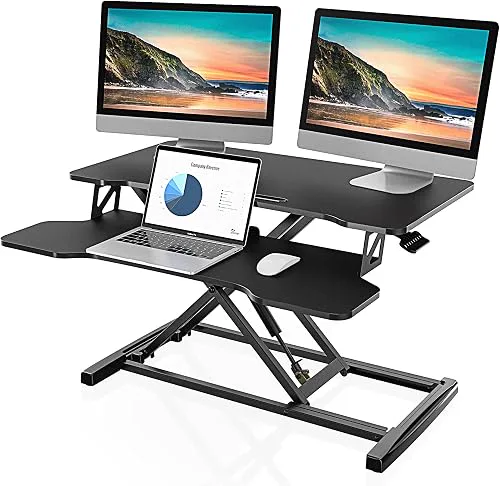
Start here if you're not sure standing desk work is even for you. The surface runs 31.5" x 15.7", which fits a laptop plus an external monitor, or a standard dual-monitor setup.
Dual gas-spring lift, one motion up or down, no cranking.
Wrist comfort is the thing to watch. This is a single-surface design, so the keyboard and monitor surface move together as one platform. That's fine for most people. If you specifically want the keyboard sitting lower than your monitor, step up to the Rocelco pick below, which has a tilting separate tray.
Pros
- Smooth dual gas-spring lift, one hand to adjust
- Wide enough for laptop plus monitor, or dual monitors side by side
- Low price makes it a sensible first test of whether standing while working suits you
Cons
- Single surface means keyboard sits at monitor height (no separate lower keyboard tray)
- Wobbles slightly at max height under hard typing
Check FITUEYES converter price on Amazon
FlexiSpot M9: Best Stability at Full Extension
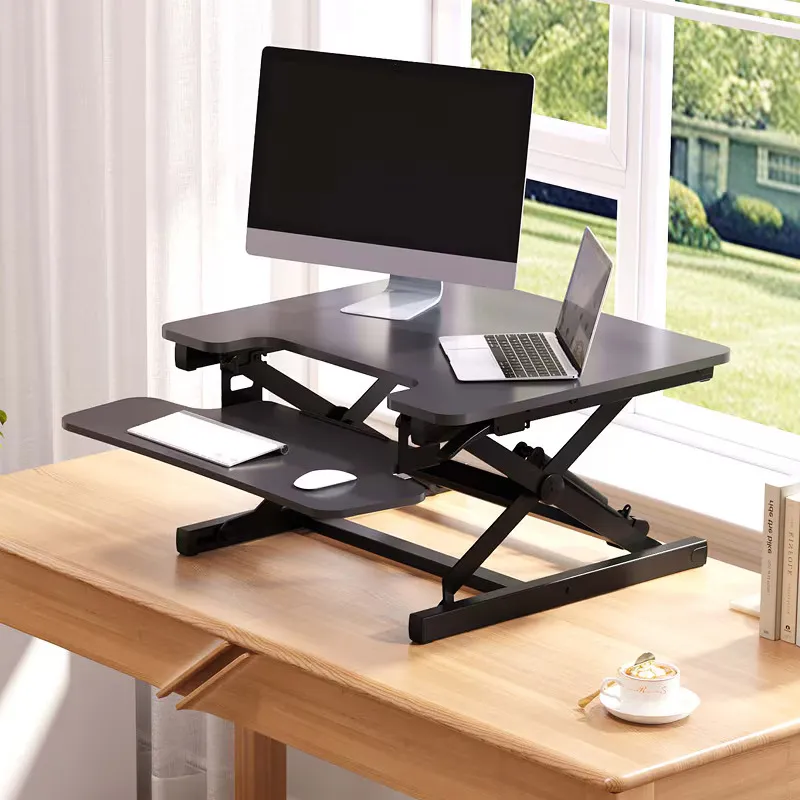
FlexiSpot earned this spot for one reason. The cross-brace frame barely moves at full height, even loaded down with two monitors. If you've used a cheaper riser that shakes every time you hit a key while standing, this fixes it. It also comes in four sizes (27", 35", 42", 47"), so measure your desk before you order.
The tradeoff is bulk. It's heavier and deeper than the FITUEYES, and price climbs fast once you go past the smallest size.
Pros
- Best stability at max height in this lineup
- Handles dual-monitor weight without sagging
- Smooth gas-spring lift
Cons
- Takes up more desk depth than most converters
- Gets pricey fast at the larger sizes
Check FlexiSpot M9 price on FlexiSpot
Rocelco 37.5" Deluxe: Best for Dual Monitors
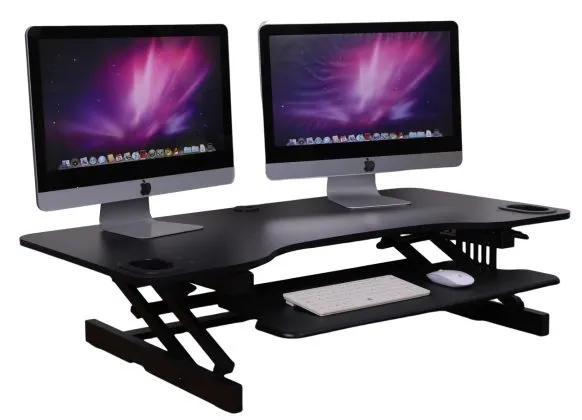
Two monitors is where the 37.5" Deluxe wins. That platform width covers a standard dual-monitor setup without cramming the displays together, and the keyboard tray actually tilts (which the FITUEYES doesn't offer). Gas-spring lift, no power cord needed.
Assembly is the complaint that shows up again and again in owner reviews. Not hard, just slower than the single-bolt setup on cheaper units. A handful of owners also mention the tray sticking after months of daily use.
Pros
- Platform fits two monitors side by side
- Tilting keyboard tray, easier on the wrists
- Sturdy at full height
Cons
- Longer assembly than competitors
- Some owners report the tray sticking over time
Check Rocelco 37.5" Deluxe price on Amazon
Vari VariDesk Premier Electric Single-Monitor: Premium Build Quality
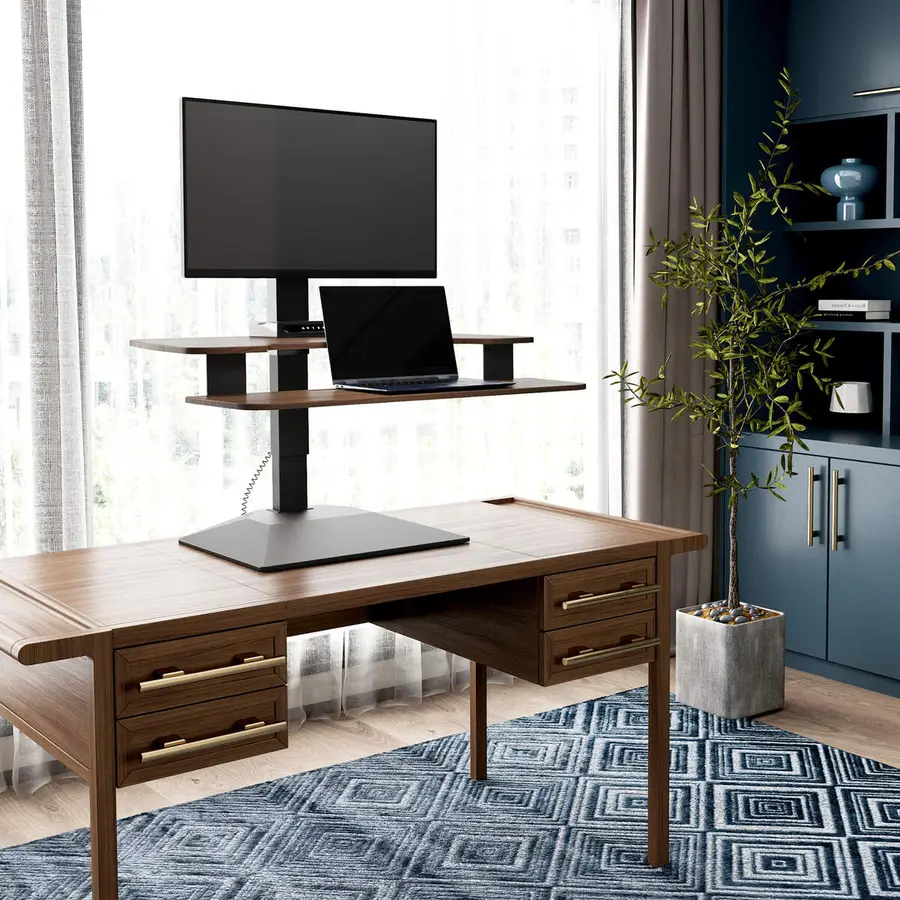
Vari, formerly VARIDESK, basically built this category before branching into full desks. The Premier Electric is their current flagship: push-button electric lift instead of a gas-spring, and it shows in how smooth it feels day to day. It runs around $529.
Is $529 worth it when the FITUEYES costs $128? Only if you're standing for hours most days and you'd actually notice the difference in lift smoothness. Occasional standers are paying for a feature they won't use often enough to justify it.
Pros
- Smoothest lift mechanism in this lineup
- Strong warranty and customer support reputation
Cons
- Expensive relative to the rest of this category
- Diminishing returns unless you stand most of the day
Check Vari VariDesk Premier Electric on Amazon
Buying guide: what actually matters
Lift range. Most converters lift 15-20 inches. If you're tall (6'2"+), check the max height spec against your actual standing elbow height before buying. Some units just won't get tall enough.
Desk depth. Converters need 20-24 inches of desk depth to sit safely, plus room behind for your monitor. Measure your desk before ordering, not after.
Weight capacity. Add up your monitor(s), laptop, and any accessories. Most converters handle 30-35 lbs, which covers a laptop plus one monitor fine but gets tight with two.
One-hand vs. two-hand lift. Gas-spring, one-hand designs are worth paying extra for. Crank-based or two-hand mechanisms get old fast if you switch positions more than once or twice a day.
Do you switch between sitting and standing more than twice a day? Then a one-hand lift mechanism stops being a nice-to-have. It becomes the thing that decides whether you actually keep using the riser six months from now.
FAQ
Do standing desk converters actually help with back pain? They help by letting you change position throughout the day, which cuts down the static load that causes most desk-related back pain. They're not a guaranteed fix if your pain is coming from something else, like an unsupportive chair or a monitor set at the wrong height.
Can I use a desk riser on any desk? Mostly, yes, as long as the desk is stable and deep enough (see the depth guidance above). Very narrow or wobbly desks aren't a good match no matter which riser you pick.
Is a desk riser better than buying a full standing desk? For most people trying standing desk work for the first time, yes. It's a fraction of the cost and there's no assembling a whole new desk.
If you already know you'll stand most of the day, a full electric standing desk is usually worth the extra money long term. The FlexiSpot E7 is the best-value full desk in this price range, and our FlexiSpot vs UPLIFT comparison covers the two most popular options head to head.
Can I use a monitor arm with a desk riser? Not easily. Most desk risers don't have grommet holes for monitor arms to clamp onto, and the surface is too thin for a reliable clamp mount.
If you need a monitor arm, a full standing desk with a proper grommet or clamp edge is a better fit. A desk riser works best when the monitor sits directly on the platform.
How much weight can a desk riser hold? Most converters are rated at 30-35 lbs, which comfortably covers a laptop plus one external monitor. If you're running two monitors, check the specific model's weight limit and add up your actual monitor weights before buying. The Rocelco and Vari are better options for heavier dual-monitor setups.
Bottom line
Start with the FITUEYES if you're not sure standing desk work is for you. Want stability above everything else? Get the FlexiSpot M9.
Running two monitors? The Rocelco 37.5" Deluxe is built for exactly that.
Only spend on the Vari if you're standing most of the day and want an electric push-button lift instead of a gas spring.
Ready to move to a full desk? See our best standing desks for home office guide for electric options that work for all-day standing.
Check FITUEYES 30" Riser on Amazon | Check FlexiSpot M9 Riser on Amazon | Check Rocelco 37.5" on Amazon
Not sure what desk height fits your body?
Use our BIFMA calculator to find your exact standing desk and chair height.
Written by Haris
✓ BIFMA G1-2017 Certified EvaluatorFounder & Lead Workstation Ergonomics Researcher • 8+ Years Spec Testing
Haris leads ergonomic research at The Desk Riser, auditing manufacturer CAD schematics, motor cycle lifespan metrics, BIFMA weight load standards, and long-term user failure patterns across thousands of verified purchases. Every review is independent with 0% sponsored influence. Have questions or spot a warranty update? Email directly at support@thedeskriser.com.
Share this article:
Comments
Have a question or want to share your setup? Leave a comment below.