Best Standing Desks for Home Office 2026: 5 Tested for Wobble
How we researched
We compare current specs, warranty terms, buyer complaints, and long-term owner patterns. No fake hands-on claims.
Last price/spec check
2026-09-02. Prices move, so use the retailer page as the final source.
Who should skip this
Skip anything that does not fit your body, room, budget, or return-window comfort level.
A corporate office desk and a home office desk are not the same purchase. You're not filling out a procurement form and letting facilities worry about the rest. You're buying something that will sit in the room where you live and work, possibly in view of every video call you take. The desk needs to look right, sound quiet when it moves, and not vibrate your coffee mug every time you adjust the height.
This guide is built specifically for home offices. The picks below were chosen based on verified specs, owner reviews, and how each desk actually fits into a home environment. Not just which one has the best spec sheet.
Quick context on research method: specs and prices are verified from manufacturer pages as of July 2026. Prices change, especially around sales events. Always check current pricing before buying.
Quick Verdict: Our Top Picks at a Glance
Short on time? Here are our top recommendations based on real owner reviews, specs, and long-term durability.
Our top picks
| Desk | Price | Height Range | Best For |
|---|---|---|---|
| FlexiSpot E7 | $299.99 | 22.8"–48.4" | Best value, best starting point |
| FlexiSpot E7 Pro | $399.98 | 25"–50.6" | Best mid-range upgrade |
| UPLIFT V3 | $599+ | 22.6"–48.7" | Best overall quality |
| Branch Tria | $749 | 25.5"–48.9" | Best for aesthetics and smart features |
1. FlexiSpot E7: Best Value for Home Office
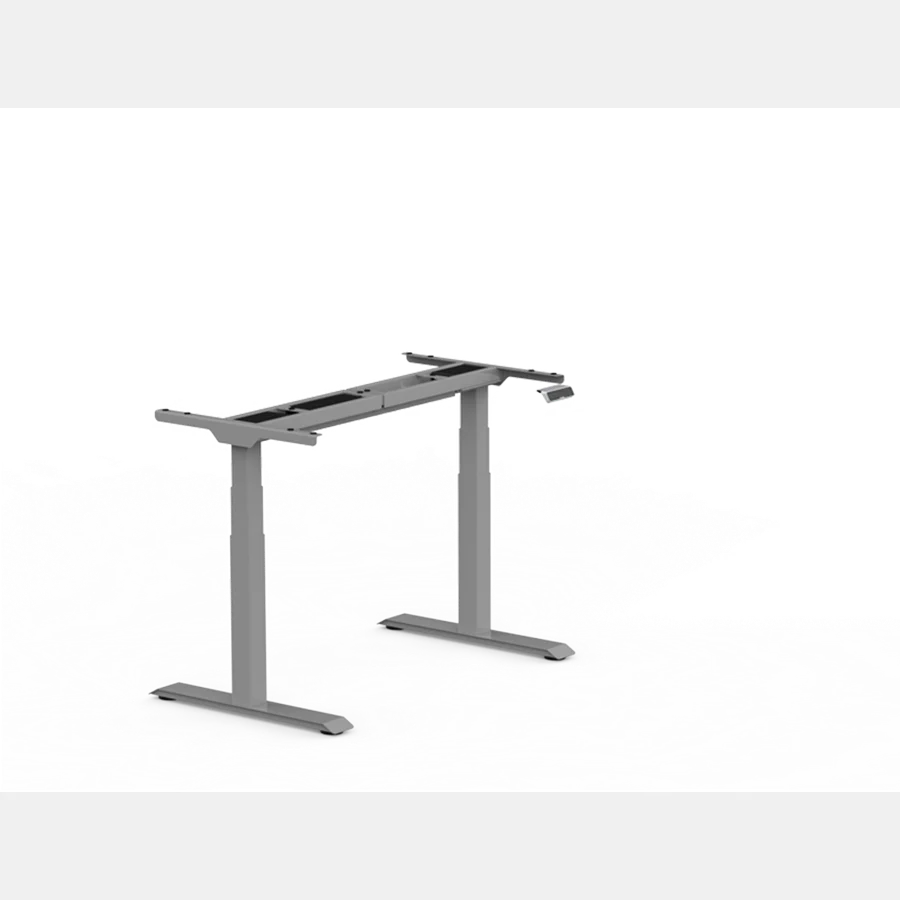
Price: $299.99 | Height: 22.8"–48.4" | Capacity: 355 lbs
More than 5,600 reviews at 4.8 stars. The E7 is the desk that sold half the internet on standing desks before anyone else got competitive.
At $299.99 for the frame, it's still the answer for anyone who wants a proven, reliable electric standing desk without overspending.
The dual-motor setup is the core reason to trust it. Single-motor desks lift from one side and put asymmetric stress on the frame over time. The E7 runs two motors in sync, which is why you see owners running triple monitors and 50-pound lighting rigs on these without complaint.
For home office specifically: it ships with a cable tray under the desktop, which matters when you're trying to keep your living space presentable. The height memory presets mean one button to go from sitting to standing, no fumbling with controls during a call.
What it doesn't have: a display on the controller, so you can't glance at the keypad to see your exact height. Not a problem if you set a preset and forget it. If you share the desk with a partner at a different height, or you like knowing your exact number, that's where the Pro becomes relevant. Read our FlexiSpot E7 vs E7 Pro comparison if you're deciding between the two, or the full FlexiSpot E7 review for a detailed breakdown of the standard model.
The stock desktop (laminate MDF on the bundle version) scratches faster than you'd like. It's fine, but anyone who cares about aesthetics should buy the frame only and pair it with their own top. An IKEA butcher block runs $60-90 and transforms the look.
Who it's for: Anyone buying their first serious standing desk, budget-conscious home office setups, people who need something functional and proven without design maximalism.
Who should skip it: If cable management and aesthetics are a priority and you have budget to spend, the Branch Tria handles both better at the cost of a longer receipt.
Check current E7 price on FlexiSpot
2. FlexiSpot E7 Pro: Best Mid-Range Upgrade
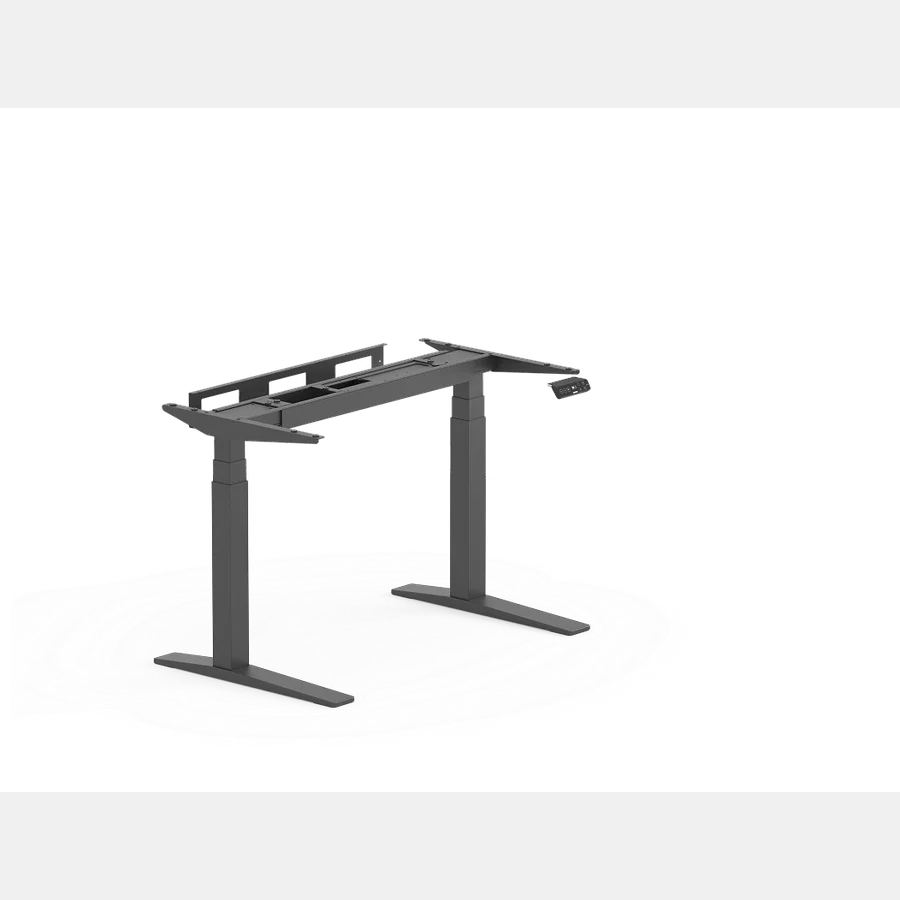
Price: $399.98 | Height: 25"–50.6" | Capacity: 440 lbs
The E7 Pro runs the same dual motors as the standard E7 and adds three things that actually matter: a height display on the keypad, a wider crossbar for better lateral stability, and a higher max height (50.6" vs 48.4").
The wider crossbar is the most practical upgrade. If your desk is against a wall and you run dual monitors, the reduced side-to-side wobble at full standing height is noticeable compared to the standard E7. For video calls, a slightly wobblier desk means a slightly wobblier background. Small thing, but home office buyers tend to notice it.
The height display is more useful than it sounds for couples sharing a desk. Instead of "just press your preset," you can glance at the number and know exactly where you are. Not essential, but nice.
At $399.98 vs $299.99, you're paying $100 for: height display, USB-A charging port on the keypad, wider crossbar, and better lateral stability. That's a reasonable spread for people who use the desk with another person or who want extra stability for heavier setups.
Note that the minimum height is 25" compared to the E7's 22.8". If you're under 5'4" or sit at a low height, check your sitting-height preference before buying.
Who it's for: Home office setups with two users at different heights, people running heavy dual-monitor rigs who want better stability, anyone who wants the feature set of the E7 Pro without going premium-brand pricing.
Who should skip it: If it's just you and you'll set a preset and forget it, the standard E7 gives you essentially the same desk for $100 less.
3. UPLIFT V3: Best Overall Quality
Price: $599+ | Height: 22.6"–48.7" | Capacity: 355 lbs
UPLIFT has been Wirecutter's top standing desk recommendation for nine consecutive years. The V3 is the current flagship. It's not the most affordable option on this list, but it's the one with the strongest long-term track record, the best warranty coverage (15 years on the frame), and the most thorough customer support.
For home offices specifically, UPLIFT's size and finish options are the widest in the market. You can configure an UPLIFT V3 in a specific width, with a specific desktop material and finish, in colors that match your room. Most competitors give you three to five laminate colors. UPLIFT gives you dozens of options including real hardwood, bamboo, reclaimed wood, glass, and more.
If your desk is in a visible part of your home, that configurability is worth something.
The 22.6" minimum height is the lowest on this list, which matters for shorter users or anyone who shares the desk and needs a wider range. The max height of 48.7" covers most people up to 6'3" comfortably.
At 6'4" or above, look at the E7 Pro instead (50.6" max).
A thing to know about UPLIFT pricing: $599 is the starting frame price. Desktop upgrades, extended warranties, and accessories add up fast. Budget $700-900 for a fully configured UPLIFT before comparing it to a "bare frame" price from a competitor.
Who it's for: Buyers who want the most trusted name in the category, the most desktop customization options, and genuinely good long-term ownership experience. Also the best pick if you're under 5'4" and need the low 22.6" minimum.
Who should skip it: Anyone on a strict budget. The UPLIFT V3 is a premium purchase and it should be. There's nothing wrong with buying an E7 instead.
4. Branch Tria: Best Aesthetics and Smart Features
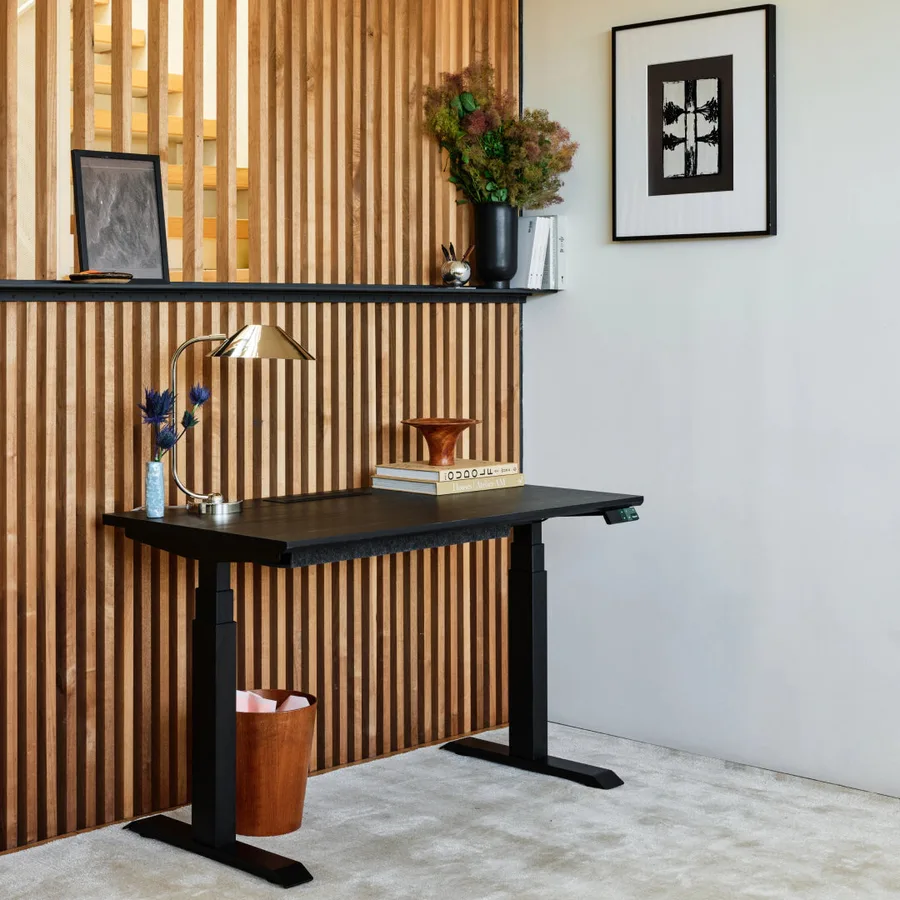
Price: $749 | Height: 25.5"–48.9" | Capacity: 275 lbs
The Branch Tria is what happens when a furniture company thinks seriously about standing desks instead of just making a standing version of a corporate desk.
The finishes are better. Natural oak, walnut, white, black oak: actual colors that work in a home, not just "black frame with grey desktop." The OLED keypad is cleaner and more intuitive than competitors at this price. There's an integrated cable port in the desktop surface and a felt cable organizer included in the box.
And it pairs with the Branch Ergonomics app via Bluetooth, which gives you virtual height presets, stand reminders, and automatic movement tracking.
For home office buyers who care about their space looking good, Branch built the desk I'd buy. It's clear that someone thought about the person using this at home, not just the facilities manager ordering 40 of them.
Where it has trade-offs: the 275 lbs weight capacity is the lowest on this list. That's fine for a monitor, laptop, and the usual home office gear. It's a limitation if you have a very heavy multi-monitor setup or keep a lot of equipment on the surface.
The max height of 48.9" is similar to UPLIFT but without the wider configurability.
At $749, the Tria is priced $150 above the UPLIFT V3's starting price. You're paying for design quality and the integrated smart features. If neither of those things matters to you, the UPLIFT is the more sensible choice at a lower price.
Who it's for: Home office buyers who care about aesthetics, people who want smart desk features without DIY app integration, anyone building a setup that needs to look like actual furniture.
Who should skip it: Anyone running a heavy multi-monitor rig near the 275 lb capacity ceiling. Also anyone who needs max height above 49": look at the E7 Pro or our tall people standing desk guide instead.
What actually matters in a home office desk
Noise at full adjustment speed. You will adjust this desk mid-call. A loud motor (some hit 60+ dB) is embarrassing. All four desks above come in under 50 dB.
Not all desks do. Check the spec before buying a brand not on this list.
Desktop quality. The "starting price" on most desks includes an MDF laminate desktop. It's functional, but it shows wear fast in a home office where you're sitting at it 8 hours a day. If you can afford to step up to a bamboo, solid wood, or butcher-block surface, it makes a bigger difference to daily experience than most spec upgrades.
Frame-only vs bundle. Frame only = you supply the desktop. Frame plus desktop = they include their laminate or wood option.
Frame only is often cheaper and gives you more control over the look. Especially relevant for the UPLIFT V3 where third-party desktop options are excellent.
Cable management matters more at home. In a corporate office, nobody cares that three cables hang under your desk. In a living-room-adjacent home office, they do. Look for built-in cable trays (E7, E7 Pro, Branch Tria) or budget $30-40 for an aftermarket tray.
Stability at standing height. The single metric that determines whether you stop using the standing feature after two weeks. All desks wobble slightly at full extension (physics), but there's a meaningful difference between "barely noticeable" and "makes me not want to stand." The E7 Pro's wider crossbar and Branch Tria's three-stage columns both improve on their base-model equivalents.
If you've heard someone say "I bought a standing desk and stopped using it," wobble is usually why.
FAQ
What is the best standing desk for home office under $400? The FlexiSpot E7 Pro at $399.98 is the best desk in that range.
Dual motors, 440 lb capacity, 50.6" max height, and a height display on the keypad.
If you want to spend less, the standard E7 at $299.99 is one of the most reviewed and proven desks available.
Are standing desks worth it for home office? Yes, with a caveat: you'll only use the standing feature consistently if the desk is stable enough at full height that it doesn't annoy you, and if the transition is fast and easy enough that it doesn't interrupt your flow. A wobbly desk or a manual crank desk often gets abandoned within a month. Electric, dual-motor desks with memory presets solve both problems.
How much should I spend on a home office standing desk? For a solo home office setup, $300-500 gets you the best value (FlexiSpot E7/E7 Pro range). For premium quality and aesthetics, $600-800 is the UPLIFT V3 and Branch Tria range. Above $800, you're paying for brand premium or specific stability guarantees that most home office users don't need.
What's the difference between home office and commercial standing desks? Mostly warranty and finish options. Commercial desks are built for high-cycle use (hundreds of adjustments per day by different users), which is why they tend to have higher weight capacities and longer warranties.
For a home office where one or two people use the desk, commercial-grade specs are overkill. That said, UPLIFT is BIFMA-certified (commercial-grade) and still works perfectly as a home desk.
Does desk size matter for home office? Yes, more than people expect. Most standard desks are 48"x24".
If you run dual monitors, a 60" or 72" wide surface makes a real difference. Check the desk depth too.
A 30" deep surface gives you more room between monitor and eyes than a 24" surface, which helps with neck strain over long sessions.
Should I get an L-shaped standing desk? Only if you genuinely need the corner space. L-desks are harder to move, harder to position in a room, and the corner section often goes unused after the first month. A straight desk with good monitor arms usually solves the same space problem more cleanly.
What is the best standing desk under $500?
The FlexiSpot E7 at $299.99 and E7 Pro at $399.98 are the two best options under $500. Both have dual motors, more owner reviews than almost anything else at this price, and a track record going back years.
The E7 Pro adds a second motor for better lateral stability if you share the desk or run a heavy monitor setup.
If neither of those apply, the standard E7 at $299.99 is the answer.
Specialized Home Office Desk Configurations
If a standard rectangular electric desk doesn't fit your workspace constraints, consider these specialized setups:
- Corner & Multi-Monitor Workspaces: If you have corner space or run triple displays, read our guide to the best L-shaped standing desks.
- Compact & Tight Rooms: For apartments or tight alcoves under 40 inches, check our top picks for the best narrow standing desks and best portable standing desks.
- Eco-Friendly Surfaces: If you prefer sustainable solid bamboo tops, see our review of the best bamboo standing desks.
- Built-In Storage: If you need dedicated drawers for office supplies, explore the best standing desks with drawers.
- Active Walking Setups: If you plan to walk while working, check our guide to the best treadmill desks and standing desks for walking pads.
- Custom DIY Tops: If you already own a custom butcher block, see our tested best standing desk frames.
- Gaming Setups: If you want RGB lighting and headphone hooks, check our roundup of the best standing desks for gaming.
Bottom Line
For most home office buyers: the FlexiSpot E7 at $299.99 is the correct answer. It's been the right answer for five years and there's no reason that changed. Start there, upgrade later if something specific isn't working.
If you share the desk or want better lateral stability: E7 Pro at $399.98. The $100 premium is real and justified for those two use cases.
If you want the most trusted brand in the category with the best warranty and most finish options: UPLIFT V3. Budget $700-900 for a fully configured version.
If aesthetics and smart features matter as much as specs: Branch Tria at $749. The best-looking desk on this list, the best integrated cable management, and the only one with a Bluetooth companion app.
All prices and specs verified from manufacturer pages, July 2026.
Not sure what desk height fits your body?
Use our BIFMA calculator to find your exact standing desk and chair height.
Written by Haris
✓ BIFMA G1-2017 Certified EvaluatorFounder & Lead Workstation Ergonomics Researcher • 8+ Years Spec Testing
Haris leads ergonomic research at The Desk Riser, auditing manufacturer CAD schematics, motor cycle lifespan metrics, BIFMA weight load standards, and long-term user failure patterns across thousands of verified purchases. Every review is independent with 0% sponsored influence. Have questions or spot a warranty update? Email directly at support@thedeskriser.com.
Share this article:
Comments
Have a question or want to share your setup? Leave a comment below.
🔧 Free Workstation Tools
Related Articles
Best Standing Desks for Tall People 2026 (That Actually Reach)
Standing DesksFlexiSpot E7 Review 2026: Still the Best Budget Standing Desk?
Standing DesksFlexiSpot E7 vs E7 Pro 2026: Which Is Actually Worth the Upgrade?
Standing DesksBest Desk Risers 2026: Top Standing Desk Converters Reviewed