Best Standing Desks with Drawers 2026: Built-In Storage

How we researched
We compare current specs, warranty terms, buyer complaints, and long-term owner patterns. Read methodology →
Last price/spec check
2026-07-31. Prices move, so use the retailer page as the final source.
Who should skip this
Skip anything that does not fit your body, room, budget, or return-window comfort level.
Disclosure: We earn a commission if you buy through links on this page, at no extra cost to you.
A standing desk with no storage forces a choice: clutter the surface or buy separate furniture. In a home office with limited space, neither option is great. Built-in storage solves this without adding another piece of furniture to the room.
But most "standing desk with drawers" searches turn up desks where the drawer is an afterthought. Shallow, flimsy, or positioned so poorly it blocks knee movement when sitting. The desks on this list have drawers that actually work.
Quick Verdict: Our Top Picks at a Glance
Short on time? Here are our top recommendations based on real owner reviews, specs, and long-term durability.
What to look for in a standing desk with drawers
Drawer position matters more than drawer size. A drawer mounted to the underside of the frame works at both sitting and standing heights. A fixed-height pedestal drawer only works when sitting. Make sure you know which type you're looking at.
Shallow drawers are fine for their purpose. A 2-3 inch deep drawer holds cables, small tools, notebooks, pens, and the random accessories that otherwise pile up on the surface. It won't hold hanging files. If you need file storage, get a separate filing cabinet and save the desk budget for frame quality.
Drawer mechanisms on adjustable desks take more stress than on fixed desks. The desk moves up and down all day. Drawers need to be attached to the frame (not just the desktop) to handle the motion without loosening over time.
Best standing desks with drawers
FlexiSpot Comhar All-in-One: Best Overall
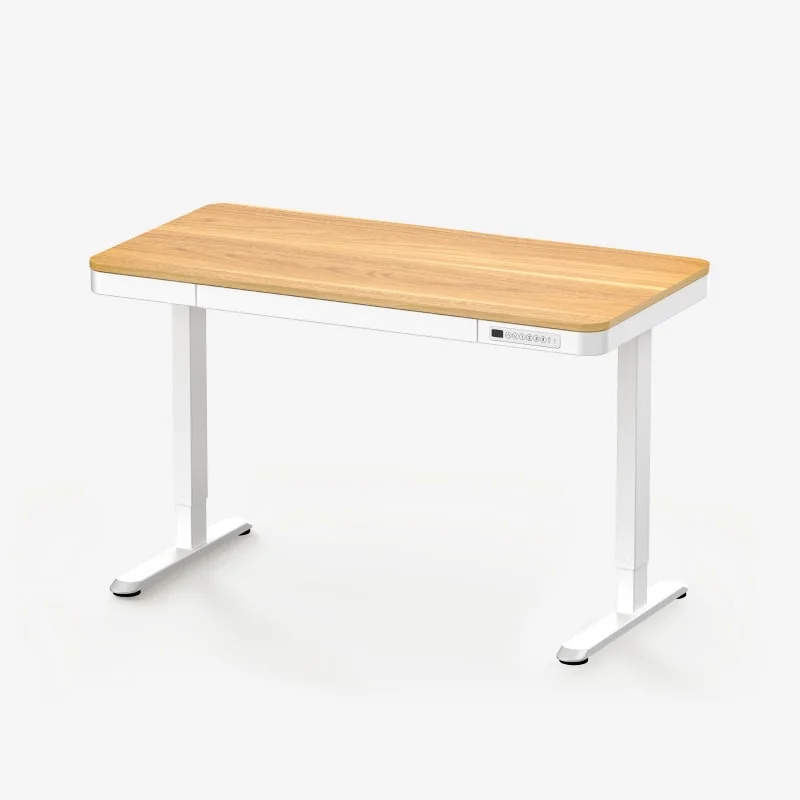
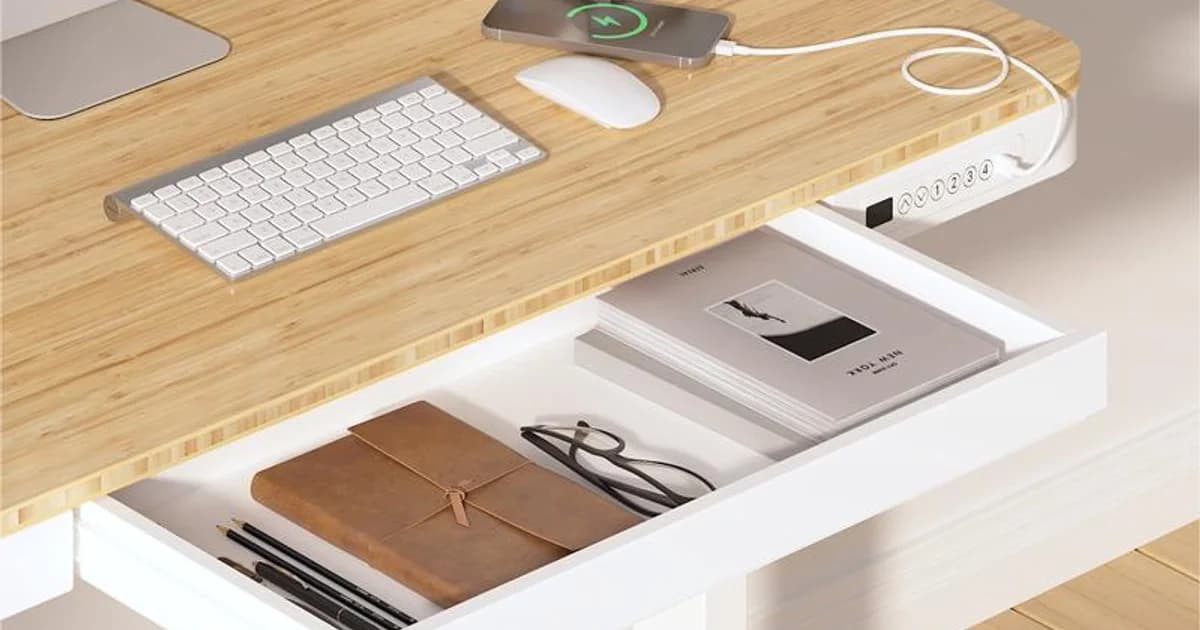
The Comhar is the standout pick because the drawer is designed as part of the desk, not retrofitted as an add-on. It runs the full width of the 48-inch desktop and is attached to the frame rather than just the surface, so it stays solid after months of sitting-to-standing transitions.
The drawer depth is about 3 inches. That's enough for full-size notebooks, charging cables, a small external drive, and the stuff that normally accumulates at the edges of the desktop. The face of the drawer has a wireless charging pad built in on some configurations, which eliminates one more thing from the surface.
Built-in USB-C and USB-A ports on the desktop itself. Dual motor frame, 220 lb capacity, height range from about 24 to 49 inches. The bamboo top option looks significantly better than laminate in a home setting. For keeping cords tidy as the desk moves up and down, our cable management guide covers the exact trays and routing methods that work on adjustable frames.
Real drawback: the 48-inch width is non-negotiable. The Comhar doesn't come in a 60-inch or 72-inch configuration with the built-in drawer. If you need a wider surface, you're looking at a different desk plus an accessory drawer.
Check FlexiSpot Comhar price on Amazon
FlexiSpot Comhar Pro (Q8): Best Premium with Drawer
The Comhar Pro steps up to an oval-shaped frame with more legroom than the standard Comhar, a glass top option, and the same built-in drawer. The glass top is divisive: it looks clean in photos and shows every fingerprint in practice. The bamboo and laminate options on the standard Comhar are more practical for daily use.
The Q8 adds a larger drawer that opens from the front and side. Slightly more capacity than the standard Comhar drawer, though still in the 3-4 inch depth range. Wireless charging pad built into the drawer face.
Real drawback: costs noticeably more than the standard Comhar for incremental improvements. Unless the oval frame or glass top specifically matters to you, the standard Comhar is the better value.
Check FlexiSpot Comhar Pro price on Amazon
Uplift V2 with Under-Desk Drawer: Best Premium Option
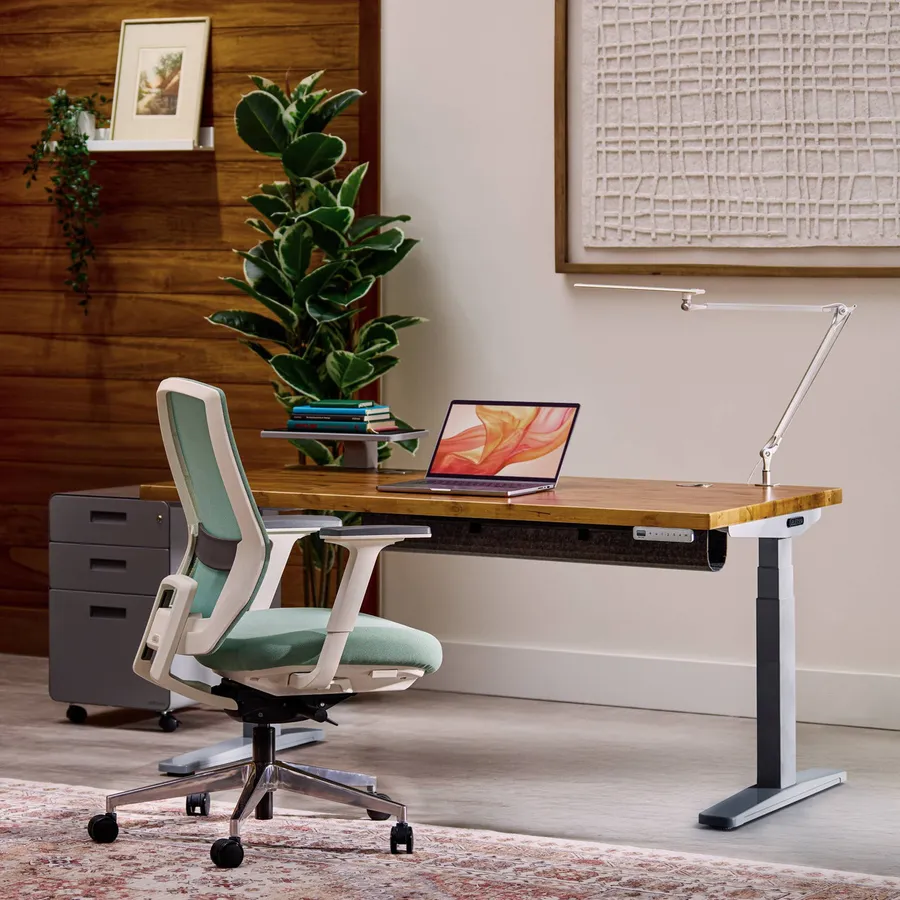
The UPLIFT V2 is Wirecutter's top pick and one of the most consistently recommended standing desks across review sites. It doesn't come with a built-in drawer, but UPLIFT sells an under-desk drawer add-on that attaches to the frame and moves with the desk at all heights.
The advantage here is that you get UPLIFT's legendary stability and customizability (dozens of desktop sizes and finishes) combined with usable storage. The drawer add-on runs around $80-$100 separately.
This setup costs significantly more than the Comhar, but if you want a wider desktop (60 or 72 inches), real frame stability under heavy dual-monitor setups, and UPLIFT's 15-year warranty, it's the path.
Real drawback: the drawer add-on is an add-on. It's not as clean or integrated as the Comhar's built-in drawer. You're also paying UPLIFT prices, which are premium even before the drawer.
Check UPLIFT V2 Standing Desk on Amazon
Burrow Copilot: Best Aesthetic Option
The Copilot has been getting positive coverage specifically for its drawer, which is wider and more deliberately designed than most standing desk drawers. It's a lifestyle desk, designed to look at home in a living space rather than an office, with fabric edges and clean hardware.
The drawer on the Copilot is more like a pencil drawer on a traditional desk: full-width, smooth slide, shallow but functional. It sits at the front of the desktop and doesn't interfere with legroom.
Real drawback: at around $700-$800, it costs significantly more than the Comhar for similar storage functionality. You're paying for the aesthetic and the brand story. The frame stability isn't at UPLIFT or FlexiSpot E7 levels. Fine for light laptop-plus-one-monitor use, less ideal for heavy setups.
Check Burrow Copilot price on Amazon
Under-Desk Drawer Accessory: Budget Retrofit Option
If you already have a standing desk you like and just need storage, an aftermarket under-desk drawer that clamps or screws to the frame is the cheapest path. These run $40-$80 and add a drawer without replacing the desk.
The problem is that most clamp-on drawers aren't designed for adjustable desk frames. They work fine at fixed sitting height but can loosen over time from the motion. Screw-in versions are more secure but require drilling into the desktop or frame.
For a new purchase, just get the Comhar. For an existing desk where replacement isn't an option, the retrofit drawer works.
Check under-desk drawer accessories on Amazon
Comparison table
| Desk | Width | Drawer Type | Drawer Depth | Price (approx.) |
|---|---|---|---|---|
| FlexiSpot Comhar | 48" | Built-in, full frame | ~3" | ~$260 |
| FlexiSpot Comhar Pro Q8 | 48" | Built-in, front+side | ~3-4" | ~$350-$400 |
| UPLIFT V2 + drawer add-on | 42"-80" | Frame-mounted add-on | ~3" | ~$650-$750+ |
| Burrow Copilot | 48" | Front-facing, full width | ~2.5" | ~$700-$800 |
| Retrofit drawer | Any | Clamp or screw-on | Varies | ~$40-$80 |
What about standing desks with keyboard trays?
Keyboard trays are different from drawers. They mount under the desktop and pull out at a lower height to bring the keyboard to a better angle. A few things to know: they reduce usable desk depth, they typically don't work well on desks thinner than 24 inches deep, and they take more abuse from the sit-stand motion than fixed-height desk accessories.
Our view: get the desk height right and keep the keyboard on the surface. If you're already at the right ergonomic position, a keyboard tray adds complexity without clear benefit.
FAQ
Does a standing desk with drawers cost more? Usually yes, but not dramatically. The FlexiSpot Comhar runs around $260 versus $230-$250 for the comparable frameless E7 in the same size. The drawer adds roughly $30-$50 to the price.
Can I add a drawer to my existing standing desk? Yes. Aftermarket under-desk drawers that clamp or screw onto the frame exist and run $40-$80. The limitation is that they work best on fixed-height surfaces.
On adjustable desks, screw-in versions hold up better than clamp versions over time.
How deep should a standing desk drawer be? For most home office uses, 2-3 inches is adequate. That fits notebooks, cables, charging accessories, small tools, and the random items that accumulate on desk surfaces. For files or larger items, a standalone filing cabinet is a better solution than a desk drawer.
Is the FlexiSpot Comhar a good desk overall? Yes, for compact home office setups. The dual-motor frame is stable, the height range is wide, and the built-in storage is genuinely useful.
The 48-inch width limit is the main constraint. If you need more surface area, you'll need to look at larger desks with add-on drawers.
Does the drawer affect desk stability? On quality desks like the Comhar where the drawer attaches to the frame rather than just the desktop surface, no. On cheaper retrofitted drawers, additional weight at the front of the desk can affect balance at certain heights. Check that any add-on drawer attaches to the frame, not just the underside of the desktop.
Bottom line: The FlexiSpot Comhar is the right answer for most buyers. The drawer is well-integrated, the desk is stable, and the 48-inch surface fits in real apartments without dominating the room. If you need a wider surface or UPLIFT's warranty, go with the V2 plus the drawer add-on. If budget is the primary constraint and you already have a desk, a $50 retrofit drawer works.
For setting up your standing desk for proper ergonomics once it arrives, our workstation setup guide covers desk height, monitor position, and the key adjustments that prevent back and neck pain. If you're building out the rest of the space, see the home office setup guide under $1,000 for how to bundle desk, chair, and accessories without overspending.
Essential Workstation Add-Ons Under $35
High-impact accessories verified by our research team to protect your cables and joints.
VIVO Under-Desk Cable Tray
Keeps power strips and heavy adapters off the floor so cables never yank when elevating.
ComfiLife Gel Anti-Fatigue Mat
High-density core reduces heel strike and lower back compression when standing 3+ hours.
VELCRO Brand ONE-WRAP (100pk)
Pre-cut reusable straps that easily unwrap for cord re-routing without scissors.
Soundance Ergonomic Laptop Stand
Elevates laptop screen 6 inches to eye level, preventing forward neck slouch.
Calculate Your Exact Desk & Chair Height
Slide to your height to see ANSI/BIFMA recommended standing and sitting presets.

Written by M. Haris
✓ BIFMA G1-2017 Certified EvaluatorFounder & Lead Workstation Ergonomics Researcher • 8+ Years Spec Testing
M. Haris leads ergonomic research at The Desk Riser, auditing manufacturer CAD schematics, motor cycle lifespan metrics, BIFMA weight load standards, and long-term user failure patterns across thousands of verified purchases. Every review is independent with 0% sponsored influence. Have questions or spot a warranty update? Email directly at support@thedeskriser.com, read the Author Dossier, or explore our Editorial Testing Methodology.
Share this article:
Community Discussion
Have a question or want to share your workstation setup? Join the discussion below.
Comments load automatically as you scroll down.