Best Standing Desks for Gaming (2026): Heavy Rig Stability
How we researched
We compare current specs, warranty terms, buyer complaints, and long-term owner patterns. Read methodology →
Last price/spec check
2026-07-25. Prices move, so use the retailer page as the final source.
Who should skip this
Skip anything that does not fit your body, room, budget, or return-window comfort level.
Disclosure: We earn a commission if you buy through links on this page, at no extra cost to you.
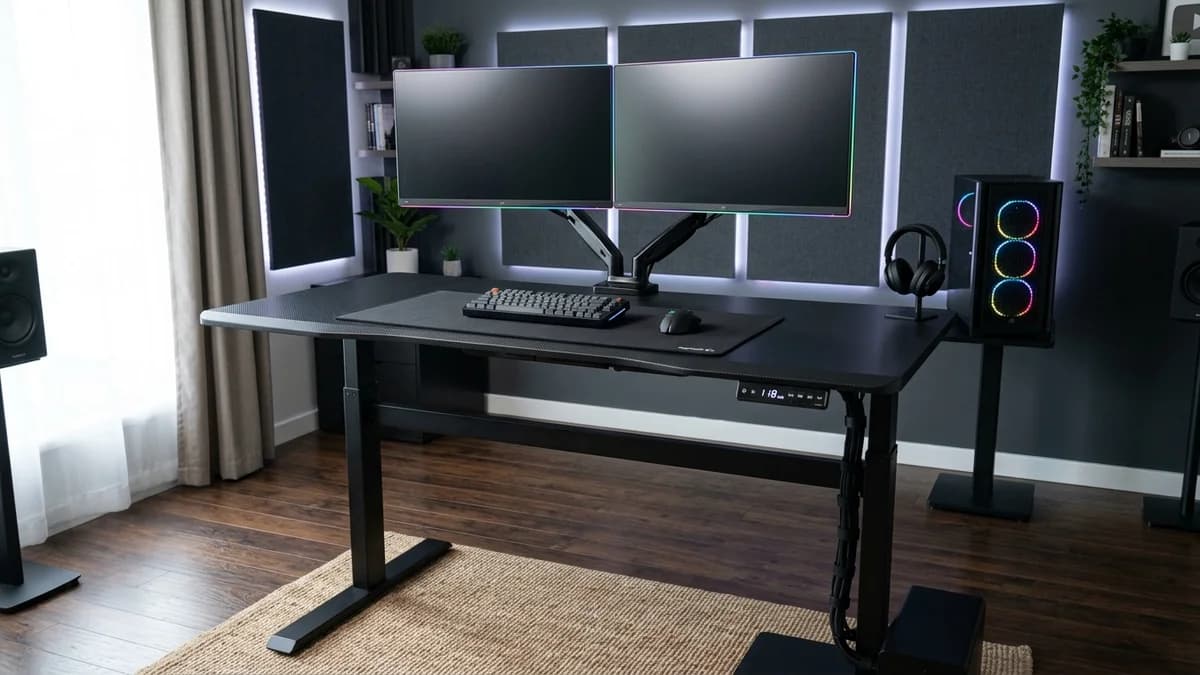
Most gaming desks are sold to you as furniture. Wide surface, a cable port, maybe an LED strip underneath. And a frame that shakes when you move your mouse.
The ones actually worth buying aren't marketed as "gaming" desks at all. They're standing desks with the surface area, weight capacity, and frame stability that a real gaming setup needs.
This is a guide for people who want a setup they can actually stand at, not a desk with RGB branding and a wobbly single-motor frame underneath.
Quick Verdict: Our Top Picks at a Glance
Short on time? Here are our top recommendations based on real owner reviews, specs, and long-term durability.
Quick picks
| Desk | Price | Best for |
|---|---|---|
| FlexiSpot E7 Pro | ~$400 | Best overall stability |
| FlexiSpot E7 | ~$350 | Best budget |
| UPLIFT V3 | $599+ | Best premium and most configurable |
| Autonomous SmartDesk Pro | ~$449 | Best for tall setups |
What actually matters for a gaming desk
Weight capacity. A typical gaming setup is heavier than a standard work desk. Two 27" monitors run 30-36 lbs combined, and add speakers, a headphone stand, a controller rack, and peripherals and you're pushing 50-60 lbs.
Most standing desks handle 300+ lbs, which covers this fine. Single-motor budget desks sometimes cap at 180 lbs, so skip those.
Surface width. A 48" desk fits two monitors but that's it. 55"-60" gives you monitors plus room for everything else without cramming. Most standing desk brands offer their frames in multiple widths.
Go 55" minimum if you're running dual screens. If you want a dedicated corner battlestation with separate monitor and streaming zones, look into the best L-shaped standing desks.
Stability at height. A wobbly desk at standing height is annoying during work, and during gaming it's actually distracting. Every mouse movement ripples through the frame and into the screen.
Dual-motor desks are consistently more stable than single-motor ones. If you mostly sit to game and only stand occasionally this matters less, but if you game standing it's the thing you'll notice most. Pairing your setup with the right seating? See our tested best chair for gaming and work guide.
The picks
FlexiSpot E7 Pro: Best overall
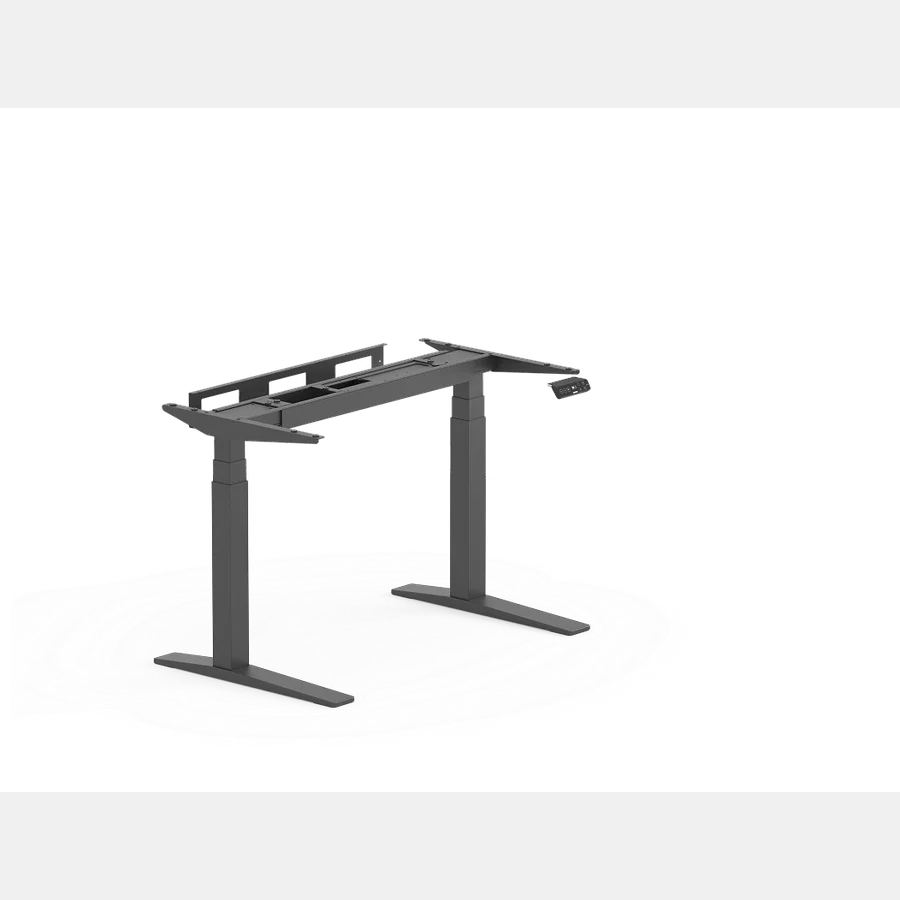
Price: ~$400 | Weight capacity: 440 lbs
The E7 Pro is the most stable desk in this price range. The 440 lb capacity is well above what any gaming setup needs, but the dual motors and reinforced frame that generate it are what keep the desk steady at full height. Owner reviews consistently report minimal movement even under a monitor arm loaded with two screens. Read our full FlexiSpot E7 Pro review for decibel tests and wobble recordings.
It comes in widths from 48" to 72". A 60" or 72" configuration is the right choice for a dual-monitor plus accessories layout.
One annoyance: the base model keypad has no height display. You have to upgrade to the display version for an extra $30. Worth it.
Pros
- 440 lb capacity handles any gaming setup, heavily loaded included
- Available up to 72" wide
- Dual-motor frame stays steady under load at full extension
Cons
- Base keypad has no height readout
- Frame-only pricing; desktop adds $80-150 on top
Check E7 Pro price on FlexiSpot
FlexiSpot E7: Best budget
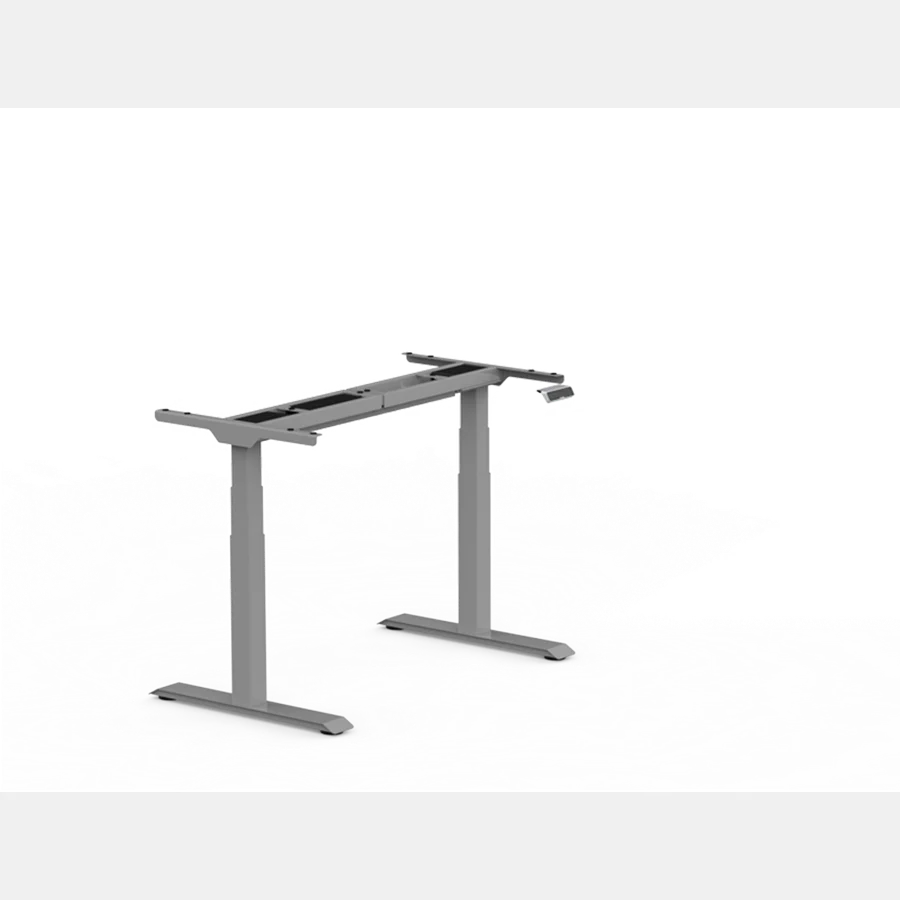
Price: ~$350 | Weight capacity: 355 lbs
The E7 built FlexiSpot's reputation. Dual motors, 355 lb capacity, 15-year frame warranty, and years of consistent owner reviews backing it up. It's been a go-to recommendation in battlestation and home office communities for good reason.
The difference from the E7 Pro comes down to one thing: stability under heavy load at full standing height. The E7 Pro holds steadier when you're pushing the load limit with two big monitors at max extension. If you sit to game most of the time (most people do) and stand occasionally, the E7 is plenty.
Pros
- Proven track record across multiple production years
- 15-year frame warranty
- Dual motors without single-motor wobble problems
Cons
- Less rigid than the E7 Pro at full height under heavy loads
- No cross-bar reinforcement
UPLIFT V3: Best premium
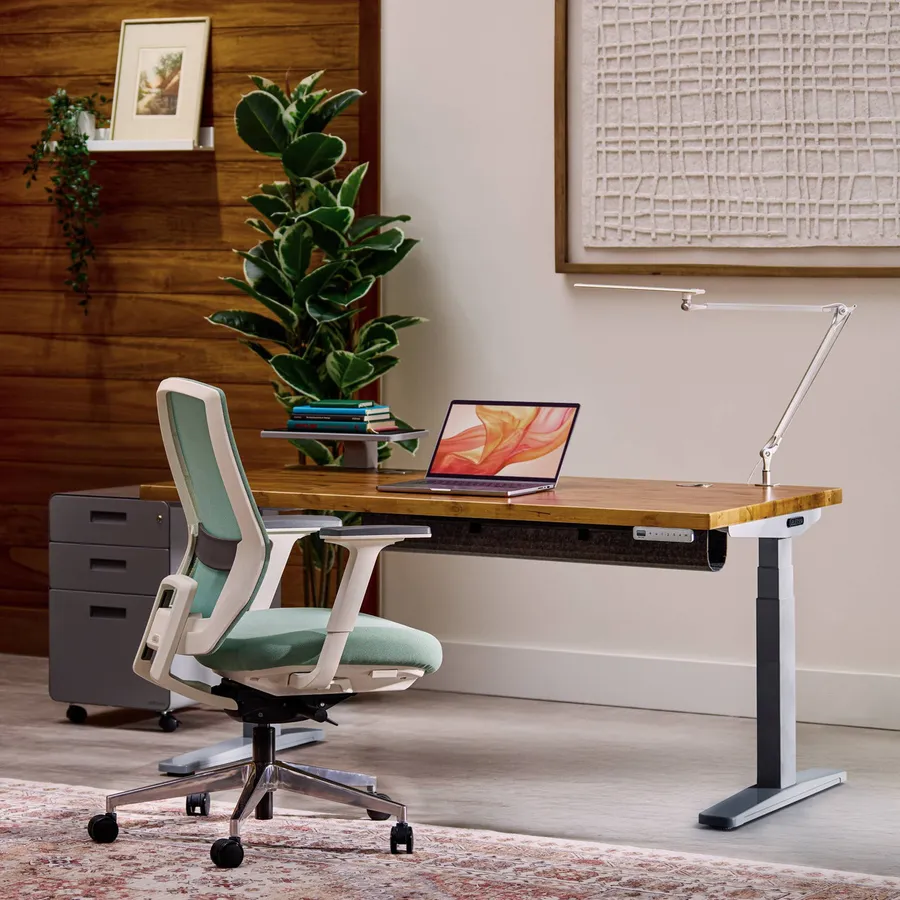
Price: $599+ | Weight capacity: 355 lbs
UPLIFT has been Wirecutter's top standing desk pick for nine consecutive years. The V3 is the most configurable desk in this guide: bamboo, laminate, or solid wood tops, multiple frame colors, and a cable management system that handles a gaming setup's cable load better than most competitors.
That last part is worth noting for gaming specifically. UPLIFT ships with a steel cable tray and routing channels. A gaming setup has more cables than an office setup: power, peripherals, audio, headset, camera. A desk designed around managing that cleanly is worth something.
At $599 for the frame you're paying for build quality, configuration options, and a track record. Add a desktop and you're at $700-800. The premium over the E7 Pro is real.
Pros
- Best cable management system in this category
- Most desktop material and size options available
- 15-year warranty, strong brand track record
Cons
- Most expensive desk in this guide by a significant margin
- 48.7" max height is borderline for anyone 6'4"+
Autonomous SmartDesk Pro: Best for tall setups
Price: ~$449 | Weight capacity: 300 lbs
The SmartDesk Pro goes higher than the UPLIFT V3. If you're 6'3"+ and want a gaming desk you can actually stand at without hunching, this is worth considering alongside the FlexiSpot options.
The 300 lb capacity covers any realistic gaming setup. Where it gives ground compared to the E7 Pro is stability near the top of its range. Owner reviews note more movement under load at full extension than with the FlexiSpot or UPLIFT options. Sitting gaming doesn't expose this at all.
Autonomous runs regular sales. The $449 price often drops $80-120 during promotions.
Pros
- Higher max height than UPLIFT V3 (works for taller users)
- Competitive price on sale
- Fits tops up to 70" wide
Cons
- Less stable at full extension under heavy loads than FlexiSpot
- Customer support response times slower than FlexiSpot or UPLIFT
Check Autonomous SmartDesk Pro on Amazon
FAQ
Can I use a regular standing desk for gaming? Yes, and you should. The desks in this guide outperform most things marketed as "gaming desks." Gaming-branded furniture often trades structural quality for aesthetics.
A FlexiSpot E7 is a better gaming desk than most products with "gaming" in the name.
How wide does a gaming standing desk need to be? 55 inches minimum for a two-monitor setup with any accessories. 60" is comfortable. 72" gives you room to really spread out.
Most brands in this guide offer frames that accept desktop tops up to 72" or larger.
Does a standing desk wobble during gaming? Single-motor desks wobble noticeably at full standing height. Dual-motor desks do not, or wobble so little that it's not noticeable in practice.
At sitting height (around 28-30 inches) all desks are stable. This only becomes an issue if you game standing.
What standing desk do most gamers use? FlexiSpot E7 and UPLIFT V3 are the two most commonly mentioned desks in battlestation communities. The E7 shows up in budget and mid-range setups, UPLIFT in premium ones.
Neither has any gaming-specific feature. They're just well built.
Is it worth getting a standing desk for gaming? If you also work from home, yes. You get a desk that works for both without needing two separate surfaces.
Pure gaming use with no work component is a closer call since a solid fixed-height desk is cheaper. But if your gaming desk is also your work desk, a sit-stand version pays for itself in the desk you don't have to replace.
Bottom line
The FlexiSpot E7 Pro is the right answer for most gaming setups. It's stable, handles heavy loads, comes in sizes up to 72", and doesn't cost UPLIFT money.
The E7 is the right call if your budget is under $400 and you sit to game most of the time.
The UPLIFT V3 is worth the premium if cable management and surface material options matter to you. The build quality and warranty justify the cost for people who plan to keep the desk for 10+ years.
For a deeper look at the most popular desk in this guide, see our full FlexiSpot E7 review. For keeping cables tidy once the desk is set up, our standing desk cable management guide covers the full routing setup. If you're choosing between the E7 and E7 Pro specifically, our FlexiSpot E7 vs E7 Pro comparison covers the differences in detail.
Check FlexiSpot E7 Pro price | Check FlexiSpot E7 price | Check UPLIFT V3 on Amazon
Prices verified against manufacturer pages July 2026. Prices change frequently.
Essential Workstation Add-Ons Under $35
High-impact accessories verified by our research team to protect your cables and joints.
VIVO Under-Desk Cable Tray
Keeps power strips and heavy adapters off the floor so cables never yank when elevating.
ComfiLife Gel Anti-Fatigue Mat
High-density core reduces heel strike and lower back compression when standing 3+ hours.
VELCRO Brand ONE-WRAP (100pk)
Pre-cut reusable straps that easily unwrap for cord re-routing without scissors.
Soundance Ergonomic Laptop Stand
Elevates laptop screen 6 inches to eye level, preventing forward neck slouch.
Calculate Your Exact Desk & Chair Height
Slide to your height to see ANSI/BIFMA recommended standing and sitting presets.
Written by M. Haris
✓ BIFMA G1-2017 Certified EvaluatorFounder & Lead Workstation Ergonomics Researcher • 8+ Years Spec Testing
M. Haris leads ergonomic research at The Desk Riser, auditing manufacturer CAD schematics, motor cycle lifespan metrics, BIFMA weight load standards, and long-term user failure patterns across thousands of verified purchases. Every review is independent with 0% sponsored influence. Have questions or spot a warranty update? Email directly at support@thedeskriser.com or explore our Editorial Testing Methodology.
Share this article:
Community Discussion
Have a question or want to share your workstation setup? Join the discussion below.
Comments load automatically as you scroll down.
🔧 Free Workstation Tools
Related Articles
FlexiSpot vs UPLIFT (2026): Reddit Truth & 440 lb Wobble Test
Standing DesksBest Standing Desks for Home Office: 2026 Wobble Test Guide
Standing DesksBest Standing Desks for Tall People 2026 (That Actually Reach)
Standing DesksFlexiSpot E7 Review 2026: Still the Best Budget Standing Desk?