Best Home Office Setup Under $1,000 (2026 Tested Guide)

How we researched
We compare current specs, warranty terms, buyer complaints, and long-term owner patterns. Read methodology →
Last price/spec check
2026-07-31. Prices move, so use the retailer page as the final source.
Who should skip this
Skip anything that does not fit your body, room, budget, or return-window comfort level.
Disclosure: We earn a commission if you buy through links on this page, at no extra cost to you.
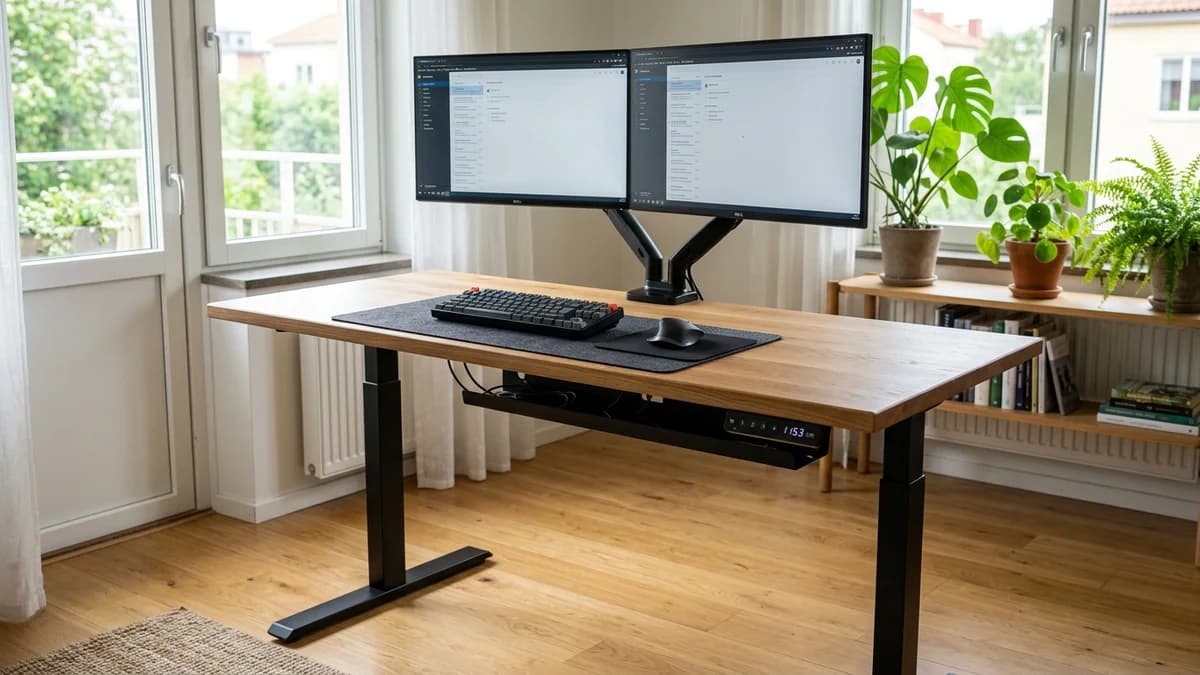
A $1,000 home office budget feels tight until you spend it on the wrong things. Most people burn it on a beautiful desk that's too tall, a chair that doesn't adjust enough, and a monitor position that guarantees neck pain by December.
This guide builds a functional ergonomic setup from scratch using that budget wisely. Not premium-everything, not cheap-everything. The allocation matters more than the individual products.
Here's the short version before we get into specifics:
The $1,000 breakdown:
- Standing desk: $300-$400
- Ergonomic chair: $250-$300
- Monitor arm: $80-$130
- Anti-fatigue mat: $50-$80
- Accessories (cable management, lighting, laptop stand): $80-$120
- Remaining buffer: $0-$100
You can come in under $1,000 with this allocation. You can also push slightly over if you prioritize the desk or chair. The key is never skimping on the chair. That's the one you'll notice every day.
Quick Verdict: Our Top Picks at a Glance
Short on time? Here are our top recommendations based on real owner reviews, specs, and long-term durability.
The standing desk: FlexiSpot E7 (~$399)
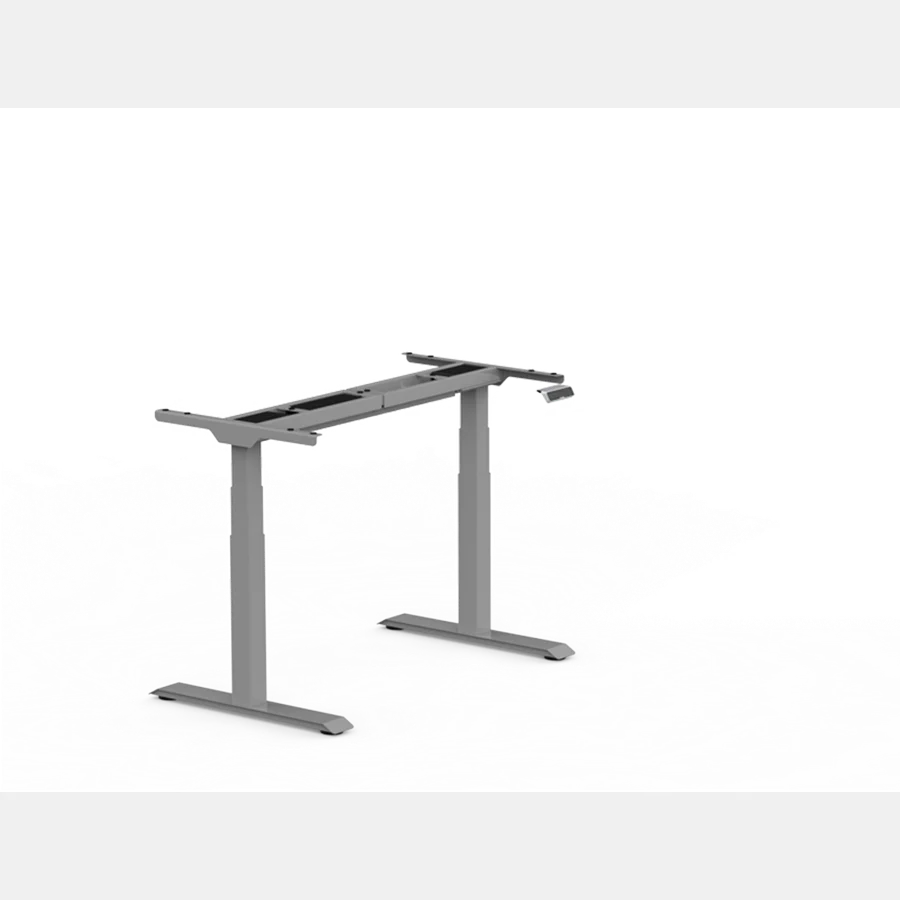
The FlexiSpot E7 is the right pick at this price. Dual motor, 355 lb capacity, 22.8 to 48.4 inch height range, four memory presets, collision detection, and a frame stable enough that you can actually work at standing height without the monitor wobbling.
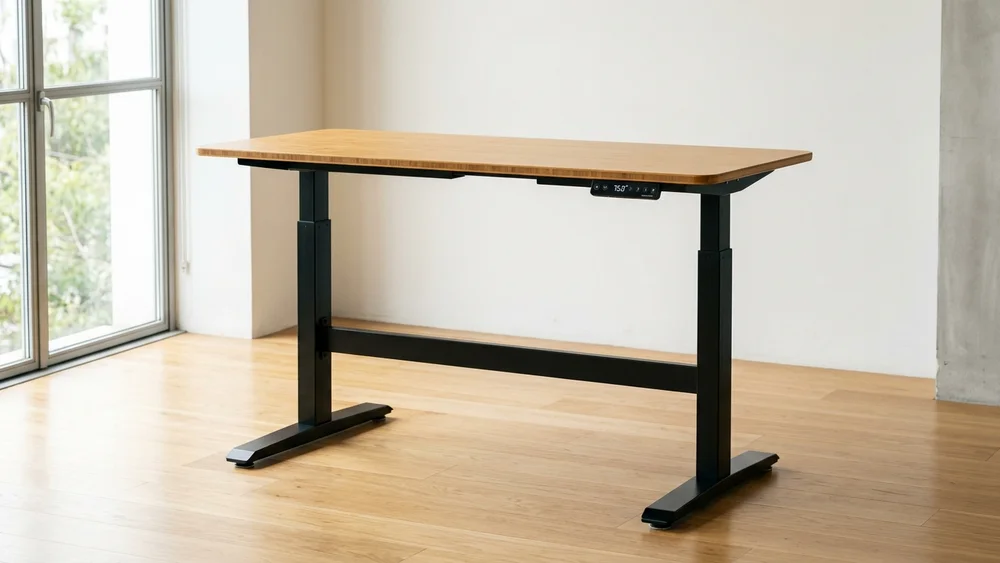
At around $399 for a 48-inch configuration, it sits at the top end of this budget category, but it's the minimum spec desk we'd recommend for daily standing use. Single-motor desks in the $150-$200 range wobble enough at standing height to be genuinely annoying.
If $399 is too much, the FlexiSpot E2 at around $150 handles lighter setups and runs more quietly than its price suggests. You trade stability for savings. For light laptop-plus-one-monitor use, that trade works.
The chair: FlexiSpot C7 (~$299)
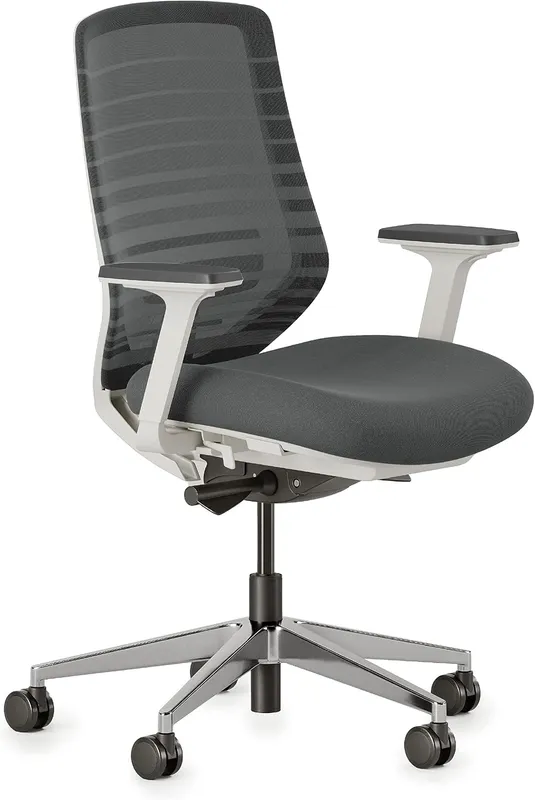
This is the spend most people get wrong. They allocate $100-$150 for a chair and then wonder why their back hurts. A chair you sit in for 6-8 hours a day needs proper lumbar support, seat height adjustment, and ideally adjustable armrests.
The FlexiSpot C7 at around $299 gets you all of that. Self-adaptive lumbar that adjusts to your position rather than holding a fixed point, 3D adjustable armrests, adjustable seat depth, 90 to 130 degree recline, and a 10-year warranty. It won't beat a Herman Miller Aeron at $1,400. It beats everything under $350 on the features that actually matter for back health.
Real drawback: the mesh breathes well but feels firmer than foam seats. Some people take 2-3 weeks to adjust. If you're coming from a padded executive chair, the first week will feel stark.
The monitor arm: Ergotron LX (~$110)
A monitor arm is the single most underrated investment in a home office. It puts the monitor at exactly eye level, frees up desk surface for actual work, and costs less than most people spend on a USB hub.
The Ergotron LX is the standard recommendation because it holds position. Cheaper arms from no-name brands drift over time, which means the monitor slowly tilts down and you're back to looking at your desk. The LX hasn't drifted in years of long-term owner reports.
It handles monitors up to 34.4 lbs with up to a 34-inch screen. That covers most monitors in the $200-$400 range. VESA compatible (75x75 or 100x100mm), which fits essentially all modern monitors.
Real drawback: setup requires some patience. The spring tension needs to be calibrated for your specific monitor's weight, which involves tightening a bolt inside the arm. The instructions are adequate but not great. Allow 20-30 minutes on first setup, not 5.
If you haven't chosen a monitor yet, the home office monitor guide covers the three decisions that actually matter (size, resolution, USB-C), so you don't overspend on specs you won't use.
Check Ergotron LX price on Amazon
The anti-fatigue mat: Topo by Ergodriven (~$90)
Standing on a flat mat is better than standing on a hard floor. Standing on the Topo is better than standing on a flat mat. The contoured terrain gives your feet something to move around on, which keeps blood flowing and fatigue at bay during longer standing intervals.
At around $90, it's the mid-range option that genuinely gets used. Cheaper flat mats ($30-$50 range) are adequate. The Topo is worth the extra cost if you plan to stand for 45+ minutes at a stretch.
Real drawback: the terrain shape looks odd. It's a purple blob on your floor. If aesthetics matter and you want something that disappears under the desk, a flat mat like the ComfiLife ($50) is cleaner and still functional.
Check Topo by Ergodriven on Amazon
Accessories that complete the setup
Laptop stand (~$30): If you're running a laptop as a secondary display or using it raised to bring the screen to eye level, an ergonomic laptop stand makes a real difference. See our tested best laptop stands for desk guide where portable aluminum risers fit easily under $30.
Check UGREEN laptop stand on Amazon
Cable management (~$30): Velcro ties and a cable spine tray dramatically reduce the visual chaos of a standing desk that moves between positions. A desk with dangling cables looks cheap and gets tangled when you switch heights. See our full cable management guide for specific products.
Check under-desk cable management tray on Amazon
Task lighting (~$30-$50): A monitor light bar attached to the top of the monitor eliminates glare and shadows without taking up desk space. Different from a desk lamp. Worth it if you work in rooms with inconsistent ambient light. See the full home office lighting guide for specific picks across every lighting layer.
Check monitor light bar on Amazon
Full budget breakdown
| Item | Product | Approx. Price |
|---|---|---|
| Standing desk | FlexiSpot E7 (48" or 60") | ~$399 |
| Ergonomic chair | FlexiSpot C7 | ~$299 |
| Monitor arm | Ergotron LX | ~$110 |
| Anti-fatigue mat | Topo by Ergodriven | ~$90 |
| Cable management | Velcro ties + tray | ~$30 |
| Laptop stand | UGREEN foldable | ~$30 |
| Total | ~$958 |
That leaves $42 of buffer, or more if you catch any of these on sale. FlexiSpot runs regular sales on the E7 and C7. Ergotron occasionally drops on Amazon. If you can wait for a sale, this setup can come in under $850.
Where to cut if you need to
Cut the mat first. It's the lowest-stakes reduction. A $30 flat mat instead of the Topo saves $60 and still gets you off a hard floor.
Downgrade the desk second. The FlexiSpot E2 at around $150 instead of the E7 saves $250. You'll notice the stability difference at standing height, but if your standing sessions are 20 minutes or less, it's tolerable.
Don't cut the chair. Back pain from a bad chair shows up in week 3 or 4, not day 1. By the time you realize the chair is the problem, you've already absorbed the productivity loss. The chair is the one line item where the budget spec is worth protecting.
Where to spend more if you can
Upgrade the desk before the chair. If you have $200 extra to spend, the FlexiSpot E7 Pro at around $560 adds C-frame design for more legroom, a higher weight capacity, and a cleaner cable channel built into the frame.
Upgrade the chair after the desk. The Branch Ergonomic Chair at $329 adds a couple of adjustments the C7 doesn't have; read our full Branch Chair Review. If you prefer stationary seating, explore our tested office chairs without wheels. For luxury seating, see our Herman Miller Embody vs Aeron comparison and our full Aeron review.
To prevent harsh desktop edges from compressing your wrists, consult our best wrist rest for keyboard guide. For eye comfort without sacrificing desk space, add one of the best monitor light bars to illuminate your work surface without screen glare.
FAQ
Can you build a good home office for under $1,000? Yes, with the right allocation. The mistake is spending evenly across all items. Put the most money into what you use the most (the chair and desk) and economize on accessories.
Is a standing desk worth it in a home office? It depends on how long you sit. If you're at your desk for 6+ hours a day, the ability to alternate between sitting and standing reduces lower back fatigue significantly.
The science on standing desks is about alternating, not about standing all day. The recommended pattern is 30-60 minutes sitting, then 15-30 minutes standing.
What's the best standing desk under $400? The FlexiSpot E7 at around $399 is the best electric standing desk in that price range. Below $300, the FlexiSpot E2 and E5 both work, with the E2 being the budget minimum for daily use.
Do I need an ergonomic chair for a home office? If you sit for more than 3-4 hours a day, yes. Basic office chairs don't have enough adjustment range to support different body types properly.
Lumbar support, seat height, and armrest adjustability are the three things that matter most. Our guide to ergonomic office chairs covers options from $299 to $1,445.
Is a monitor arm worth buying? One of the better value purchases in a home office setup. It puts the monitor at the exact right height, frees up desk surface, and makes the workspace look cleaner. The Ergotron LX at $110 is the standard recommendation because it holds position over time, which cheaper arms don't.
How long does a $1,000 home office setup last? The desk and chair should last 10+ years with normal use. FlexiSpot covers the E7 frame for 5 years.
The Ergotron LX arm carries a 10-year warranty. The mat lasts 3-5 years before the foam compresses.
Bottom line: Spend the most on the chair and desk. Don't cut either below $200 for a daily-use setup. The monitor arm is the highest ROI purchase after those two. A $958 setup built this way beats a $2,000 setup that put the money in the wrong places.
For the specific ergonomic positioning once everything arrives, our workstation setup guide walks through exact monitor height, chair adjustments, and keyboard positioning step by step. For specialized workspaces, explore our guides to best home office desks, bamboo standing desks, treadmill desks, and gaming standing desks.
Check FlexiSpot E7 price | Check Ergotron LX arm on Amazon | Check UGREEN stand on Amazon
Essential Workstation Add-Ons Under $35
High-impact accessories verified by our research team to protect your cables and joints.
VIVO Under-Desk Cable Tray
Keeps power strips and heavy adapters off the floor so cables never yank when elevating.
ComfiLife Gel Anti-Fatigue Mat
High-density core reduces heel strike and lower back compression when standing 3+ hours.
VELCRO Brand ONE-WRAP (100pk)
Pre-cut reusable straps that easily unwrap for cord re-routing without scissors.
Soundance Ergonomic Laptop Stand
Elevates laptop screen 6 inches to eye level, preventing forward neck slouch.
Calculate Your Exact Desk & Chair Height
Slide to your height to see ANSI/BIFMA recommended standing and sitting presets.

Written by M. Haris
✓ BIFMA G1-2017 Certified EvaluatorFounder & Lead Workstation Ergonomics Researcher • 8+ Years Spec Testing
M. Haris leads ergonomic research at The Desk Riser, auditing manufacturer CAD schematics, motor cycle lifespan metrics, BIFMA weight load standards, and long-term user failure patterns across thousands of verified purchases. Every review is independent with 0% sponsored influence. Have questions or spot a warranty update? Email directly at support@thedeskriser.com, read the Author Dossier, or explore our Editorial Testing Methodology.
Share this article:
Community Discussion
Have a question or want to share your workstation setup? Join the discussion below.
Comments load automatically as you scroll down.