Best Monitor Arms (2026): Single & Dual Mounts Tested
How we researched
We compare current specs, warranty terms, buyer complaints, and long-term owner patterns. Read methodology →
Last price/spec check
2026-09-02. Prices move, so use the retailer page as the final source.
Who should skip this
Skip anything that does not fit your body, room, budget, or return-window comfort level.
Disclosure: We earn a commission if you buy through links on this page, at no extra cost to you.
A monitor arm is one of the few home office purchases that immediately changes how your desk feels. Your screen goes from fixed in one position to exactly where you need it. Your desk gets its surface back. Your neck stops doing the slow-forward-creep it does all day when the monitor's too low.
The question isn't whether to buy one. It's which one doesn't wobble every time you type.
Quick Verdict: Our Top Picks at a Glance
Short on time? Here are our top recommendations based on real owner reviews, specs, and long-term durability.
Single vs dual
Single vs dual: which do you actually need?
What to look for before buying
Load capacity first. Most arms list a weight range like "up to 20 lbs." Your monitor needs to fall inside that range. A 27" display typically weighs 12 to 18 lbs including the stand.
A 32" ultrawide can hit 20 to 30 lbs. Check your monitor's weight before buying.
VESA compatibility. Your monitor needs a 75x75mm or 100x100mm VESA mount on the back. Most monitors have this.
Cheap monitors from no-name brands sometimes don't. Check the manual or the back panel before assuming.
Clamp vs grommet. Most arms clamp to the desk edge. If your desk is thick (solid wood, butcher block), make sure the clamp opens wide enough.
Grommet mount goes through a hole in the desk if you have one. Both work. Clamp is more common and easier to install.
Arm reach. How far from the desk edge do you need the monitor? If you sit close to the desk, 10 to 12 inches of reach is enough. If you need the monitor further back or want it to clear a keyboard tray, look for 15+ inches.
The picks
Ergotron LX. Best overall
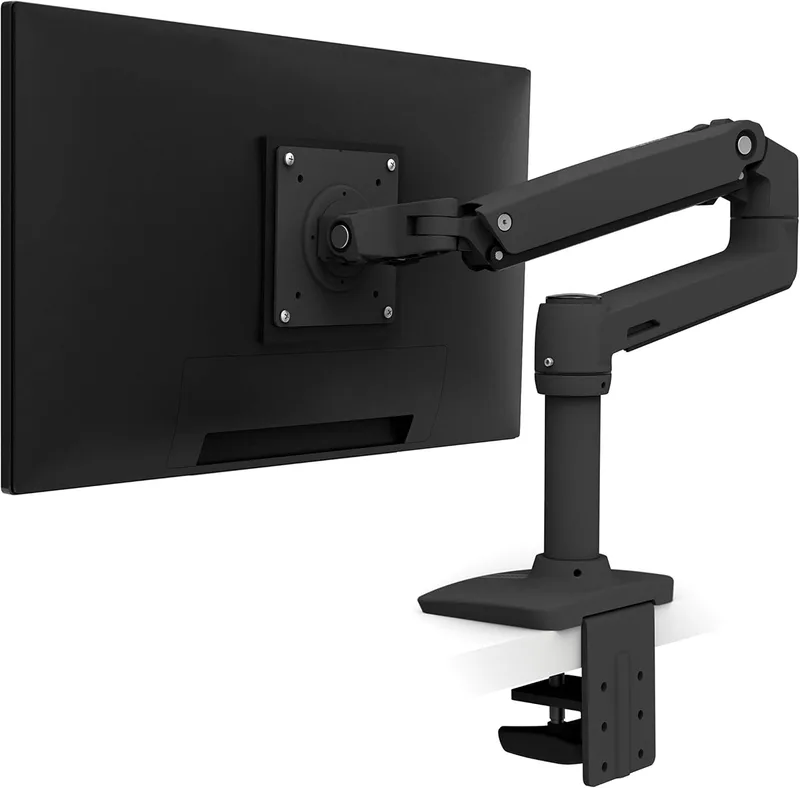
The Ergotron LX is the default answer to "best monitor arm" and has been for years. It earns that position because it does everything correctly. Smooth height and tilt adjustment, solid build quality, no wobble during normal use, and a weight range that covers 99% of monitors (7 to 25 lbs).
The LX has internal cable management built into the arm. Cables route through channels inside rather than hanging off the outside. It's a small thing and most people don't care. The people who care about it really care.
Height adjustment is spring-loaded. Set it once and the arm holds the position without drifting. Older or cheaper arms drift over time, which means the monitor slowly drops half an inch per month until you notice it's at the wrong height again.
At $50 to $70 (check current price), it's not the cheapest option. It's the one that doesn't need replacing.
Who it's for: Anyone who wants a reliable, adjustable arm and doesn't want to think about it again.
Skip it if: You have a monitor over 25 lbs or an ultrawide 34"+. Step up to the HX.
Check Ergotron LX Price on Amazon
Amazon Basics Monitor Arm. Best budget
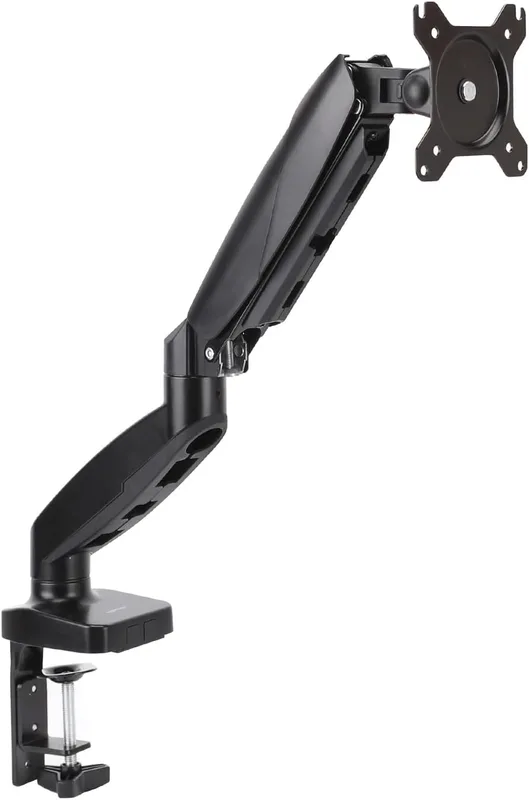
Amazon's monitor arm is the same engineering platform as the Ergotron LX (manufactured by the same company under license) at around $30 to $40. Same spring mechanism, similar weight range (4.4 to 20 lbs), same clamp and grommet options.
What you give up: the cable management channels aren't as clean, and the build materials feel slightly cheaper. The function is the same.
For a standard 24" to 27" monitor, this arm works exactly as expected at two-thirds the price.
Who it's for: Anyone with a single monitor under 20 lbs who doesn't want to spend $60.
Skip it if: You care about cable management aesthetics or have a heavier monitor.
Check Amazon Basics Monitor Arm Price on Amazon
Ergotron HX. Best for heavy and ultrawide monitors
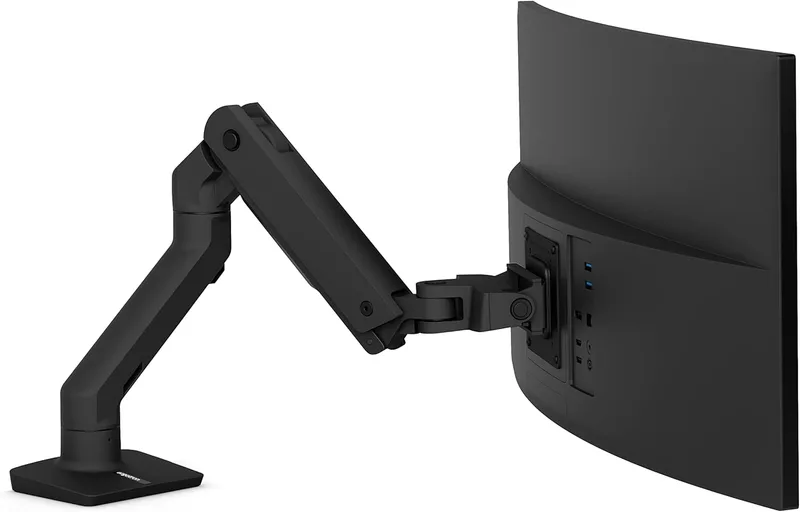
The HX handles monitors up to 42 lbs, which covers 34" ultrawides and most 32" displays. It has a higher gas-spring force than the LX, more extension range, and a reinforced clamp designed for the higher torque that big monitors create.
If you're mounting a 34" ultrawide and you use a standard LX, the arm will droop over time as the gas spring can't hold the weight. The HX doesn't have that problem.
It runs $100 to $130. More expensive, but if your monitor needs it, nothing else at this price matches it.
Who it's for: Anyone with a 32" or larger display, ultrawide monitors, or any monitor above 25 lbs.
Skip it if: Your monitor is a standard 24" to 27" single display. You don't need the extra capacity.
Check Ergotron HX price on Amazon
VIVO Dual Monitor Arm. Best budget dual
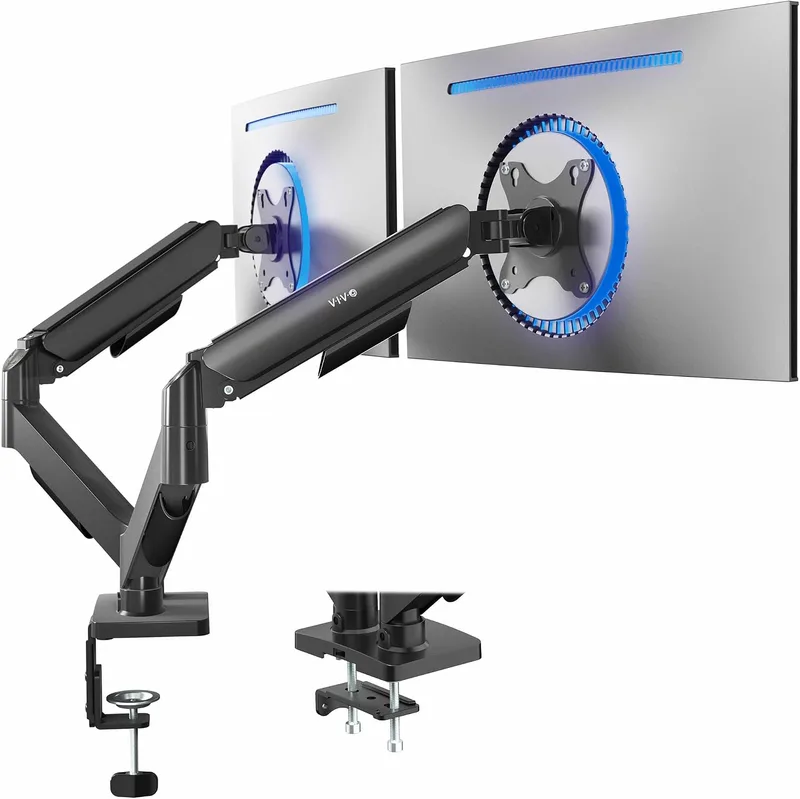
If you're running two monitors and can't justify $150+ for a premium dual arm, the VIVO dual is the standard recommendation. Fits two monitors up to 32" and 17.6 lbs each. Fully adjustable, VESA compatible, comes with both clamp and grommet hardware included.
It wobbles slightly more than a premium arm during typing but settles quickly. For a budget dual setup, that's an acceptable trade.
Under $50 most days.
Who it's for: Dual monitor users who want both screens mounted without spending $150.
Skip it if: One monitor is significantly heavier than the other (uneven setups create more wobble).
Check VIVO Dual Monitor Arm price on Amazon
Ergotron MXV. Best mid-range single
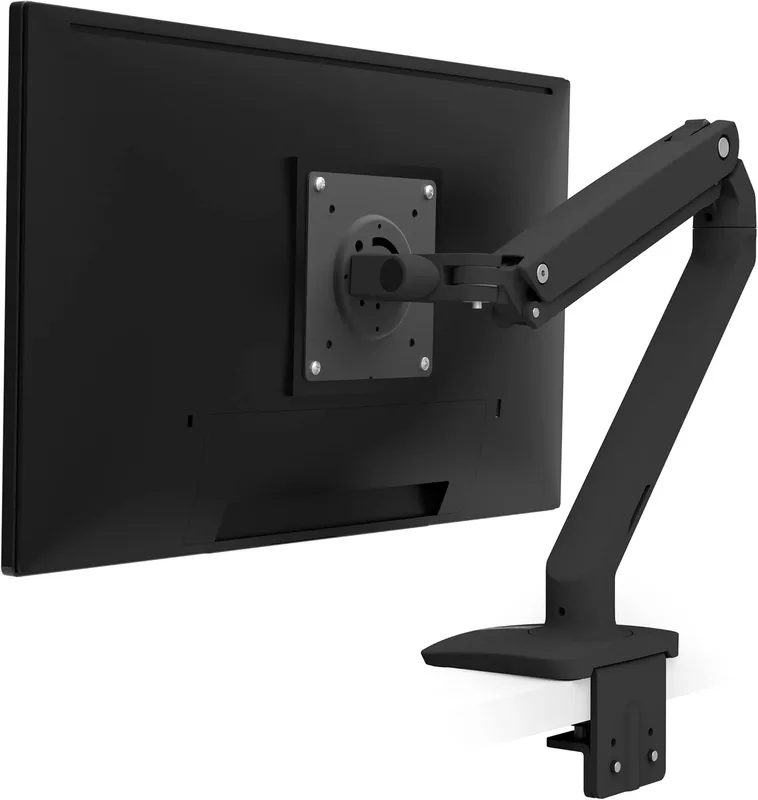
Between the LX and HX sits the MXV, which handles monitors up to 30 lbs. If your monitor is just over the LX's 25 lb limit, the MXV is the step up before the full HX. Better aesthetics than the LX, similar motion quality. Runs $70 to $90.
Most people don't need this. If you're between the LX and HX by weight, it's worth considering.
Check Ergotron MXV price on Amazon
Single vs dual: which do you actually need?
A dual arm only makes sense if both monitors will be at different heights or angles. If you want both monitors side by side at the same height, a dual arm gives you the most flexibility. If one monitor is a primary and one is a secondary that rarely moves, two separate single arms often work better because you can position each independently without dealing with a shared post.
Dual arm posts attach to the desk in one spot and have to balance both monitors. If the monitors are very different weights, balancing takes more fiddling.
Common mistakes
Buying for max load capacity instead of actual load. An arm rated for 40 lbs isn't better than an arm rated for 25 lbs if your monitor weighs 15 lbs. You just paid more for capacity you'll never use.
Ignoring desk thickness. The Ergotron LX clamp opens to 3.4 inches.
Most desks are 1.5 to 2.5 inches thick.
Butcher block tops can be 1.5 to 2 inches. Glass desks can be under 0.5 inches.
Measure before buying.
Buying a monitor arm for a monitor that can't be mounted. Some consumer monitors, especially budget gaming monitors, don't have VESA mounting holes. Check the spec sheet, not just the product photos.
Expecting zero wobble. No articulating arm is completely rigid. They all move slightly when you type. The difference between a good arm and a bad arm is how quickly the movement damps out.
Ergotron arms settle in under a second. Cheap arms keep swaying.
Internal links
If you're setting up a new standing desk, see our best standing desks for home office guide. For keeping cables tidy once the arm is mounted, our standing desk cable management guide covers routing and under-desk setup.
FAQ
Is the Ergotron LX worth it?
Yes, for most people. At $50 to $70 it's not cheap for what looks like a simple piece of metal, but the spring mechanism, cable management, and build quality are noticeably better than budget arms. It also holds its adjustment position over years rather than slowly drifting.
Can any monitor use a monitor arm?
Only monitors with VESA mounting holes on the back. The standard patterns are 75x75mm and 100x100mm. Most monitors support at least one.
Check your monitor's manual or the spec page. If there's no VESA pattern, you can't use a standard arm without an adapter bracket.
Check non-VESA adapter kits on Amazon
Does a monitor arm actually help ergonomics?
Yes. The biggest ergonomic benefit is height adjustment. Most desk-stand monitors sit too low. A monitor arm raises the screen to true eye-level height, which removes the neck-down posture that causes upper back pain.
The second benefit is tilt and depth adjustment so you can get the exact viewing distance without moving your whole desk setup.
What monitor arm works with a standing desk?
Any of the above. The key with a standing desk is that the arm reach should be long enough to position the monitor correctly at both sitting and standing heights. Standing desk users often sit closer to the back of the desk at sitting height and need more reach at standing height. The Ergotron LX's reach range handles this for most setups.
Can you use a monitor arm on an IKEA desk?
Yes. IKEA KARLBY, LAGKAPTEN, and ALEX tops are all within the LX clamp range (typically 1.5 to 2 inches thick). The clamp sits on the desk edge.
Don't overtighten on veneer surfaces as the pressure can dent the material. Use a cloth pad between the clamp and the desk if you're worried about finish damage.
Bottom line
Ergotron LX for most people. It's the standard for a reason. If your monitor is heavy (32"+ ultrawide, 28+ lbs), go to the HX instead.
Budget tight and monitor under 20 lbs? Amazon Basics arm does the same job for less. Two monitors? VIVO dual is the budget option that actually works.
Don't buy a no-name monitor arm from a brand you can't find a review for. The failure mode is the spring giving out in year two, which leaves you with a drooping monitor or one you can't adjust.
Ergotron has a 10-year warranty. That's not marketing. That's what happens when a company builds something that's supposed to last.
A monitor arm makes the biggest difference on a height-adjustable desk. If you're still deciding on the desk, our FlexiSpot E7 review covers the most popular desk in this category.
Check Ergotron LX price on Amazon | Check Amazon Basics Monitor Arm on Amazon | Check VIVO Dual Arm on Amazon
Exclusive Savings on Monitor Arms
Click to copy coupon code and open the verified retailer discount page in a new tab.
Essential Workstation Add-Ons Under $35
High-impact accessories verified by our research team to protect your cables and joints.
VIVO Under-Desk Cable Tray
Keeps power strips and heavy adapters off the floor so cables never yank when elevating.
ComfiLife Gel Anti-Fatigue Mat
High-density core reduces heel strike and lower back compression when standing 3+ hours.
VELCRO Brand ONE-WRAP (100pk)
Pre-cut reusable straps that easily unwrap for cord re-routing without scissors.
Soundance Ergonomic Laptop Stand
Elevates laptop screen 6 inches to eye level, preventing forward neck slouch.
Calculate Your Exact Desk & Chair Height
Slide to your height to see ANSI/BIFMA recommended standing and sitting presets.
Written by M. Haris
✓ BIFMA G1-2017 Certified EvaluatorFounder & Lead Workstation Ergonomics Researcher • 8+ Years Spec Testing
M. Haris leads ergonomic research at The Desk Riser, auditing manufacturer CAD schematics, motor cycle lifespan metrics, BIFMA weight load standards, and long-term user failure patterns across thousands of verified purchases. Every review is independent with 0% sponsored influence. Have questions or spot a warranty update? Email directly at support@thedeskriser.com or explore our Editorial Testing Methodology.
Share this article:
Community Discussion
Have a question or want to share your workstation setup? Join the discussion below.
Comments load automatically as you scroll down.