How to Build a DIY Standing Desk: Frame & Desktop

Building a DIY standing desk pairs a standalone motorized frame with a solid timber desktop. Sourcing a dual motor frame and mounting a pre-finished slab like the IKEA KARLBY provides commercial stability for about $508, saving over $300 compared to factory packages.
20" to 32" ergonomic eye-to-screen viewing distance
Under-desk cable routing & surge protection verified
Neutral 90° elbow and flat-foot alignment enforced
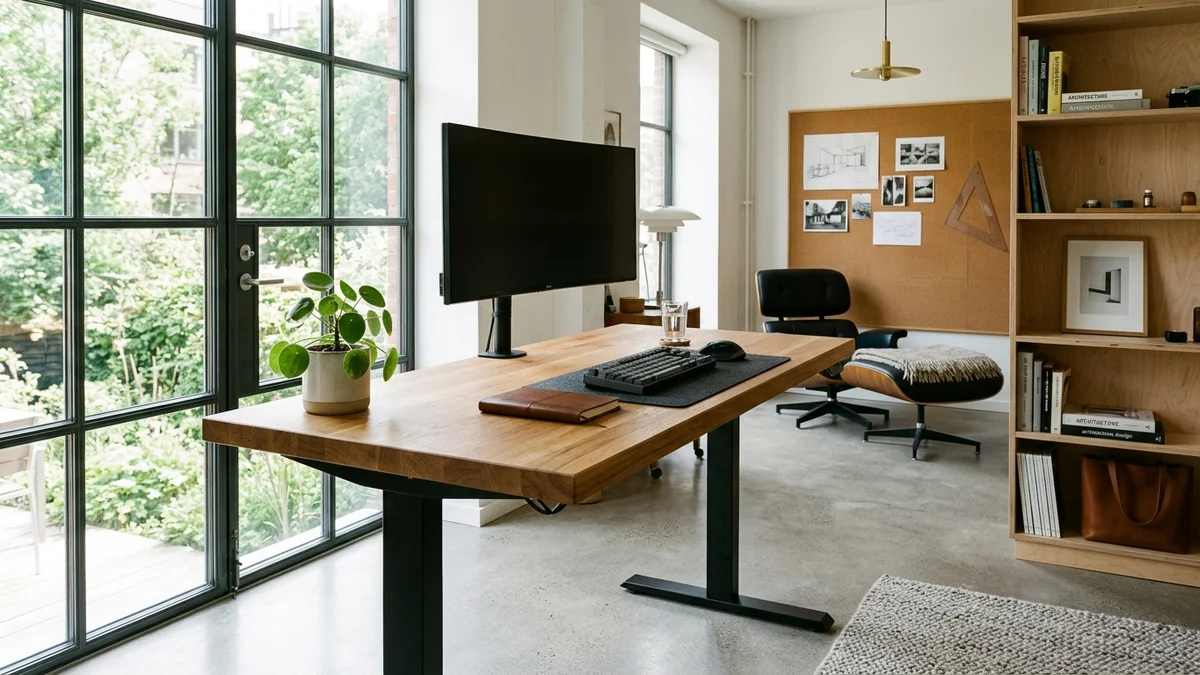
Workstation Geometry Scope
Applies standard ergonomic reach zones, surface clearance measurements, and eye-level monitor height geometry. Methodology →
Last Spec & Pricing Audit
. Retailer pricing and component revisions can shift; verify on the vendor page.
Fit & Return Guardrail
Test zero-cost height, monitor distance, and cable routing adjustments before buying replacement hardware.
DIY Standing Desk? Weigh Your Tabletop First (Desk Fact #37)
That butcher block top looks great, but it is heavy. A 74-inch IKEA KARLBY weighs about 65 pounds before you put a single monitor on it, and your frame has to lift the top plus everything on it. Subtract the top first: a 355-pound frame minus a 65-pound top leaves 290 pounds for your setup. A cheap frame rated for 150 pounds will strain and tilt under a heavy slab, so get dual motors and at least 250 pounds of rated capacity.
Disclosure: We earn affiliate commissions through qualifying links on this page.
Commercial standing desks often cost over $750 for basic laminate configurations.
Many retail desks pair quality motors with low density particleboard tops that dent under monitor clamps.
Building a height adjustable workstation gives you full control over timber species, dimensions, and stability.
Before ordering materials, calculate your seated elbow clearance and standing horizon using our interactive desk height calculator.
What Is a DIY Standing Desk?
A DIY standing desk pairs an electric motorized frame with a separate wooden desktop slab of your choice.
Unlike packaged desks, you select the exact wood thickness, surface width, and motor lifting capacity.
This path lets you use authentic butcher block or Baltic birch without boutique retail markups.
If you own a stationary desk, explore our guide on adapting computer tables for ergonomics.
For users seeking active standing without modifying existing furniture, compare the best standing desk converters.
Step 1: Selecting the Right Desktop Slab
The desktop is your primary tactile work surface and dictates overall structural rigidity.
Choosing the wrong slab leads to center sag, stripped screw threads, and frame stress.
| Desktop Material | Structure | Screw Bite | Sag Risk (<60 lbs) |
|---|---|---|---|
| Solid Butcher Block | Solid hardwood | Exceptional bite | Negligible (<0.3 mm) |
| Wood Veneer Top (KARLBY) | Dense particleboard core | Very Good | Low (<0.6 mm) |
| Hollow Core Board | Paper honeycomb core | Extremely Poor | Severe (permanent bend) |
Solid butcher block slabs and IKEA KARLBY countertops offer dense, dependable platforms for heavy monitor arms.
Never mount motorized frames to hollow paper core tops like the IKEA Linnmon, which crush under leg torque.
For compact rooms, check our dimension standards on standard desk depth.
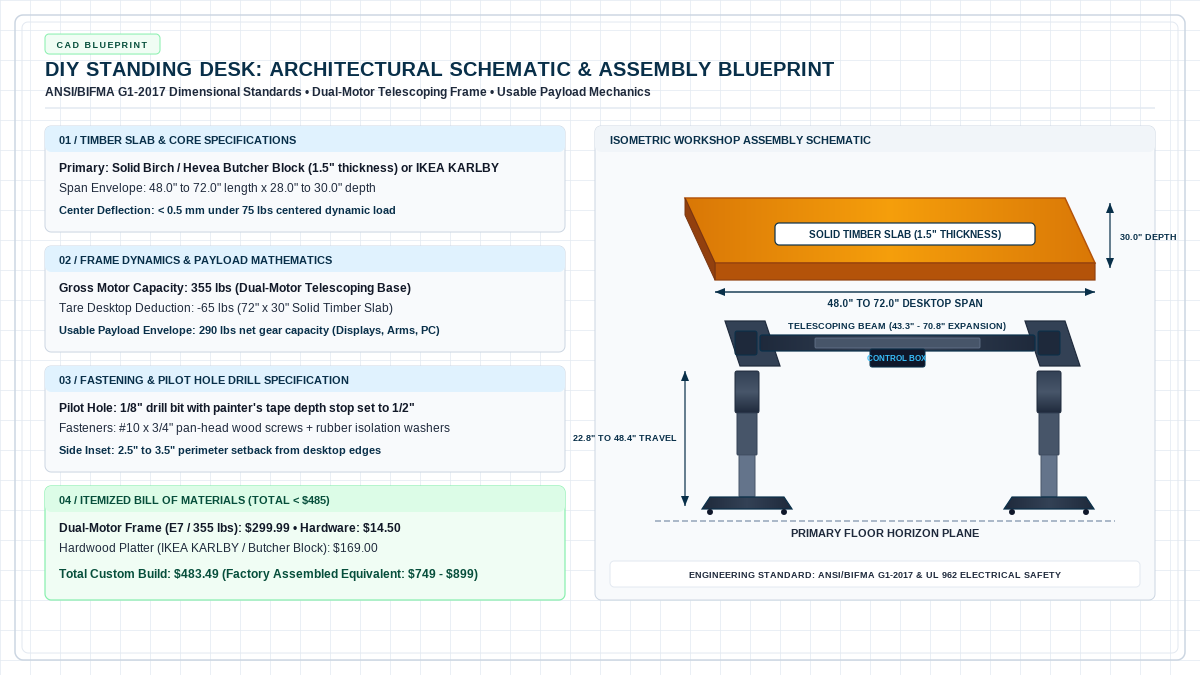
Step 2: Picking Your Motorized Frame and Usable Payload Math
The motorized frame provides mechanical lifting power, motor synchronization, and collision sensing safety.
When selecting an adjustable base, always calculate your net usable payload rather than relying solely on gross ratings.
Subtract dry desktop tare weight from published lift capacity to determine usable gear capacity.
A standard 72 inch by 30 inch birch butcher block weighs roughly 65 pounds.
On a 355 pound rated dual motor frame, your usable gear capacity is 290 pounds.
$$\text{Usable Payload} = \text{Gross Capacity}-\text{Desktop Tare} = 355\text{ lbs}-65\text{ lbs} = 290\text{ lbs}$$
| Model | Lift Rating | Desktop Tare | Net Payload | Frame Price |
|---|---|---|---|---|
| FlexiSpot E7 | 355 lbs (Dual Motor) | 65 lbs (Top) | 290 lbs Usable | $299.99 $349.99 |
| UPLIFT V3 Frame | 355 lbs (Dual Motor) | 65 lbs (Top) | 290 lbs Usable | $469 |
| IKEA IDASEN | 165 lbs (Dual Motor) | 65 lbs (Top) | 100 lbs Usable | $600 Frame Only |
*Prices and stock accurate as of November 24, 2026 via merchant data. Subject to change.*
Dual motor frames house independent lifting motors in each column, avoiding the vibration and lag typical of single motor drive rods.
For a technical breakdown of dual motor bases and warranty terms, explore the best standing desk frames.
Step 3: Required Tools and Hardware Checklist
Most motorized frame kits include hex keys and frame bolts to assemble the steel legs.
Factory packaging rarely includes the proper wood screws required for thick custom butcher blocks.
| Build Item | Specification | Function | Source |
|---|---|---|---|
| Cordless Drill | Variable clutch | Drilling pilots and driving fasteners | Home Workshop |
| Drill Bit & Tape | 1/8" bit + tape stop | Drilling pilots to 0.50" depth | Hardware Store |
| Pan-Head Screws | #10 x 3/4" deep-thread | Securing brackets into timber | Hardware Store |
| Rubber Washers | 1/4" washers + level | Sound isolation and leveling | Hardware Store |
Keep a soft drop cloth or cardboard packaging on the floor to protect your wood finish during assembly.
Recommended ergonomic accessories and hardware specs
Workstation accessories selected to support healthy ergonomics, joints, and cable routing.
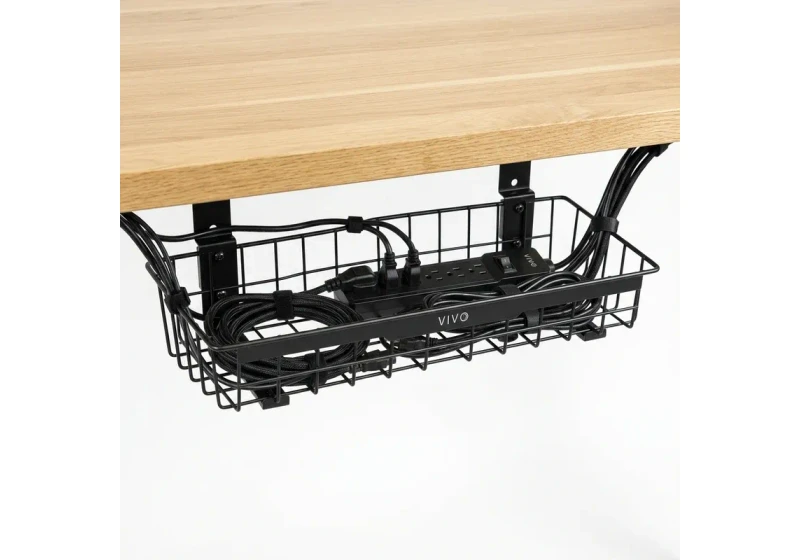
VIVO Under-Desk Cable Tray
Keeps power strips and heavy adapters off the floor so cables never yank when adjusting desk height.
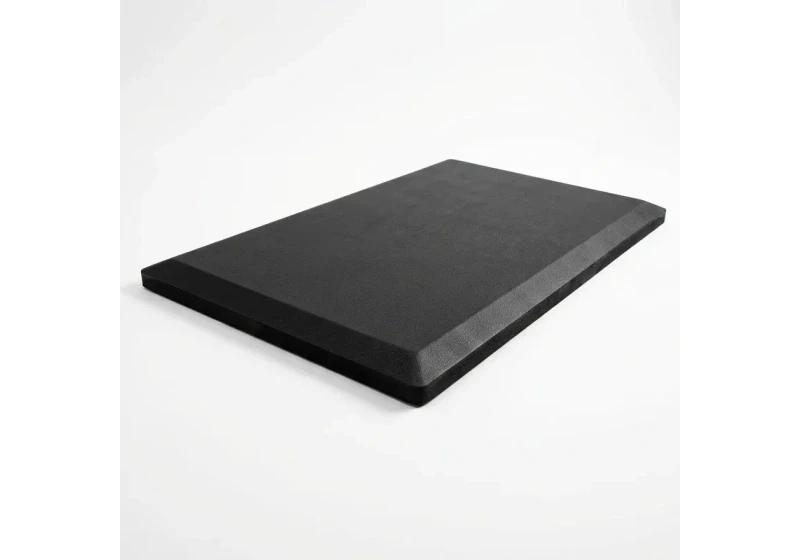
ComfiLife Gel Anti-Fatigue Mat
High-density core cushions heel strike and helps ease lower back compression when standing 3+ hours.
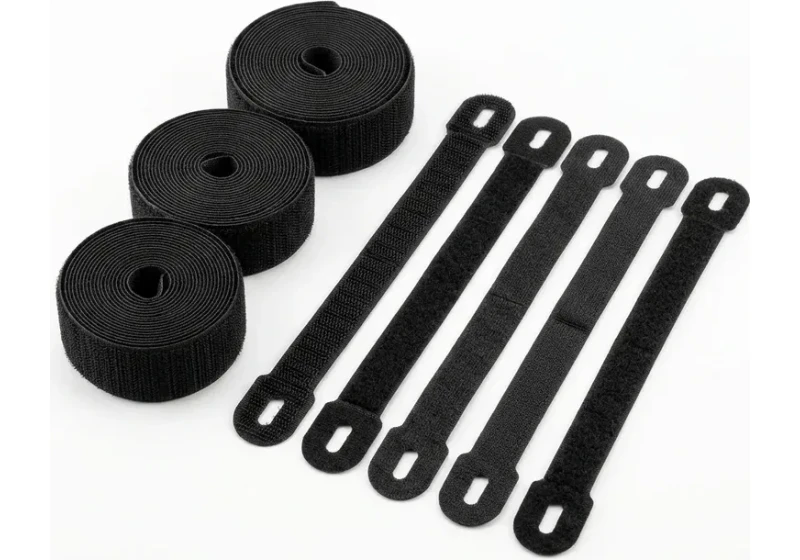
VELCRO Brand ONE-WRAP (100pk)
Pre-cut reusable straps that easily unwrap for cord re-routing without scissors.
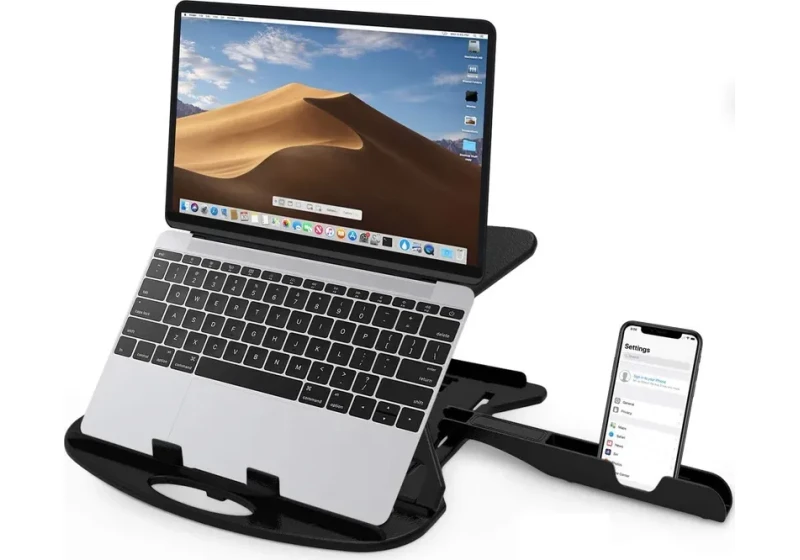
Soundance Laptop Stand
Raises laptop screen 6 inches to eye level, helping reduce forward neck slouch.
Step 4: Measuring and Mounting the Telescoping Frame
Proper crossbar extension ensures that downward monitor loads channel directly through the steel lifting columns.
Place your finished wood desktop face down on your padded work surface.
Expand crossbar rails until side brackets sit 2.5 to 3.5 inches inside outer edges for clamp clearance.
C-frame legs place columns toward the rear for knee clearance, while T-frame designs center columns symmetrically.
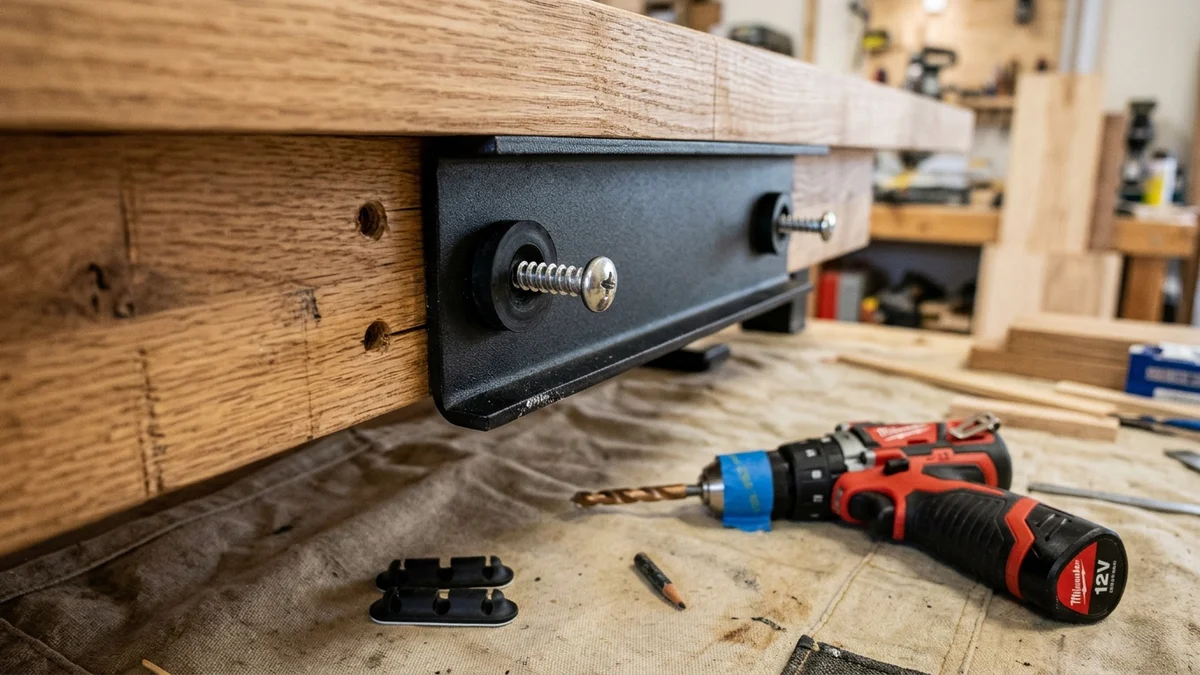
Mark pilot locations through bracket holes and wrap tape around a 1/8 inch bit at 0.50 inches depth.
Drill pilot holes into marked spots, stopping at the tape edge to prevent punching through the top face.
Drive #10 pan head wood screws through rubber washers into pilot holes, tightening by hand to avoid stripping threads.
Step 5: Sequenced Assembly Workflow to Avoid Rework
Assembling standing desk parts in the wrong order forces you to dismantle heavy components to reach motor ports.
Follow this sequenced workflow to construct your desk smoothly without backtracking.
Phase 1: Frame Skeleton Setup
Bolt side brackets loosely to crossbar rails before confirming final width against pilot marks.
Phase 2: Securing Frame to Desktop
Align the expanded frame over pre drilled pilots and drive all mounting screws firmly.
Phase 3: Leg Columns and Footplates
Slide motorized columns into crossbars, torque main bolts, and attach steel feet with glides.
Phase 4: Control Box and Keypad Wiring
Fasten the control box, mount the keypad near the front edge, and connect motor leads firmly.
Have a partner help flip the completed desk upright onto its feet to protect lifting columns.
Step 6: Under-Desk Cable Management and Stress Relief
A motorized desk travels twenty vertical inches during daily posture adjustments.
Loose cords beneath the desktop snag on trash cans, armrests, or outlets during descent.
Mount a steel cable tray to the underside near the rear edge and house a surge protector inside it.
Run one extension cord to the wall, leaving generous slack loop for maximum standing extension.
Anchor display lines along crossbars with reusable ties, and pair with a DIY desk shelf to clear desk clutter.
Step 7: Stability Testing and Wobble Troubleshooting
All two leg standing desks experience slight natural deflection when extended to full standing height.
However, noticeable monitor wobble during routine typing indicates loose fasteners or unlevel floor contact.
Check seated stability first by pushing against the front edge, dialing threaded rubber glides until wobble stops.
Raise the desk to your standing height, typically between 40 and 44 inches for average adults.
ANSI/BIFMA G1-2017 standards recommend setting height so forearms rest parallel to the desktop, as detailed in our standard desk height guide.
To dial in your chair and monitor alignment, review our ergonomic workstation setup guide.
If lateral sway occurs at standing height, tighten the bolts connecting the crossbar to the lifting columns.
Step 8: Cheaper Alternative: Manual Crank Frame Retrofit
For home workers on strict budgets, manual hand crank frames offer an economical alternative to electric motors.
Hand crank bases eliminate electrical control boxes, motors, and power cords entirely.
| Feature | Dual-Motor Electric | Manual Hand-Crank |
|---|---|---|
| Frame Cost | $299.99 to $450.00 | $129.00 to $169.00 |
| Lift Speed | 1.4 inches per second | 4 to 6 turns per inch |
| Power Need | Wall outlet power | 100% mechanical (no power) |
| Lift Rating | 300 to 355 lbs | 150 to 180 lbs |
Manual crank frames suit setups without power, but turning a crank fifty times discourages posture changes.
If budget allows, dual motor electric frames deliver far better daily posture compliance.
Complete Build Cost vs Buying a Factory Complete Desk
Building your own standing desk delivers substantial financial savings compared to ordering pre assembled furniture.
Here is an itemized breakdown of actual component costs for a premium 74 inch butcher block electric desk build.
| Component | Sourcing | Cost | Commercial Price |
|---|---|---|---|
| Dual-Motor Frame | FlexiSpot E7 (355 lbs) | $299.99 | $450 to $600 (Frame) |
| Solid Platter | 74" x 25" KARLBY | $169.00 | $280 to $350 (Wood) |
| Hardware Pack | Wood Screws & Washers | $14.50 | Packaged with desk |
| Cable Raceway | 34-inch wire tray | $24.00 | $40 to $50 (Add-on) |
| Total Cost | Custom 74" Electric Desk | $507.49 | $750 to $900 (Bundle) |
Three hours of assembly saves $250 to $400 while providing an authentic hardwood surface superior to foil laminates.
Frequently Asked Questions
Can you use any tabletop for a DIY standing desk?
Any solid timber or dense plywood works with a motorized frame. Avoid paper honeycomb tops like the IKEA Linnmon because screws pull out under motor torque.
What is the best wood for a standing desk top?
Birch, oak, and maple butcher blocks offer maximum density and dent resistance. Rubberwood and dense bamboo also provide dependable screw holding at affordable prices.
How thick should a DIY standing desk top be?
Aim for 1.0 to 1.75 inches thickness to prevent center sag and provide deep screw purchase. Slabs under 0.75 inches risk screw points punching through during clamp loading.
Do I need to drill pilot holes when mounting a standing desk frame?
Always pre drill pilot holes using a 1/8 inch bit. Driving screws into raw hardwood without pilot holes splits timber grain and shears screw heads.
Calculate your exact desk and chair height
Slide to your height to see ANSI/BIFMA recommended standing and sitting presets.
By M. Haris
References ANSI/BIFMA G1-2017 guidanceSoftware engineer and founder of The Desk Riser
M. Haris is a software engineer and founder of The Desk Riser, auditing manufacturer engineering schematics, motorized desk cycle lifespans, ANSI/BIFMA G1-2017 ergonomic standards, and long-term user failure patterns across verified owner communities. Every guide is editorially independent with zero paid brand placements and zero PR samples (we may earn affiliate commissions on qualifying purchases). Have questions or spot a warranty update? Email directly at support@thedeskriser.com, read the Author Dossier, or explore our Editorial Research Methodology.
Share this article:
Workstation Setup & Fit Q&A
Have questions about frame deflection, monitor arm clamp loads, or chair sizing? Consult our workstation researchers.
Q:How do I know if this standing desk will wobble on thick carpet?
Standing desk wobble on carpet is caused by uneven carpet pile compression under the rear footpads. Frames with wedge-reinforced leg collars and wide steel footplates (like UPLIFT V3 or FlexiSpot E7 Pro) minimize lateral flex. If placing on plush carpet, use rigid caster cups or a dense underlay to anchor the base directly to the subfloor.
Q:Can I clamp a dual monitor arm onto standard particleboard tops?
Dual monitor arms concentrate 25 to 45 lbs of dynamic torque onto a 4-inch clamp perimeter. Hollow honeycomb tops (such as IKEA Linnmon) will crush. We recommend a minimum 0.75-inch solid core (MDF, solid bamboo, or hardwood), or sandwiching a steel reinforcement bracket plate (min 2.5mm thickness) between the clamp and desktop.
Q:What if my chair cylinder sinks or feels too high for my feet?
Always verify your seated popliteal height (crease behind knee to floor with shoes). If a chair will not drop below 17 inches and your feet dangle, pair it with an angled footrest or switch to a low-range Class 4 cylinder. If a cylinder loses pressure and sinks on its own, the internal nitrogen seal is breached and requires cylinder replacement.
Ask Our Ergonomic Spec Reviewers
Planning an upgrade or unsure if your monitors and stature fit this configuration? Send your dimensions directly to our research desk. No accounts, no trackers, zero marketing spam.