Best Standing Desk Converters 2026: Tested at Every Budget


How we researched
We compare current specs, warranty terms, buyer complaints, and long-term owner patterns. Read methodology →
Last price/spec check
2026-07-31. Prices move, so use the retailer page as the final source.
Who should skip this
Skip anything that does not fit your body, room, budget, or return-window comfort level.
Disclosure: We earn a commission if you buy through links on this page, at no extra cost to you.
Before you buy a converter, spend 30 seconds on this: if you have $400+ to spend and want a permanent setup, a full electric standing desk is almost always the better choice. It's more stable, has better cable management, and doesn't reduce your desk depth by 12 inches. If that's you, see our best standing desks for home offices instead.
Converters make sense in three situations: you rent and can't bolt anything to the wall, you have a desk you love and don't want to replace, or you're not sure you'll actually use the standing feature and don't want to commit $400+ to find out.
If any of those fit your situation, here's what actually works.
Quick Verdict: Our Top Picks at a Glance
Short on time? Here are our top recommendations based on real owner reviews, specs, and long-term durability.
Quick picks
| Product | Price | Best for | Lift max |
|---|---|---|---|
| FlexiSpot M7 AlcoveRiser | ~$130 | Best overall stability | 19.7" |
| VIVO K Series | ~$120 | Best value, tall users | 20" |
| VariDesk Pro Plus 36 | $429 | Best build quality under $450 | 17.5" |
| Ergotron WorkFit-TL | ~$579 | Best all-day serious use | 15" range |
Should you even buy a converter?
Buy a converter if: You're renting and can't replace the desk. You have an expensive desk you want to keep using. You're testing whether you'll actually stand before committing to a full desk upgrade.
Skip the converter if: Your current desk wobbles. A converter sits on top of whatever desk you have and inherits its instability. If the desk moves when you type, the converter makes it worse.
Also skip if you regularly use a wide dual-monitor setup at full extension. Most converters wobble noticeably under that load. Older forward-arc models suffer the worst bounce; read our Desk Riser Classic review for a detailed mechanical breakdown of why radial lift arms struggle under heavy typing.
The benefits of standing desks are real, but you need the right setup to get them.
The picks
FlexiSpot M7 AlcoveRiser: Best overall
Price: ~$120-150 depending on size
The M7 is the most common recommendation in standing desk communities when people ask about converters, and the reason is structural. The X-Lift cross-brace design keeps the platform stable as it extends, which is exactly where cheaper single-post converters develop wobble.
It comes in 28", 35", and 42" widths. The 35" is the most popular for standard home offices.
The keyboard tray is detachable and runs 34.6" wide by 12.1" deep, usable for most keyboards, though a full-size mechanical with a thick wrist rest may overhang the front edge.
Lift range hits 19.7" at maximum, which covers most adult standing elbow heights for desks starting at a standard 30" height. Weight capacity is 33 lbs on the desktop platform.
Real drawback: the keyboard tray is 12" deep. A large mechanical keyboard plus a full mouse pad will fit, but it'll be tight. Measure your keyboard first. The adjustment mechanism requires both hands, which is fine for twice-a-day switching, annoying if you're adjusting six times.
Check FlexiSpot M7 AlcoveRiser on Amazon
VIVO K Series: Best value under $140
Price: ~$120-140 depending on size
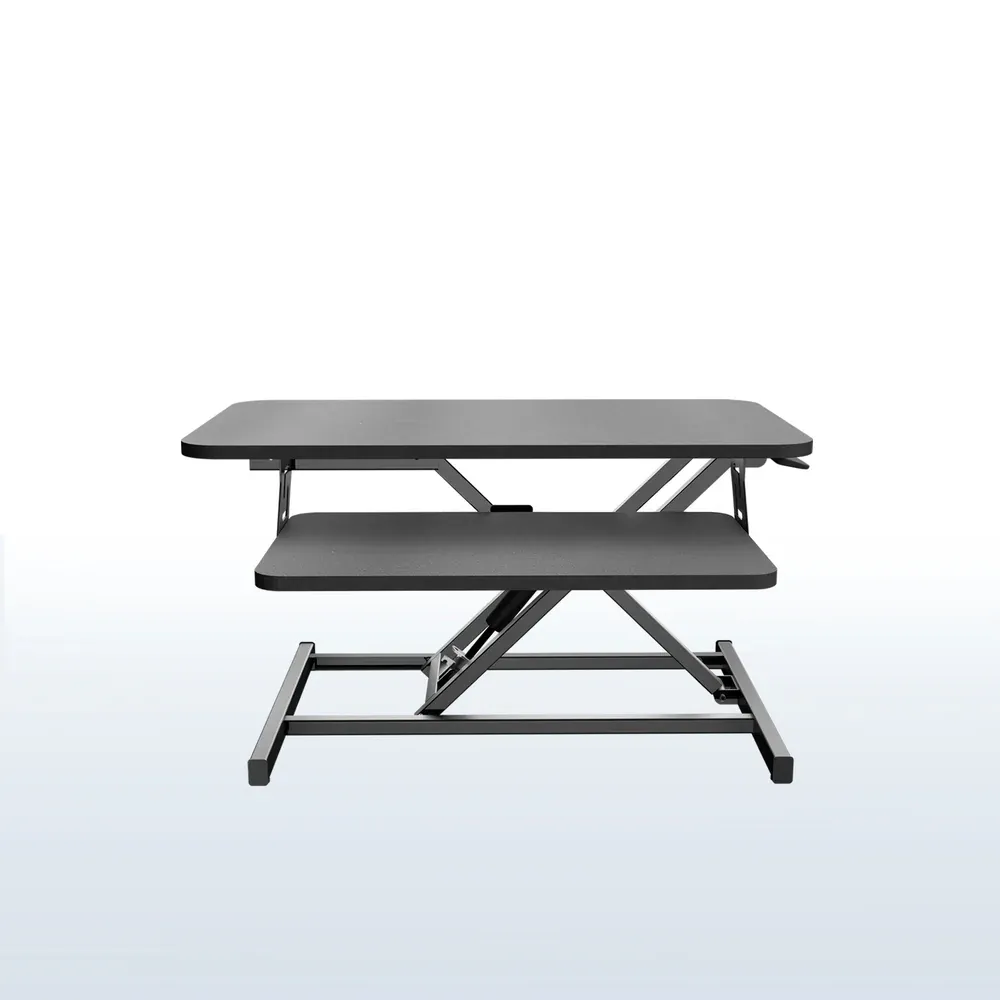
The VIVO K Series is the pick for anyone who wants the cheapest converter that still works reliably. At $119.99 for the 32" model, it hits the highest lift range in this roundup at 20", which matters if you're 6'1" or taller and most converters won't reach your standing elbow height.
VIVO tests these to 10,000 lift cycles. That's roughly 10 years of twice-daily adjustments. The 4.7-star Amazon rating across thousands of reviews is consistent with what you'd expect from a product that does one job reliably.
Weight capacity matches the M7 at 33 lbs on the desktop. Available in 32" and 36" widths.
Real drawback: it's a single pneumatic spring design. Under a full dual-monitor load at maximum height with aggressive typing, there's more lateral movement than the M7's cross-brace provides. For a laptop plus one monitor, you won't notice. For two 27" displays at full extension, you might.
Check VIVO K Series 32" on Amazon
Check VIVO K Series 36" on Amazon
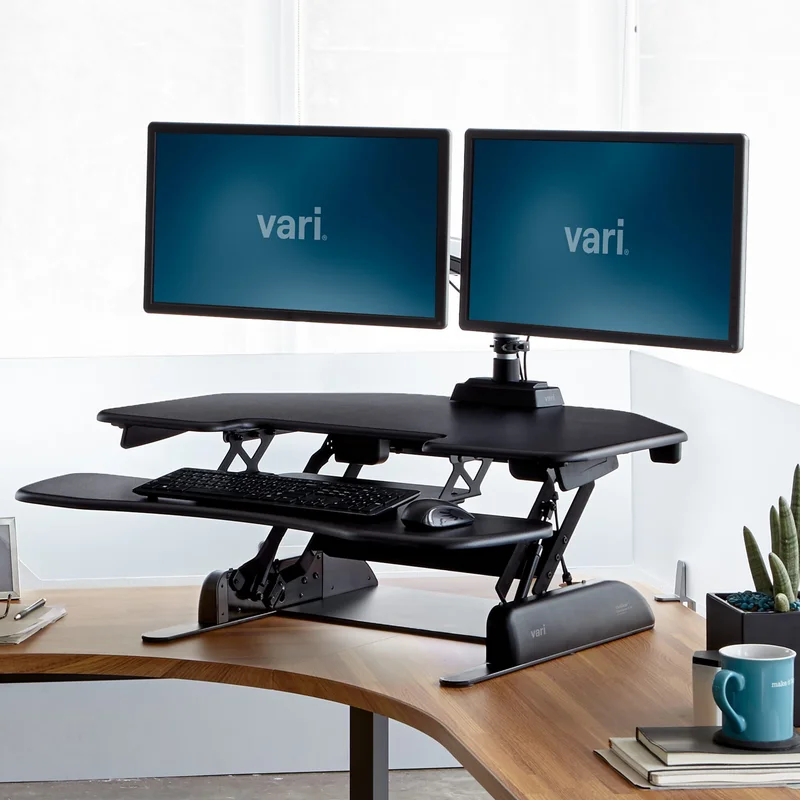
VariDesk Pro Plus 36: Best build quality under $450
Price: $429 (check current price, occasionally discounted)
The VariDesk Pro Plus 36 ships fully assembled, which sounds minor until you've spent 40 minutes figuring out how a converter's spring mechanism works during setup. You lift it out of the box and it's ready.
Five finish options (Black, White, Espresso Wood, Light Wood, Walnut) make it the only converter on this list that looks intentionally placed in a home office rather than dropped on a desk. Lifetime warranty. BIFMA certified. Dual-handle lift that clicks into 11 preset positions.
The 36" surface and 29.75" depth (when lowered) give you meaningful workspace when sitting. Steelcase and Herman Miller office chairs tend to pair well with the higher price point of this converter. If you're spending $1,400 on a chair, you probably don't want a $120 converter wobbling next to it.
Real drawback: 17.5" maximum lift is the lowest on this list. If you're 6'1" or taller, confirm this reaches your standing elbow height before ordering. Standing at a converter that's 1-2 inches too low for 4 hours causes shoulder strain, not comfort.
Also, Vari doesn't have an affiliate program, so we have no financial interest in recommending this one over the others.
Check VariDesk Pro Plus 36 at Vari
Ergotron WorkFit-TL: Best for all-day use
Price: ~$579
The WorkFit-TL uses a straight-up-and-down lift mechanism instead of the scissor or X-lift designs used by every other converter on this list. Straight-column lift doesn't create lateral force at height. The result is zero perceptible wobble under a dual-monitor typing load at full extension.
The 37.5" x 23" surface is the largest in this roundup. The keyboard tray is 27.5" x 11", which actually fits a mechanical keyboard and standard mouse pad without overhanging.
The whole unit weighs 56 lbs, which means it doesn't slide around, but it also means you're not moving it between desks.
At $579, you're close to a full electric standing desk budget. The FlexiSpot E7 frame plus an IKEA desktop gets you there around $450-$550 and gives you a permanent, full-height adjustable desk with better cable management. If you're deciding between the WorkFit-TL and a full desk, we'd lean toward the full desk. The WorkFit-TL earns its price when you genuinely need a converter (renting, existing desk you won't replace) and want zero compromise on stability.
Real drawback: at $579, you're paying for stability and surface area, not lift range. The 15" adjustment range is the narrowest listed here. It assumes you've set up your desk at the right base height. If your desk is unusually high or low, you may hit the limits of the adjustment range.
Check Ergotron WorkFit-TL on Amazon
What nobody tells you about converters
Your desk's stability transfers to the converter. If your desk wobbles when you press on it firmly, a converter won't fix that. It adds height and therefore leverage, which makes existing desk instability worse at standing height. Solve the desk wobble first (tighten the legs, add corner braces) or the converter experience will be disappointing regardless of which model you buy.
Measure your keyboard. Most converters have 11-12" deep keyboard trays. A standard laptop keyboard fits fine.
A full-size mechanical keyboard like the Keychron K2 (364mm depth) plus a thick wrist rest won't. Measure the depth of your keyboard and wrist rest before ordering, and check the keyboard tray specs on the product page.
Cables become a real issue. When the converter rises, any cables running from the desktop platform to your monitor, keyboard, or USB hub need enough slack to move 15-20 inches upward. Most people route their cables too tightly on first setup and either pull a connection loose or yank a monitor. Our cable management guide for standing desks covers how to add slack without making a mess.
The 4 numbers that matter
Lift range vs your elbow height. Stand at your desk in your normal shoes. Measure from the floor to your elbow with your arm at 90 degrees.
Subtract your desk's current height (typically 28-30"). That's the minimum lift you need. Most converters max out at 17.5"-20", which works for most adults up to about 6'2".
Taller than that, check the math before ordering.
Weight capacity. Add up your monitors, monitor arms, and anything else that'll sit on the platform. Two 27" monitors plus a monitor arm runs about 25-28 lbs.
Most converters are rated 33 lbs. Leave 5 lbs of headroom or you'll notice instability at the limits.
Surface width. For a single 27-34" monitor, 32" of converter width works. For dual monitors, you want 42"+ or a monitor arm that extends beyond the converter's surface. For a detailed ergonomic setup breakdown, see our workstation setup guide.
Desk depth. A converter takes up 15-20" of your desk's front-to-back depth when sitting. If your desk is only 20" deep to begin with, you won't have room for anything in front of the keyboard tray. Standard 24-30" deep desks handle converters without problems.
FAQ
Are standing desk converters worth it? Yes, in specific situations. If you rent, have a desk you won't replace, or want to try standing before committing to a full electric desk, a converter is the right tool. If you're starting fresh and have $400+ to spend, a full electric standing desk is more stable and more flexible.
What's the difference between a standing desk converter and a desk riser? The terms are often used interchangeably, but "converter" usually refers to the sit-stand platform style that raises your full workstation. "Desk riser" sometimes refers to simpler monitor stands or book stands. Our desk risers guide covers the budget end of the category in more detail.
How much lift do I actually need? Subtract your desk height from your standing elbow height (measured with your arm at 90 degrees). Most adults need 10-15" of lift from a standard 30" desk. Taller adults need to verify the specific converter's max height before buying.
Do converters work on any desk? They work on any flat, stable desk surface. They don't work well on wobbly desks (they'll amplify the wobble), very narrow desks (you'll lose usable sitting workspace), or glass-top desks without proper weight rating.
Can I use a standing desk converter with dual monitors? Yes, but check the weight capacity and consider a monitor arm. Two 27" monitors plus mounts can run 20-28 lbs, leaving little headroom on a 33 lb capacity converter. A monitor arm that mounts to the converter's platform gives you more flexibility and reduces the load compared to dual monitor stands.
Bottom line: For most people starting out, the FlexiSpot M7 AlcoveRiser at ~$130 is the right pick. It's stable, wide enough for a real workstation, and the X-Lift design holds up better than cheaper alternatives under daily use. If you're taller and worried about lift range, the VIVO K Series hits 20" for about the same money. Skip converters entirely if your current desk is wobbly or if you're ready to commit to a full electric desk setup.
Essential Workstation Add-Ons Under $35
High-impact accessories verified by our research team to protect your cables and joints.
VIVO Under-Desk Cable Tray
Keeps power strips and heavy adapters off the floor so cables never yank when elevating.
ComfiLife Gel Anti-Fatigue Mat
High-density core reduces heel strike and lower back compression when standing 3+ hours.
VELCRO Brand ONE-WRAP (100pk)
Pre-cut reusable straps that easily unwrap for cord re-routing without scissors.
Soundance Ergonomic Laptop Stand
Elevates laptop screen 6 inches to eye level, preventing forward neck slouch.
Calculate Your Exact Desk & Chair Height
Slide to your height to see ANSI/BIFMA recommended standing and sitting presets.

Written by M. Haris
✓ BIFMA G1-2017 Certified EvaluatorFounder & Lead Workstation Ergonomics Researcher • 8+ Years Spec Testing
M. Haris leads ergonomic research at The Desk Riser, auditing manufacturer CAD schematics, motor cycle lifespan metrics, BIFMA weight load standards, and long-term user failure patterns across thousands of verified purchases. Every review is independent with 0% sponsored influence. Have questions or spot a warranty update? Email directly at support@thedeskriser.com, read the Author Dossier, or explore our Editorial Testing Methodology.
Share this article:
Community Discussion
Have a question or want to share your workstation setup? Join the discussion below.
Comments load automatically as you scroll down.