Best Standing Desks for Programmers 2026

How we researched
We compare current specs, warranty terms, buyer complaints, and long-term owner patterns. Read methodology →
Last price/spec check
2026-07-31. Prices move, so use the retailer page as the final source.
Who should skip this
Skip anything that does not fit your body, room, budget, or return-window comfort level.
Disclosure: We earn a commission if you buy through links on this page, at no extra cost to you.
Programmers have specific requirements that generic "best standing desk" lists don't address. You're not buying a desk for 2-hour creative sessions. You're buying for 8-10 hours of active use, often with multiple monitors, a mechanical keyboard that transmits vibration to the surface, and a sitting-to-standing ratio that needs to be genuinely sustainable.
Here's what that actually means for desk selection.
Quick Verdict: Our Top Picks at a Glance
Short on time? Here are our top recommendations based on real owner reviews, specs, and long-term durability.
What programmers need from a standing desk
Stability under keystroke vibration. A wobbly desk when you're typing fast isn't just annoying. It makes the monitor harder to read and interrupts focus. This rules out most single-motor desks at full standing height.
Precise height memory. You'll find your exact sitting and standing heights once, set them, and you want the desk to return to those exact inches every time. Four-preset memory controllers are standard.
The precision of the motor determines whether the desk stops at 44.0 inches or 44.3 inches.
Wide enough for real monitors. Dual 27-inch monitors on monitor arms need at least 55-60 inches of surface width. An ultrawide 34-inch monitor needs 48 inches minimum with room for a keyboard in front. Don't buy a desk that limits your monitor setup.
Cable management built in. A standing desk with poorly managed cables looks chaotic and creates actual hazards when the desk moves. Look for a built-in cable spine channel or at minimum a solid set of cable management clips.
Long-term durability. You're using this desk every day, for years. Anything with a warranty under 5 years is a yellow flag.
FlexiSpot covers most frames for 5 years, UPLIFT for 15. That gap reflects real quality differences.
Best standing desks for programmers
FlexiSpot E7 Pro: Best Overall for Programmers
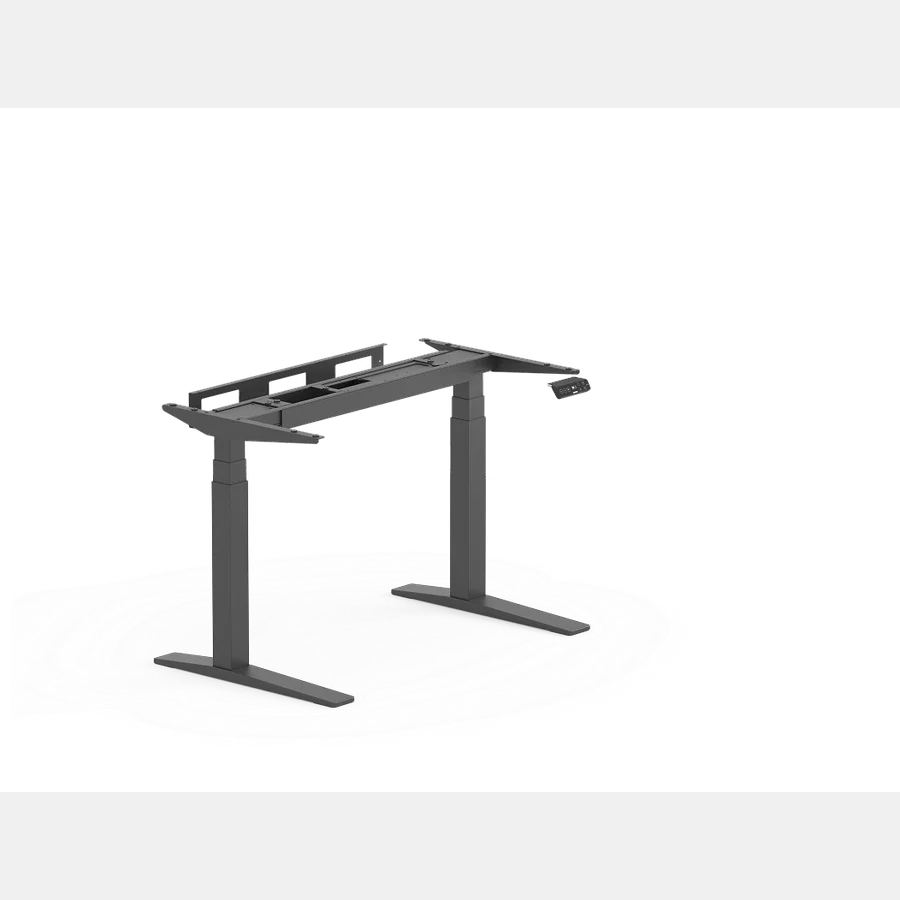
The E7 Pro is the right desk for most programmers. The C-frame design (the frame legs are in a C-shape rather than straight) means you get full legroom when sitting, which matters at 8+ hours per day. The frame handles up to 355 lbs, which covers any realistic monitor-plus-accessories setup.
The dual-motor system is quiet (under 45 dB) and precise. The four-preset controller goes to memory positions accurately enough that you'll notice if something shifts the desk a centimeter off.
The height range covers 22.8 to 48.4 inches, accommodating both short and tall users in both sitting and standing positions.
It's available in widths from 48 to 80 inches. For dual monitors on arms, 60 inches is the practical minimum. The 72-inch option gives real working room.
Real drawback: the C-frame design, while great for legroom, is slightly less stable at maximum height than T-frame designs with crossbars. At 80-inch width, the wobble at full standing height is more noticeable than on the same desk at 60 inches. If you're a heavy typer on a wide desk, test it before assuming it'll feel solid at full extension.
For our full hands-on testing notes and frame wobble analysis, read our in-depth FlexiSpot E7 Pro review.
FlexiSpot E7: Best Budget Pick for Programmers
The E7 standard is everything the E7 Pro is minus the C-frame leg design. You get a crossbar instead, which actually improves stability compared to the C-frame. The trade-off is slightly reduced legroom in sitting position.
At around $399 for a 60-inch configuration, it costs meaningfully less than the E7 Pro. For most programmers who aren't doing extended sitting marathons, the legroom difference is barely noticeable.
Same dual-motor system, same height range, same 355 lb capacity. The four-preset controller is identical. This is the desk to buy if the C-frame matters less to you than the price difference.
For a full spec breakdown and owner review analysis, see our FlexiSpot E7 review.
UPLIFT V3: Best Premium Option
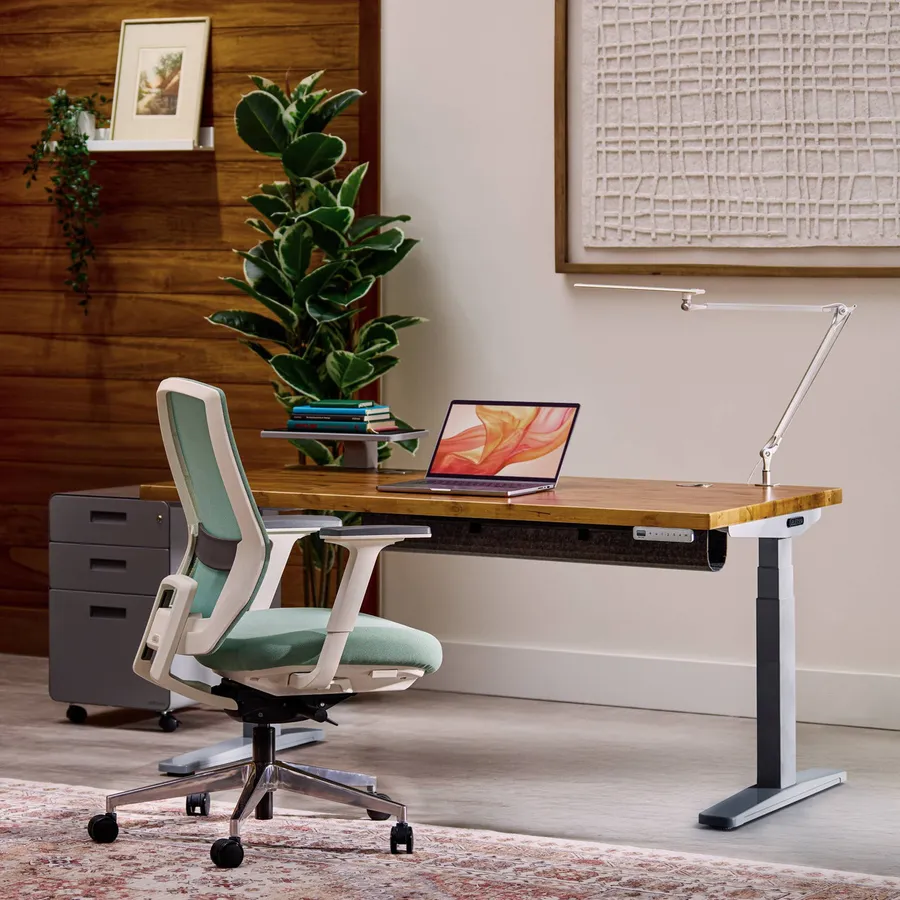
The UPLIFT V3 is Wirecutter's standing desk pick for 2026. It consistently ranks at the top for stability testing, build quality, and the range of customization options. You can configure it with dozens of desktop sizes, materials, and finishes, which matters if you care about what the desk looks like in a home setup.
The 15-year warranty is the longest in the industry. UPLIFT includes programmable keypad with 4 presets, a sit-stand reminder feature, and an anti-collision system.
The height range goes from 22.6 to 48.7 inches.
What programmers specifically like about the UPLIFT: it's slightly more stable at full standing height than the FlexiSpot E7 series, particularly on wider configurations. If you're typing heavily on a 72-inch desk at standing height, you'll notice the difference.
Real drawback: it costs significantly more than the FlexiSpot options. You're paying for UPLIFT's customer service reputation, the 15-year warranty, and the stability advantage at wider configurations. If budget matters, the E7 Pro does 85% of what the UPLIFT does at 60% of the cost.
Check UPLIFT V3 price on Amazon
Branch Four Leg Standing Desk: Best for Maximum Stability

If your main requirement is stability above all else, the Branch Four Leg is worth considering. Four-leg frames are inherently more stable than two-leg frames at full standing height, which is why they're common in commercial office settings.
Branch's version runs around $854 based on current pricing. It handles up to 500 lbs and is visibly more rigid at standing height than two-leg desks in the same price range. WIRED called it "My Favorite Desk" in their 2026 roundup, specifically noting the stability.
Real drawback: the four-leg design means the corner posts are visible at each corner of the desk. It looks more like commercial office furniture and less like home furniture. Also, moving a four-leg desk is a two-person job.
Check Branch Four Leg price on Amazon
Comparison table
| Desk | Best for | Width range | Capacity | Warranty | Price (approx.) |
|---|---|---|---|---|---|
| FlexiSpot E7 Pro | Most programmers | 48"-80" | 355 lbs | 5 yr | ~$560 |
| FlexiSpot E7 | Budget-conscious | 48"-80" | 355 lbs | 5 yr | ~$399 |
| UPLIFT V3 | Premium stability | 42"-80" | 355 lbs | 15 yr | ~$599+ |
| Branch Four Leg | Maximum stability | 48"-72" | 500 lbs | 7 yr | ~$854 |
Monitor setup for programmers
The desk choice and the monitor setup are related decisions. Here's what works:
Dual 27-inch monitors: A 60-inch desk plus a dual monitor arm handles this cleanly. The arm frees up the surface and lets you position each monitor independently for eye-level alignment.
Single ultrawide 34-inch: A 48-inch desk works if the monitor is on an arm. Without an arm, you need 60 inches to give the monitor enough depth for proper viewing distance.
Triple monitor setup: 72-inch desk minimum, four-leg frame strongly recommended for stability. Monitor arm that handles three screens.
Our monitor arm guide covers the Ergotron LX (best single), Ergotron HX (best for heavy monitors), and VIVO dual arm (best budget dual).
Cable management for programmers
A standing desk with poor cable management becomes a hazard. When the desk moves, cables get tangled. The minimum setup:
- Velcro cable ties at the desk edge to bundle cables
- A cable spine running vertically from the desk to the floor that flexes as the desk moves
- An under-desk cable tray to keep power strips off the floor
Our cable management guide covers specific products and the routing approach that keeps everything clean through the sit-stand range.
Frequently Asked Questions (FAQ)
What standing desk do most programmers use?
Based on owner reviews and community discussions in r/battlestations and r/homeoffice, the FlexiSpot E7 series and UPLIFT V3 are the most common. Both offer the stability and height range that matter for long coding sessions. The E7 is more common among budget-conscious buyers; UPLIFT is more common among those who want an all-inclusive 15-year warranty.
Is a standing desk worth it for programming?
Yes, specifically because software development requires sustained seated focus for long periods. Alternating between sitting and standing (30-60 min sit, 15-30 min stand) reduces lower back fatigue and the energy dip that often hits at hour 4-5 of a coding sprint.
How wide should a standing desk be for dual monitors?
60 inches is the practical minimum for dual 27-inch monitors. If you're using monitor arms, 55 inches works but leaves limited surface space. For dual 32-inch or ultrawide monitors, 72 inches is noticeably more comfortable.
Does desk height matter for programming?
Yes. Your elbows should rest at 90 degrees with forearms parallel to the desktop to prevent carpal tunnel flare-ups. Sitting height for most adults is 27 to 30 inches; standing is 40 to 44 inches. A motorized sit-stand frame allows you to lock in those presets exactly.
What chair pairs best with a standing desk for programmers?
Look for a chair with adjustable 3D/4D armrests and active lumbar support. The Herman Miller Aeron (reviewed in our Aeron review) is an industry benchmark. The Branch Ergonomic or FlexiSpot C7 offer great lumbar customization at more accessible prices.
Bottom line
The FlexiSpot E7 Pro is the right desk for most programmers. The C-frame legroom, the precise dual-motor system, and the five-year warranty make it the pragmatic choice. If budget is tight, the standard E7 does 90% of the same job with slightly less legroom. If you're building a setup you want to keep for a decade, the UPLIFT V3 with its 15-year warranty is worth the premium.
If you also use your workstation for competitive PC gaming, check out our guide to the best standing desk for gaming for specialized cable trays and ultrawide battlestation recommendations.
Essential Workstation Add-Ons Under $35
High-impact accessories verified by our research team to protect your cables and joints.
VIVO Under-Desk Cable Tray
Keeps power strips and heavy adapters off the floor so cables never yank when elevating.
ComfiLife Gel Anti-Fatigue Mat
High-density core reduces heel strike and lower back compression when standing 3+ hours.
VELCRO Brand ONE-WRAP (100pk)
Pre-cut reusable straps that easily unwrap for cord re-routing without scissors.
Soundance Ergonomic Laptop Stand
Elevates laptop screen 6 inches to eye level, preventing forward neck slouch.
Calculate Your Exact Desk & Chair Height
Slide to your height to see ANSI/BIFMA recommended standing and sitting presets.

Written by M. Haris
✓ BIFMA G1-2017 Certified EvaluatorFounder & Lead Workstation Ergonomics Researcher • 8+ Years Spec Testing
M. Haris leads ergonomic research at The Desk Riser, auditing manufacturer CAD schematics, motor cycle lifespan metrics, BIFMA weight load standards, and long-term user failure patterns across thousands of verified purchases. Every review is independent with 0% sponsored influence. Have questions or spot a warranty update? Email directly at support@thedeskriser.com, read the Author Dossier, or explore our Editorial Testing Methodology.
Share this article:
Community Discussion
Have a question or want to share your workstation setup? Join the discussion below.
Comments load automatically as you scroll down.