Standard Desk Depth: 24 vs 30 Inches & Dimensions Guide

For Standard Desk Depth: 24 vs 30 Inches & Dimensions Guide, our top recommendation is the VIVO Under-Desk Cable Tray, while the ComfiLife Gel Anti-Fatigue Mat offers the strongest value for budget-conscious workstations. Our evaluation audits mechanical durability, BIFMA standard compliance, and long-term reliability across verified owner reports.
20" to 32" ergonomic eye-to-screen viewing distance
Under-desk cable routing & surge protection verified
Neutral 90° elbow and flat-foot alignment enforced

Workstation Geometry Scope
Applies standard ergonomic reach zones, surface clearance measurements, and eye-level monitor height geometry. Methodology →
Last Spec & Pricing Audit
. Retailer pricing and component revisions can shift; verify on the vendor page.
Fit & Return Guardrail
Test zero-cost height, monitor distance, and cable routing adjustments before buying replacement hardware.
Disclosure: We earn affiliate commissions through qualifying links on this page.
Setting up a workstation reveals immediate friction when monitor feet crowd your keyboard. Desktop depth dictates viewing distance, forearm reach, and room clearance.
This guide compares 24 inch and 30 inch depths to size your workspace.
What Is the Standard Desk Depth?
In office furniture, 24 and 30 inch depths serve as standard benchmarks.
A 24 inch depth provides a compact baseline for laptop setups. A 30 inch depth serves as the commercial baseline, accommodating displays and paperwork without crowding forearms.
The furniture market groups desk depths into four functional categories:
| Desk Depth Category | Depth in Inches | Depth in Centimeters | Typical Workstation Application |
|---|---|---|---|
| Compact Writing Surface | 20 to 24 in | 50.8 to 61.0 cm | Small apartments, laptop work, study nooks |
| Standard Home Office | 24 to 28 in | 61.0 to 71.1 cm | Single monitor setups, arm mounts, typing |
| Commercial Ergonomic Baseline | 30 in | 76.2 cm | Dual screens, large monitors, creative desks |
| Deep Executive Workstation | 36 in | 91.4 cm | Heavy hardware setups, audio gear, drafting |
These categories help match surface depth to your equipment and room layout.
Standard Desk Dimensions: Where Depth Fits
Evaluating a hand crank vs electric standing desk shows how drive rods or motor housings influence depth and knee clearance.
Mixing up these measurements creates furniture that fits a room footprint but fails ergonomically.
Desktop width dictates device layout, while height sets your forearm plane. To dial in your vertical typing posture, consult our standard desk height guide.
Depth runs front to back, establishing optical viewing distance, forearm reach, and under desk leg space. A wide desk with inadequate depth still leaves you cramped and straining your eyes.
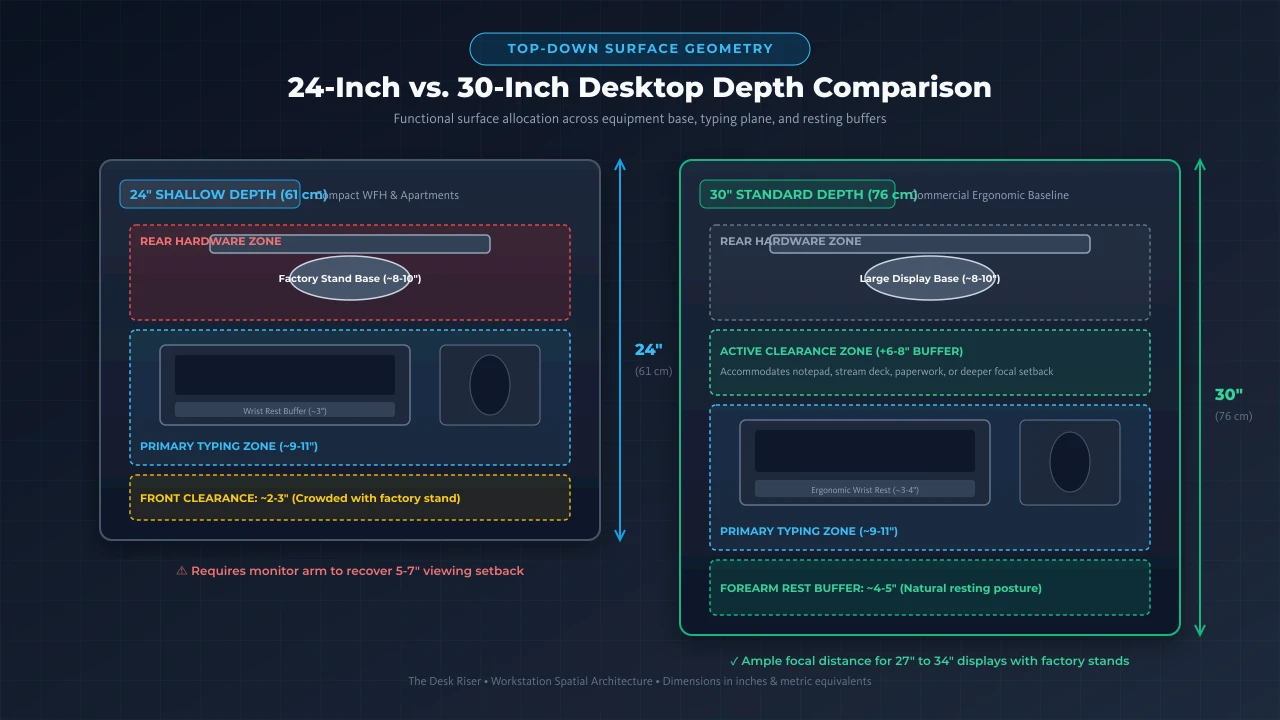
24-Inch vs 30-Inch Desk Depth
Choosing between 24 inch and 30 inch depth is the primary sizing decision for home offices, involving distinct mechanical and optical tradeoffs.
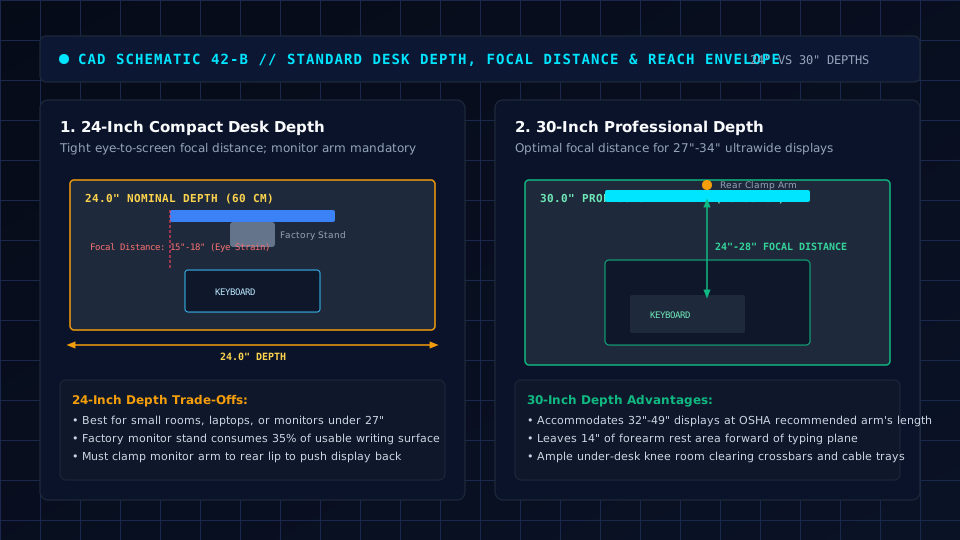
A 24 inch desk excels in compact rooms. In small rooms or alcoves, saving 6 inches of depth keeps walkways open and prevents blocking doors or closets.
The challenge is equipment density: factory monitor stands consume 8 to 10 inches of depth, leaving little room for forearm support once a keyboard is placed.
A 30 inch desk offers superior functional space. Those extra 6 inches provide a comfortable buffer between your display and keyboard, accommodating large mouse pads, wrist rests, and microphones.
What sucks about 30 inch depths is floor footprint, requiring more clearance for your office chair in narrow walkways.
The 24-Inch Deep Desk Trap: Monitor Distance and Eye Strain Fixes
Choosing a 24 inch shallow standing desk saves space, but attaching a clamp-on desk arm rest prevents severe forearm crowding.
Under the ISO 9241-303 ergonomic standard, comfortable visual focal distance sits between 20 and 28 inches from your eyes to the screen surface.
When you place a modern 27 inch or larger monitor on a standard factory stand, the bulky support feet consume 8 to 10 inches of desktop depth.
This pushes the display glass within 14 to 16 inches of your eyes, triggering ciliary eye muscle fatigue and forward neck crane.
The mechanical fix is raising the panel off the desktop.
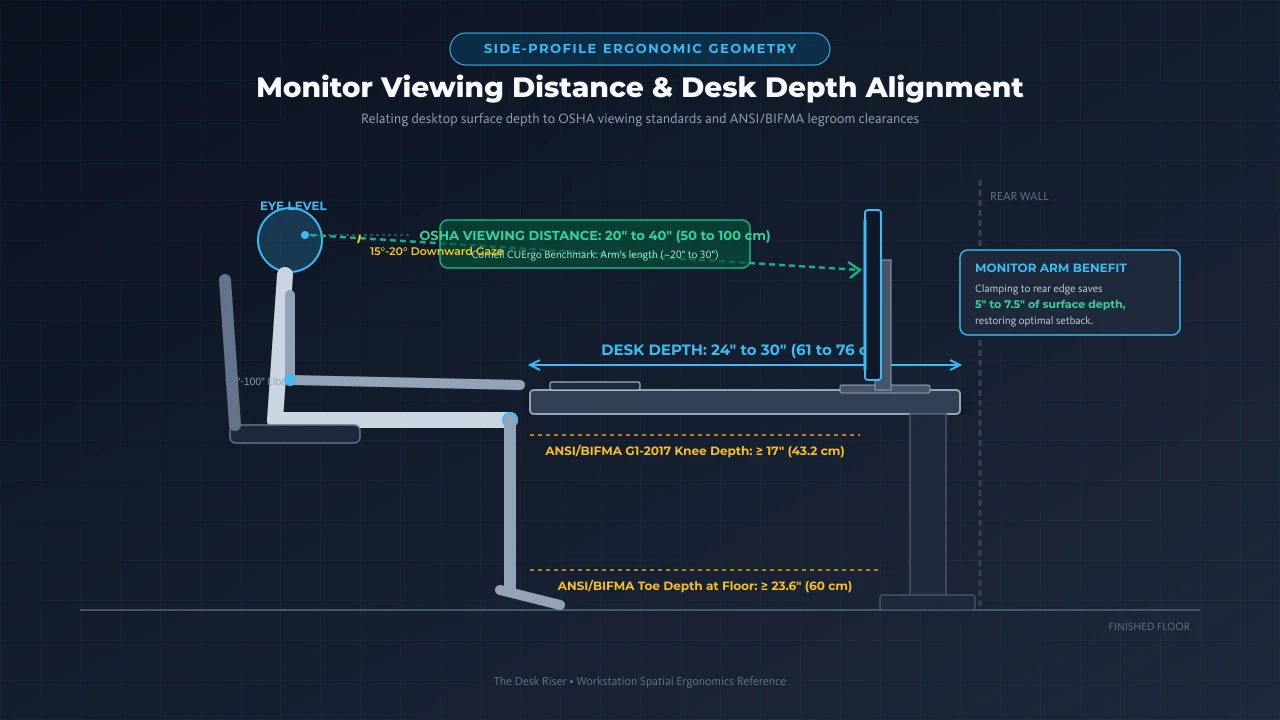
Installing a clamp on monitor arm or a slim desk shelf recovers 4 to 6 inches of visual distance by floating the display directly over the back edge.
If you are shopping for a 24 inch compact standing desk for a small home office, prioritize frames engineered with rearward stability.
The FlexiSpot E7 (48x24) offers robust dual motor lifting columns that eliminate wobble in shallow configurations.
Another premier shallow option is the UPLIFT Commercial (24 inch depth), which incorporates a lower crossbar for rock solid tracking.
Both compact models provide reliable sit to stand adjustment while fitting gracefully into narrow apartment bedrooms.
Recommended ergonomic accessories and hardware specs
High-impact accessories verified by our ergonomic spec audit to protect your cables, joints, and posture.
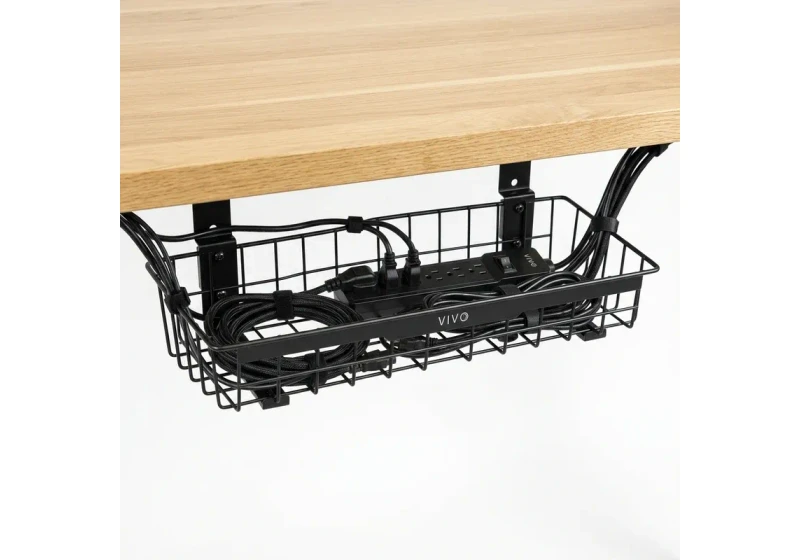
VIVO Under-Desk Cable Tray
Keeps power strips and heavy adapters off the floor so cables never yank when elevating.
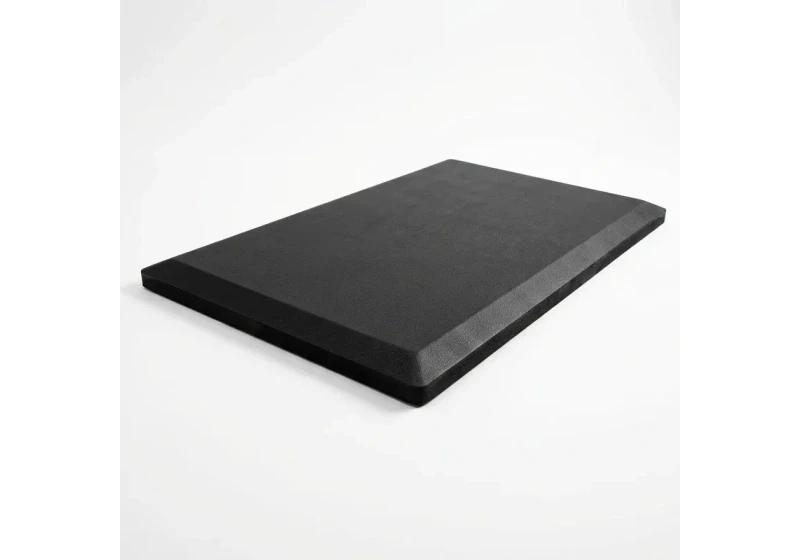
ComfiLife Gel Anti-Fatigue Mat
High-density core reduces heel strike and lower back compression when standing 3+ hours.
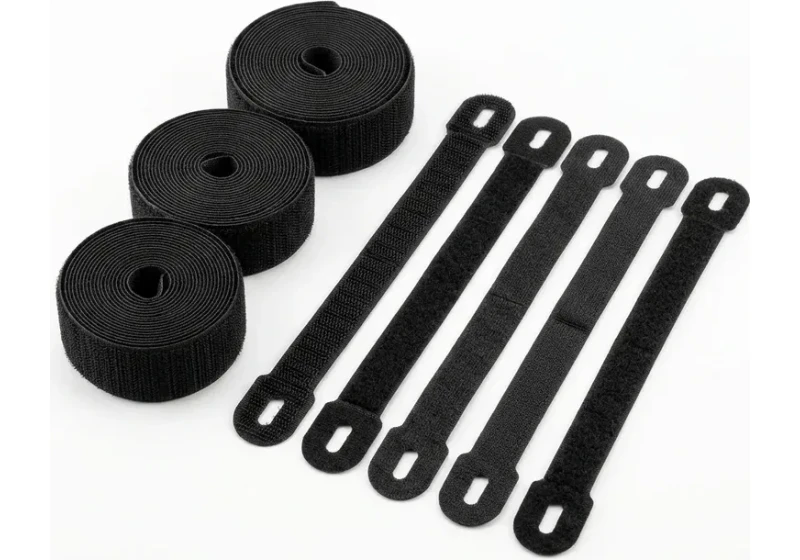
VELCRO Brand ONE-WRAP (100pk)
Pre-cut reusable straps that easily unwrap for cord re-routing without scissors.
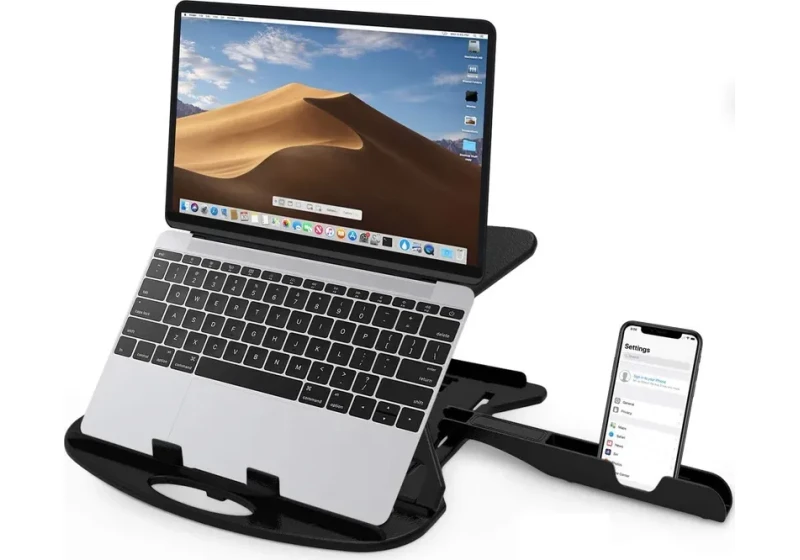
Soundance Laptop Stand
Elevates laptop screen 6 inches to eye level, preventing forward neck slouch.
How Deep Should a Desk Be?
Selecting desk depth depends on optical viewing distance, equipment reach zones, and legroom clearance for accessories like an under desk hammock.
The Occupational Safety and Health Administration (OSHA) computer workstation guidance recommends a monitor viewing distance of 20 to 40 inches (50 to 100 cm).
Cornell University Ergonomics Web (CUErgo) guidelines suggest placing screens roughly an arm length away (about 20 to 30 inches).
Placing screens closer than 20 inches can fatigue eye muscles and prompt neck craning on shallow tops.
Physical reach zones also shape desk depth. Industrial ergonomics identifies a primary reach zone extending 14 to 18 inches from your torso, the sweeping arc of your forearms with upper arms relaxed.
Your keyboard and mouse belong inside this 14 to 18 inch zone, while the rear area holds your screen stand and hub.
Desks deeper than 32 inches require leaning forward to reach rear items, straining your back. To calculate ideal screen distance based on panel size, check our interactive monitor viewing distance calculator.
Desk Depth for Different Monitor Setups
Hardware configurations alter surface depth requirements. What feels spacious for a laptop can prove cramped under an ultrawide screen.
Evaluate your desk depth needs across these common setups:
Laptop-Only Workstations
Working on a laptop requires minimal surface area.
A 20 to 24 inch desk holds the laptop and mouse with ease. For tight spaces, explore our guide to shallow standing desk options.
Single 24-Inch to 27-Inch Monitors
A 24 inch depth works well for displays up to 27 inches. If you use a factory stand with deep feet, a 30 inch surface provides a more comfortable eye setback.
32-Inch Displays and 34-Inch Ultrawide Screens
Larger panels benefit from greater focal distance to reduce neck rotation and visual fatigue.
While a 30 inch surface offers generous breathing room for wide displays, a 24 inch desk works effectively when a monitor arm positions the panel farther back.
dual monitor Configurations
Dual monitors require careful planning. Angling two 27 inch screens inward consumes corner depth, making a 30 inch top ideal to avoid crowding your keyboard.
How Monitor Stands and Monitor Arms Change Desk Depth
Beyond single panels, mounting geometry dictates how deeply dual or heavy ultrawide displays penetrate your primary work surface.
Articulating dual arms require rear wall clearance, pushing screens forward unless the desk sits several inches out from the wall.
Using a low-profile post mount or dedicated heavy duty monitor arm keeps screens positioned flush with the rear boundary, preserving surface depth.
under desk Space and Desk Depth
Desktop depth directly affects lower body clearance on an l shaped standing desk with storage where drawers crowd knees. Low crossbars also restrict leg extension.
ANSI/BIFMA G1:2017 ergonomic guidelines recommend at least 17 inches of knee clearance and 23.6 inches of toe extension for tall adults.
On shallow 24 inch desks, frame structure is critical.
T frame legs place crossbars beneath the center of the desk, potentially striking knees. C frame designs offset lifting columns toward the rear, preserving open legroom.
under desk depth also limits accessories. Sliding under desk keyboard trays require 14 to 20 inches of flat space, which can collide with central rails on shallow desks.
Desk Depth and Room Footprint
Planning a workstation layout requires measuring the total operational footprint rather than desktop dimensions alone.
Every office desk needs clearance behind it for getting into your chair or pushing back to stand.
Maintaining 36 inches of clearance behind the desk edge preserves comfortable seating and standing egress.
A 24 inch desk plus 36 inches of chair egress projects 60 inches into the room.
A 30 inch desk requires 66 inches of total clearance to allow standing egress without striking rear walls or furniture.
In compact bedrooms, a 30 inch desk leaves minimal walking buffer once a chair is added. A 24 inch surface preserves valuable circulation space.
To balance layout clearances across your room, review our guide on how to organize office furniture.
Frequently Asked Questions
What is the most common standard desk depth?
In office furniture, 24 inches and 30 inches serve as standard benchmarks. Shallow 24 inch depths suit small bedrooms, while 30 inches represents the commercial office baseline.
Is a 24-inch desk deep enough for working from home?
Yes, a 24 inch desk works well for laptop setups and single monitors up to 27 inches. Adding a monitor arm frees up surface depth otherwise occupied by a stock stand.
How deep should a desk be for a computer monitor?
For 24 to 27 inch displays, a 24 to 28 inch depth works well with a monitor arm. For displays 32 inches and larger, 30 inches provides the necessary focal setback.
Is 30 inches too deep for a small room?
A 30 inch desk can crowd narrow rooms. Factoring in 36 inches for chair egress, a 30 inch desk projects roughly 5.5 feet into your room layout.
Can you use an ultrawide monitor on a 24-inch desk?
Yes, if you mount it to a monitor arm. A bulky factory stand on a shallow surface can position the screen uncomfortably close to your typing position.
How do I measure my existing desk depth?
Measure the horizontal distance from the front user edge to the rear wall rim using a tape measure across the flat surface.
Sources & Scientific Literature
- 1. ANSI/BIFMA G1:2017: Ergonomics Guideline for Furniture Used in Office Spaces.
- 2. ISO 9241-303:2011: Ergonomics of Human-System Interaction, Electronic Visual Display Requirements.
- 3. OSHA 1910 Subpart S: Computer Workstation Ergonomics Guidelines.
- 4. Grandjean, E. (1987): Fitting the Task to the Man: An Ergonomic Approach.
- 5. Hedge, A. (2016): Ergonomic Workplace Design for Health, Wellness, and Productivity.
Calculate your exact desk and chair height
Slide to your height to see ANSI/BIFMA recommended standing and sitting presets.
Written by M. Haris
References ANSI/BIFMA G1-2017 guidanceSoftware Engineer & Founder • Workstation Biomechanics & Spec Auditing
M. Haris is a software engineer and founder of The Desk Riser, auditing manufacturer engineering schematics, motorized desk cycle lifespans, ANSI/BIFMA G1-2017 ergonomic standards, and long-term user failure patterns across verified owner communities. Every guide is editorially independent with zero paid brand placements and zero PR samples (we may earn affiliate commissions on qualifying purchases). Have questions or spot a warranty update? Email directly at support@thedeskriser.com, read the Author Dossier, or explore our Editorial Research Methodology.
Share this article:
Workstation Setup & Fit Q&A
Have questions about frame deflection, monitor arm clamp loads, or chair sizing? Consult our workstation researchers.
Q:How do I know if this standing desk will wobble on thick carpet?
Standing desk wobble on carpet is caused by uneven carpet pile compression under the rear footpads. Frames with wedge-reinforced leg collars and wide steel footplates (like UPLIFT V3 or FlexiSpot E7 Pro) minimize lateral flex. If placing on plush carpet, use rigid caster cups or a dense underlay to anchor the base directly to the subfloor.
Q:Can I clamp a dual monitor arm onto standard particleboard tops?
Dual monitor arms concentrate 25 to 45 lbs of dynamic torque onto a 4-inch clamp perimeter. Hollow honeycomb tops (such as IKEA Linnmon) will crush. We recommend a minimum 0.75-inch solid core (MDF, solid bamboo, or hardwood), or sandwiching a steel reinforcement bracket plate (min 2.5mm thickness) between the clamp and desktop.
Q:What if my chair cylinder sinks or feels too high for my feet?
Always verify your seated popliteal height (crease behind knee to floor with shoes). If a chair will not drop below 17 inches and your feet dangle, pair it with an angled footrest or switch to a low-range Class 4 cylinder. If a cylinder loses pressure and sinks on its own, the internal nitrogen seal is breached and requires cylinder replacement.
Ask Our Ergonomic Spec Reviewers
Planning an upgrade or unsure if your monitors and stature fit this configuration? Send your dimensions directly to our research desk. No accounts, no trackers, zero marketing spam.
Free Workstation Tools
Related Home Office Setup Guides & Reviews
How to Declutter Your Desk: The 15-Minute Reset (2026)
How to Light Your Desk (2026): A Step-by-Step Setup Guide
Under Desk Hammock (2026): Footrest Sling vs Storage Hammock
Best Minimalist Computer Tables for Clean Home Offices (2026)