How to Make a Computer Table More Ergonomic

For How to Make a Computer Table More Ergonomic, our top recommendation is the VIVO Under-Desk Cable Tray, while the ComfiLife Gel Anti-Fatigue Mat offers the strongest value for budget-conscious workstations. Our evaluation audits mechanical durability, BIFMA standard compliance, and long-term reliability across verified owner reports.
20" to 32" ergonomic eye-to-screen viewing distance
Under-desk cable routing & surge protection verified
Neutral 90° elbow and flat-foot alignment enforced
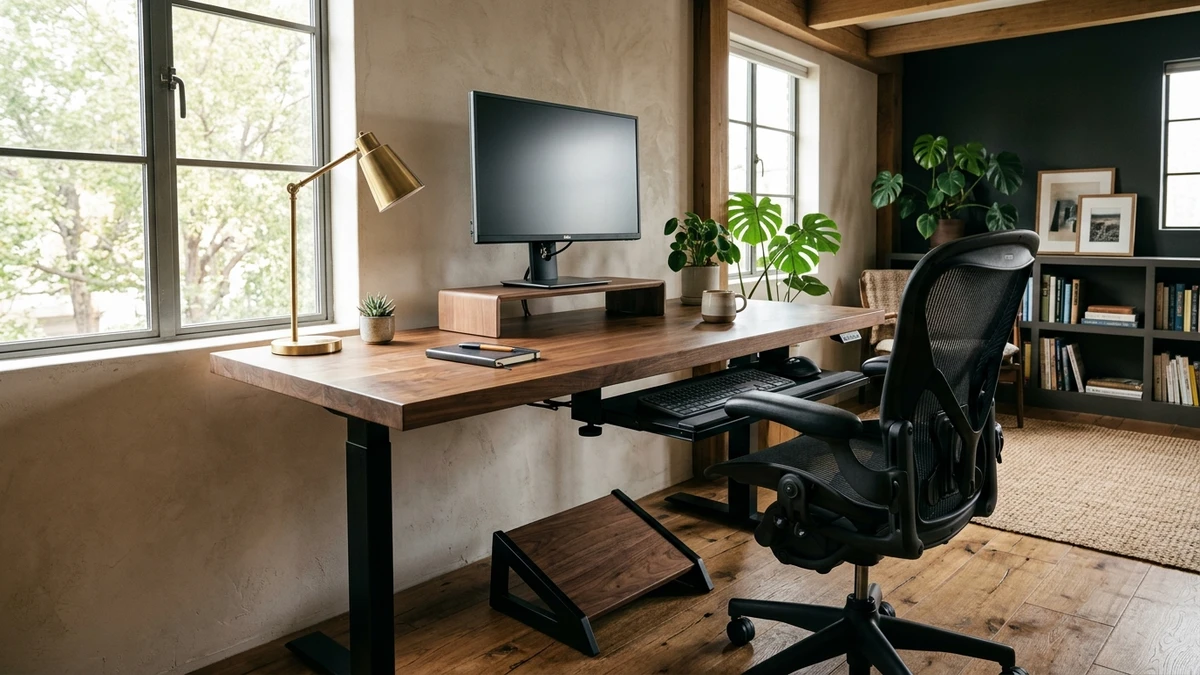
Fixed-Height Table Spec Scope
Filters models by frame steel gauge, under-desk knee clearance, typing deflection stability, and weight capacity. Methodology →
Last Spec & Pricing Audit
. Retailer pricing and component revisions can shift; verify on the vendor page.
Knee Clearance & Leveling Guardrail
Verify seated knee clearance height and frame weld stability before placing heavy desktop gear.
Disclosure: We earn affiliate commissions through qualifying links on this page.
Most home office workers struggle with aching shoulders and neck stiffness. They often blame their chair or posture when their desk is the true culprit.
Standard computer tables come with fixed legs that cannot change height. Mass production conventions prioritize manufacturing simplicity over human body variation.
When your desk sits at an improper height, your spine compensates immediately. You either shrug your shoulders upward or slump your upper torso forward.
Replacing a solid wood or metal table costs hundreds of dollars. You do not need to discard your existing furniture to achieve neutral alignment.
You can resolve physical strain by adjusting equipment around the static surface. Four simple perimeter upgrades transform any rigid table into an ergonomic workstation.
For complete five-zone calibration benchmarks across adjustable furniture, consult our ergonomic workstation setup guide.
How to Make a Computer Table More Ergonomic: The 4-Adjustment Adaptation Method
To make a computer table more ergonomic, adjust the peripherals around it. Raise your chair to elbow level, place a footrest underfoot, raise your screen, and mount a keyboard tray.
Adapting a rigid desk begins with objective anthropometric measurements. Guessing joint angles usually worsens postural strain.
Take a standard tape measure and sit upright in your office chair. Keep your upper arms hanging relaxed beside your ribcage.
Bend your forearms forward to form a clean 90 degree elbow bend. Measure the vertical distance from the floor to the underside of your elbow.
Next, measure your computer table from the floor to the top surface. The difference between these two numbers reveals your exact ergonomic mismatch gap.
Commercial office tables standardly measure 29 inches tall from floor to surface. Review our detailed standard desk height guide for common manufacturing benchmarks.
Under ANSI/BIFMA G1-2017 anthropometric guidelines, a 29 inch surface fits a 6'1" person. For anyone shorter, the table sits noticeably too high.
Consider a 5'4" professional working at a standard 29 inch computer table. Seated with feet flat on the floor, their relaxed elbow plane rests near 26 inches.
This difference creates a 3 inch elevation mismatch gap. Working on that surface forces the typist to shrug their trapezius muscles constantly.
Calculate your exact seated and standing elbow targets with our standing desk height calculator.
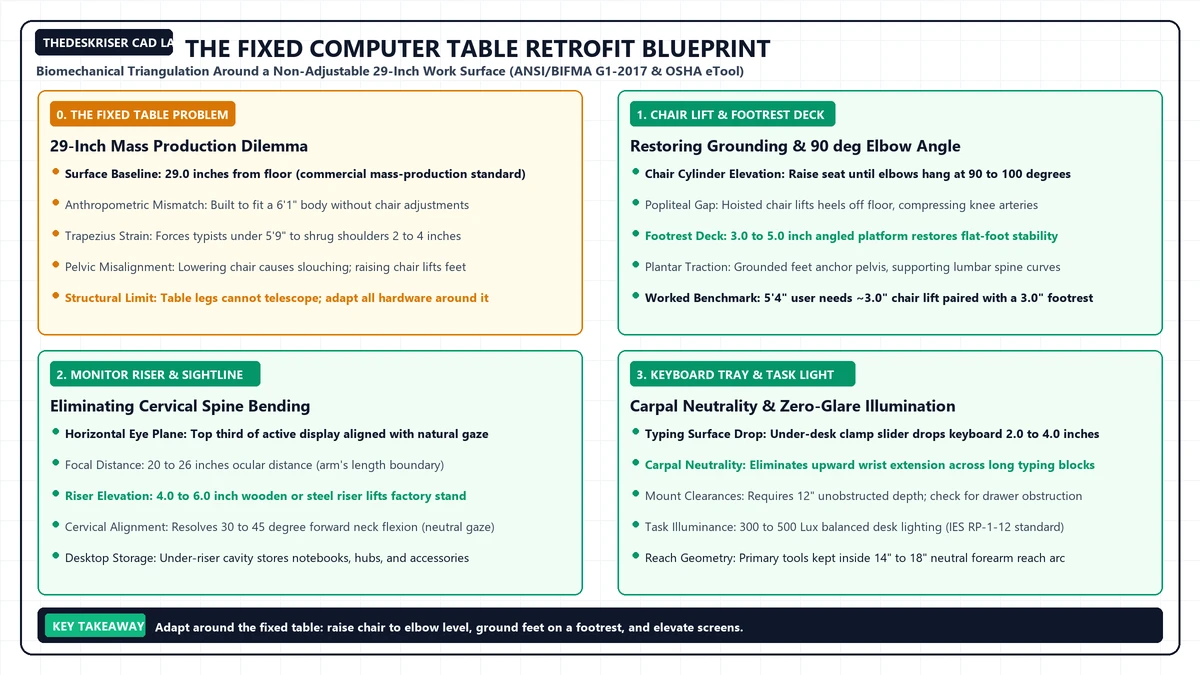
Fix 1: Raise Your Chair and Support Your Feet
The fastest way to eliminate shoulder shrugging is raising your office chair. Hoist the seat cylinder until your resting forearms match the desktop plane.
Your elbows should rest at approximately 90 to 100 degrees without shoulder lifting. This alignment unloads static tension from your neck and trapezius muscles.
However, raising your chair creates a secondary physical dilemma. Your feet now dangle in open air above the floor.
Suspended feet transfer upper body weight directly onto the underside of your thighs. This pressure compresses sensitive femoral nerves and popliteal blood vessels.
Over several hours, popliteal compression is associated with leg numbness and poor circulation. Sitters also slide forward into a slouched lumbar posture to touch the floor.
The permanent solution is placing a sturdy footrest beneath your workstation. A footrest restores firm planar ground contact for your soles.
If you raised your chair by 3 inches, you need a 3 inch footrest. This keeps your knees at a comfortable 90 degree angle.
Select a rigid platform with a textured grip deck or adjustable tilt mechanism. Locking angle adjustments help support gentle ankle mobility during seated shifts.
Explore standard platform dimensions and stability comparisons in our curated footrest for desk guide.
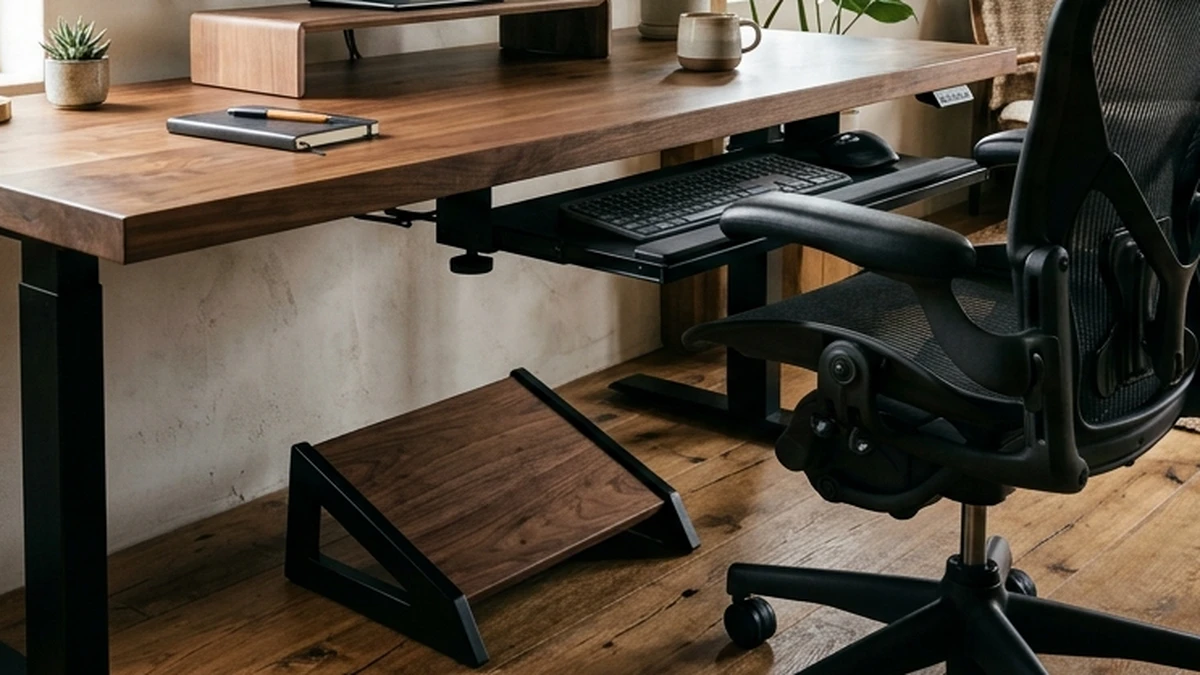
Fix 2: Raise Your Monitor with a Sturdy Riser
Once your seating height is calibrated, evaluate your display sightline. Placing a computer screen flat on a desk table creates severe postural fatigue.
The human head weighs approximately 10 to 12 pounds in neutral alignment. Tilting your neck downward 30 degrees increases effective spinal load to 40 pounds.
Prolonged cervical flexion is linked to tension headaches and upper back ache. Position the display to meet your natural horizontal eye gaze.
Under OSHA and Cornell University ergonomic standards, your eyes should align with the top third of the active screen area.
Your viewing distance should span between 20 and 26 inches from your eyes. This distance equals roughly an arm length with fingertips extended.
Stack hardcover books or reams of printer paper under your monitor base to test sightline comfort before buying hardware.
Solid wood or steel risers provide rigid stability without shaking, permanently holding your display at eye level.
A dedicated riser also frees desk space, letting you slide notebooks, docks, and accessories directly beneath the platform.
Compare durable metal and wooden options in our best monitor risers for desk review.
Fix 3: Mount an Under Desk Keyboard Tray
Raising your chair and adding a footrest works well for many individuals. However, some desks feature thick aprons or drawers that block knee clearance.
If raising your seat jams your thighs against the tabletop, invert the formula. Keep your chair low and drop the typing plane beneath the table.
An under desk keyboard tray mounts directly to the underside of your computer table. It brings the keyboard and mouse down to your natural lap plane.
Typing on a surface that sits too high forces your wrists into backward extension. Bent wrists increase carpal tunnel pressure, which is linked to median nerve irritation.
A keyboard tray maintains a flat or slightly downward wrist slope. This neutral position allows your hands to rest comfortably without contact pressure.
Before purchasing a tray, verify your computer table underside geometry. Clamp on trays require at least 12 to 14 inches of unobstructed depth clearance.
Tables with center support beams, drop down drawers, or beveled edges can block mounting hardware. Measure frame clearance carefully before installing any slider assembly.
Review mounting clearances and track stability benchmarks in our keyboard tray under desk guide.
Recommended ergonomic accessories and hardware specs
Workstation accessories selected to support healthy ergonomics, joints, and cable routing.
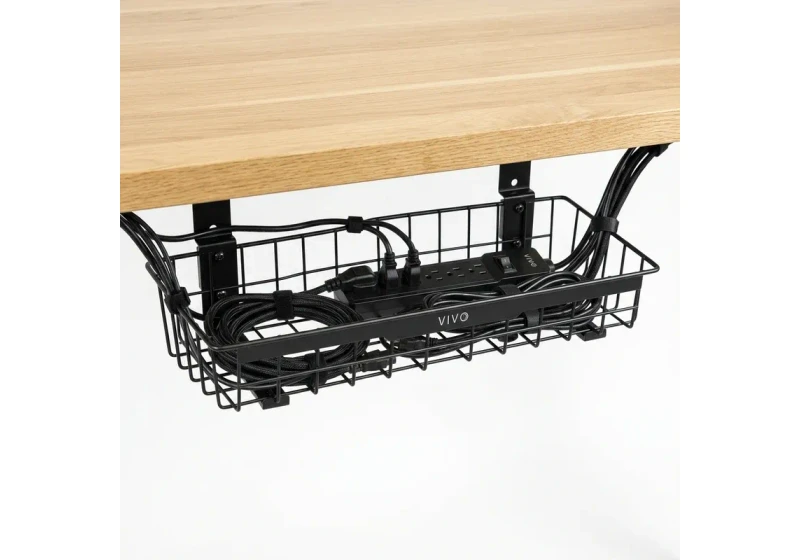
VIVO Under-Desk Cable Tray
Keeps power strips and heavy adapters off the floor, routing cords neatly beneath your desktop.
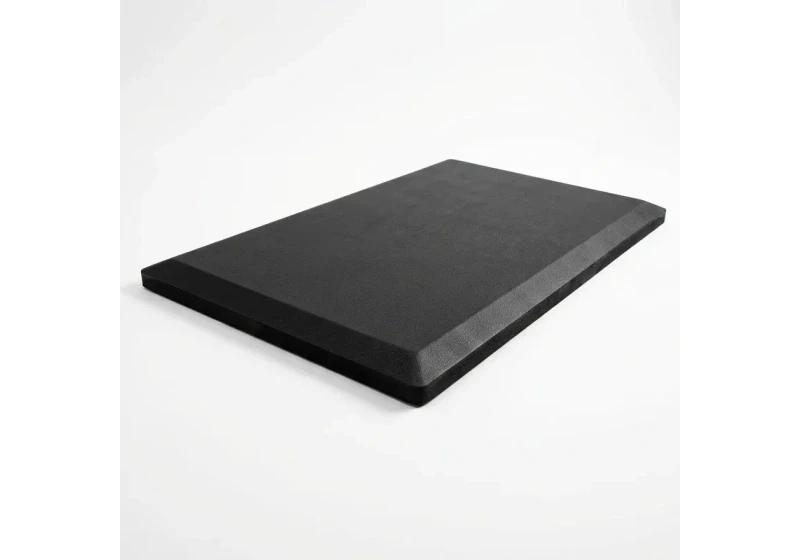
ComfiLife Gel Anti-Fatigue Mat
High-density core cushions heel strike and helps ease lower back compression when standing 3+ hours.
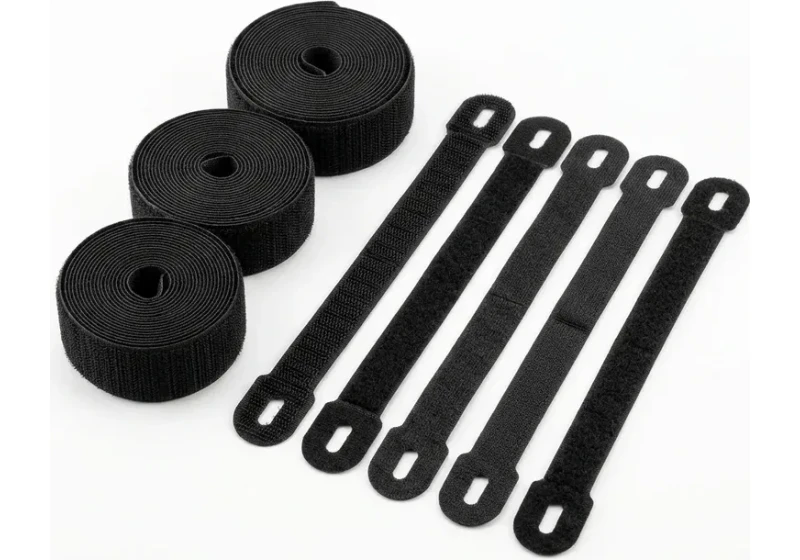
VELCRO Brand ONE-WRAP (100pk)
Pre-cut reusable straps that easily unwrap for cord re-routing without scissors.
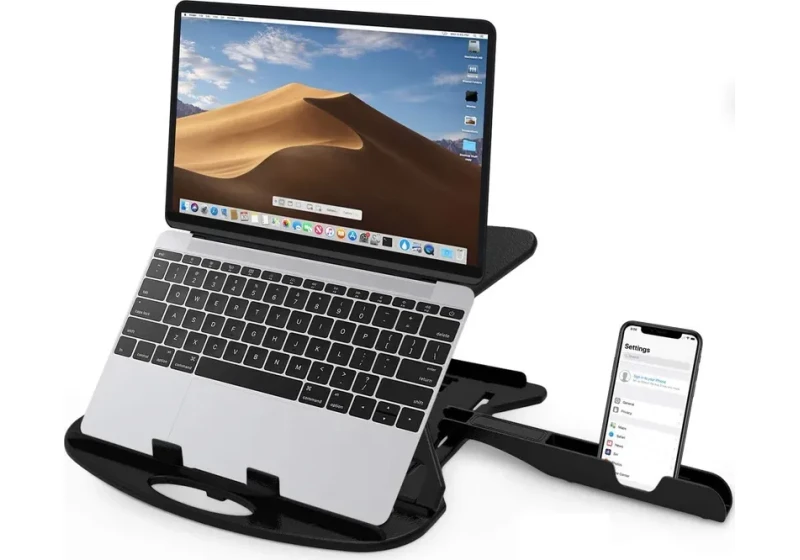
Soundance Laptop Stand
Raises laptop screen 6 inches to eye level, helping reduce forward neck slouch.
Fix 4: Calibrate Task Lighting and Reach Envelopes
Physical ergonomics extends beyond joint angles to visual comfort and arm movement. Poor desk illumination forces you to lean forward toward your screen.
Harsh overhead fixtures reflect off glossy displays, creating blinding glare spots. Desk workers squint their eyes and crane their necks to read obscured text.
Position an adjustable task lamp to the side of your monitor screen. Angle the light beam downward across your desk pad rather than directly at the glass.
The Illuminating Engineering Society recommends 300 to 500 lux across active computer task areas. Proper task illuminance stabilizes pupil dilation during long working sessions.
Follow our complete room lux calibration guidelines in how to light your desk.
Next, organize desktop tools according to ergonomic reach envelopes. Cornell University ergonomics researchers define two primary working zones on any desk surface.
Keep high frequency tools like your mouse and keyboard inside a 14 to 18 inch radius around your torso.
Place lower frequency items like water bottles and speakers in the secondary 18 to 26 inch reach envelope.
Keeping essential items within forearm reach preserves relaxed posture and avoids repetitive shoulder strain.
Two-Minute Ergonomic Self-Audit Checklist
After adjusting your chair, footrest, screen, and peripherals, test your workstation geometry. Use this quick five point checklist to confirm neutral body alignment.
| Postural Check | Ergonomic Target | Alignment Failure | Corrective Adjustment |
|---|---|---|---|
| Elbow Plane | Forearms parallel to floor at 90° to 100° | Shoulders hunched upward to reach surface | Raise chair or mount an under desk keyboard tray |
| Foot Support | Soles resting firmly flat with zero dangling | Heels hovering off floor, thighs compressed | Place a 3 to 5 inch angled footrest under feet |
| Screen Sightline | Top third of display level with eye horizon | Chin poked forward and neck bent downward | Raise monitor on a 4 to 6 inch riser platform |
| Wrist Angle | Wrists straight and flat during typing | Wrists cocked upward against hard table edge | Lower keyboard plane or adjust seat elevation |
| Daily Reach | High frequency items within 16 inch reach | Torso leaning forward to grasp mouse or notepad | Pull keyboard and mouse closer to front desk edge |
Perform this quick check weekly, as shifting peripherals over time can reintroduce subtle postural misalignments.
Frequently Asked Questions
Do I Need a Standing Desk Instead of Modifying My Computer Table?
No, most remote workers do not need to replace their existing furniture. A fixed table adapted with a footrest, monitor riser, and keyboard tray delivers near-identical seated ergonomics.
Motorized desks offer posture variation, but standing all day introduces foot fatigue. If you eventually decide to try standing intervals, consult our standing desk tips for beginners.
To understand proper posture mechanics when working upright, review our standing desk posture guide.
Is a Laptop Riser Enough to Make a Computer Table Ergonomic?
A laptop riser solves screen elevation, but it creates a serious typing dilemma. Typing on a raised laptop keyboard angles wrists into severe extension.
If you raise your laptop screen on a stand, always connect an external keyboard and mouse. Place the external input devices flat at resting elbow height.
What If My Computer Table Is Too Low Instead of Too High?
Tall workers occasionally encounter desks that sit too low, restricting knee clearance and encouraging forward hunching.
You can raise a low table by installing heavy duty furniture risers under each leg. Ensure leg risers feature non slip rubber bases to maintain structural stability.
Alternatively, replace factory leveling glides with longer M8 or M10 threaded feet to gain additional height. Check that all frame bolts remain tight to prevent lateral wobble.
Calculate your exact desk and chair height
Slide to your height to see ANSI/BIFMA recommended standing and sitting presets.
By M. Haris
References ANSI/BIFMA G1-2017 guidanceSoftware engineer and founder of The Desk Riser
M. Haris is a software engineer and founder of The Desk Riser, auditing manufacturer engineering schematics, motorized desk cycle lifespans, ANSI/BIFMA G1-2017 ergonomic standards, and long-term user failure patterns across verified owner communities. Every guide is editorially independent with zero paid brand placements and zero PR samples (we may earn affiliate commissions on qualifying purchases). Have questions or spot a warranty update? Email directly at support@thedeskriser.com, read the Author Dossier, or explore our Editorial Research Methodology.
Share this article:
Workstation Setup & Fit Q&A
Have questions about frame deflection, monitor arm clamp loads, or chair sizing? Consult our workstation researchers.
Q:How do I know if this standing desk will wobble on thick carpet?
Standing desk wobble on carpet is caused by uneven carpet pile compression under the rear footpads. Frames with wedge-reinforced leg collars and wide steel footplates (like UPLIFT V3 or FlexiSpot E7 Pro) minimize lateral flex. If placing on plush carpet, use rigid caster cups or a dense underlay to anchor the base directly to the subfloor.
Q:Can I clamp a dual monitor arm onto standard particleboard tops?
Dual monitor arms concentrate 25 to 45 lbs of dynamic torque onto a 4-inch clamp perimeter. Hollow honeycomb tops (such as IKEA Linnmon) will crush. We recommend a minimum 0.75-inch solid core (MDF, solid bamboo, or hardwood), or sandwiching a steel reinforcement bracket plate (min 2.5mm thickness) between the clamp and desktop.
Q:What if my chair cylinder sinks or feels too high for my feet?
Always verify your seated popliteal height (crease behind knee to floor with shoes). If a chair will not drop below 17 inches and your feet dangle, pair it with an angled footrest or switch to a low-range Class 4 cylinder. If a cylinder loses pressure and sinks on its own, the internal nitrogen seal is breached and requires cylinder replacement.
Ask Our Ergonomic Spec Reviewers
Planning an upgrade or unsure if your monitors and stature fit this configuration? Send your dimensions directly to our research desk. No accounts, no trackers, zero marketing spam.
Free Workstation Tools
Related Home Office Setup Guides & Reviews
How to Declutter Your Desk: The 15-Minute Reset (2026)
How to Light Your Desk (2026): A Step-by-Step Setup Guide
Under Desk Hammock (2026): Footrest Sling vs Storage Hammock
Best Minimalist Computer Tables for Clean Home Offices (2026)