Standing Desk Tips for Beginners: Transition Plan

For Standing Desk Tips for Beginners: Transition Plan, our top recommendation is the VIVO Under-Desk Cable Tray, while the ComfiLife Gel Anti-Fatigue Mat offers the strongest value for budget-conscious workstations. Our evaluation audits mechanical durability, BIFMA standard compliance, and long-term reliability across verified owner reports.
ANSI/BIFMA G1-2017 compliant 22.6" to 48.7" range check
Dual-motor lift stability & payload capacity audited
Crossbeam rigidity and dual-stage frame stability audited
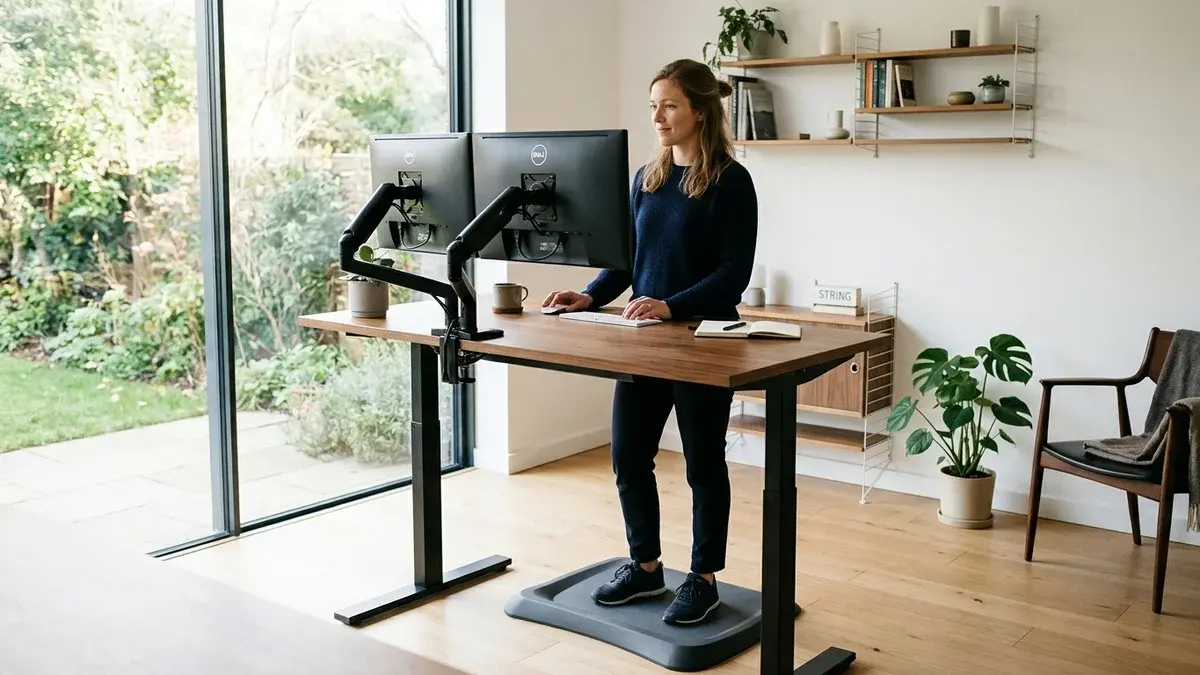
Setup & Troubleshooting Scope
Applies standard workstation geometry, motor reset protocols, and residential floor clearance measurements. Methodology →
Last Spec & Pricing Audit
. Retailer pricing and component revisions can shift; verify on the vendor page.
Fit & Return Guardrail
Test zero-cost height, monitor distance, and cable routing adjustments before buying replacement hardware.
Unboxing an electric standing desk feels exciting. Most first time owners press the up button and try standing for six straight hours.
By midday, their heels ache, their calf muscles burn, and their lower back tightens. Many conclude that standing desks cause more physical strain than traditional chairs.
The desk is rarely the underlying issue. Attempting an unconditioned endurance test overloads your postural stabilizers.
Adapting to an active workstation requires a progressive schedule. For full dimensional clearances, consult our ergonomic workstation setup guide alongside this transition roadmap.
Standing Desk Tips for Beginners: The First-Week Transition Plan
Standing while typing is an acquired mechanical skill. Your body must adapt to supporting spinal mass against gravity while maintaining fine motor precision.
Rushing into prolonged standing sessions creates immediate musculoskeletal strain. Beginners who succeed treat their first week as an anatomical adaptation period.
| Transition Stage | Primary Objective | Key Risk Factor | Recommended Tooling |
|---|---|---|---|
| Days 1 to 2 | Baseline tolerance testing | Calcaneal heel fatigue | Flat cushioned footwear |
| Days 3 to 4 | 20-8-2 rhythm integration | Knee joint hyperextension | High density foam mat |
| Day 5 and Beyond | Automated preset cycling | Static postural freezing | Active rocker footrest |
Adapting to your workstation involves three pillars: height calibration, interval timing, and movement.
The Beginner Breakdown: Why Standing All Day on Day One Causes Plantar Strain
When sitting, your office chair absorbs approximately 75 percent of upper body mass. Your pelvic ischial bones carry this downward gravitational load.
Rising to a standing position shifts that entire mechanical load onto your feet and ankles. Your plantar fascia and calf muscles must suddenly maintain constant isometric tension.
Occupational research by Waters and Dick in 2015 indicates that prolonged static standing exceeding 40 minutes is linked to peripheral blood pooling in lower limbs.
Hyperextending knee joints tilts the pelvis forward, creating lumbar lordosis and lower back tightness. Pacing early sessions allows postural muscles to strengthen without acute inflammation.
The 20-8-2 Sit-Stand Cadence: Your Daily Adaptation Rhythm
The optimal beginner interval pattern is the Cornell University ratio developed by Alan Hedge. This cadence prescribes 20 minutes sitting, 8 minutes standing, and 2 minutes walking.
This cadence is associated with avoiding both the metabolic stagnation of sitting and the muscular fatigue of continuous standing. It creates natural circulatory resets throughout your workday.
For a deeper analysis of interval timing research, read how long should you stand at a standing desk to balance your daily routine.
Eight minutes of standing sounds brief to an eager beginner. Repeating this sequence twice per hour yields nearly two hours of active standing daily.
To understand why moderate movement beats static endurance, explore our review of proven standing desk benefits. Use a phone timer to prompt interval changes before physical fatigue sets in.
ANSI/BIFMA G1-2017 Desk Height Geometry: The 90-Degree Neutral Plane
The commercial engineering benchmarks for workstation geometry are ANSI/BIFMA G1-2017 and ANSI/HFES 100-2007. Even a two inch discrepancy can trigger shoulder impingement or wrist strain.
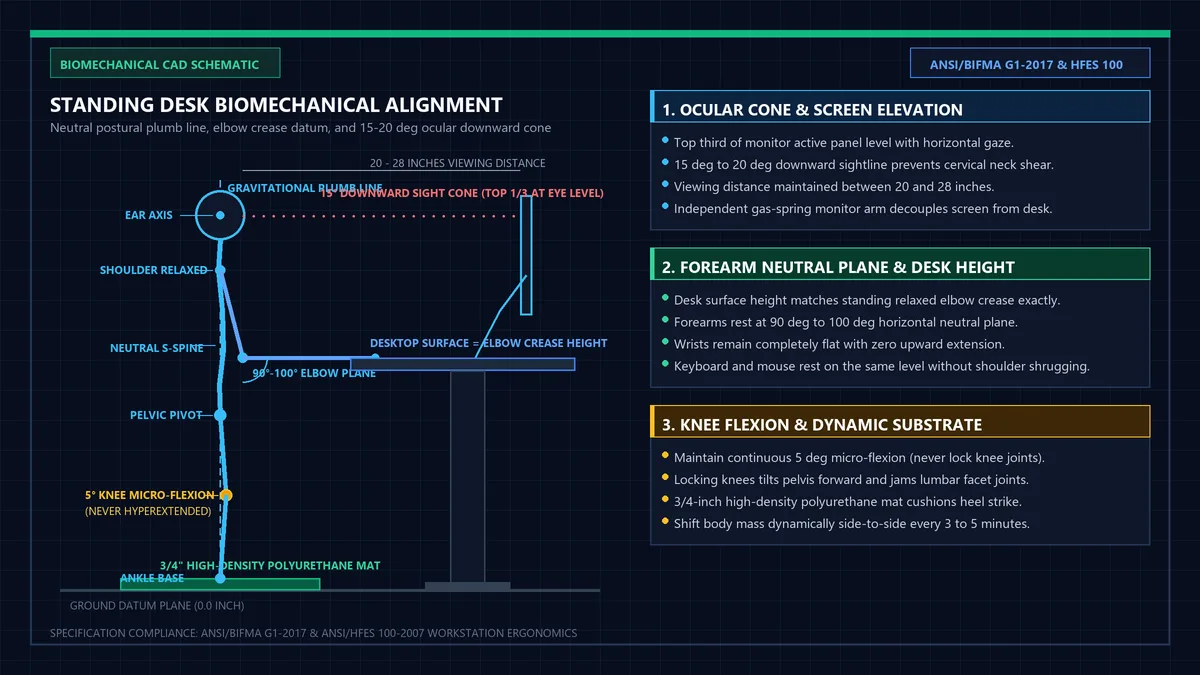
Your desktop height should match your hanging elbow crease with relaxed shoulders. Stand tall with upper arms resting naturally along your torso.
The keyboard deck should meet your palms at a 90 to 100 degree forearm angle without requiring you to shrug your shoulders upward.
To calculate your exact dimensions down to the centimeter, enter your height into our desk height calculator.
Position your monitor so the top third of the glass aligns with your horizontal gaze. ANSI/HFES standards recommend a 15 to 20 degree downward viewing trajectory.
For reference measurements across sitting and standing modes, consult our reference table on standard desk height.
Recommended ergonomic accessories and hardware specs
Workstation accessories selected to support healthy ergonomics, joints, and cable routing.
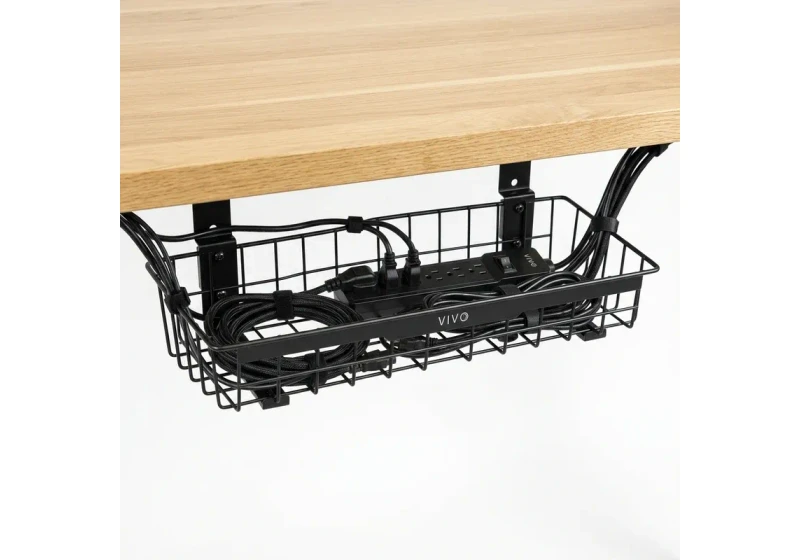
VIVO Under-Desk Cable Tray
Keeps power strips and heavy adapters off the floor so cables never yank when adjusting desk height.
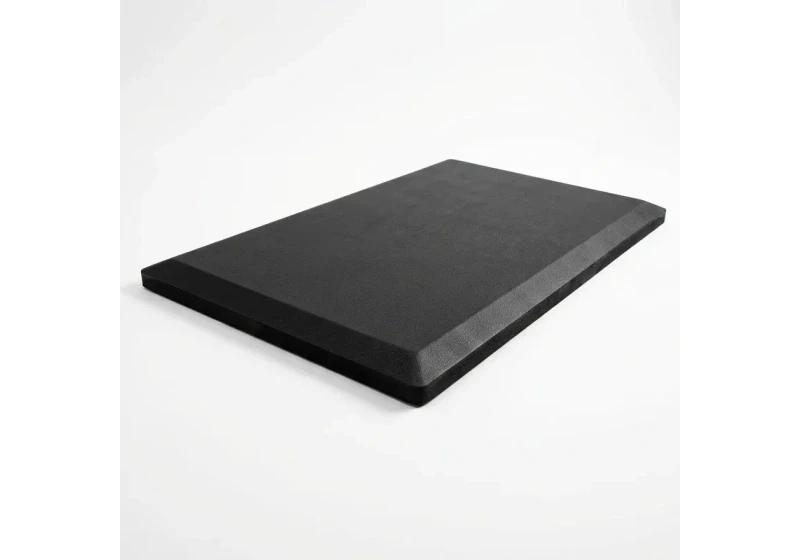
ComfiLife Gel Anti-Fatigue Mat
High-density core cushions heel strike and helps ease lower back compression when standing 3+ hours.
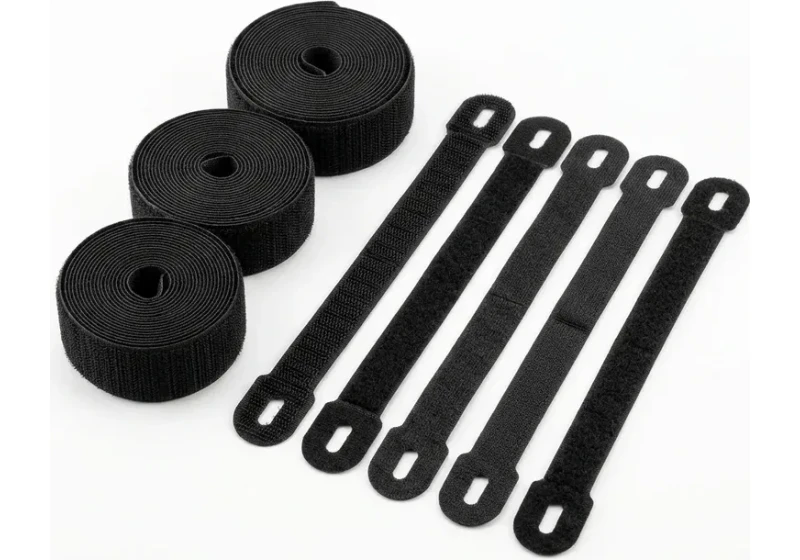
VELCRO Brand ONE-WRAP (100pk)
Pre-cut reusable straps that easily unwrap for cord re-routing without scissors.
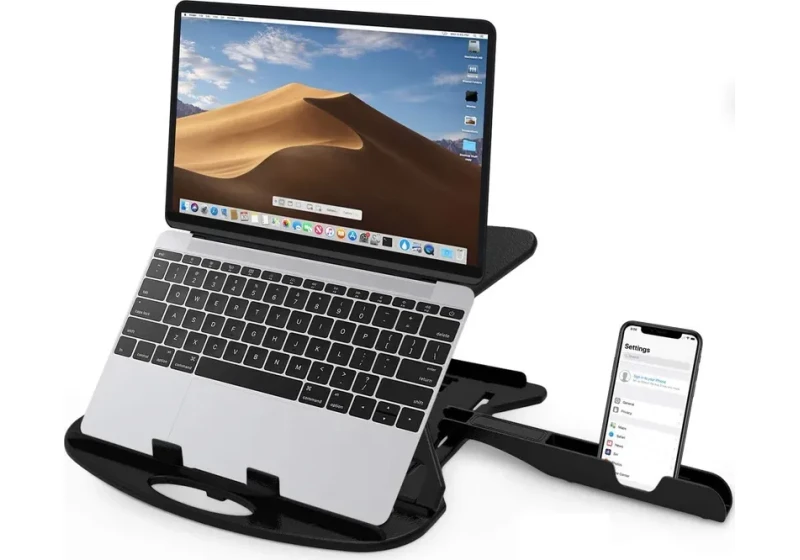
Soundance Laptop Stand
Raises laptop screen 6 inches to eye level, helping reduce forward neck slouch.
Neutral Stance Mechanics: Softening Knees and Distributing Plantar Pressure
Position feet shoulder width apart with toes slightly outward and weight evenly distributed. Maintain a five degree micro flexion in both knees to avoid joint hyperextension.
Keeping your knees soft engages your quadriceps and gluteal muscles. This muscular activation absorbs shock and stabilizes your sacroiliac joints while you work.
Shift your mass gently from side to side every three to five minutes. For step by step illustrations of spinal alignment and pelvic tilt, inspect our standing desk posture guide.
Avoid leaning your body weight against the desk frame. Leaning forward collapses your shoulder girdle and transfers unnecessary torque to the motorized lifting columns.
Essential First-Week Support Hardware: Mats, Footrests, and Display Alignment
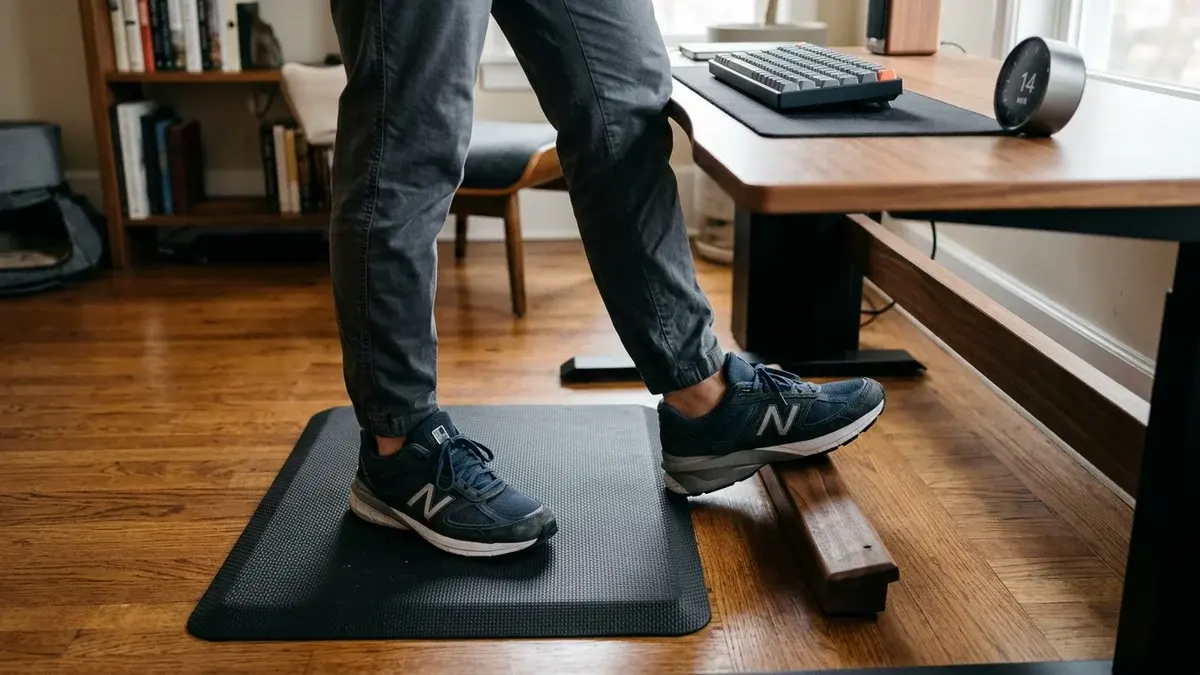
Standing on bare hardwood or thin commercial carpeting concentrates ground reaction forces directly into your heel bones. A dedicated anti fatigue mat cushions impact and prompts unconscious micro movements.
A 3/4-inch high density polyurethane mat cushions impact effectively. Learn what foam densities resist bottoming out in our guide to the best anti-fatigue mat for standing desk.
| Support Accessory | Biomechanical Function | Recommended Specification |
|---|---|---|
| Anti-Fatigue Floor Mat | Cushions calcaneal heel impact | 3/4-inch molded high density foam |
| Active Balance Footrest | Supports one-foot resting perch | Stepped wooden bar or rocking cylinder |
| Articulating Monitor Arm | Decouples screen height from desktop | Gas-spring arm with full tilt range |
| Supportive Footwear | Stabilizes arches during standing | Running shoes with structured arch cups |
An active footrest provides physical relief during standing intervals. Research by Callaghan and McGill in 2001 demonstrates that resting one foot on a low perch eases lumbar tension.
Alternate which foot rests on the perch every few minutes like a customer at a cafe counter. This simple stance modification is linked to lower continuous low back compression.
Finally, decouple your monitor display from your desktop using an adjustable arm. Independent screen adjustment helps avoid forward neck poking while typing at standing height.
Five Common Rookie Pitfalls: From Static Slumping to Footwear Errors
Beginners encounter predictable mistakes when adopting a standing desk. Recognizing these physical traps is linked to fewer postural setbacks and keeps your adaptation on track.
First, never stand in thin socks or bare feet on hard residential floors. Uncushioned heel strikes on tile or hardwood strain your plantar fascia within fifteen minutes.
Second, do not lock your knees into full hyperextension. Locking your joints shuts down active leg muscles and transfers your full body weight directly onto cartilage.
Third, avoid angling your keyboard tray upward toward your torso. Typing with wrists bent backward in extension compresses the carpal tunnel and inflames flexor tendons.
Fourth, resist slumping over your desk like a bar patron. Leaning your forearms heavily on the desktop rounds your upper back and strains your neck.
Fifth, do not ignore persistent discomfort signals from your body. Discomfort indicates tissue fatigue; sitting down is a sensible reset rather than a failure.
Day-by-Day First-Week Schedule: 30-Minute Ramp Progression
Gradual adaptation ensures long term ergonomic success. Follow this structured daily schedule to condition your postural muscles safely over your first five working days.
| Workday | Recommended Intervals | Total Standing Time | Daily Ergonomic Focus |
|---|---|---|---|
| Monday | 4 sessions of 15 minutes | 60 minutes total | Dial in exact elbow height presets |
| Tuesday | 5 sessions of 15 minutes | 75 minutes total | Monitor knee micro flexion and stance |
| Wednesday | 5 sessions of 20 minutes | 100 minutes total | Introduce anti fatigue mat shifts |
| Thursday | 6 sessions of 20 minutes | 120 minutes total | Adopt full 20-8-2 sit-stand cycles |
| Friday | 6 sessions of 25 minutes | 150 minutes total | Add single-foot perch on footrest |
Start Monday with four fifteen minute standing bouts spaced across your shift. Progress toward seventy five minutes by Tuesday while keeping knees relaxed and abdominal muscles engaged.
By Thursday, adopt full twenty minute standing blocks paired with supportive footwear. Conclude Friday at two and a half hours of cumulative standing without postural collapse.
Frequently Asked Questions
Why do my feet hurt after using a standing desk for just two days?
Plantar soreness occurs because foot arches and heel pads are unconditioned to static weight bearing. Supportive athletic shoes and a high density polyurethane mat are associated with lower plantar contact stress.
Can beginners use an under-desk walking pad during their first week?
Beginners should master stationary standing before adding a motorized treadmill. Spend your initial two weeks establishing stable desk height presets before introducing walking pads.
What type of shoes should I wear when standing at my desk?
Choose supportive sneakers with structured arch support and a firm heel counter. Flat slip on shoes lack the structural cushioning needed for static loading.
Should my desk height preset be the same for sitting and standing?
Your desktop height relative to your elbows remains consistent, but floor measurements differ completely. Program distinct memory presets into your desk controller for seated and standing positions.
How do I know when it is time to sit back down?
Listen for early warning signs such as shifting weight restlessly or locking your knees. Transition smoothly back to seated work whenever fatigue begins degrading your neutral posture.
Sources & Scientific Literature
- Callaghan, J. P., & McGill, S. M. (2001). Low back joint loading and kinematics during standing and unsupported sitting. Ergonomics, 44(3), 280-294.
- Waters, T. R., & Dick, R. B. (2015). Evidence of health risks associated with prolonged standing at work and intervention effectiveness. Rehabilitation Nursing, 40(3), 148-165.
- Hedge, A. (2014). Cornell University Ergonomics Web: The 20-8-2 Sit-Stand Protocol. Human Factors and Ergonomics Laboratory.
- ANSI/HFES 100-2007: Human Factors Engineering of Computer Workstations, Human Factors and Ergonomics Society.
- ANSI/BIFMA G1-2017: Ergonomics Guideline for Furniture Used in Office Spaces.
Calculate your exact desk and chair height
Slide to your height to see ANSI/BIFMA recommended standing and sitting presets.
By M. Haris
References ANSI/BIFMA G1-2017 guidanceSoftware engineer and founder of The Desk Riser
M. Haris is a software engineer and founder of The Desk Riser, auditing manufacturer engineering schematics, motorized desk cycle lifespans, ANSI/BIFMA G1-2017 ergonomic standards, and long-term user failure patterns across verified owner communities. Every guide is editorially independent with zero paid brand placements and zero PR samples (we may earn affiliate commissions on qualifying purchases). Have questions or spot a warranty update? Email directly at support@thedeskriser.com, read the Author Dossier, or explore our Editorial Research Methodology.
Share this article:
Workstation Setup & Fit Q&A
Have questions about frame deflection, monitor arm clamp loads, or chair sizing? Consult our workstation researchers.
Q:How do I know if this standing desk will wobble on thick carpet?
Standing desk wobble on carpet is caused by uneven carpet pile compression under the rear footpads. Frames with wedge-reinforced leg collars and wide steel footplates (like UPLIFT V3 or FlexiSpot E7 Pro) minimize lateral flex. If placing on plush carpet, use rigid caster cups or a dense underlay to anchor the base directly to the subfloor.
Q:Can I clamp a dual monitor arm onto standard particleboard tops?
Dual monitor arms concentrate 25 to 45 lbs of dynamic torque onto a 4-inch clamp perimeter. Hollow honeycomb tops (such as IKEA Linnmon) will crush. We recommend a minimum 0.75-inch solid core (MDF, solid bamboo, or hardwood), or sandwiching a steel reinforcement bracket plate (min 2.5mm thickness) between the clamp and desktop.
Q:What if my chair cylinder sinks or feels too high for my feet?
Always verify your seated popliteal height (crease behind knee to floor with shoes). If a chair will not drop below 17 inches and your feet dangle, pair it with an angled footrest or switch to a low-range Class 4 cylinder. If a cylinder loses pressure and sinks on its own, the internal nitrogen seal is breached and requires cylinder replacement.
Ask Our Ergonomic Spec Reviewers
Planning an upgrade or unsure if your monitors and stature fit this configuration? Send your dimensions directly to our research desk. No accounts, no trackers, zero marketing spam.