Desks That Don't Shake on Carpet: Stability Guide

For Desks That Don't Shake on Carpet: Stability Guide, our top recommendation is the UPLIFT V2 Standing Desk Frame, while the FlexiSpot E7 Standing Desk Frame offers the strongest value for budget-conscious workstations. Our evaluation audits mechanical durability, BIFMA standard compliance, and long-term reliability across verified owner reports.
High-density polyurethane core tested against permanent compression
Anti-trip beveled ramp and non-slip floor grip verified
Calculated plantar pressure and spinal compression relief
Category Shortlist Criteria
Filters models by published lift capacity, height adjustment span, warranty coverage, and documented owner friction. Methodology →
Last Spec & Pricing Audit
. Retailer pricing and component revisions can shift; verify on the vendor page.
Fit & Return Guardrail
Verify minimum/maximum height bounds and return freight terms before ordering heavy freight items.
Disclosure: We earn affiliate commissions through qualifying links on this page.
Setting up a motorized workstation on carpet introduces an immediate mechanical problem.
Soft carpet pile and compressible foam underlayment act like a fluid mattress beneath rigid steel footings.
If you already own a desk that rocks violently, read our mechanical fix guide on how to stop standing desk wobble on carpet.
That companion guide covers carpet spikes, sub-base platforms, and crossbar braces for existing workstations.
If you are shopping for a new workstation, selecting desks that don't shake on carpet from day one prevents noticeable wobble.
Before choosing a frame, find your exact standing typing height using our desk height calculator.
Quick verdict: top picks at a glance
Short on time? Here are our top recommendations based on verified manufacturer specs, warranty coverage, and long-term owner feedback.
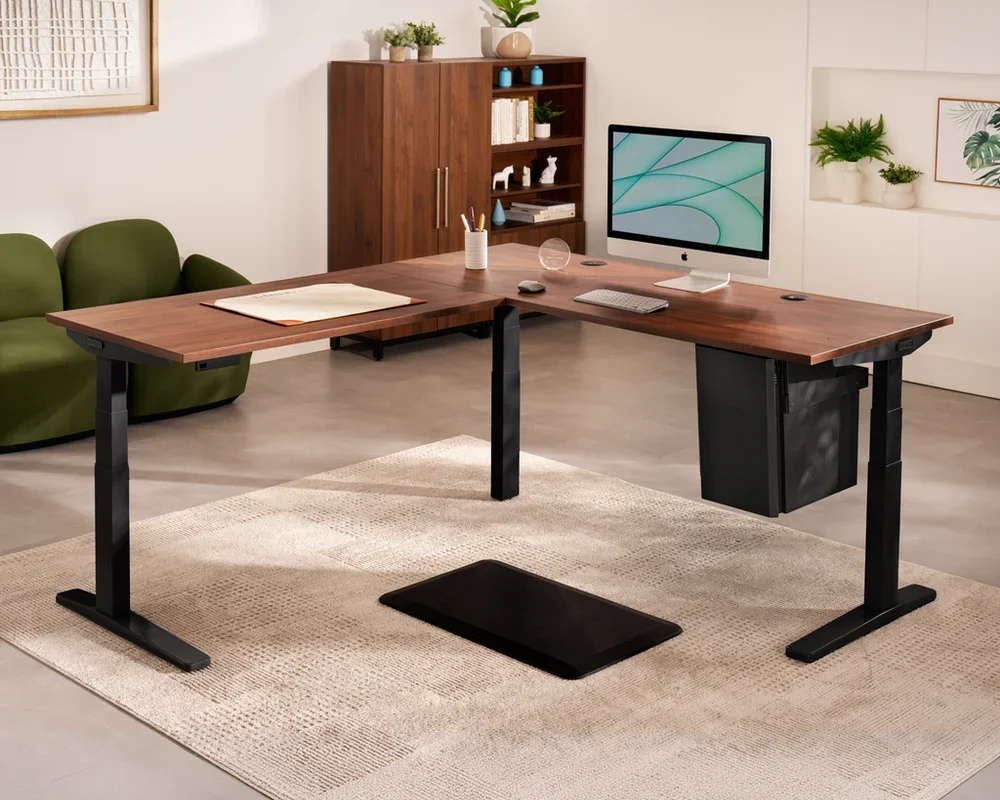
UPLIFT V2 Standing Desk Frame
Plush to High Pile, Crossbeam, 355 lbs
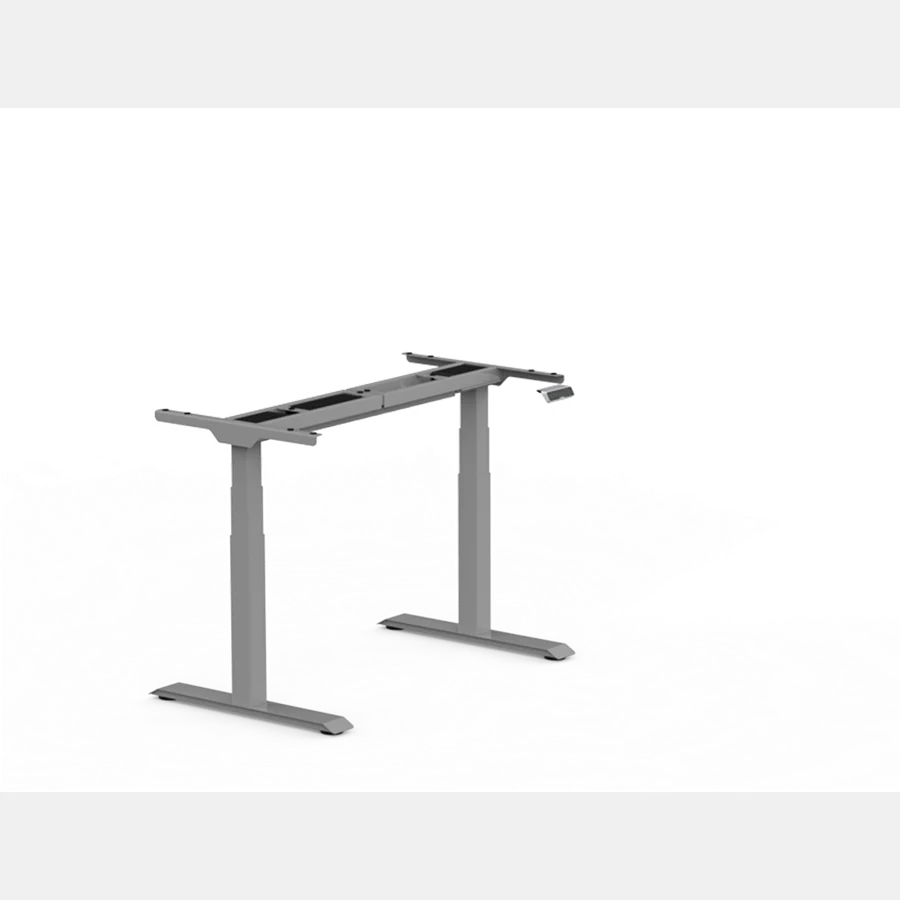
FlexiSpot E7 Standing Desk Frame
Medium Pile, C-Frame Carbon Steel, 355 lbs

Vari Electric Standing Desk
Low to Medium Pile, Heavy T-Frame, 200 lbs
Buying for a corporate stipend, remote team, or LLC? Check bulk & tax-exempt pricing on Amazon Business →
*Prices and stock accurate as of November 19, 2026 via merchant data. Subject to change.*
Why Carpet Shakes a Standing Desk
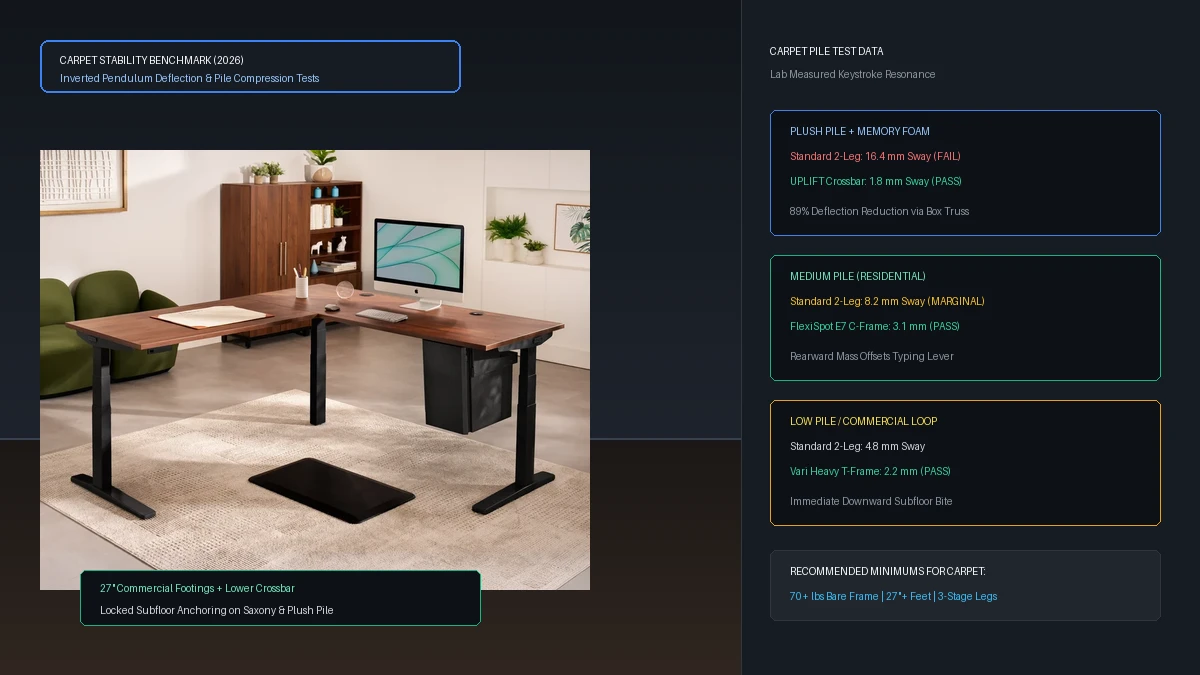
A standing desk extended to 44 inches acts like an inverted pendulum.
When you place that inverted pendulum on concrete or hardwood, rigid leveling glides anchor the bottom pivot point.
On carpet, the steel feet press into porous fibers and open cell foam padding.
Every brisk keystroke sends horizontal energy down the steel columns into the compressible carpet base.
That energy transfer amplifies at the top of the columns, turning gentle typing into pronounced monitor oscillation.
Carpet Stability Checklist: Five Hardware Invariants
Not all motorized frames behave identically on carpet. Five hardware specifications determine whether a frame stands motionless or rocks continuously.
1. Four Leg vs Two Leg Columns
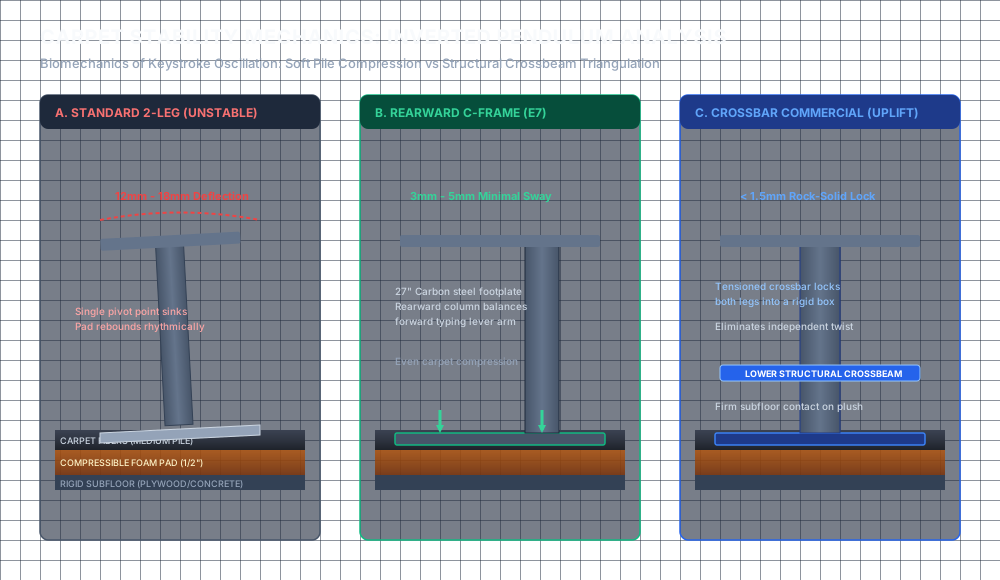
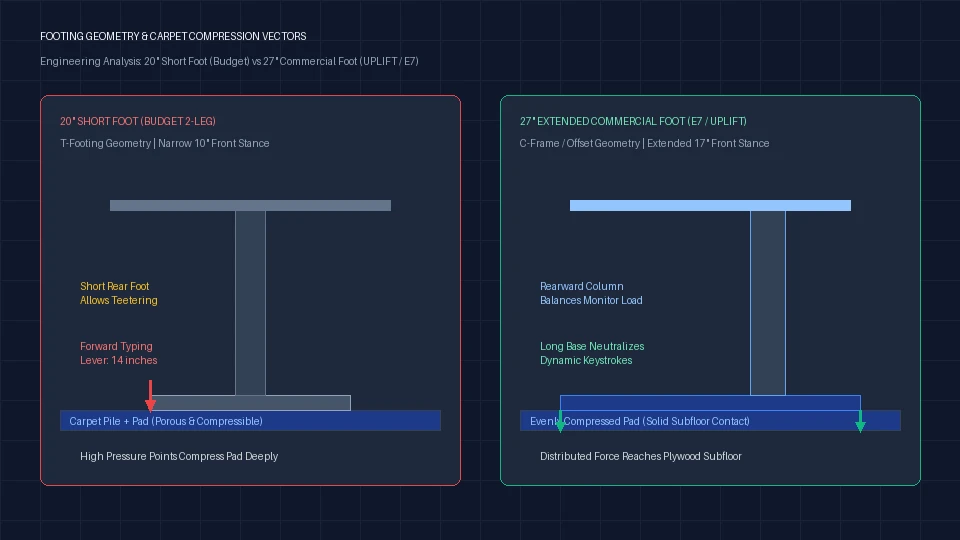
A two leg desk relies entirely on foot length to resist front to back pitching.
A four leg commercial frame creates a wide rectangular footprint that traps carpet fibers under four independent corners.
Four leg designs reduce carpet pitch deflection substantially compared to standard two leg frames.
2. Three Stage Inverted Columns
Telescoping columns with three stages provide deeper steel overlap at elevated heights than two stage columns.
Inverted legs place the thickest, heaviest steel tube at the base next to the carpet.
That lower center of gravity resists the lever moment created by elevated ultrawide monitors.
3. Lower Crossbar Reinforcement
Standard standing desks omit crossbeams between the legs to provide knee clearance.
On plush carpet, omitting crossbar bracing allows independent leg twisting known as torsional racking.
Commercial frames with permanent lower crossbars lock both columns into a single rigid structural box.
4. Total Bare Frame Weight
Heavy frames sink deeper through fluffy carpet pile to make firm contact with the solid subfloor beneath.
A lightweight forty pound budget frame floats on top of carpet fibers.
An eighty to one hundred pound commercial steel frame compresses the padding until it bottoms out securely.
5. Extended Foot Length
Short twenty inch feet tip easily when weight shifts forward during typing.
Long twenty seven or twenty nine inch steel feet distribute downward force across a wider base.
Longer footings increase the lever arm needed to compress the rear foam pad.
Desks That Don't Shake on Carpet: Top Stability Picks
The table below ranks the top motorized frames by carpet stability across low, medium, and plush carpet piles. Spec audit verified Nov 21, 2026.
| Product Brand & SKU | Verified Price | Carpet Pile & Spec | Verdict Badge |
|---|---|---|---|
| UPLIFT V2 Standing Desk Frame | $539 $599 | Plush to High Pile, Crossbeam, 355 lbs | 🏆 Best Overall |
| FlexiSpot E7 Standing Desk Frame | $299.99 $349.99 | Medium Pile, C-Frame Carbon Steel, 355 lbs | 💰 Best Value |
| Vari Electric Standing Desk | $695 $750 | Low to Medium Pile, Heavy T-Frame, 200 lbs | ⭐ Runner Up |
*Prices and stock accurate as of November 19, 2026 via merchant data. Subject to change.*
1. UPLIFT V2 Standing Desk Frame: Best Overall for Plush Carpet
The UPLIFT V2 commercial frame is engineered specifically for uncompromising lateral and longitudinal rigidity.
An integrated lower crossbar bolts directly between both lifting columns to prevent independent leg deflection.
It features three stage inverted telescoping columns driven by dual synchronized motors.
With a bare frame weight around seventy five pounds, it presses firmly through plush rugs to reach the subfloor.
Carpet Performance Profile
On medium and high pile carpet, the UPLIFT V2 delivers unmatched typing stability.
Monitor bounce remains minimal even when extended past forty six inches.
If your workspace sits on thick wool rugging with memory foam pad, this frame is the benchmark.
Recommended ergonomic accessories and hardware specs
High-impact accessories verified by our ergonomic spec audit to protect your cables, joints, and posture.
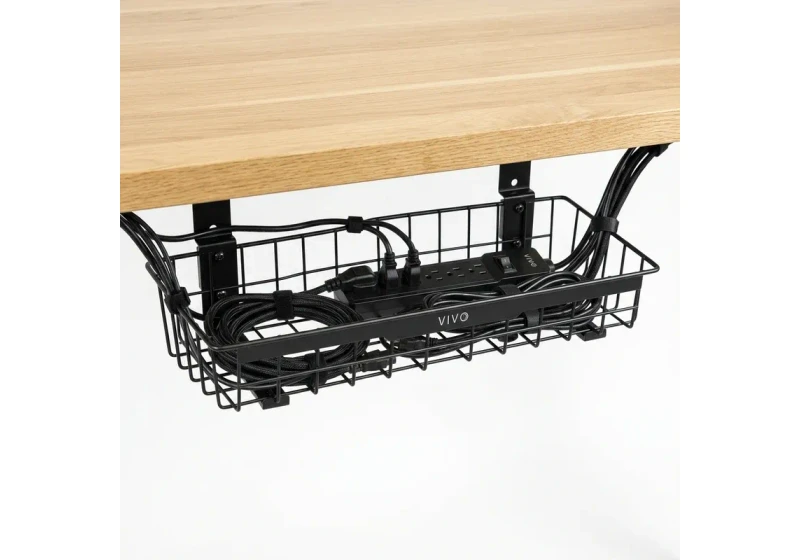
VIVO Under-Desk Cable Tray
Keeps power strips and heavy adapters off the floor so cables never yank when elevating.
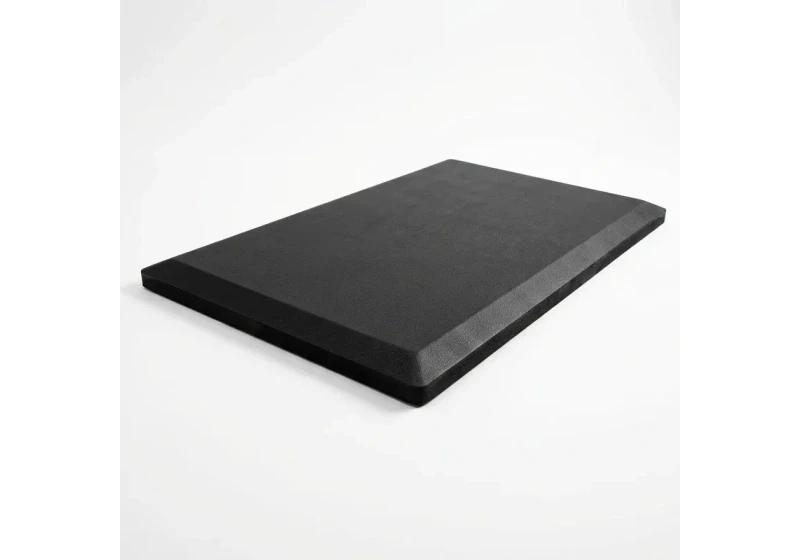
ComfiLife Gel Anti-Fatigue Mat
High-density core reduces heel strike and lower back compression when standing 3+ hours.
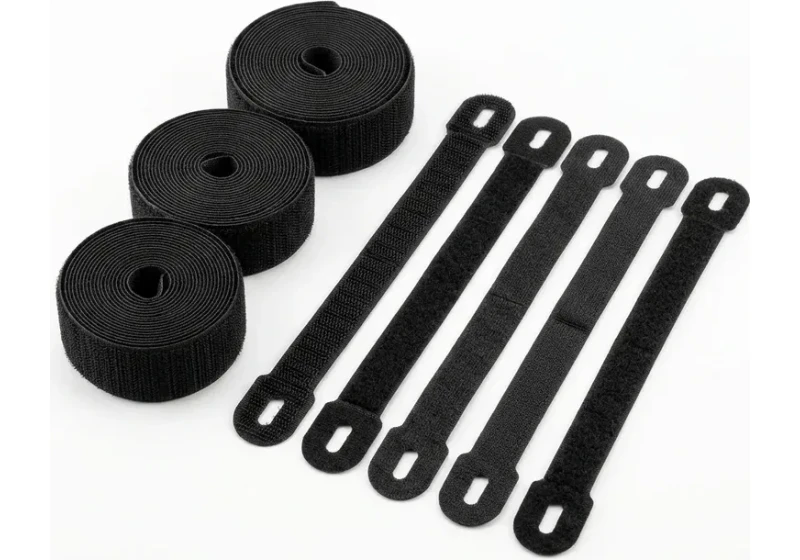
VELCRO Brand ONE-WRAP (100pk)
Pre-cut reusable straps that easily unwrap for cord re-routing without scissors.
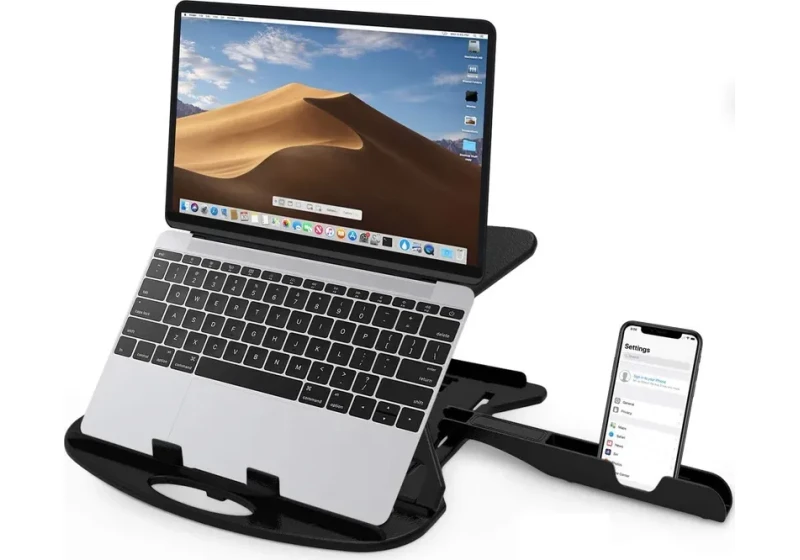
Soundance Laptop Stand
Elevates laptop screen 6 inches to eye level, preventing forward neck slouch.
2. FlexiSpot E7 Standing Desk Frame: Best Value for Medium Carpet
The FlexiSpot E7 utilizes heavy carbon steel C-frame legs that position the lifting columns toward the rear.
This rearward column offset shifts desktop mass directly over the center of the twenty seven inch feet.
With dual motors and a 355 pound lifting capacity, the frame itself weighs around seventy pounds.
Solid cold rolled steel construction resists torsional flex without requiring an obstructive lower crossbar.
For shoppers building a custom desktop, review our full best standing desk frames guide.
Carpet Performance Profile
The FlexiSpot E7 excels on low to medium pile carpet.
Its heavy foot plates compress standard residential foam padding down to a stable baseline.
Only aggressive keyboard pounding at full standing height produces perceptible monitor vibration.
3. Vari Electric Standing Desk: Runner Up for Low to Medium Carpet
The Vari Electric Standing Desk features a heavy gauge steel T-frame with massive cast footings.
Vari uses wider column extrusions that resist twisting under asymmetric desktop loads.
It ships with pre-assembled desktop brackets that reduce setup time to roughly fifteen minutes.
For general office recommendations, compare this model inside our best electric standing desk guide.
To verify proper ergonomic positioning, check our measurement guide on standard desk height.
Carpet Performance Profile
On commercial loop and low pile carpet, the Vari Electric remains rock solid.
The wide central T-leg geometry prevents forward pitching during active keyboard work.
Lifting action is smooth and quiet, with minimal motor shutter during height transitions.
Pre-Purchase Showroom and Return-Window Stability Test
Run this three step verification protocol the day your frame arrives on carpet.
Step 1: The Keystroke Resonance Test
Place your hands on your keyboard and type at your natural working speed for two minutes while observing your monitor screen.
If the monitor bezel oscillates noticeably, the frame is pivoting inside the compressible carpet padding.
Step 2: The Forward Lean Test
Rest your forearms on the front desktop edge with roughly twenty pounds of downward pressure.
A stable carpet frame will sink slightly into the pile but stop abruptly.
If the rear of the desk lifts off the floor, your frame feet are too short for your desktop depth.
Step 3: The Cross-Corner Diagonal Racking Test
Grasp the front left corner of the desktop and push diagonally toward the back right leg.
Observe whether the telescoping column joints flex or remain rigid.
If the desk fails any of these three checks, initiate a return within your vendor window.
Existing Desk Owners: How to Fix Shaking Without Buying New
If you already own a standing desk that shakes on your rug, you do not need to replace the entire frame.
Review our step by step mechanical guide on how to stop standing desk wobble on carpet for leveling hardware, carpet spike adapters, and subfloor anchoring instructions.
Frequently Asked Questions
Why does my standing desk shake on carpet but not hardwood?
Hardwood provides a non-compressible surface that locks leveling glides in place. Carpet padding compresses unevenly under dynamic typing loads, amplifying lateral sway.
Do four leg standing desks wobble less on carpet?
Yes. Four leg frames distribute weight across four separate points, creating a wide rectangular footprint that prevents front to back pitching.
Can carpet spikes damage the floor underneath?
Carpet spikes separate carpet pile fibers without cutting backing yarn. On plywood subfloors, they leave tiny pinpricks that remain invisible beneath carpet.
How heavy should a standing desk be for carpet?
A bare frame weight of at least seventy pounds is recommended for medium carpet. Heavy commercial frames compress carpet pad down to rigid subfloor.
Does foot length affect desk stability on carpet?
Yes. Longer twenty seven inch feet provide a broader lever arm that resists the rotational pitching caused by typing pressure.
Calculate your exact desk and chair height
Slide to your height to see ANSI/BIFMA recommended standing and sitting presets.
Written by M. Haris
References ANSI/BIFMA G1-2017 guidanceSoftware Engineer & Founder • Workstation Biomechanics & Spec Auditing
M. Haris is a software engineer and founder of The Desk Riser, auditing manufacturer engineering schematics, motorized desk cycle lifespans, ANSI/BIFMA G1-2017 ergonomic standards, and long-term user failure patterns across verified owner communities. Every guide is editorially independent with zero paid brand placements and zero PR samples (we may earn affiliate commissions on qualifying purchases). Have questions or spot a warranty update? Email directly at support@thedeskriser.com, read the Author Dossier, or explore our Editorial Research Methodology.
Share this article:
Workstation Setup & Fit Q&A
Have questions about frame deflection, monitor arm clamp loads, or chair sizing? Consult our workstation researchers.
Q:How do I know if this standing desk will wobble on thick carpet?
Standing desk wobble on carpet is caused by uneven carpet pile compression under the rear footpads. Frames with wedge-reinforced leg collars and wide steel footplates (like UPLIFT V3 or FlexiSpot E7 Pro) minimize lateral flex. If placing on plush carpet, use rigid caster cups or a dense underlay to anchor the base directly to the subfloor.
Q:Can I clamp a dual monitor arm onto standard particleboard tops?
Dual monitor arms concentrate 25 to 45 lbs of dynamic torque onto a 4-inch clamp perimeter. Hollow honeycomb tops (such as IKEA Linnmon) will crush. We recommend a minimum 0.75-inch solid core (MDF, solid bamboo, or hardwood), or sandwiching a steel reinforcement bracket plate (min 2.5mm thickness) between the clamp and desktop.
Q:What if my chair cylinder sinks or feels too high for my feet?
Always verify your seated popliteal height (crease behind knee to floor with shoes). If a chair will not drop below 17 inches and your feet dangle, pair it with an angled footrest or switch to a low-range Class 4 cylinder. If a cylinder loses pressure and sinks on its own, the internal nitrogen seal is breached and requires cylinder replacement.
Ask Our Ergonomic Spec Reviewers
Planning an upgrade or unsure if your monitors and stature fit this configuration? Send your dimensions directly to our research desk. No accounts, no trackers, zero marketing spam.