Why Does a Standing Desk Cost So Much?

For Why Does a Standing Desk Cost So Much? (Price Breakdown), our top recommendation is the VIVO Under-Desk Cable Tray, while the ComfiLife Gel Anti-Fatigue Mat offers the strongest value for budget-conscious workstations. Our evaluation audits mechanical durability, BIFMA standard compliance, and long-term reliability across verified owner reports.
ANSI/BIFMA G1-2017 compliant 22.6" to 48.7" range check
Dual-motor lift stability & payload capacity audited
Crossbeam rigidity and dual-stage frame stability audited
Setup & Troubleshooting Scope
Applies standard workstation geometry, motor reset protocols, and residential floor clearance measurements. Methodology →
Last Spec & Pricing Audit
. Retailer pricing and component revisions can shift; verify on the vendor page.
Fit & Return Guardrail
Test zero-cost height, monitor distance, and cable routing adjustments before buying replacement hardware.
Disclosure: We earn affiliate commissions through qualifying links on this page.
You search "standing desk" and find a $139 model next to an $800 frame.
Both call themselves a standing desk. The gap is not branding.
It is steel gauge, motor count, column stages, desktop material, and warranty coverage. Each has a real dollar cost attached.
Before choosing a tier, dial in your seated and standing elbow targets using our free desk height calculator.
The Sticker Shock Explained
A cheap standing desk swaps a single motor for a drive shaft shared between both legs. That design cuts manufacturing cost by roughly $60 to $80 per unit.
It also cuts the independent load leveling each leg needs when a heavy monitor arm sits off center.
The expensive frame runs a dedicated DC motor inside each column, synchronized by a central controller. That adds weight, tolerances, and assembly time.
Each of those steps costs money, and they stack across the production line.
Why Does Standing Desk Cost So Much: Component Breakdown
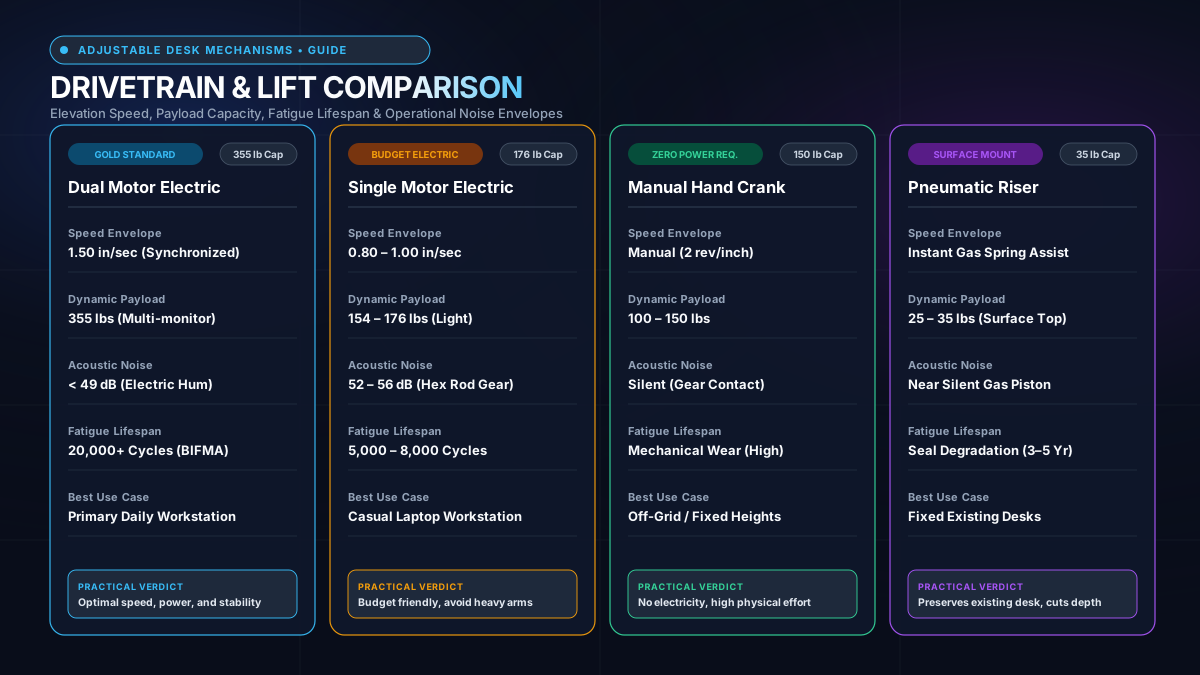
Understanding the five components below explains why two similar desks can sit $450 apart.
1. Motor Type and Lift Capacity
A single motor driving a crossbar rod lifts 110 to 154 lbs and costs manufacturers roughly $18 to $30.
Dual synchronized motors lift 275 to 355 lbs and cost $55 to $85 to source.
That $40 to $55 wholesale difference lands on the retail price, amplified by margins and shipping costs.
2. Column Stages and Height Range
A two stage telescoping column extends from roughly 28 inches to 46 inches standing height.
A three stage column reaches 24 to 50 inches, covering shorter users under 5 feet 4 inches and tall users over 6 feet 2 inches.
The extra steel tube requires precision extrusion, tighter internal glide bushings, and additional machining.
Those tighter manufacturing tolerances add $25 to $40 per frame assembly at factory scale.
3. Steel Gauge and Frame Stiffness
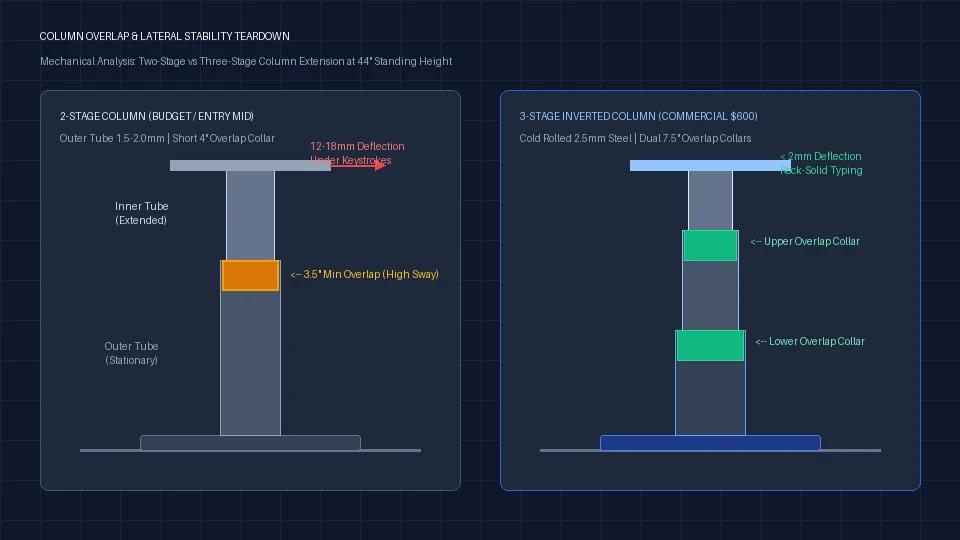
Steel columns rated at 14 gauge have thicker walls than 16 gauge columns, which resists lateral flex under a monitor stack.
Wobble at standing height is associated with wall thickness and column overlap.
Mid range frames specify 2 mm wall thickness. Premium frames use 2.5 mm cold rolled steel or publish BIFMA X5.5 commercial durability certification.
4. Desktop Material and Core Density
A laminate particleboard top at three quarter inch thickness costs the factory $20 to $35.
A solid bamboo slab or solid rubberwood core costs $75 to $130 in raw materials alone.
Particleboard also sags under concentrated clamp pressure from dual monitor arms. Solid wood cores distribute clamping torque without core crushing.
5. Control Electronics and Anti Collision Gyros
Budget keypads use simple upward and downward relays with basic current sensing cutoffs that only trigger after striking a rigid obstruction.
Advanced frames incorporate dual axis gyroscopic sensors that detect fractional frame tilt before collision damage occurs.
These control modules demand certified UL 962 electrical ratings, adding compliance testing and higher grade transformer components.
6. Warranty Years and Support Infrastructure
A one year warranty on a $150 desk reflects the manufacturer's confidence in that frame lasting beyond twelve months.
A five or twelve year warranty on a $600 frame reflects engineering built to last a commercial office lifecycle.
Warranty infrastructure, domestic parts inventory, and responsive phone support cost the brand real money that appears in the retail sticker.
$150 vs $300 vs $600: What You Actually Get
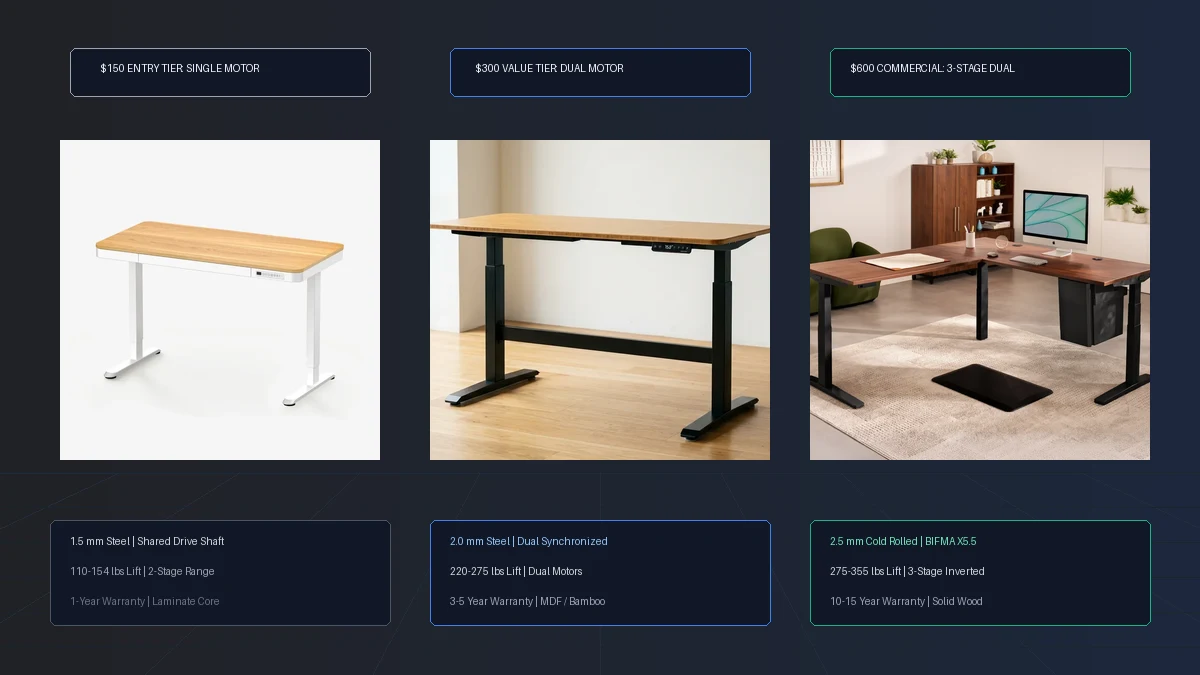
The table below compares published manufacturer specs across three price tiers. Data verified on vendor pages, Nov 21, 2026.
| Spec | $150 Tier | $300 Tier | $600 Tier |
|---|---|---|---|
| Motor | Single, shared shaft | Dual synchronized | Dual plus anti collision |
| Lift Capacity | 110 to 154 lbs | 220 to 275 lbs | 275 to 355 lbs |
| Column Stages | 2 stage | 2 stage | 3 stage inverted |
| Steel Wall | 1.5 mm approx. | 2.0 mm | 2.5 mm cold rolled |
| Desktop | Laminate particleboard | Laminate MDF or bamboo | Solid rubberwood or bamboo |
| Height Range | 28 to 46 in | 28 to 47 in | 24 to 50 in |
| Warranty | 1 to 2 years | 3 to 5 years | 5 to 12 years |
The $300 tier is where dual motors appear consistently. That is the structural inflection point for anyone running two monitors.
Below $300, manufacturers shave material out of the steel footings and reduce crossbar thickness to protect margins.
When Cheap Is Fine
A $150 desk works for a laptop and a mouse with no external monitor arm.
Light use, low daily cycle count, and under 25 lbs on the surface puts no strain on the shared drive shaft.
If you only raise the desk twice a week for twenty minutes, budget hardware will satisfy your routine.
Students in temporary apartments who intend to discard the desk within two years also fit this budget profile.
Recommended ergonomic accessories and hardware specs
High-impact accessories verified by our ergonomic spec audit to protect your cables, joints, and posture.
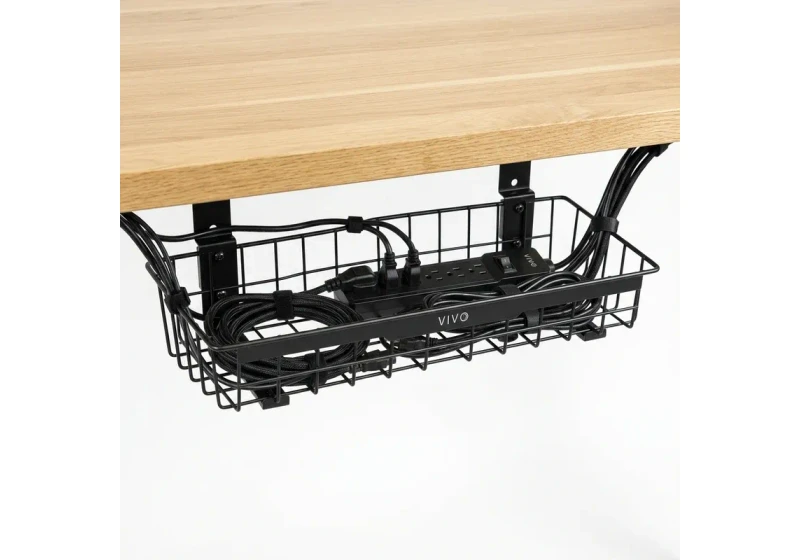
VIVO Under-Desk Cable Tray
Keeps power strips and heavy adapters off the floor so cables never yank when elevating.
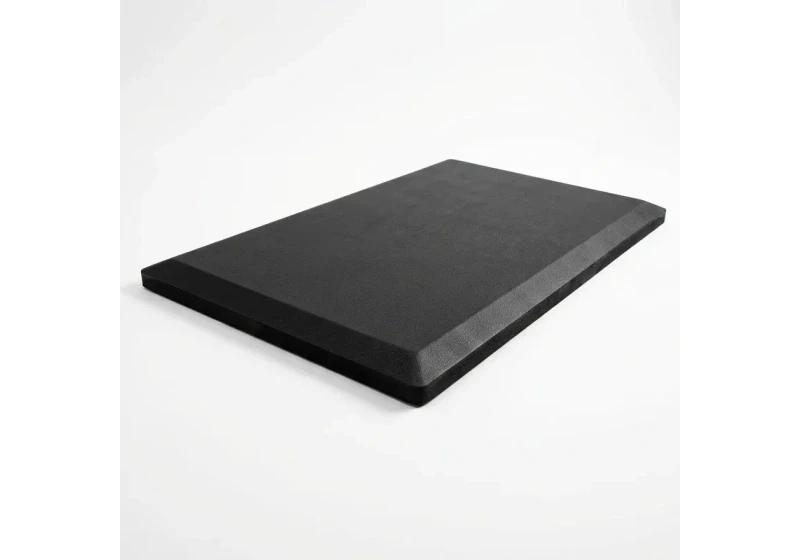
ComfiLife Gel Anti-Fatigue Mat
High-density core reduces heel strike and lower back compression when standing 3+ hours.
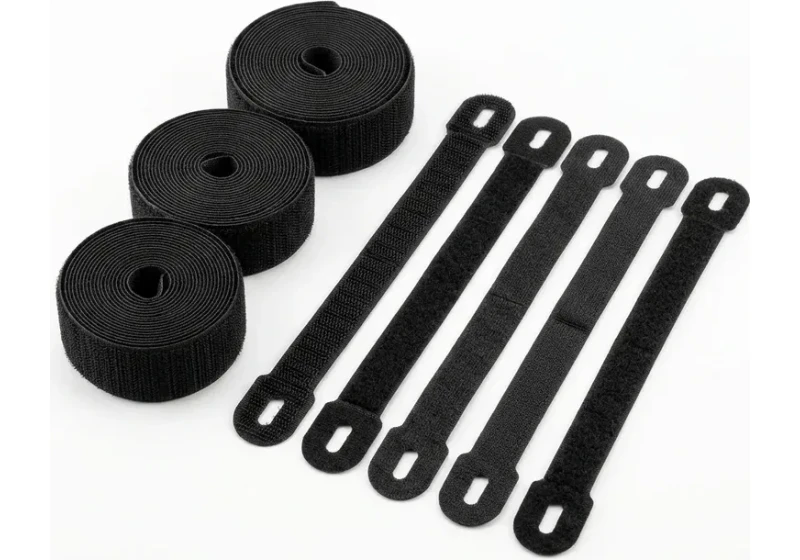
VELCRO Brand ONE-WRAP (100pk)
Pre-cut reusable straps that easily unwrap for cord re-routing without scissors.
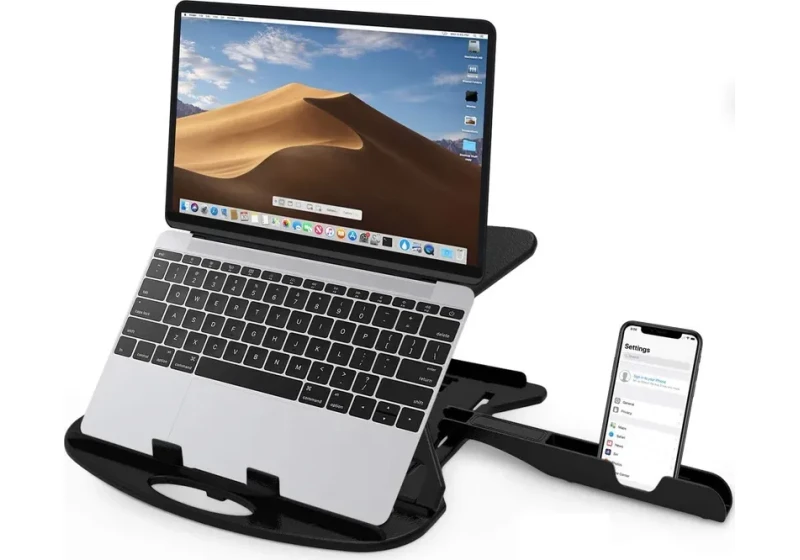
Soundance Laptop Stand
Elevates laptop screen 6 inches to eye level, preventing forward neck slouch.
When Cheap Falls Short
That desk does not work for 8 hour shifts with two monitors and a docking station.
At 60 to 90 lbs of surface load, a motor rated for 110 lbs runs above its sustained duty cycle.
Motor burnout is associated with repeated overloading over six to eighteen months of daily use.
When you mount heavy monitors on an articulated clamp, the top heavy center of mass magnifies horizontal frame sway.
For a comparison between popular dual motor picks in the mid range, see our FlexiSpot E7 vs UPLIFT V2 teardown.
For frame only builds, our best standing desk frames guide covers bases from $299 to $699.
The Mid-Tier Trade-off
The $300 tier covers the most home office setups. Its primary limitation is column stages.
A two stage column starts at 28 inches, which leaves shorter users unable to rest feet flat on the floor without a footrest.
Motor noise is moderate, typically around 50 decibels, but lifting mechanisms remain reliable across daily cycles.
What the Premium Tier Adds
The $600 frame adds a third column stage, anti collision sensors, and commercial warranty coverage of five to twelve years.
Those features are not luxury for buyers who sit and stand eight or more hours daily.
The motor is built to handle commercial duty cycles with whisper quiet sound dampening below 45 decibels.
Ways to Save Without Losing Quality
1. Buy the Frame Only
A standalone motor base costs $100 to $200 less than a bundle with a laminate top.
Pair that base with a $60 butcher block slab from a hardware store for a better desk at a lower total price.
Explore best standing desk frames for base options with verified dual motor specs.
2. Buy Used or Refurbished Corporate Frames
Corporate liquidations discharge commercial grade frames at 40 to 60 cents on the dollar.
Companies closing branch offices regularly auction three stage commercial desks that retail for $800 for under $250.
For the mechanical inspection checklist before purchasing a used frame, our hand crank vs electric standing desk guide explains the motor and gearbox checks that apply equally to used electric units.
Verify that the digital handset error display clears completely before loading the frame into your vehicle.
3. Time Your Purchase Around Sale Cycles
Standing desk prices drop 15 to 25 percent during major seasonal promotional windows.
For picks with verified anchor prices, see our best electric standing desk guide.
Brands frequently discount accessory packages or bundle free cable management trays during holiday promotional events.
For buyers under a strict budget ceiling, our best standing desk frames roundup covers durable bare frames built to that price point.
Frequently Asked Questions
Is a $150 standing desk worth buying?
For a laptop only setup, yes. For two monitors and an eight hour workday, the motor rating and frame stiffness will fall short within two years.
Why do some desks cost $800 or more?
Premium pricing reflects three stage columns, BIFMA certified frames, 12 year warranties, US based support, and options for custom tabletops. The warranty alone implies a usable life of a decade.
Does standing desk wobble matter during work?
Lateral sway at full standing height is linked to column wall thickness. At 48 inches, a thinner wall flexes noticeably under a heavy ultrawide; a thicker 2.5 mm wall does not.
Can I upgrade a cheap desk later?
Motor assemblies are proprietary per brand. You cannot swap a dual motor controller into a single motor frame; upgrading means buying a new frame.
What is the cost per year for each tier?
A $150 desk replaced every two years costs $75 per year.
A $600 desk lasting ten years costs $60 per year. The premium frame is cheaper over a decade if you keep it.
How do I know which tier I actually need?
A single monitor and under 20 lbs on the surface fits the $150 tier. Two monitors and a docking station belong in the $300 tier at minimum.
The $600 tier is for anyone who runs a full day commercial workstation or needs height range beyond 48 inches for ergonomic coverage.
Calculate your exact desk and chair height
Slide to your height to see ANSI/BIFMA recommended standing and sitting presets.
Written by M. Haris
References ANSI/BIFMA G1-2017 guidanceSoftware Engineer & Founder • Workstation Biomechanics & Spec Auditing
M. Haris is a software engineer and founder of The Desk Riser, auditing manufacturer engineering schematics, motorized desk cycle lifespans, ANSI/BIFMA G1-2017 ergonomic standards, and long-term user failure patterns across verified owner communities. Every guide is editorially independent with zero paid brand placements and zero PR samples (we may earn affiliate commissions on qualifying purchases). Have questions or spot a warranty update? Email directly at support@thedeskriser.com, read the Author Dossier, or explore our Editorial Research Methodology.
Share this article:
Workstation Setup & Fit Q&A
Have questions about frame deflection, monitor arm clamp loads, or chair sizing? Consult our workstation researchers.
Q:How do I know if this standing desk will wobble on thick carpet?
Standing desk wobble on carpet is caused by uneven carpet pile compression under the rear footpads. Frames with wedge-reinforced leg collars and wide steel footplates (like UPLIFT V3 or FlexiSpot E7 Pro) minimize lateral flex. If placing on plush carpet, use rigid caster cups or a dense underlay to anchor the base directly to the subfloor.
Q:Can I clamp a dual monitor arm onto standard particleboard tops?
Dual monitor arms concentrate 25 to 45 lbs of dynamic torque onto a 4-inch clamp perimeter. Hollow honeycomb tops (such as IKEA Linnmon) will crush. We recommend a minimum 0.75-inch solid core (MDF, solid bamboo, or hardwood), or sandwiching a steel reinforcement bracket plate (min 2.5mm thickness) between the clamp and desktop.
Q:What if my chair cylinder sinks or feels too high for my feet?
Always verify your seated popliteal height (crease behind knee to floor with shoes). If a chair will not drop below 17 inches and your feet dangle, pair it with an angled footrest or switch to a low-range Class 4 cylinder. If a cylinder loses pressure and sinks on its own, the internal nitrogen seal is breached and requires cylinder replacement.
Ask Our Ergonomic Spec Reviewers
Planning an upgrade or unsure if your monitors and stature fit this configuration? Send your dimensions directly to our research desk. No accounts, no trackers, zero marketing spam.