Best Electric Standing Desks (2026 Motor & Stability Guide)
For Electric Standing Desks, our top recommendation is the FlexiSpot E7, while the FlexiSpot E2 offers the strongest value for budget-conscious workstations. Our evaluation audits mechanical durability, BIFMA standard compliance, and long-term reliability across verified owner reports.
ANSI/BIFMA G1-2017 compliant 22.6" to 48.7" range check
Dual-motor lift stability & payload capacity audited
Crossbeam rigidity and dual-stage frame stability audited
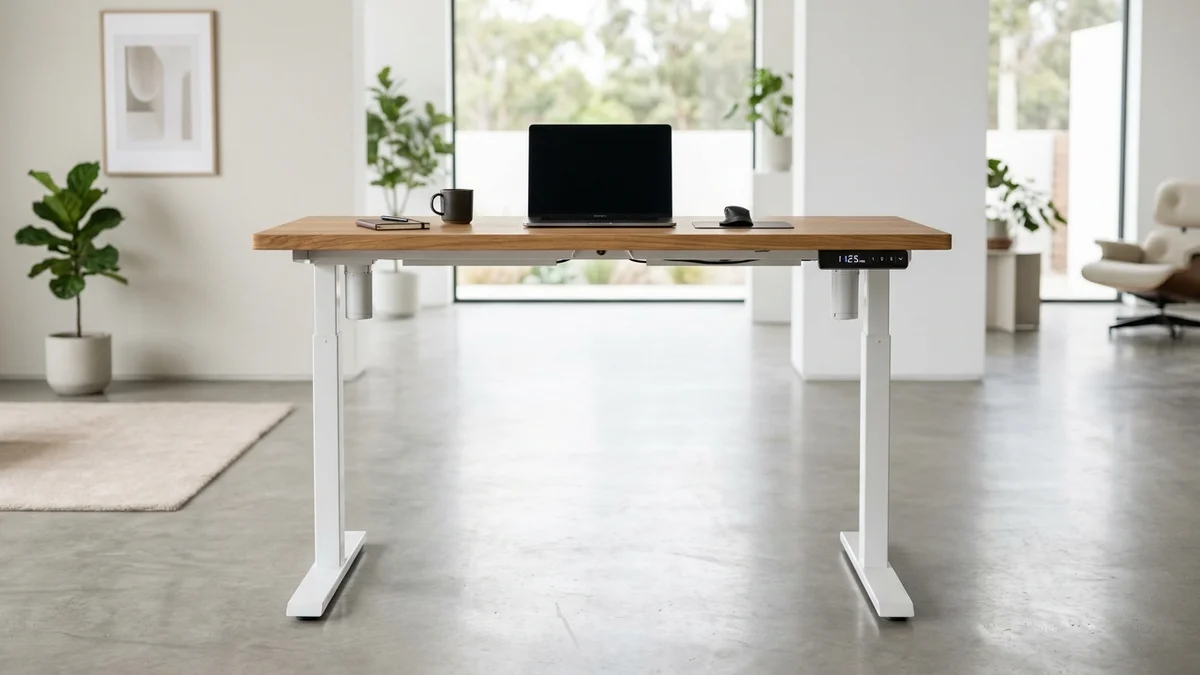
Category Shortlist Criteria
Filters models by published lift capacity, height adjustment span, warranty coverage, and documented owner friction. Methodology →
Last Spec & Pricing Audit
. Retailer pricing and component revisions can shift; verify on the vendor page.
Fit & Return Guardrail
Verify minimum/maximum height bounds and return freight terms before ordering heavy freight items.
Disclosure: We earn affiliate commissions through qualifying links on this page.
An electric standing desk alters posture instantly. Drivetrain engineering separates entry level frames from heavy duty workstations.
Here are the top electric models for 2026, ranking the best standing desk for home office workstations.
For manual versus electric comparisons, review our comprehensive sit stand desk overview.
Quick Verdict: Our Top Picks at a Glance
Short on time? Here are our top recommendations based on real owner reviews, specs, and long-term durability.
FlexiSpot E7
Dual DC motors, 22.8" to 48.4"
FlexiSpot E2
Single motor, 28.1" to 45.6"
UPLIFT V3
Dual DC motors, 22.6" to 48.7"
Buying for a corporate stipend, remote team, or LLC? Check bulk & tax-exempt pricing on Amazon Business →
Electric Standing Desk: Quick Verdict on Motor Drivetrains
Dual synchronized DC motors provide essential frame rigidity, preventing screen flutter above 40 inches.
| Product Brand & SKU | Price Range | Drivetrain & Lift Limits | Award | Direct Action |
|---|---|---|---|---|
| FlexiSpot E7 | From ~$399 (Frame) | Dual DC motors, 22.8" to 48.4" | 🏆 Best Overall | FlexiSpot Direct | Amazon |
| FlexiSpot E2 | From ~$199 (Entry Frame) | Single motor, 28.1" to 45.6" | 💰 Best Value | FlexiSpot Direct | Amazon |
| UPLIFT V3 | From ~$599 (Base Top) | Dual DC motors, 22.6" to 48.7" | ⭐ Runner Up | UPLIFT Direct | Amazon |
Single Motor vs Dual Motor: Why Drivetrain Architecture Dictates Stability
single motor frames transfer rotation through a drive spindle, whereas dual motor systems power each leg independently.
In our FlexiSpot E7 vs UPLIFT V2 testing, dual synchronized motors proved essential for eliminating racking.
Mechanical play across hex couplers induces torsional lag and visible wobble above 40 inches.
dual motor frames house independent DC motors inside each column, synchronized electronically by a central micro-controller.
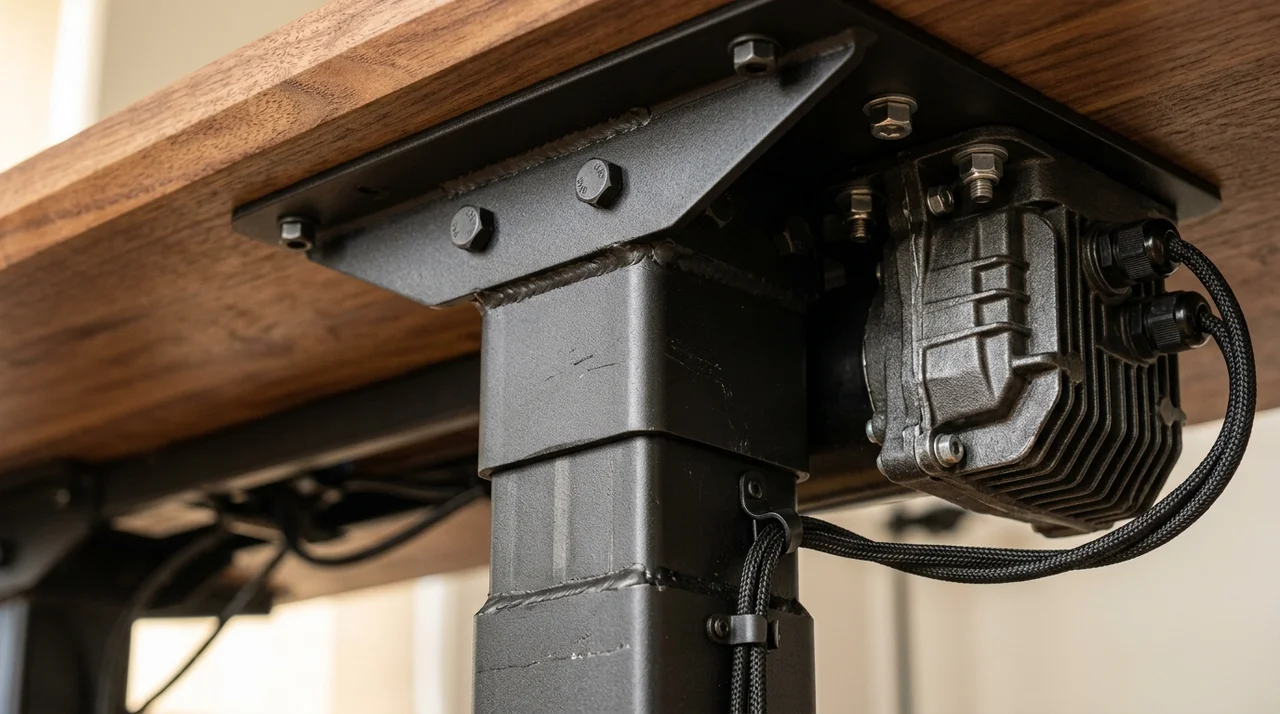
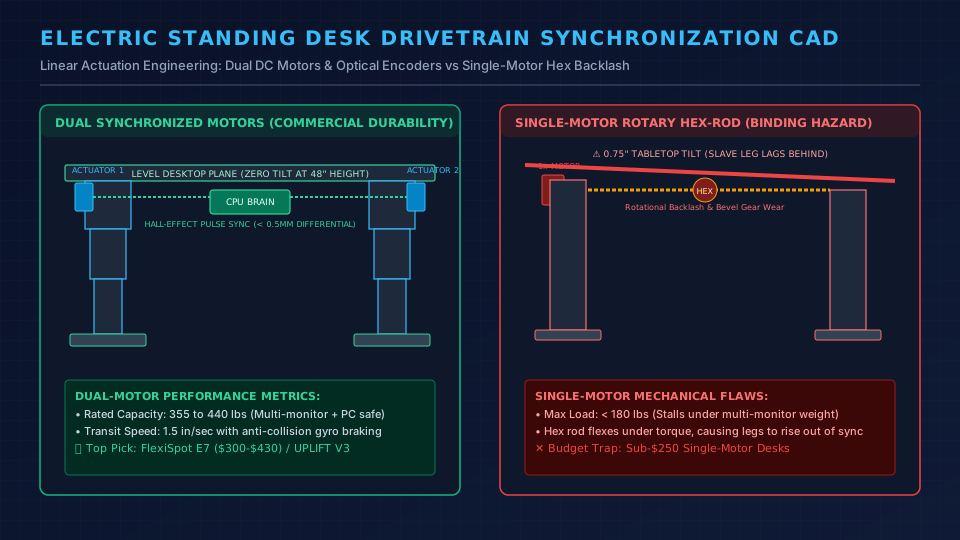
Dual motors deliver faster speeds, quieter acoustics, and solid balance for multi monitor workstations.
Dual motors are mandatory for setups with monitor arms or audio gear.
Standing Desk Price Tiers Compared
| Model SKU | Price Tier | Motor Type | Weight Limit | Height Range | Frame Warranty |
|---|---|---|---|---|---|
| FlexiSpot E2 | From ~$199 | Single motor | 187 lbs | 28.1" to 45.6" | 5 years |
| FlexiSpot E7 | From ~$399 | Dual motor | 355 lbs | 22.8" to 48.4" | 15 years |
| FlexiSpot E7 Pro | From ~$499 | Dual motor | 440 lbs | 25.0" to 50.6" | 15 years |
| UPLIFT V3 | From ~$599 | Dual motor | 355 lbs | 22.6" to 48.7" | 15 years |
Stepping from $199 to $399 represents the most impactful value upgrade in office ergonomics.
The FlexiSpot E7 provides dual motors, 355 lb capacity, and 15 year warranty protection.
FlexiSpot E7: Best Overall Value for Home Workstations
Our FlexiSpot E7 review showcases this sweet spot in motorized engineering.
Dual DC motors push 355 pounds effortlessly under 50 decibels.
Its 22.8 inch minimum height allows shorter users to sit without footrests.
Four memory presets store seated and standing heights reliably.
Carbon steel columns eliminate front to back monitor bounce during typing.
real world Drawbacks: What Sucks About the FlexiSpot E7
The base controller lacks sensitive gyro anti collision.
Lowering surfaces near low cabinets requires visual attention.
Cable management under the frame remains spartan.
Routing multi monitor wiring cleanly requires aftermarket adhesive ties.
Who Should Skip the FlexiSpot E7
Skip the E7 if you measure over 6'3".
Check the difference between FlexiSpot E7 and E7 Pro for extra vertical clearance.
Primary merchant link routes directly to official store discounts. Explore Configuration Options / Check Pricing on Amazon
FlexiSpot E2: Best entry level Budget Pick Under $250
The FlexiSpot E2 delivers motorized height adjustment at an accessible entry price point.
Its single motor operates quietly for basic daily routines.
Its 187 pound capacity handles lightweight laptop setups comfortably.
A digital keypad includes three memory presets for routine height adjustments.
real world Drawbacks: What Sucks About the FlexiSpot E2
The 28.1 inch minimum height is too tall for workers under 5'4".
This baseline forces shoulder elevation during seated typing sessions.
Above 42 inches, single-shaft hex coupling exhibits monitor wobble under keystrokes.
Who Should Skip the FlexiSpot E2
Skip the E2 if you mount dual 27 inch displays or heavy clamp arms.
Read our FlexiSpot E5 review for budget dual motor stability benchmarks.
Primary merchant link routes directly to official store discounts. Explore Configuration Options / Check Pricing on Amazon
Recommended Ergonomic Accessories & Hardware Specs
High-impact accessories verified by our research team to protect your cables and joints.
VIVO Under-Desk Cable Tray
Keeps power strips and heavy adapters off the floor so cables never yank when elevating.
ComfiLife Gel Anti-Fatigue Mat
High-density core reduces heel strike and lower back compression when standing 3+ hours.
VELCRO Brand ONE-WRAP (100pk)
Pre-cut reusable straps that easily unwrap for cord re-routing without scissors.
Soundance Laptop Stand
Elevates laptop screen 6 inches to eye level, preventing forward neck slouch.
FlexiSpot E7 Pro: Best heavy duty Workstation for Tall Users
The FlexiSpot E7 Pro expands on the E7 frame with thicker 3 stage columns.
An inverted C frame geometry maximizes under desk knee room and leg movement.
Its upgraded dual motors lift up to 440 pounds cleanly.
This capacity provides ample headroom for butcher block tops and triple-screen mounts.
The top elevation extends to 50.6 inches smoothly.
This ceiling gives tall professionals over 6'2" an uncompromised standing elbow plane.
real world Drawbacks: What Sucks About the FlexiSpot E7 Pro
The 25.0 inch minimum seated height sits two inches higher than the standard E7.
This baseline makes it ill-suited for typists under 5'4".
The heavy steel frame weighs over 70 pounds, complicating solo home assembly.
Who Should Skip the FlexiSpot E7 Pro
Skip the E7 Pro if your height is under 5'4" or if your desk holds one compact screen.
Primary merchant link routes directly to official store discounts. Explore Configuration Options / Check Pricing on Amazon
UPLIFT V3: Premium Commercial Benchmark & Customization
The UPLIFT V3 delivers commercial performance with solid timber tops and modular rail accessories.
Check the UPLIFT Black Friday pricing tier for seasonal hardware discounts and bundled accessories.
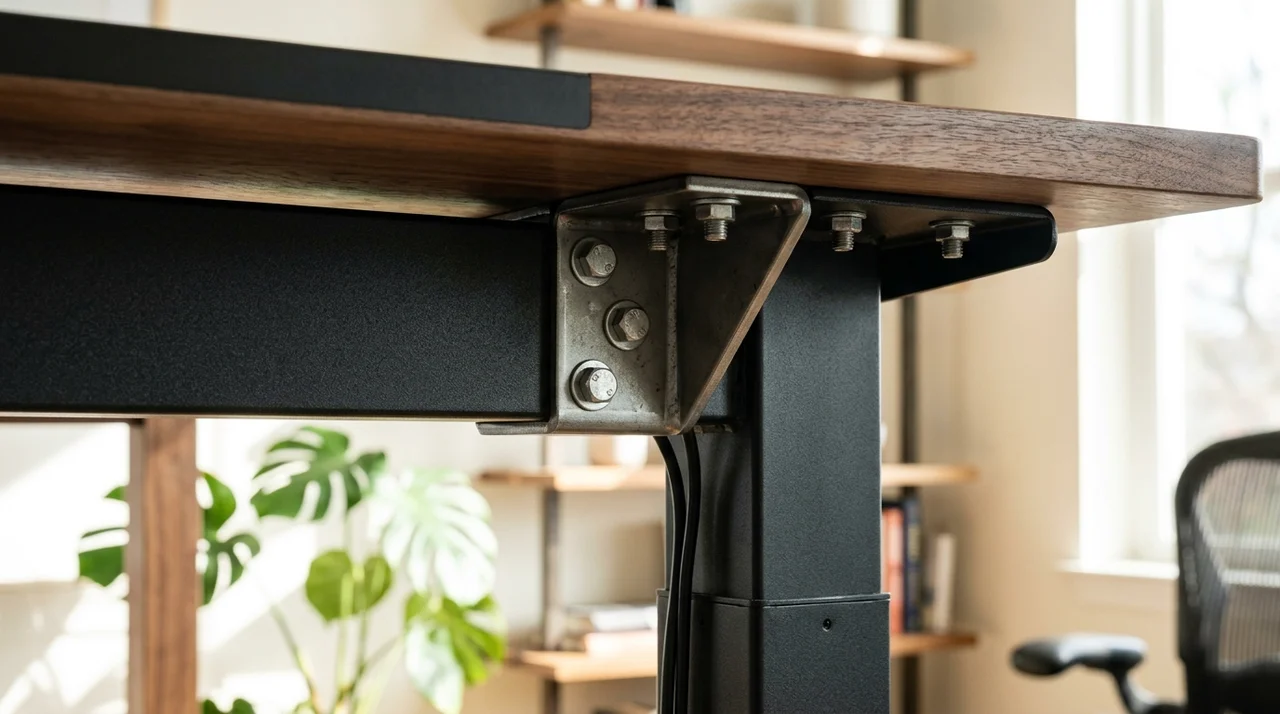
Dual synchronized motors lift 355 pounds across a 22.6 to 48.7 inch travel envelope.
Steel stability wedges eliminate column joint play while underframe rails mount cable channels cleanly.
real world Drawbacks: What Sucks About the UPLIFT V3
Base pricing starts near $600 and surpasses $1,000 once solid hardwood finishes are selected.
Lead times for custom surfaces stretch into several weeks during high demand.
Who Should Skip the UPLIFT V3
Skip the UPLIFT V3 if you seek straightforward budget utility without paying for executive timber selections.
For additional motorized comparisons, inspect our flexispot-vs-uplift-standing-desk benchmark.
Primary merchant link routes directly to official store discounts. Explore Configuration Options / Check Pricing on Amazon
How to Match Height Range to Body Ergonomics
Selecting an electric standing desk requires verifying that frame travel aligns with body proportions.
You can calculate your personalized sit-stand target elevations using our standing desk height calculator.
Seated elbow height dictates keyboard level while resting.
Standing elbow height defines your active typing plane.
Use this height reference to evaluate frame travel limits:
5'0" to 5'3": Seated elbow 22" to 24", standing 38" to 40" (requires 22.8" low elevation like the E7).
5'4" to 6'1": Seated elbow 25" to 29", standing 41" to 46" (compatible with all standard dual motor desks).
6'2" and taller: Seated elbow 30"+, standing 47" to 50"+ (requires 50.6" extension like the E7 Pro).
Review our standing desk posture guide to calibrate monitor height accurately.
Shoppers with tight room layouts can also explore our compact standing desk guide.
real world Limitations and Who Should Skip
Motorized standing desks provide excellent postural variety during demanding workdays.
A glass top standing desk carries distinct mounting limits compared to wood frames.
On plush carpet, two leg standing desks exhibit slight monitor oscillation above 44 inches.
Heavy typists should choose a four leg commercial frame instead.
Motorized frames also require grounded power access to avoid trailing cord tripping hazards.
If you own a solid wood desk, consider a standing desk converter.
Competitor Testing Blindspots: The Hex Shaft Backlash Flaw
Mainstream review outlets frequently recommend single motor desks as budget champions during brief laptop trials.
single motor drivetrains transfer rotation through a hexagonal connecting rod with stamped couplers.
Under asymmetric loads like offset dual monitor arms, rotational torque creates mechanical backlash across the hex rod.
The non-driven leg lags behind by up to 4.5 millimeters during elevation.
Over time, this tilt wears glide bushings and triggers lateral wobble.
We inspect motorized desks for dual Hall-effect pulse synchronization regulating leg elevation electronically.
Frequently Asked Questions (FAQ)
What is the advantage of a dual motor standing desk over a single motor?
dual motor desks house dedicated motors in each column, eliminating hex rod backlash.
This setup delivers faster lift speeds, higher weight capacity, and greater stability under multi monitor loads.
How long do electric standing desk motors typically last?
Commercial dual motor mechanisms endure 10 to 15 years of daily operation.
FlexiSpot E7 series and UPLIFT V3 back their drivetrains with 15 year manufacturer warranties.
Can an electric standing desk support dual heavy monitors?
Yes, provided frame capacity exceeds total tabletop and mount weight.
dual motor desks rated for 355+ lbs handle dual 27 inch displays with zero strain.
What minimum height is needed for users under 5'4"?
Users under 5'4" need a seated desk height of 22 to 24 inches for neutral elbow alignment.
The FlexiSpot E7 (22.8") and UPLIFT V3 (22.6") fit petite typists properly.
Do electric standing desks consume electricity when idle?
Modern electric desks consume under 0.2 watts in standby mode.
Power draw rises only during adjustment, adding negligible cost to electric bills.
Tactical Buying Directive
For most home office typists, the FlexiSpot E7 at From ~$399 remains the definitive dual motor choice.
For shoppers on a strict sub-$250 budget with a single laptop, the FlexiSpot E2 provides motorized utility.
Tall professionals over 6'2" or multi monitor power users should choose the FlexiSpot E7 Pro for its 50.6 inch ceiling.
If you desire custom solid wood tops and integrated accessory rails, invest in the UPLIFT V3.
Calculate Your Exact Desk & Chair Height
Slide to your height to see ANSI/BIFMA recommended standing and sitting presets.

Written by M. Haris
✓ References ANSI/BIFMA G1-2017 GuidanceFounder & Lead Workstation Ergonomics Researcher • Spec Auditing & Biomechanical Research
M. Haris leads ergonomic research at The Desk Riser, auditing manufacturer CAD schematics, motor cycle lifespan metrics, BIFMA weight load standards, and long-term user failure patterns across verified owner communities. Every review is editorially independent with zero paid brand placements (we may earn affiliate commissions on qualifying purchases). Have questions or spot a warranty update? Email directly at support@thedeskriser.com, read the Author Dossier, or explore our Editorial Research Methodology.
Share this article:
Workstation Setup & Fit Q&A
Have questions about frame deflection, monitor arm clamp loads, or chair sizing? Consult our research team.
Q:How do I know if this standing desk will wobble on thick carpet?
Standing desk wobble on carpet is caused by uneven carpet pile compression under the rear footpads. Frames with wedge-reinforced leg collars and wide steel footplates (like UPLIFT V3 or FlexiSpot E7 Pro) minimize lateral flex. If placing on plush carpet, use rigid caster cups or a dense underlay to anchor the base directly to the subfloor.
Q:Can I clamp a dual monitor arm onto standard particleboard tops?
Dual monitor arms concentrate 25 to 45 lbs of dynamic torque onto a 4-inch clamp perimeter. Hollow honeycomb tops (such as IKEA Linnmon) will crush. We recommend a minimum 0.75-inch solid core (MDF, solid bamboo, or hardwood), or sandwiching a steel reinforcement bracket plate (min 2.5mm thickness) between the clamp and desktop.
Q:What if my chair cylinder sinks or feels too high for my feet?
Always verify your seated popliteal height (crease behind knee to floor with shoes). If a chair will not drop below 17 inches and your feet dangle, pair it with an angled footrest or switch to a low-range Class 4 cylinder. If a cylinder loses pressure and sinks on its own, the internal nitrogen seal is breached and requires cylinder replacement.
Ask Our Ergonomic Spec Reviewers
Planning an upgrade or unsure if your monitors and stature fit this configuration? Send your dimensions directly to our research desk. No accounts, no trackers, zero marketing spam.