Sit-Stand Desk 2026: Types, Best Picks, and What to Buy
Published 2026-08-04

How we researched
We compare current specs, warranty terms, buyer complaints, and long-term owner patterns. No fake hands-on claims.
Last price/spec check
2026-08-04. Prices move, so use the retailer page as the final source.
Who should skip this
Skip anything that does not fit your body, room, budget, or return-window comfort level.
Disclosure: We earn a commission if you buy through links on this page, at no extra cost to you.
Before picking a sit-stand desk, you need to know something most buyers discover too late: there are three completely different products that all get called a "sit-stand desk," and they're not interchangeable. A $99 desk converter and a $599 electric height-adjustable desk are both technically sit-stand setups. Buying the wrong category is a $100 to $400 mistake that's frustrating to fix.
Here's what you actually need to know before spending anything.
What "Sit-Stand Desk" Actually Means
The term is functional, not a product category. It describes any desk that lets you alternate between sitting and standing positions throughout the day. The research behind this is solid: staying in one position for hours (sitting OR standing) causes more physical wear than changing positions regularly. The 20-8-2 rule, which is covered in more detail in our 20-8-2 rule guide, is the current standard recommendation for how often to switch.
What the term doesn't tell you is how the height adjustment actually works. That matters a lot for how you'll use the desk and whether you'll actually stick with the habit.
The Three Types of Sit-Stand Desks
Electric Height-Adjustable Desks
This is what most people mean when they say "standing desk." The desk frame has built-in electric motors that raise and lower the legs at the press of a button. You press one button from sitting height to standing height. No cranking, no manual effort.
The good: effortless transitions make you far more likely to actually alternate throughout the day. Most have programmable memory presets so you're not guessing at heights. Dual-motor models (which most quality desks use) are stable enough to hold monitors, laptops, and accessories without wobble.
The catch: price. A quality electric standing desk starts around $300 for the frame alone, $430 to $600 for a complete desk. And the cheapest electric desks (under $200) often have single motors, limited weight capacity, and poor customer support when something goes wrong.
This is the category most of this article covers, because it's what most buyers actually need.
Manual Crank Desks
Manual crank desks raise and lower via a hand crank, usually mounted on the side of the frame. No electricity required, which makes them cheaper and simpler mechanically.
The reality: nobody cranks their desk. The friction of reaching for the handle, counting the rotations, and getting the height right is enough of a barrier that most owners stop using it as a sit-stand desk within weeks. They just leave it at one height.
Manual desks make sense for very specific use cases: off-grid setups (barns, workshops, campers), spaces without accessible outlets, or setups where you only need to adjust height occasionally (like sharing a desk between a tall and short person who switch once per day, not hourly).
For everyday sit-stand alternation? They don't work in practice. Buy electric.
Desk Converters (Sit-Stand Risers)
A desk converter sits on top of your existing desk and raises a section of the surface to standing height. You keep your current desk; the converter adds the height adjustment. They start around $100 to $150 for basic single-level models and go up to $400 to $500 for dual-level designs with a separate keyboard tray.
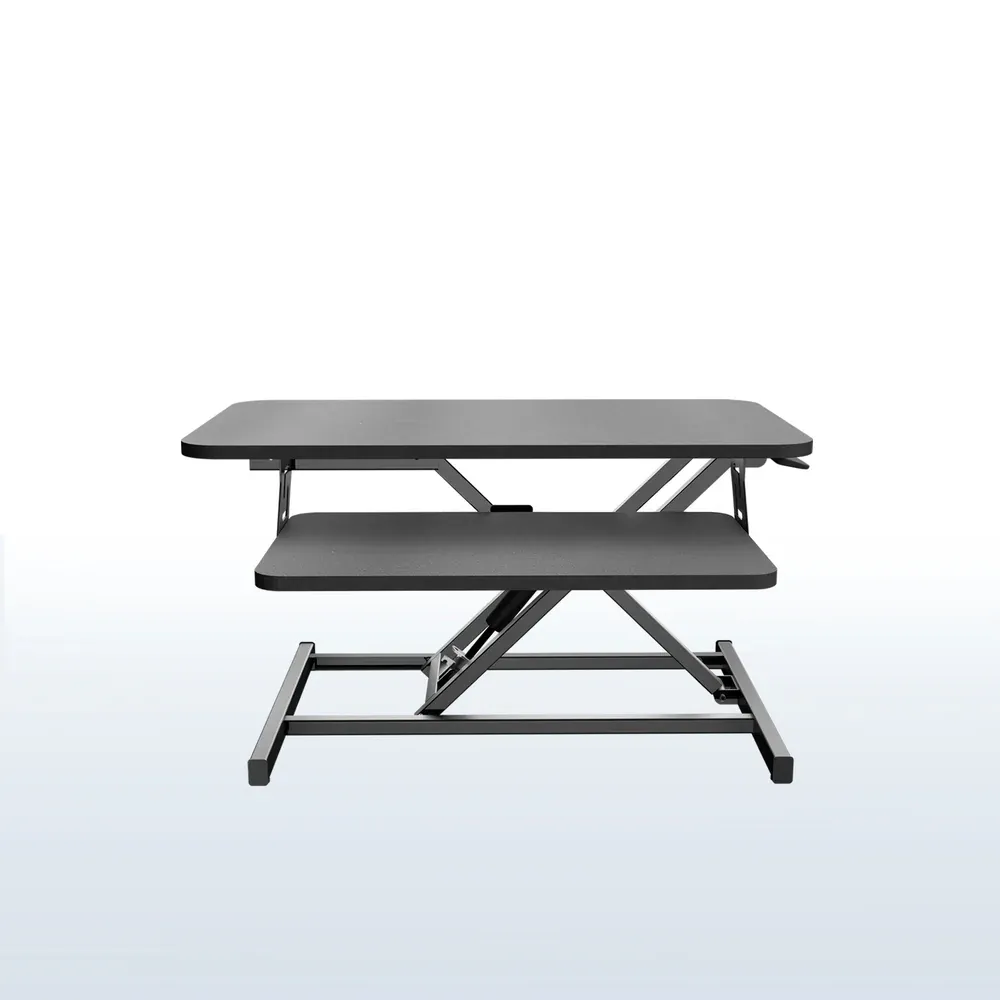
When converters make sense: you rent your space and can't bring in new furniture, you can't justify replacing a desk you already own, or you need a standing option in a shared workspace with limited square footage.
What they give up: standing depth. Most converters have a narrower work surface when raised. They also raise your monitor position and move the keyboard up simultaneously, which can create ergonomic issues if your monitor height then puts your screen too high. And the cheaper models wobble.
If you're going to use a converter, go for a dual-level design (separate keyboard tray below, monitor surface above) and spend at least $150 to $200. The $99 all-in-one units cause neck and wrist problems over time.
What to Look For Before You Buy
Height Range
The BIFMA standard range for sitting desks is 22.6" to 48.7". Most quality electric desks hit this or close to it.
If you're under 5'4" or over 6'3", check your specific required standing height against the desk's max before ordering.
Don't assume one size fits everyone.
For sitting height, most adults need 26" to 30". For standing, it's elbow height minus keyboard thickness, typically 38" to 44" for people in the 5'4" to 6'2" range.
Stability and Wobble
Both desks in this comparison are stable for normal setups. Where wobble becomes a real issue is heavy triple-monitor workstations at maximum height. If you're running two or three large monitors on arms plus accessories, test with weights before assuming any desk will be perfectly solid.
The fix many people don't know about: a quality monitor arm (instead of monitor stands that sit on the desk surface) lowers the center of gravity and significantly reduces wobble on any desk.
Motor Quality and Noise Level
Dual-motor desks are more stable and quieter than single-motor. Stay away from single-motor desks under any branding. Noise level under 50 decibels (the level of a normal conversation) is reasonable; under 45dB is quiet enough that you won't interrupt calls.
Weight Capacity and Surface Size
Be honest about what you'll put on the desk. An average monitor arm holds 5 to 9 kg. A second monitor adds another 5 to 9 kg.
A computer, keyboard, accessories, coffee cup: another 5 to 10 kg. Most quality desks are rated for 100 to 160 kg capacity, which is more than enough. Cheap desks rated at 50 to 70 kg leave less margin for error.
For surface size: 48" wide is the minimum for comfortable dual monitor use. 60" is better. 72" is generous. Don't sacrifice width to save money on the desk.
Best Sit-Stand Desks 2026
Here's how the top options compare at a glance:
| FlexiSpot E7 | FlexiSpot E7 Pro | UPLIFT V3 | |
|---|---|---|---|
| Price (frame) | ~$300 | ~$400 | from $469 |
| Price (complete) | from ~$430 | from ~$530 | from $599 |
| Height range | 22.8" to 48.4" | 22.8" to 48.4" | 22.6" to 48.7" |
| Weight capacity | 355 lbs | 355 lbs | 355 lbs |
| Motors | Dual | Dual | Dual |
| Noise | ~50dB | ~50dB | <48dB |
| Warranty | 15yr frame/5yr motor | 15yr frame/5yr motor | 15yr comprehensive |
| Desktop options | Laminate, bamboo | Laminate, bamboo | 30+ options |
| Customer service | Mixed | Mixed | Industry-leading |
| Free accessories | None | None | 5 included |
Best Value: FlexiSpot E7
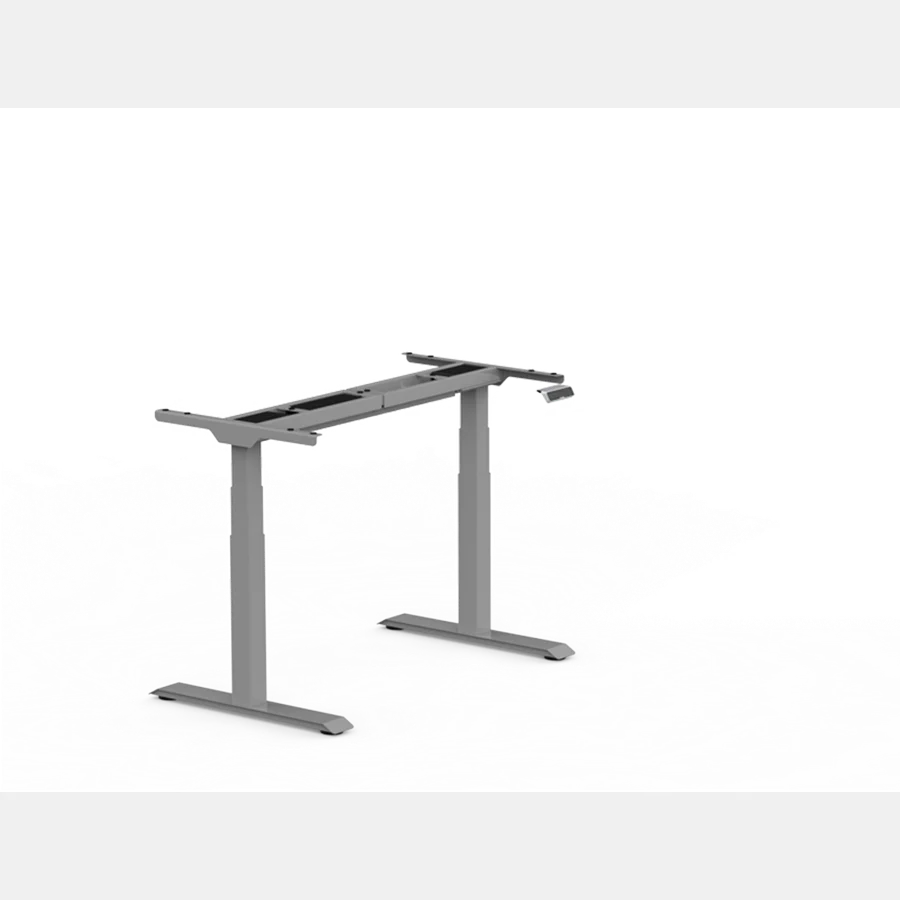
The E7 is the answer to the question "what's the best sit-stand desk that isn't overpriced?" It runs dual motors, has a 355 lbs weight capacity, a 15-year frame warranty, and a 22.8" to 48.4" height range.
Those specs cover 95% of adults and 95% of standard workstation setups.
The price of ~$300 for the frame (often lower during FlexiSpot's frequent promotions) is genuinely hard to argue with for what you get. Complete desk with laminate top lands around $430 to $500 depending on size and sales timing.
The honest weak spots: the laminate surface scratches faster than it should. Customer support is inconsistent. And the frame-only pricing means you need to source your own top if you want something better than the stock laminate.
That last point is actually a feature if you know the workaround: pair the E7 frame with an IKEA KARLBY butcher block top (~$150 to $200) and you get a complete sit-stand desk that looks and feels premium for $450 to $550 total. It's one of the best value combinations in this category. Read our FlexiSpot E7 review for the full breakdown on specs and real-world performance.
Who it's for: Budget-conscious buyers who want quality without overpaying, people comfortable sourcing their own desktop, anyone building their first sit-stand setup.
Who should skip: If consistent customer service matters, or if you want real wood desktop options from one company with a unified warranty, spend more on UPLIFT.
Best Mid-Range: FlexiSpot E7 Pro
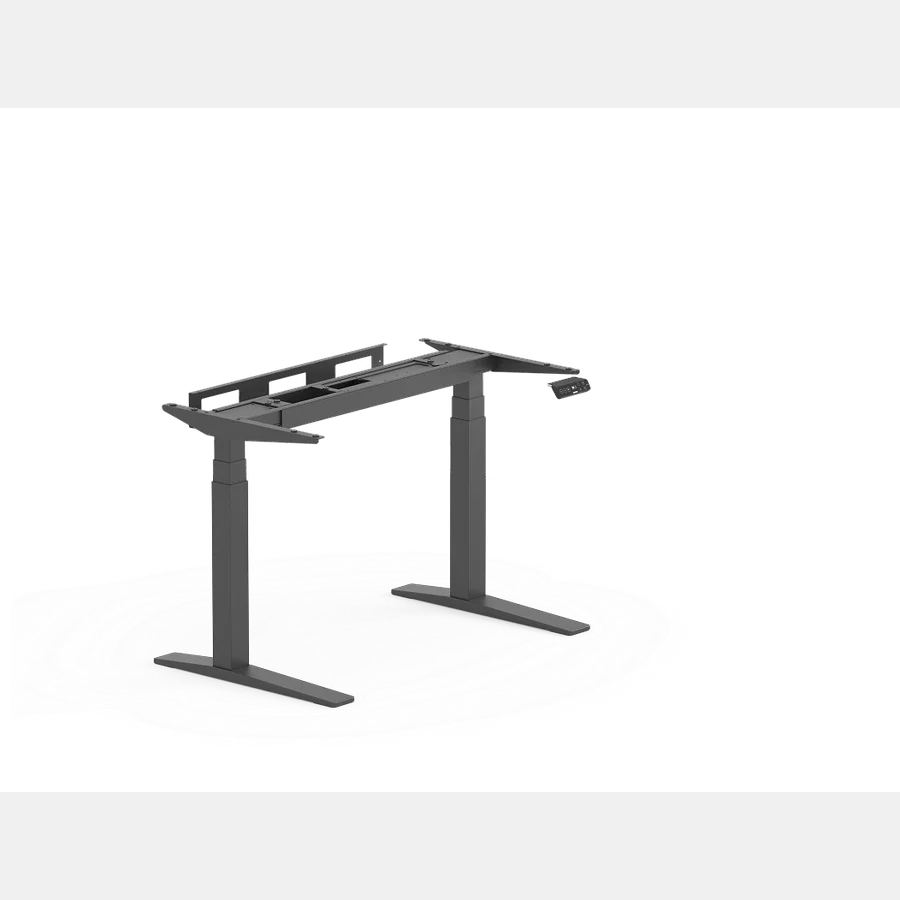
The E7 Pro adds a few specific upgrades over the standard E7: a more refined keypad controller with USB-A and USB-C ports, improved stability at the top of the height range, and a slightly more polished frame build. Same core specs otherwise. Same 355 lbs capacity, same dual motors, same height range.
At ~$400 for the frame (vs ~$300 for E7), you're paying roughly $100 for those refinements. The USB ports on the controller are useful if you're constantly plugging in devices at the desk without wanting to reach around to your computer.
Is the upgrade worth it? For most people, no. The E7 handles the day-to-day sit-stand use case just as well. The E7 Pro makes more sense if you're putting together a clean, cable-managed workstation and want the built-in USB hub to reduce clutter.
Who it's for: People who want the E7's value but want the USB-equipped controller and slightly tighter build quality.
Who should skip: If you already have a USB hub or don't need that feature, save $100 and get the standard E7.
Best Premium: UPLIFT V3
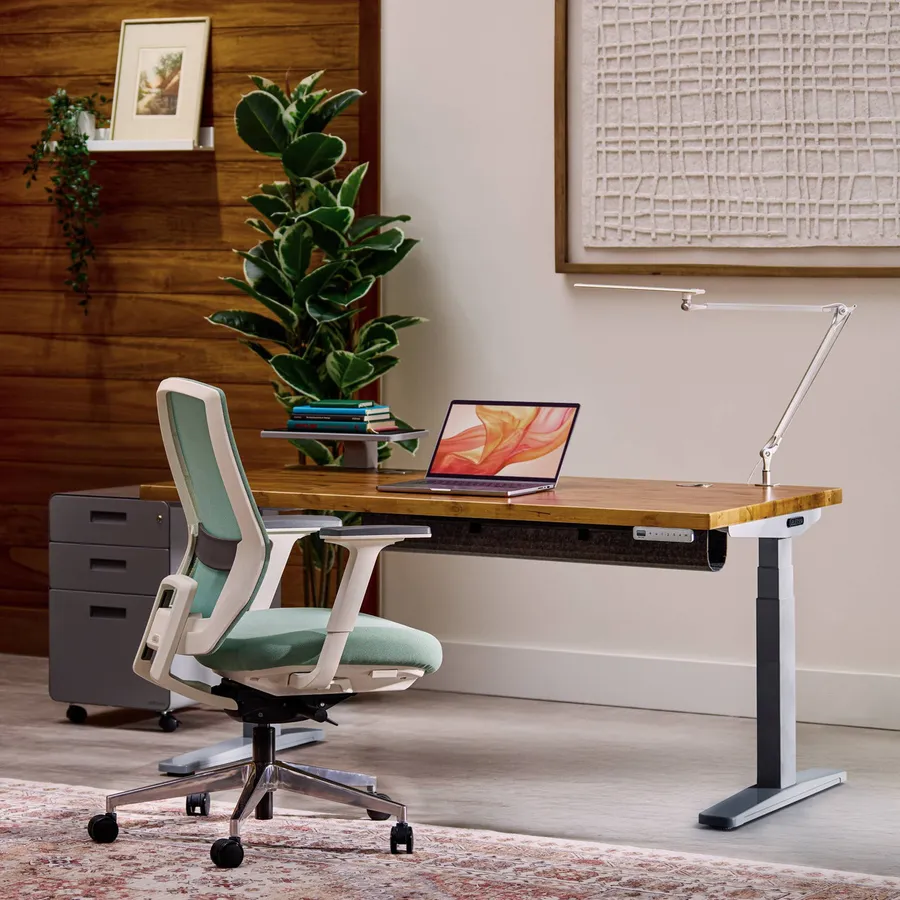
UPLIFT's V3 is what you buy when you're done shopping. Wirecutter has named it the best standing desk every year from 2018 to 2026. That's 8 consecutive annual retests, and the recommendation has held each time. That's not PR.
That's documented testing.
The real advantages over FlexiSpot: 30-plus desktop options (including solid wood, bamboo, butcher block, and live edge slabs), a 15-year comprehensive warranty covering everything, industry-leading customer service, and the V3's I-beam crossbar design that reduces side-to-side wobble on heavy setups.
Starting at $599 for a complete desk (frame plus top), it's $100 to $150 more than a comparable E7 setup after accounting for the 5 free accessories UPLIFT includes. That gap is smaller than the sticker prices suggest.
The honest limitation: if you're already planning to source your own IKEA top for the E7, you're likely making a rational cost decision, not compromising on quality. The E7 frame is solid. The upgrade cost is real. Whether $100 to $150 more is worth it depends on how long you're keeping this desk and how much you value the support and warranty peace of mind.
Who it's for: Permanent home office builders who want one desk for a decade, heavy triple-monitor setups, anyone who wants premium desktop materials without managing two separate orders.
Who should skip: Budget buyers, anyone who's fine sourcing their own top, people who can put $150 to better use elsewhere in their setup.
Common Mistakes First-Time Buyers Make
Standing all day instead of alternating. The health benefits come from movement, not standing. Replacing 8 hours of sitting with 8 hours of standing trades one problem for another.
Your feet, knees, and lower back will let you know. Start with 20 to 30 minutes of standing per hour and work up from there. Our standing desk time guide covers this in detail.
Skipping an anti-fatigue mat. Standing on a hard floor without cushioning causes fatigue faster than the desk setup itself. Most people who say standing desks "don't help" are standing on bare hardwood or tile. A decent anti-fatigue mat ($50 to $100) changes the equation noticeably.
Buying a converter when the real problem is the desk itself. If your existing desk is too high, too small, or poorly positioned, a converter adds height adjustment but doesn't fix the underlying problem. Sometimes replacing the desk is the right call.
Underestimating total cost. Frame prices look attractive until you add a desktop, a monitor arm to reduce wobble, a cable management tray, and an anti-fatigue mat. A $300 E7 frame can easily become a $600 complete setup. Budget for the full cost upfront.
Buying the cheapest electric option. Single-motor desks under $200 are built to a price, not a standard. They wobble, they're loud, and support is often non-existent. The $100 saved upfront isn't worth the frustration.
Is a Sit-Stand Desk Worth the Price?
For most desk workers spending 6 or more hours a day at a desk: yes. The consistent evidence from ergonomics research shows that position variety throughout the day reduces back pain, fatigue, and the cumulative wear from sustained static posture. The sit-stand setup removes the friction from changing positions, which is why it works where self-discipline alone doesn't.
What it won't do: fix a bad chair, compensate for screens at the wrong height, or replace exercise. It's one piece of a good ergonomic setup, not the whole thing.
If you spend less than 4 hours a day at a desk, the math gets harder to justify. A good chair and occasional standing breaks might be enough without the investment.
FAQ
What's the difference between a sit-stand desk and a standing desk?
The terms are often used interchangeably. Technically, "sit-stand desk" emphasizes the alternating use between sitting and standing positions throughout the day. "Standing desk" sometimes refers to a fixed-height tall desk used exclusively while standing. In practice, almost everyone uses electric height-adjustable desks in a sit-stand pattern, so the terms mean the same thing in most contexts.
How long does it take to adjust to a sit-stand desk?
Most people feel comfortable with the routine within 2 to 3 weeks. The first week involves figuring out your preferred heights and intervals. By week two, alternating positions becomes automatic.
The common mistake is trying to stand too long early on, which causes foot and knee fatigue and puts people off the habit. Start with 15 to 20 minutes of standing per hour.
What weight capacity do I need for a sit-stand desk?
For a typical dual-monitor setup (two 27" monitors, a monitor arm, keyboard, accessories): roughly 20 to 30 lbs of gear. Most quality electric desks have 150 to 355 lbs capacity. Unless you're running an extreme multi-monitor production setup, any 275+ lbs capacity desk handles real-world use easily. The capacity rating that matters is whether the desk stays stable under load at standing height, not just static holding capacity.
Is a desk converter as good as a full sit-stand desk?
For people who already have a good desk and need a low-cost path to alternating positions, a quality converter (dual-level, $150+) is a legitimate option. For most people buying new, a full electric desk is better. Converters reduce desk surface depth when raised, can create ergonomic problems if monitor height doesn't match screen height, and require a good existing desk to sit on top of.
How much should I spend on a sit-stand desk?
For a complete, quality sit-stand setup: $430 to $600. Below $300 for a complete desk, the compromises are significant (motor quality, surface quality, stability, support). The FlexiSpot E7 at ~$430 complete is the lowest price point where most of those compromises go away. If you have $600 or more, UPLIFT V3 is the upgrade worth considering.
Do I need an anti-fatigue mat?
Yes. Standing on a hard floor for 30-minute intervals causes fatigue that the desk itself doesn't fix. An anti-fatigue mat ($50 to $100) is a small cost relative to the desk and makes a measurable difference in how long you can comfortably stand. Don't skip it and then blame the desk.
Bottom Line
If you're buying your first sit-stand desk, the FlexiSpot E7 is the right answer for most budgets. It covers the core use case well, has the specs to handle standard workstations, and costs $100 to $150 less than premium options without giving up the things that actually matter day to day.
If you're building a permanent home office and want to buy once: UPLIFT V3. Better support, better warranty, more desktop options, and 8 consecutive years of Wirecutter's top recommendation. Worth the premium when this is a 10-year decision.
And whatever you buy: get the anti-fatigue mat. Don't skip it.
For a broader comparison of the top electric desks across more price points, see our best standing desks for home office guide.
The Desk Riser Research Team
Standing Desk & Home Office Researchers
We research standing desks, ergonomic chairs, and home office gear by analyzing manufacturer specs, warranty terms, and real owner review patterns across thousands of purchases. No sponsored placements. No fake hands-on claims.
Share this article: