How to Secure a Computer Table on Uneven Floors

Secure a computer table on uneven floors, eliminate desk wobble, adjust leveling glides, and stabilize monitor shake on hardwood, tile, and sloped floors.
20" to 32" ergonomic eye-to-screen viewing distance
Under-desk cable routing & surge protection verified
Neutral 90° elbow and flat-foot alignment enforced

Fixed-Height Table Spec Scope
Filters models by frame steel gauge, under-desk knee clearance, typing deflection stability, and weight capacity. Methodology →
Last Spec & Pricing Audit
. Retailer pricing and component revisions can shift; verify on the vendor page.
Knee Clearance & Leveling Guardrail
Verify seated knee clearance height and frame weld stability before placing heavy desktop gear.
Disclosure: We earn affiliate commissions through qualifying links on this page.
You sit down to type, and your monitors swing while your coffee cup ripples. You lean forward, and the computer table rocks with an irritating clack.
A wobbly desk ruins focus fast.
When one foot hovers above a sagging floorboard, every keystroke shakes your screen. This issue is common in older homes, settled apartments, and rooms with wide tile grout.
Fixing a wobbly desk does not require new flooring. With leveling hardware, composite shims, and structural bracing, you can anchor your workstation motionless.
Once your surface sits level, learn how to make a computer table more ergonomic through perimeter posture adjustments.
How to Secure a Computer Table on Uneven Floors: Complete Leveling Protocol
To secure a computer table on uneven floors, identify whether movement is diagonal teetering or lateral racking.
For related workstation advice, read our guide to best home office setup under $1,000 (2026 budget guide).
Standard four-leg workstations featured in our roundup of the best minimalist computer tables rely on integrated M8 threaded glides to eliminate subfloor rocking.
Unscrew the hovering threaded glide until it contacts the floor, or insert interlocking rubber shims under unthreaded legs.
Step 1: Diagnose Floor Sag vs. Structural Desk Flex
Before buying hardware, identify where motion originates. Desk wobble stems from two distinct mechanical problems.
The first issue is subfloor irregularity. If the floor slopes or has localized low spots, one desk leg loses ground contact.
To confirm this, push down on opposite desktop corners alternately. If the desk teeters diagonally, you have an uneven floor.
The second issue is frame racking.
If all four feet rest flat but the top sways horizontally when pushed, the problem is loose joints or missing diagonal triangulation. Check frame bolts before blaming the floor.
Place a 24-inch torpedo level across your desktop, first front to back and then left to right. Note which corner sits lowest relative to the bubble to focus your leveling adjustments there.
Method 1: Adjust and Lock Threaded Leveling Glides
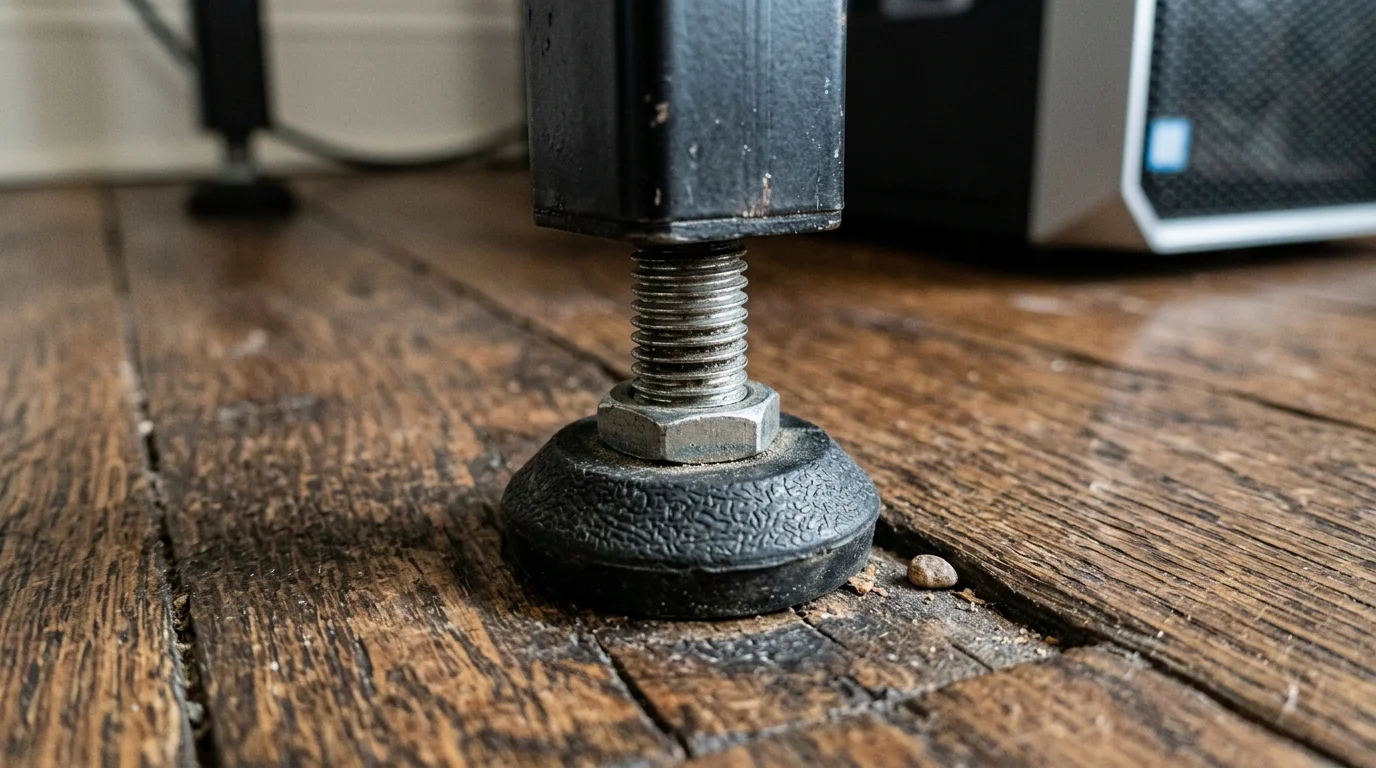
Most modern computer desks feature threaded leveling glides inside the base of each foot.
These screw-in glides provide the cleanest way to level a frame on uneven floors.
How to Adjust Glides Correctly
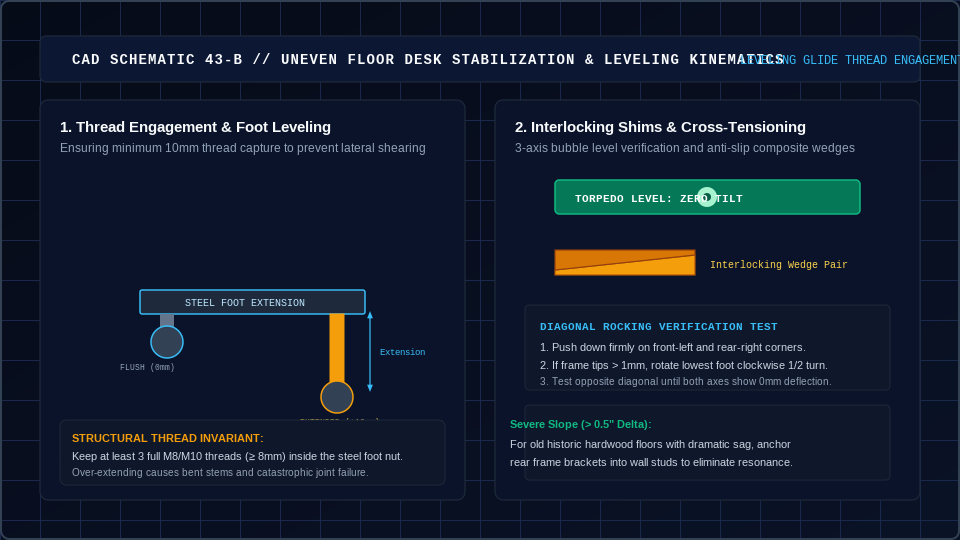
Screw all four leveling feet fully inward until flush against the desk legs to establish a baseline height.
Place a level on the desktop.
Identify the lowest corner and slowly rotate its leveling glide counterclockwise in half-turn increments until it makes firm floor contact and teetering stops. Check both axes, adjusting adjacent feet slightly if needed.
The Jam Nut Locking Trick
Budget desks use loose M8 or M10 stems that rotate inward under typing vibration, returning wobble quickly.
Upgrade to heavy duty adjustable leveling feet with steel stems and non marring swivel bases for permanent stability.
To prevent creep, thread a metal hex nut (a jam nut) onto the glide stem before screwing it into the leg.
Once the glide height eliminates wobble, spin the hex nut upward against the desk leg frame.
Tightening this jam nut with a wrench prevents the threaded stem from vibrating loose over time.
Method 2: Install Interlocking Composite Rubber Shims
When floors have dips exceeding one inch or legs lack threaded inserts, shims provide fast stabilization.
Avoid wooden shims or cardboard. Cardboard compresses within days, while wood splits along grain lines under lateral pressure.
Use interlocking rubber leveling shims instead. Thermoplastic ribs grip together without slipping, resisting compression under heavy workstation loads.
Slide the tapered shim under the floating foot until firm contact stops diagonal rocking, then trim excess material with a utility knife.
Method 3: Add a Mechanical Desk Stabilizer Crossbar
If your table sits level but sways horizontally while typing, you are experiencing structural lateral racking. Uneven floors worsen this sway because unlevel leg angles exert uneven shear on frame joints.
Adding a mechanical stabilizer crossbar eliminates flex by converting rectangular frames into rigid triangles.
Corner gusset brackets attach underneath the tabletop to stop outward leg flex. Tension cross braces connect opposite legs diagonally with turnbuckles, cutting lateral sway without blocking knee room.
Recommended ergonomic accessories and hardware specs
Workstation accessories selected to support healthy ergonomics, joints, and cable routing.
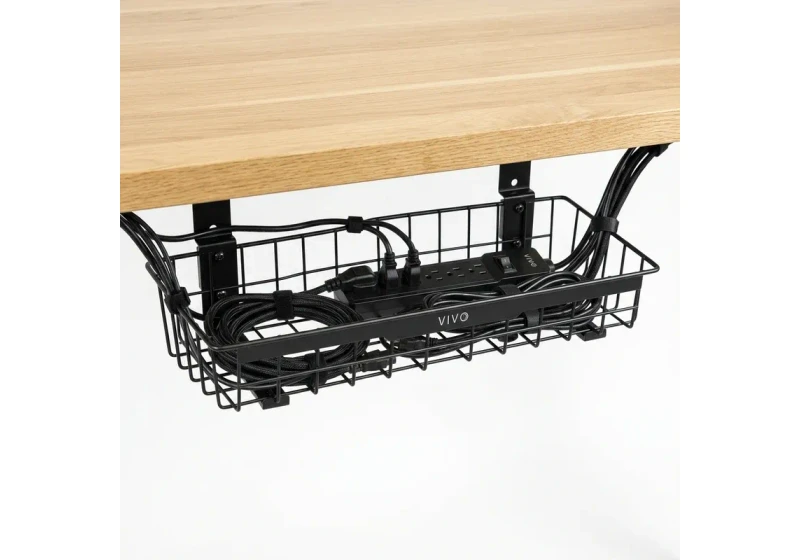
VIVO Under-Desk Cable Tray
Keeps power strips and heavy adapters off the floor, routing cords neatly beneath your desktop.
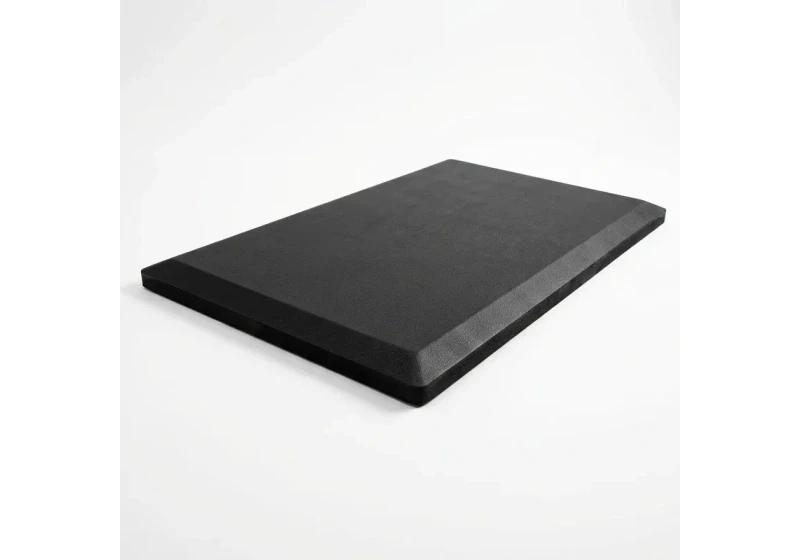
ComfiLife Gel Anti-Fatigue Mat
High-density core cushions heel strike and helps ease lower back compression when standing 3+ hours.
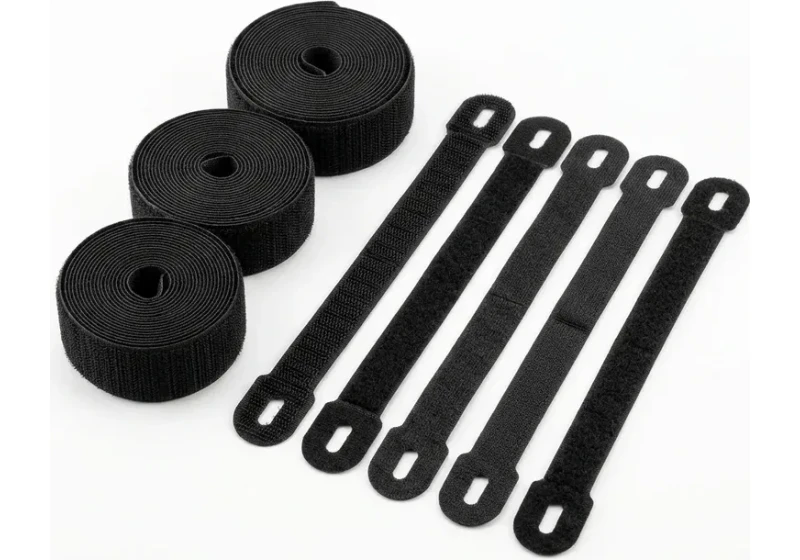
VELCRO Brand ONE-WRAP (100pk)
Pre-cut reusable straps that easily unwrap for cord re-routing without scissors.
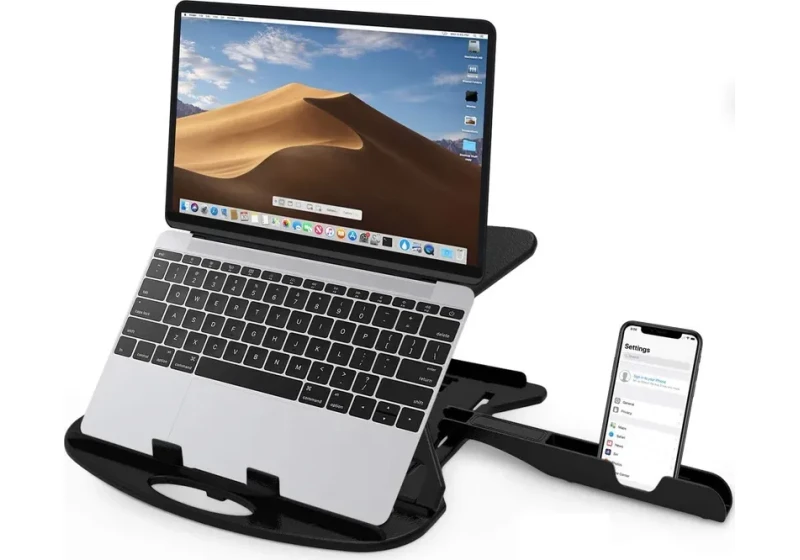
Soundance Laptop Stand
Raises laptop screen 6 inches to eye level, helping reduce forward neck slouch.
Method 4: Secure the Table with Anti-Tip Wall Anchors
In older buildings with sloped timber floors or bouncy joists, footsteps cause floorboards to deflect, shaking monitors violently.
Anchoring your desk to a structural wall isolates the frame from floor vibration completely.
Locate two wall studs behind your desk with a stud finder. Fasten steel L-brackets to studs with two inch screws, then secure horizontal flanges underneath the desktop.
In rental properties, heavy duty anti-tip straps provide solid stabilization without drywall damage. Never bolt motorized standing desks rigidly to walls, as lifting motors will tear out drywall.
Method 5: Place a Rigid Sub-Base Floor Board
Ceramic tile with deep grout lines and rustic plank flooring create dips that trap small leveling feet. If a glide sits inside a grout line, the table wobbles with every shift.
Placing a rigid sub-base board underneath creates a flat artificial surface that bridges dips.
A three-quarter-inch birch plywood panel or tempered glass mat spans across grout channels, distributing weight across several square feet. Add felt pads underneath to protect flooring from scratches.
Floor-Specific Workstation Stabilization
Different floor materials require distinct stabilization techniques:
Historic Hardwood Floors
Older homes often feature bowed floor joists that sag toward room centers.
Place textured non skid floor pads under desk feet to prevent slipping and protect antique hardwood floors.
Ceramic and Porcelain Tile
Tile floors rarely slope heavily, but uneven edges and wide grout lines create annoying gaps.
Use wide polyurethane glides measuring at least two inches across to bridge wide grout lines smoothly.
Converted Garages and Concrete Basements
Concrete slabs often slope toward drains or feature rough surfaces. Threaded leveling glides with swivel bases are ideal because the foot pivots up to 15 degrees, keeping pads flat against angled concrete.
Comparing Desk Stabilization Hardware and Floor Methods
| Stabilization Method | Best Floor Type | Stability Gain | Rental Friendly? |
|---|---|---|---|
| Threaded Leveling Glides | Hardwood, laminate, low tile | Moderate (Eliminates teeter) | Yes (100% reversible) |
| Interlocking Rubber Shims | Uneven planks, sloped slabs | High (Custom thickness) | Yes (No tools required) |
| Aftermarket Crossbars | Any floor with lateral sway | Very High (Stops racking) | Yes (Clamps to frame) |
| Wall L-Bracket Anchors | Bouncy joists, heavy monitors | Maximum (Zero wobble) | No (Requires drywall patch) |
| Rigid Sub-Base Board | Deep grout tile, rustic planks | High (Flat artificial plane) | Yes (Floor protector) |
real world Limitations and Common Mistakes
Leveling a computer table seems simple, but several common mistakes can damage your furniture or worsen stability.
The most frequent error is over-extending threaded glides.
Unscrewing a foot past half its thread length multiplies shear forces on threaded inserts.
If you require over one inch of elevation, place a solid rubber riser block beneath the foot.
Another mistake is ignoring monitor arm leverage.
Clamping heavy dual arms to rear desktop center amplifies floor vibration into severe screen shake.
Reposition monitor arm clamps directly above a desk leg where frame stiffness is greatest.
For workstations on carpet, read our guide on how to stop standing desk wobble on carpet.
For motorized calibration issues, consult our walkthrough on how to fix uneven standing desk legs.
Frequently Asked Questions (FAQ)
How do I know if my desk wobble is caused by the floor or the desk?
Perform the diagonal corner test.
If opposite corners teeter when pressed, one foot hovers above an uneven floor dip.
If all feet stay planted while the desktop sways, the frame suffers from lateral joint racking.
Can I use folded cardboard or paper to level my computer desk?
Paper and cardboard compress under desk weight within days, causing wobble to return. They also absorb moisture, risking wood stains.
Use non-compressible composite rubber shims or threaded glides instead.
Will leveling glides scratch hardwood floors?
Metal leveling glides without protective pads can scratch or dent hardwood. Always use leveling feet with thick nylon or thermoplastic rubber bases, or attach adhesive felt pads to protect delicate floor finishes.
Can I anchor an electric standing desk to the wall?
Never bolt an electric standing desk rigidly to walls with L-brackets. Motor lifting force will tear out drywall or burn out motors.
If needed, use vertical wall guide tracks designed for height adjustable desks.
What is the best way to stabilize monitors on a wobbly desk?
Position your monitor arm clamp directly above a rear leg rather than the center edge. Leveling desk feet eliminates the root vibration that monitor arms amplify.
Which Stabilization Solution Should You Choose?
If your desk includes threaded feet, adjusting glides and tightening jam nuts provides a fast, zero-cost fix.
For deep dips or wide grout channels, interlocking rubber shims or a rigid sub-base board level your desk immediately.
For severe monitor shake caused by bouncy floor joists, fastening structural L-brackets to wall studs creates a rock solid setup.
To configure a stable workstation tailored to your height, explore our ergonomic workstation setup guide, see how to organize office furniture, or calculate surface targets using our ergonomic desk calculator.
Sources & Scientific Literature
- 1. ANSI/BIFMA X5.5-2021: Desk and Table Products, Tests and Mechanical Safety Standards.
- 2. ISO 9241-5:1998: Ergonomic Requirements for Office Work with Visual Display Terminals.
- 3. OSHA 1910 Subpart S: Computer Workstations: Component Dimensions and Ergonomic Principles.
- 4. ASTM F1917: Standard Consumer Safety Specification for Furniture Stability.
- 5. Architectural Woodwork Standards (AWS Edition 2): Subfloor Deflection and Leveling Tolerances.
Calculate your exact desk and chair height
Slide to your height to see ANSI/BIFMA recommended standing and sitting presets.
By M. Haris
References ANSI/BIFMA G1-2017 guidanceSoftware engineer and founder of The Desk Riser
M. Haris is a software engineer and founder of The Desk Riser, auditing manufacturer engineering schematics, motorized desk cycle lifespans, ANSI/BIFMA G1-2017 ergonomic standards, and long-term user failure patterns across verified owner communities. Every guide is editorially independent with zero paid brand placements and zero PR samples (we may earn affiliate commissions on qualifying purchases). Have questions or spot a warranty update? Email directly at support@thedeskriser.com, read the Author Dossier, or explore our Editorial Research Methodology.
Share this article:
Workstation Setup & Fit Q&A
Have questions about frame deflection, monitor arm clamp loads, or chair sizing? Consult our workstation researchers.
Q:How do I know if this standing desk will wobble on thick carpet?
Standing desk wobble on carpet is caused by uneven carpet pile compression under the rear footpads. Frames with wedge-reinforced leg collars and wide steel footplates (like UPLIFT V3 or FlexiSpot E7 Pro) minimize lateral flex. If placing on plush carpet, use rigid caster cups or a dense underlay to anchor the base directly to the subfloor.
Q:Can I clamp a dual monitor arm onto standard particleboard tops?
Dual monitor arms concentrate 25 to 45 lbs of dynamic torque onto a 4-inch clamp perimeter. Hollow honeycomb tops (such as IKEA Linnmon) will crush. We recommend a minimum 0.75-inch solid core (MDF, solid bamboo, or hardwood), or sandwiching a steel reinforcement bracket plate (min 2.5mm thickness) between the clamp and desktop.
Q:What if my chair cylinder sinks or feels too high for my feet?
Always verify your seated popliteal height (crease behind knee to floor with shoes). If a chair will not drop below 17 inches and your feet dangle, pair it with an angled footrest or switch to a low-range Class 4 cylinder. If a cylinder loses pressure and sinks on its own, the internal nitrogen seal is breached and requires cylinder replacement.
Ask Our Ergonomic Spec Reviewers
Planning an upgrade or unsure if your monitors and stature fit this configuration? Send your dimensions directly to our research desk. No accounts, no trackers, zero marketing spam.