What Is a Desk Pad? Types, Materials & Sizing Guide

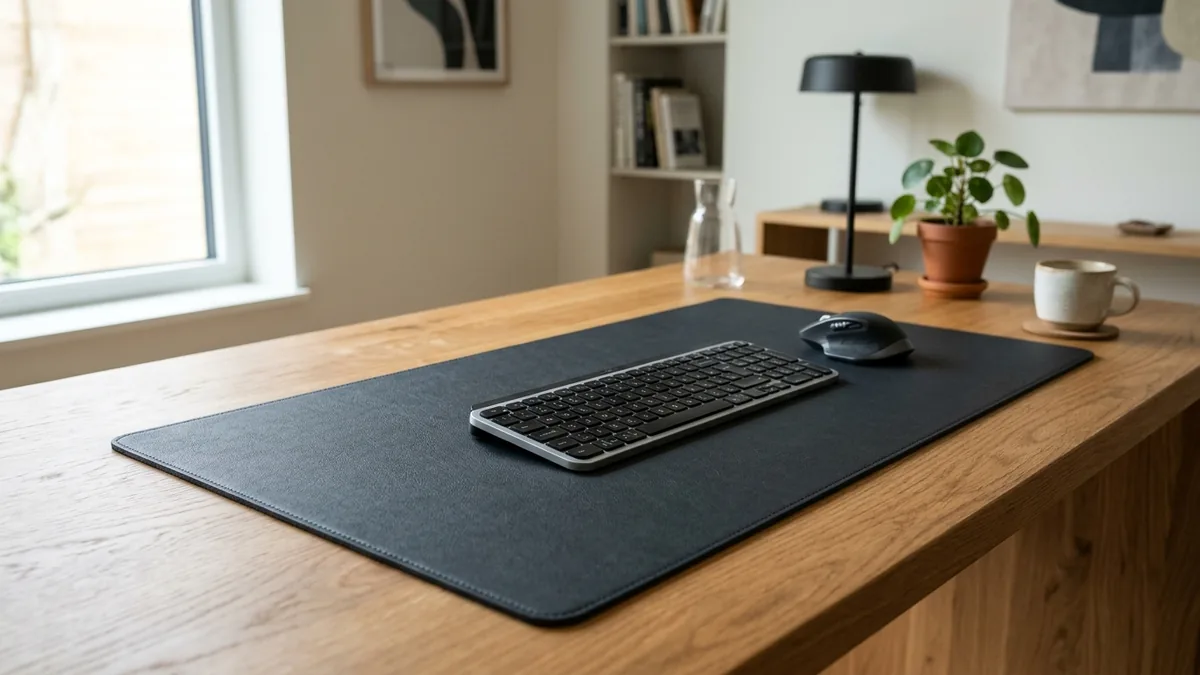
A desk pad is an extended protective surface laid flat across a workstation to shield desktop finishes, improve mouse tracking, and cushion wrists.
20" to 32" ergonomic eye-to-screen viewing distance
Under-desk cable routing & surge protection verified
Neutral 90° elbow and flat-foot alignment enforced
Desk Pad Material & Surface Scope
Filters pads by backing material inertness, leather or felt finish durability, stitch quality, and wood finish protection. Methodology →
Last Spec & Pricing Audit
. Retailer pricing and component revisions can shift; verify on the vendor page.
Finish Reaction & Spill Guardrail
Verify backing material is non-reactive with lacquer or oil finishes and confirm pad dimensions fit your usable desktop space.
A desk pad is a protective layer laid flat across your work surface. It creates a dedicated zone for your keyboard, mouse, and daily writing tools.
Standard mouse pads only cover a small corner of your desk. A full desk pad spans the primary working zone to cushion your forearms and shield desktop timber.
What Is a Desk Pad and What Does It Do?
A desk pad acts as a physical boundary between heavy office equipment and delicate tabletop finishes. It absorbs the downward force of mechanical typing while keeping optical mouse sensors tracking reliably.
Beyond protection, a padded mat provides thermal insulation. It stops cold timber or laminate desks from chilling your wrists during long morning typing sessions.
Desk Pad Terminology: Desk Pad vs Mat vs Blotter vs Protector
Shoppers often see four different names used interchangeably online. Each term describes a specific construction tailored to different desktop tasks.
Understanding these distinctions prevents buying an overly stiff blotter when you need smooth mouse tracking.
| Surface Type | Primary Material Architecture | Nominal Thickness | Core Strength | Ideal Working Style |
|---|---|---|---|---|
| Desk Pad | Layered PU leather, cork, or dense felt | 3.0mm to 4.5mm | Forearm comfort and acoustic dampening | Daily computer typing and mixed desktop tasks |
| Desk Mat | Micro woven cloth on textured rubber | 2.0mm to 3.0mm | Rapid low friction mouse sensor glide | High precision cursor work and gaming |
| Desk Blotter | Top grain leather or stiffened linoleum | 4.0mm to 6.0mm | Rigid backing for paper handwriting | Executive document signing and fountain pens |
| Desk Protector | Transparent PVC or hard polycarbonate | 1.5mm to 2.5mm | Impervious liquid and scratch barrier | High traffic utility benches and craft desks |
A classic desk blotter features rigid backing plates originally built to catch fountain pen ink. Traditional blotters feel too firm for all day computer typing.
Modern desk mats prioritize thin, low friction cloth for gaming mice. Balanced desk pads combine a cushioned foam core with an easy to clean top surface.
If your daily routine involves heavy typing and cursor navigation, choose a cushioned desk pad. Reserve traditional blotters for dedicated handwriting desks.
Desktop Materials: Surface Feel, Wear Life, and Cleaning
The surface material dictates how your mouse glides, how warm the surface feels, and how easily stains wipe away.
Different materials present physical trade-offs between tactile luxury and liquid resistance.
1. Polyurethane and Vegan Leather
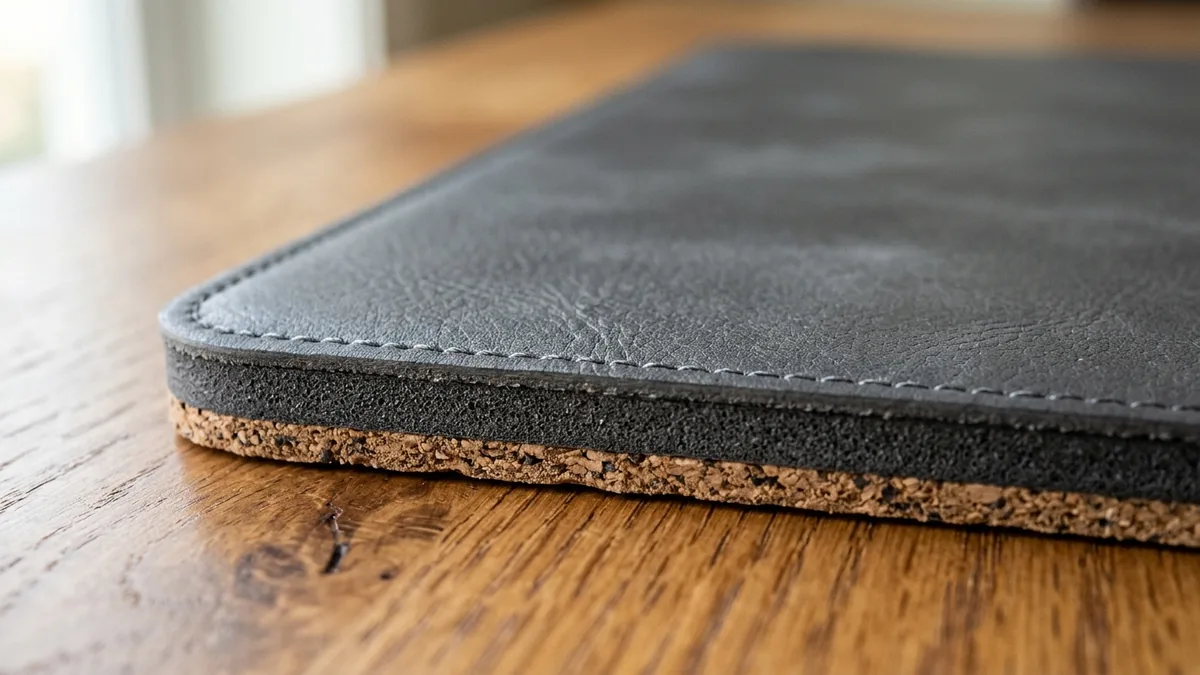
Polyurethane leather delivers a smooth, water resistant surface at an accessible price point. Spilled coffee wipes away cleanly with a damp microfiber cloth.
Synthetic leather provides consistent optical mouse tracking across the entire mat. However, cheap unbacked vinyl pads can curl at the edges under warm laptop exhausts.
2. Full Grain and Vegetable Tanned Leather
Authentic leather offers rich tactile feedback that develops a natural patina over years of use. Vegetable tanning avoids harsh chemical salts that might react with fine desk finishes.
Real hides require periodic conditioning to prevent drying out in air conditioned offices. Premium leather pads also cost significantly more than synthetic alternatives.
If you work on an executive timber surface, explore dedicated options in our best desk pad for wood desk buying guide.
3. Merino Wool and Pressed Felt
Pressed wool felt provides exceptional acoustic absorption and a warm, textured aesthetic. It softens the clatter of mechanical keyboard switches against hard desktop surfaces.
Felt feels warm against wrists during winter mornings. However, unsealed felt readily absorbs liquid spills and requires immediate spot cleaning with wool safe detergent.
4. Natural Linoleum and Rubber
Linoleum made from linseed oil and wood flour provides an anti static, naturally antimicrobial writing plane. It yields slightly under pen pressure without puncturing paper.
Dense rubber bases prevent unwanted sliding during fast hand motions. Ensure any rubber base is fully cured to avoid strong off gassing odors in compact rooms.
Sizing Standards and the Desktop Measurement Procedure
A desk pad that hangs over the front edge or crowds your monitor stand creates daily annoyance. Proper sizing requires measuring your usable surface rather than total desk width.
Review your workspace clearance against our standard desk depth and keyboard height benchmarks before ordering.
Standard Desk Pad Sizing Matrix
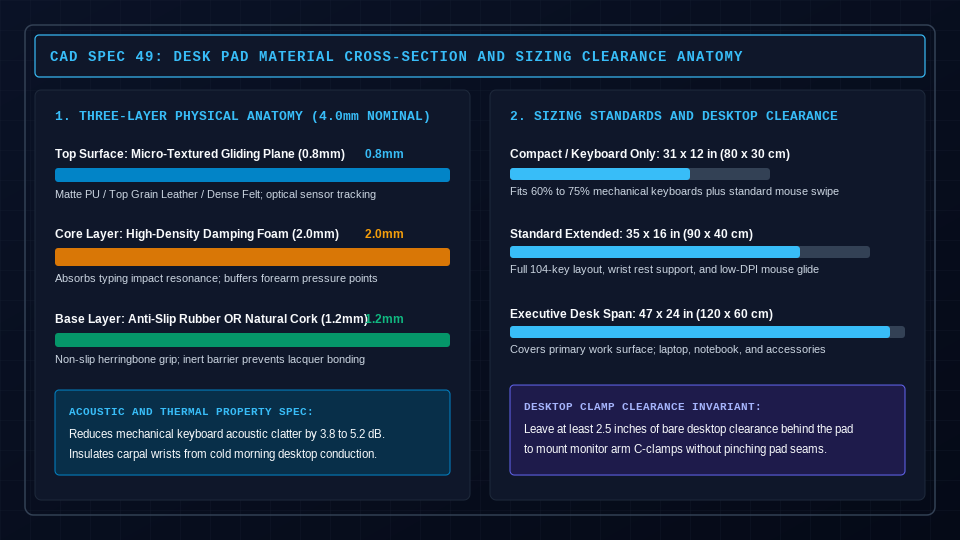
Most commercial desk pads fall into three standardized dimensional tiers:
| Sizing Tier | Nominal Dimensions | Recommended Keyboard Layout | Workspace Surface Footprint |
|---|---|---|---|
| Compact Pad | 31 x 12 in (80 x 30 cm) | 60% or 75% tenkeyless keyboards | Small writing nooks and laptop setups |
| Extended Medium | 35 x 16 in (90 x 40 cm) | Full 104-key layout plus wrist rest | Standard dual-monitor home workstations |
| Executive Full Span | 47 x 24 in (120 x 60 cm) | Complete desktop span with accessories | Large executive desks and drafting tables |
The 3-Step Desktop Measurement Procedure
Follow this straightforward sequence to select the correct dimensions for your workstation:
First, measure the clear distance between your desk front edge and your monitor riser base. Your pad depth must fit within this open span with at least 1 inch of clearance.
Second, account for monitor arm desk clamps. Heavy C-clamps require at least 2.5 inches of bare desktop behind the pad to mount securely without pinching stitched borders.
Third, verify your mouse swipe radius. If you navigate spreadsheets at low sensor DPI, choose an extended 35 inch pad to prevent running off the padded edge.
Note that floor protection requires a separate rigid chair mat. Learn how to protect timber floors in our desk chair mat for hardwood floors guide.
Recommended ergonomic accessories and hardware specs
Workstation accessories selected to support healthy ergonomics, joints, and cable routing.
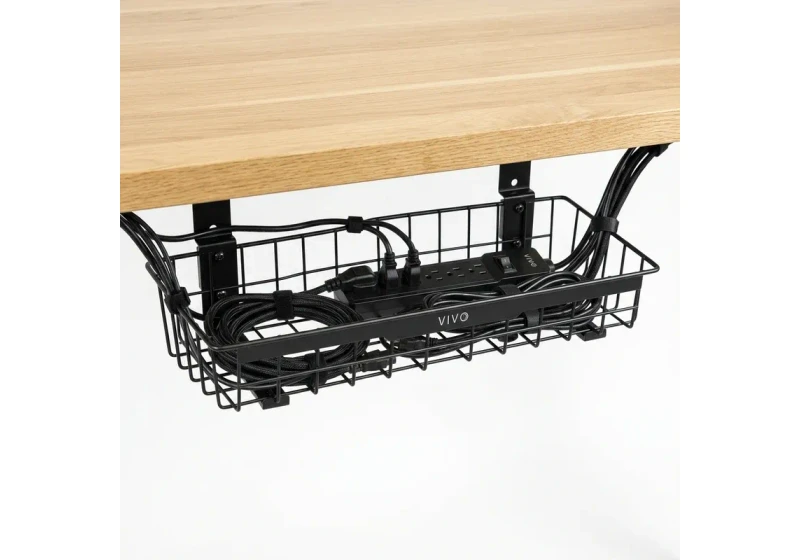
VIVO Under-Desk Cable Tray
Keeps power strips and heavy adapters off the floor, routing cords neatly beneath your desktop.
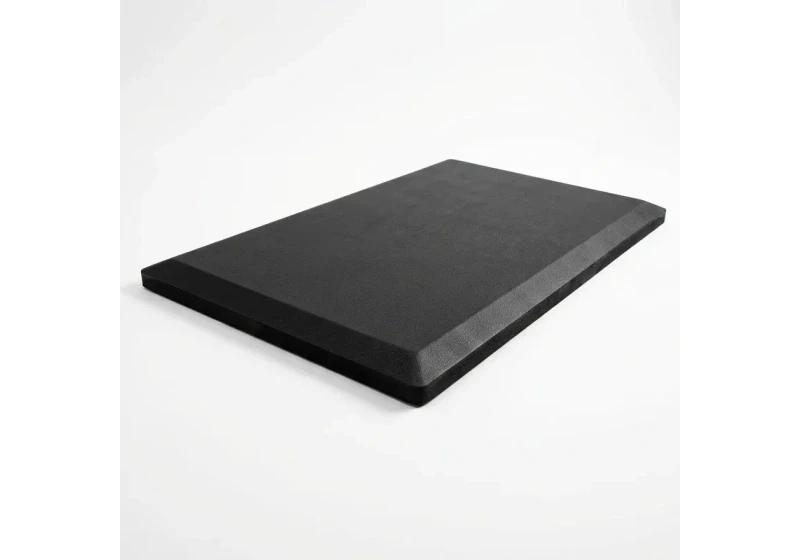
ComfiLife Gel Anti-Fatigue Mat
High-density core cushions heel strike and helps ease lower back compression when standing 3+ hours.
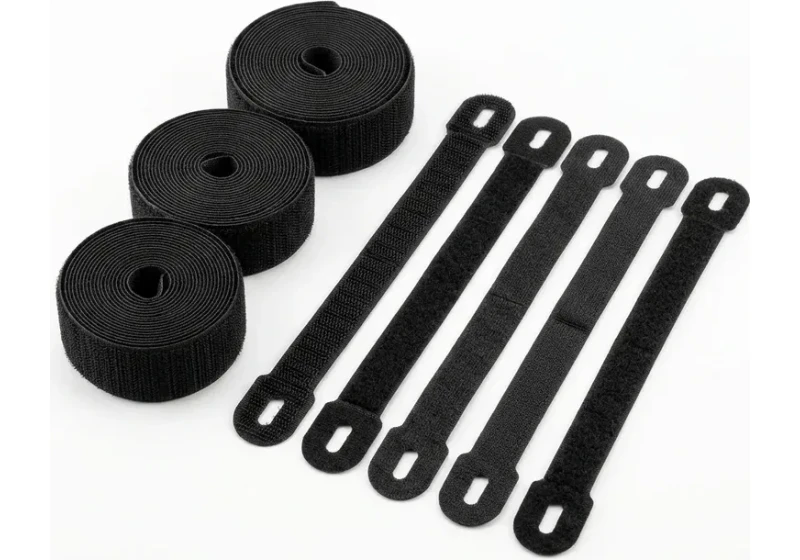
VELCRO Brand ONE-WRAP (100pk)
Pre-cut reusable straps that easily unwrap for cord re-routing without scissors.
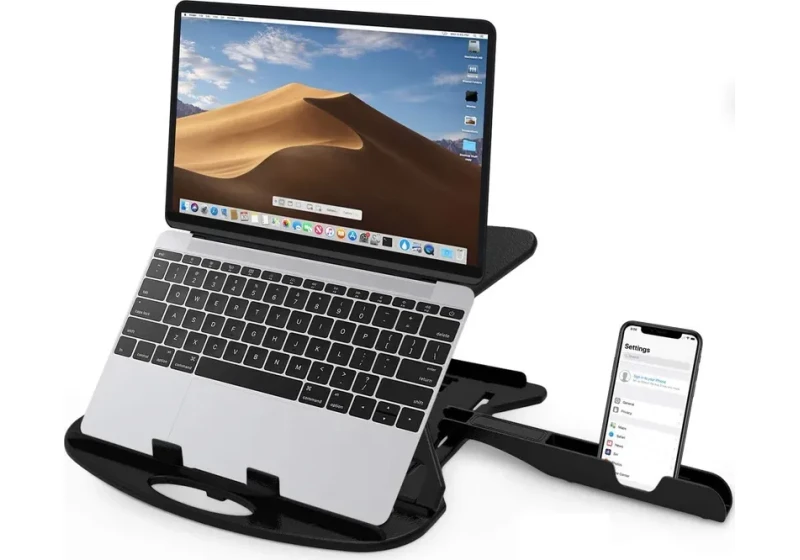
Soundance Laptop Stand
Raises laptop screen 6 inches to eye level, helping reduce forward neck slouch.
Desk Pad vs Mouse Pad: When Is a Standard Mouse Pad Enough?
A traditional mouse pad measures roughly 10 by 8 inches. It isolates your mouse tracking sensor but leaves your keyboard resting on bare desktop timber.
This small footprint creates a noticeable height step between your mouse hand and your typing wrists.
| Feature Comparison | Standard Mouse Pad | Full-Surface Desk Pad |
|---|---|---|
| Workstation Coverage | 80 to 120 square inches | 450 to 1,100 square inches |
| Wrist Elevation | Step down edge between mouse and desk | Uniform level plane across keyboard and mouse |
| Acoustic Dampening | Isolated to mouse clicks | Dampens mechanical keyboard case reverberation |
| Desktop Finish Protection | Only protects mouse tracking area | Shields primary surface from scratches and mugs |
| Minimum Desk Size Needed | Any compact surface down to 24 inches | Best on desks 36 inches wide or larger |
A basic mouse pad remains ideal if you work on a very narrow desk converter or pull out keyboard tray. Small trays simply lack the depth required for extended mats.
However, if your desk is at least 36 inches wide, a continuous desk pad creates an organized, level workstation that feels noticeably more cohesive.
Combine your surface pad with proper monitor distance using our monitor viewing distance calculator for complete ergonomic balance.
Who Benefits from a Desk Pad and Who Should Skip
Desk pads improve comfort across many home office setups, but they are not universally necessary. Evaluate your daily workflow before investing in an oversized pad.
Who Benefits Most
Writers and coders who type for six or more hours daily gain immediate forearm relief. The soft perimeter prevents the sharp square edge of a desk from digging into wrists.
Owners of delicate solid timber or painted veneer desks preserve their furniture from daily scratches, watch buckle scrapes, and warm laptop chassis marks.
Anyone using clicky mechanical keyboards benefits from reduced acoustic clatter. The cushioning foam core absorbs table vibration and eliminates hollow desk echo.
The 4-Factor Choosing Framework
Use these four physical factors to evaluate any desk pad before completing your purchase:
| Evaluation Factor | Engineering Benchmark | Tactile / Mechanical Function |
|---|---|---|
| Surface Texture & Glide | Balanced micro weave or smooth leather | Consistent sensor tracking without wrist friction |
| Base Grip Architecture | Non slip herringbone rubber or cork | Zero pad creep during rapid typing or swipes |
| Perimeter Edge Finishing | Recessed perimeter stitching | Eliminates edge fraying and wrist chafing |
| Core Layer Thickness | 3.0mm to 4.0mm high density foam | Absorbs typing impact while stabilizing keyboard |
1. Surface Texture and Mouse Sensor Glide
Run your fingers across the top layer. The surface should feel smooth to the skin while providing subtle micro texture for optical tracking diodes.
Avoid deeply embossed faux leather grains. Heavy artificial pebbled textures can cause optical mouse sensors to skip or flutter during delicate photo editing.
2. Base Grip and Non Slip Backing
A desk pad that creeps forward while you type is infuriating. Look for natural rubber bases molded with micro textured herringbone patterns.
Natural cork backings offer excellent slip resistance on lacquer timber while remaining chemically inert. Cork will not leach softening oils into wooden desk finishes.
3. Perimeter Edge Stitching
Unstitched desk pads feature raw stamped edges. Over months of forearm friction, the top fabric layer can peel away from the foam backing.
High grade desk pads feature tightly woven perimeter stitching. Ensure the edge thread sits flush with the surface plane so it never chafes your wrists.
4. Thickness and Foam Density
A 2.0mm pad feels too thin to buffer hard desktop edges. Conversely, a pad thicker than 5.0mm allows heavy keyboard feet to sink unevenly.
A nominal thickness of 3.0mm to 4.0mm provides optimal forearm cushioning while keeping your keyboard perfectly stable.
For complete workstation ergonomics, align your desk pad with our ergonomic workstation setup guide.
The Mouse-Glide Pre-Purchase Test
If you buy a desk pad in person, perform this quick physical test with your travel mouse. Place the mouse on the pad and execute two distinct movements.
First, make tiny two-millimeter circular motions. The cursor should track immediately without feeling sticky or hesitant when starting from a dead stop.
Second, sweep your hand rapidly from left to right. The mouse feet should glide smoothly without catching on coarse surface weaves or raised perimeter stitches.
If the surface resists initial movement or feels gummy under your mouse glides, choose a smoother polyurethane or hybrid cloth weave instead.
Common Desk Pad Mistakes to Avoid
Many buyers pick a desk pad based purely on aesthetics and encounter frustrating practical issues later. Avoid these four frequent oversights:
1. Forgetting Monitor Clamp Clearance
Never order a 20 inch deep pad for a 24 inch desk without checking your monitor arm. Heavy steel monitor clamps can crush the back edge of your pad.
Always leave a clean 2.5 inch strip of bare desk along the rear edge to seat mounting hardware properly.
2. Trapping Moisture on Finished Wood
A waterproof desk pad protects timber from falling drops. However, spilling water around the perimeter can draw liquid underneath via capillary action.
Moisture trapped under a rubber backing cannot evaporate. Over time, trapped dampness will cloud lacquer and cause solid wood fibers to swell.
Always lift your desk pad immediately after liquid spills to inspect and dry the bare desktop underneath.
3. Buying Felt for High-Mess Workspaces
Merino wool felt looks sophisticated in curated setup photos. However, felt fibers grab pet hair, pencil shavings, and snack crumbs like a magnet.
If you enjoy coffee and snacks at your desk, choose wipeable polyurethane leather instead of open wool weaves.
4. Ignoring Chemical Plasticizer Migration
Inexpensive clear PVC desk protectors frequently contain oily chemical plasticizers. Under warm summer conditions, these compounds can soften lacquer finishes.
Always verify that plastic or rubber pads use non reactive backing materials when decorating expensive solid timber furniture.
Desk Pad Maintenance and Material Care
Regular cleaning keeps your desk pad looking fresh and prevents dirt buildup from degrading optical mouse precision.
Cleaning Polyurethane and Leather
Wipe synthetic leather weekly using a soft microfiber cloth lightly dampened with warm water and mild dish soap. Avoid alcohol wipes, which dry out coatings.
Condition authentic top grain leather once every six months with a neutral leather balm to preserve flexibility and moisture resistance.
Cleaning Wool and Felt Pads
Vacuum felt desk pads weekly using a soft brush attachment to lift dust and pet hair from deep within the wool weave.
For liquid spills, blot immediately with a clean dry towel without rubbing. Spot clean stubborn marks using cold water and diluted wool detergent.
The Weekly Lift-and-Wipe Rule
Once each week, lift your entire desk pad off the table. Wipe the desk surface underneath with a dry cloth to clear trapped dust and humidity.
This simple thirty second habit prevents grit from acting like sandpaper against your desk finish whenever the pad shifts.
Frequently Asked Questions
What is the primary purpose of a desk pad?
A desk pad shields your desktop finish from scratches and coffee spills while providing a uniform cushioned surface for typing and mouse tracking.
Does a desk pad replace a mouse pad?
Yes, a full desk pad replaces traditional mouse pads by providing a much larger, level gliding surface for your mouse alongside your keyboard.
What thickness is best for a desk pad?
A thickness between 3.0mm and 4.0mm offers the ideal balance of wrist comfort, acoustic dampening, and keyboard stability without excessive sinking.
Can a desk pad ruin a wooden desk?
Cheap PVC pads containing chemical plasticizers or pads that trap spilled liquid underneath can damage wood finishes. Use cork-backed or breathable pads.
Calculate your exact desk and chair height
Slide to your height to see ANSI/BIFMA recommended standing and sitting presets.
By M. Haris
References ANSI/BIFMA G1-2017 guidanceSoftware engineer and founder of The Desk Riser
M. Haris is a software engineer and founder of The Desk Riser, auditing manufacturer engineering schematics, motorized desk cycle lifespans, ANSI/BIFMA G1-2017 ergonomic standards, and long-term user failure patterns across verified owner communities. Every guide is editorially independent with zero paid brand placements and zero PR samples (we may earn affiliate commissions on qualifying purchases). Have questions or spot a warranty update? Email directly at support@thedeskriser.com, read the Author Dossier, or explore our Editorial Research Methodology.
Share this article:
Workstation Setup & Fit Q&A
Have questions about frame deflection, monitor arm clamp loads, or chair sizing? Consult our workstation researchers.
Q:How do I know if this standing desk will wobble on thick carpet?
Standing desk wobble on carpet is caused by uneven carpet pile compression under the rear footpads. Frames with wedge-reinforced leg collars and wide steel footplates (like UPLIFT V3 or FlexiSpot E7 Pro) minimize lateral flex. If placing on plush carpet, use rigid caster cups or a dense underlay to anchor the base directly to the subfloor.
Q:Can I clamp a dual monitor arm onto standard particleboard tops?
Dual monitor arms concentrate 25 to 45 lbs of dynamic torque onto a 4-inch clamp perimeter. Hollow honeycomb tops (such as IKEA Linnmon) will crush. We recommend a minimum 0.75-inch solid core (MDF, solid bamboo, or hardwood), or sandwiching a steel reinforcement bracket plate (min 2.5mm thickness) between the clamp and desktop.
Q:What if my chair cylinder sinks or feels too high for my feet?
Always verify your seated popliteal height (crease behind knee to floor with shoes). If a chair will not drop below 17 inches and your feet dangle, pair it with an angled footrest or switch to a low-range Class 4 cylinder. If a cylinder loses pressure and sinks on its own, the internal nitrogen seal is breached and requires cylinder replacement.
Ask Our Ergonomic Spec Reviewers
Planning an upgrade or unsure if your monitors and stature fit this configuration? Send your dimensions directly to our research desk. No accounts, no trackers, zero marketing spam.