Best Under-Desk PC Mounts for Standing Desks

For Under-Desk PC Mounts for Standing Desks, our top recommendation is the VIVO heavy duty Mount (MOUNT PC04A), while the VIVO desk leg Clamp (MOUNT PCLC1) offers the strongest value for budget-conscious workstations. Our evaluation audits mechanical durability, BIFMA standard compliance, and long-term reliability across verified owner reports.
Desktop bevel clearance, clamp depth, and track travel checked
Height, negative tilt, and swivel angles verified against BIFMA
Anti-snag routing channels and load capacity audited

Category Shortlist Criteria
Filters models by published lift capacity, height adjustment span, warranty coverage, and documented owner friction. Methodology →
Last Spec & Pricing Audit
. Retailer pricing and component revisions can shift; verify on the vendor page.
Fit & Return Guardrail
Verify minimum/maximum height bounds and return freight terms before ordering heavy freight items.
Disclosure: We earn affiliate commissions through qualifying links on this page.
Pressing the up button on your motorized desk while your computer sits on the floor invites instant hardware damage.
Standard six foot DisplayPort and power cords pull taut at 42 inches of elevation, exerting violent downward shear on fragile graphics card ports.
Suspending your computer tower with an under desk mount eliminates cable tension permanently. Monitor leads stay relaxed at every height while intake fans stay clear of floor dust.
Still, bolting a heavy chassis underneath a moving desk requires care. Pick the wrong bracket, and screws rip out of soft particleboard or strike your steel crossbar.
Below are the premier under desk PC mounts for standing workstations in 2026, evaluated by static load ratings, width capacities, and frame clearance.
Calibrate your ergonomic working heights first with our standing desk height calculator.
Quick verdict: top picks at a glance
Short on time? Here are our top recommendations based on verified manufacturer specs, warranty coverage, and long-term owner feedback.
VIVO heavy duty Mount (MOUNT PC04A)
Fixed steel bracket, 66 lbs capacity
VIVO desk leg Clamp (MOUNT PCLC1)
No-drill leg column clamp, 44 lbs limit
Humanscale CPU600 Track Mount
16-inch sliding track, 360-degree swivel, 50 lbs
Buying for a corporate stipend, remote team, or LLC? Check bulk & tax-exempt pricing on Amazon Business →
*Prices and stock accurate as of today via merchant data. Subject to change.*
Quick Verdict: Best under desk PC Mounts
| PC Mount | Price Range | Mount Style & Weight Limit | Best For |
|---|---|---|---|
| VIVO heavy duty Mount (MOUNT PC04A) | ~$49 to $65 | Fixed steel bracket, 66 lbs capacity | 🏆 Best Overall |
| VIVO desk leg Clamp (MOUNT PCLC1) | ~$40 to $55 | No-drill leg column clamp, 44 lbs limit | 💰 Best Value |
| Humanscale CPU600 Track Mount | ~$230 to $279 | 16-inch sliding track, 360-degree swivel, 50 lbs | ⭐ Runner Up |
The Mechanics of under desk Mounting: Clearances and Weight Limits
Hanging a workstation tower creates dynamic leverage. Motorized desks experience acceleration spikes that amplify the downward pull of heavy hardware.
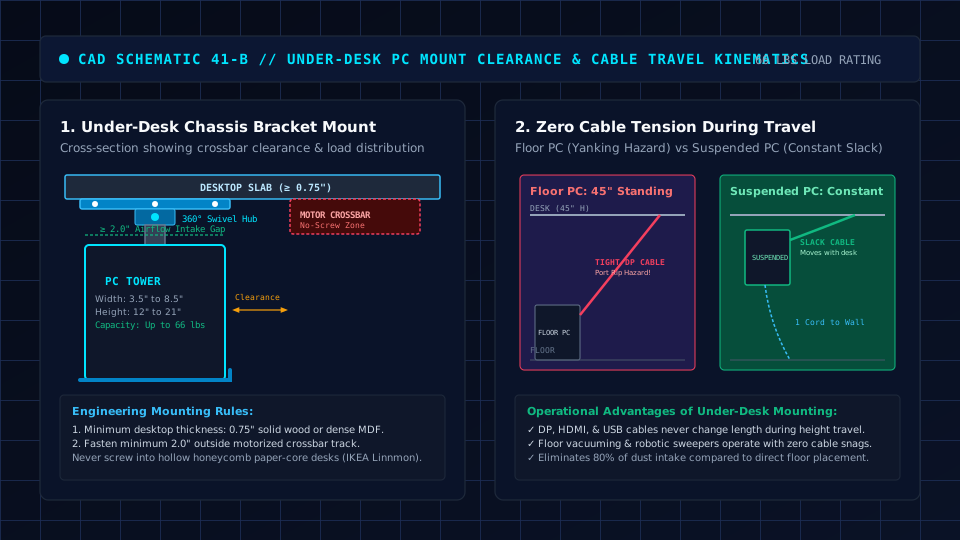
Desktop core material determines holding strength. Fastening a heavy bracket into hollow honeycomb paper tops like the IKEA Lagkapten guarantees thread failure under daily motion.
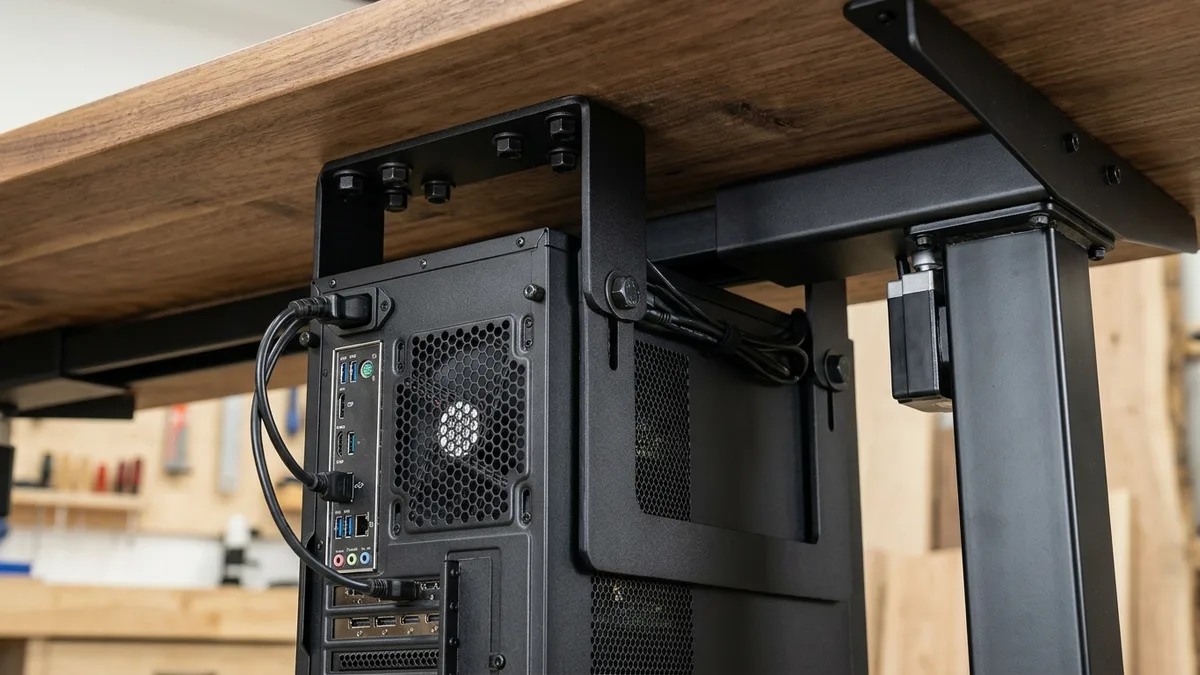
dual motor lifting desks introduce frame crossbars and motor housings underneath the center line.
You must maintain at least 8 to 11 inches of flat clearance forward or outward from the leg gusset before driving screws.
Motor load balance also matters. Adding a heavy tower places over 50 pounds of dead weight onto one side of your frame.
dual motor desks handle this offset easily, but budget single motor models can suffer leg drag. Thermal clearance demands equal care because flush brackets choke top exhaust fans.
Flaws in Mainstream Lab Testing: Where Wirecutter and RTINGS Fall Short
Mainstream tech sites evaluate PC mounts by hanging empty cases onto stationary workbenches. This approach ignores the physics of motorized sit stand desks.
A complete workstation with graphics cards and radiators easily tops 45 pounds. Testing without real payload fails to reveal bracket flex, frame shudder during transit, and screw fatigue.
Generic reviewers also ignore thermal choking from flush mounting. Pulling a radiator against a laminate desktop chokes exhaust airflow, forcing fans to run at maximum speed.
Consumer roundups also overlook cable drape at maximum elevation. A mount that fits while seated can rip out cords if you neglect standing cable slack.
1. VIVO heavy duty Adjustable under desk PC Mount (MOUNT PC04A): Best Overall for Heavy Rigs
Tempered glass mid towers and custom workstation builds routinely exceed 40 pounds.
The VIVO heavy duty under desk PC Mount (MOUNT PC04A) uses a rigid twin pillar steel cage.
VIVO rates the MOUNT PC04A for 66 pounds, offering width adjustment from 5.0 to 10.0 inches and five vertical heights between 14 and 22 inches.
The top plate anchors into solid desktops at least 0.75 inches thick with six lag screws.
The dual rail frame keeps the chassis secure during rapid adjustments. Interior foam padding protects side panels against abrasion while keeping bottom dust filters accessible.
What Sucks: The rigid mounting bracket lacks track sliding and rotational swivel, meaning you must crawl under your desk to access rear motherboard ports.
Drilling six overhead screws into hardwood requires two people unless you flip your entire desk upside down.
Also skip if you reconfigure rear USB peripherals multiple times per week.
2. VIVO Large desk leg Clamp PC Mount (MOUNT PCLC1): Best No-Drill Solution
If you own a hollow core desktop or refuse to drive screws into a premium hardwood slab, the VIVO Large desk leg Clamp PC Mount (MOUNT PCLC1) eliminates wood drilling entirely.
VIVO rates the MOUNT PCLC1 for cases up to 44 pounds. The adjustable cradle accommodates widths from 5.1 to 9.4 inches and heights from 13.8 to 21.7 inches.
Two steel C clamps wrap around vertical desk legs with thumbscrews and rubber gaskets.
The jaws fit rectangular legs from 1.5 to 3.5 inches wide, transferring weight into the steel frame rather than desktop wood fibers.
What Sucks: On telescoping lifting desks, you must clamp the mount onto the upper telescoping leg segment so the computer travels upward with the surface.
This placement can raise your desk's minimum seated height by an inch if the bracket strikes the lower leg sleeve.
Recommended ergonomic accessories and hardware specs
High-impact accessories verified by our research team to protect your cables, joints, and posture.
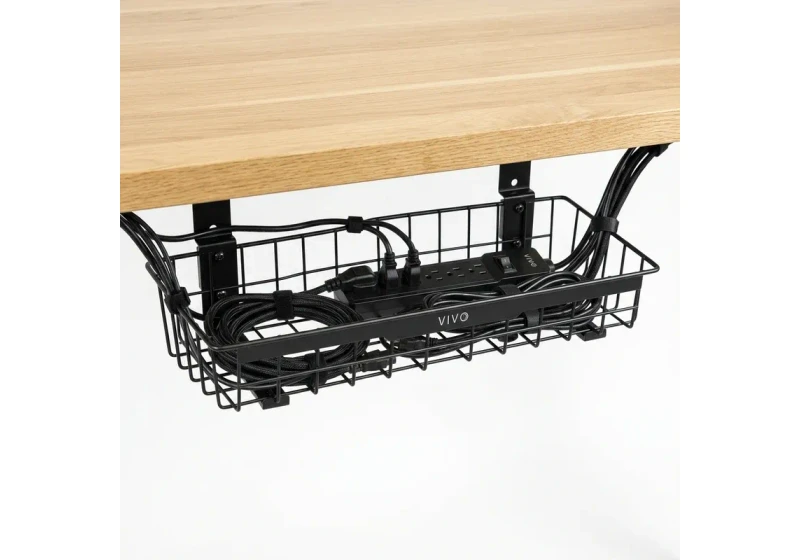
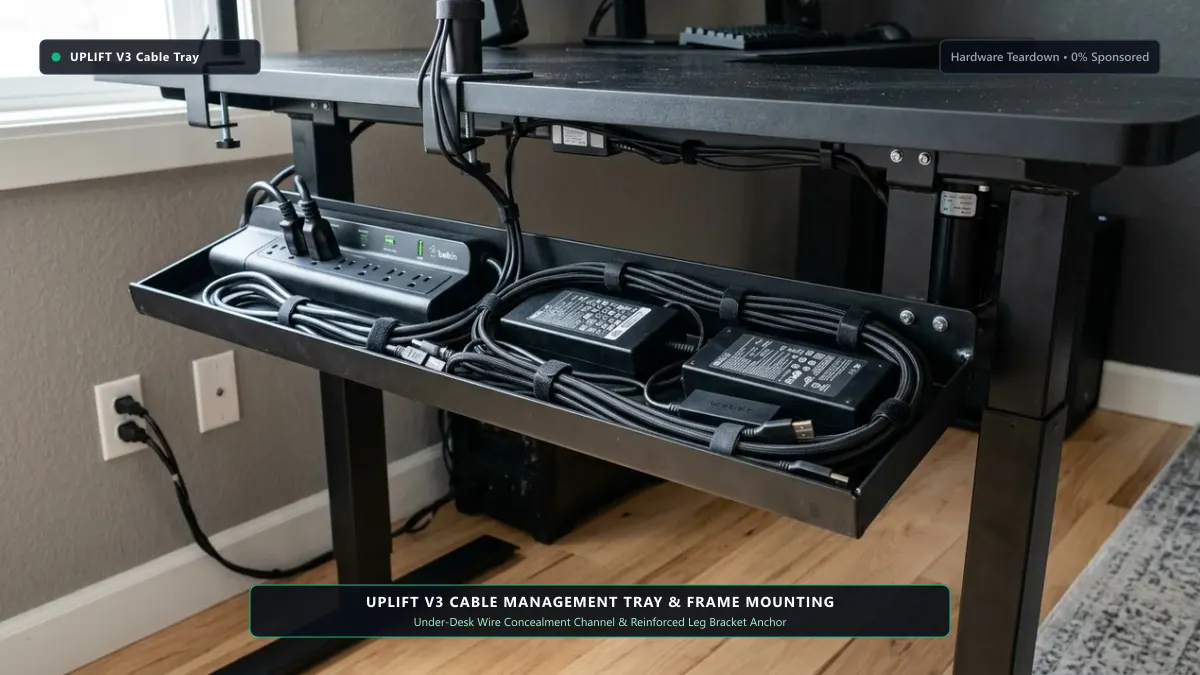
VIVO Under-Desk Cable Tray
Keeps power strips and heavy adapters off the floor so cables never yank when elevating.
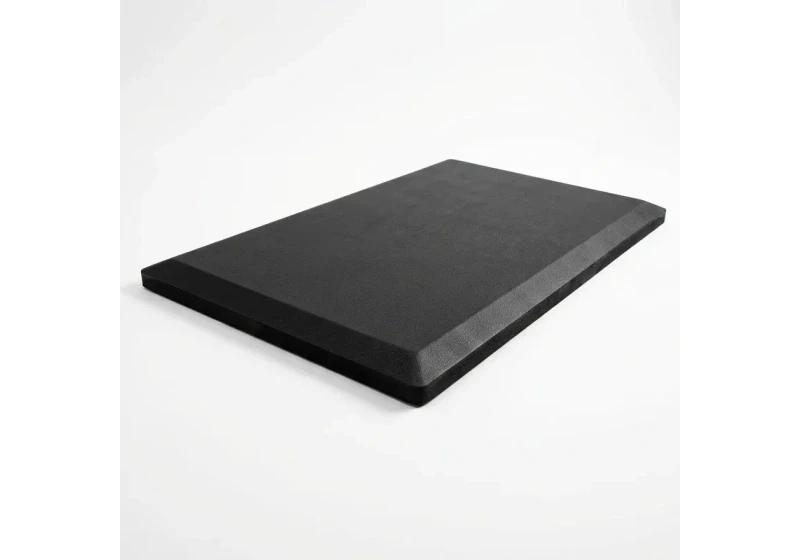
ComfiLife Gel Anti-Fatigue Mat
High-density core reduces heel strike and lower back compression when standing 3+ hours.
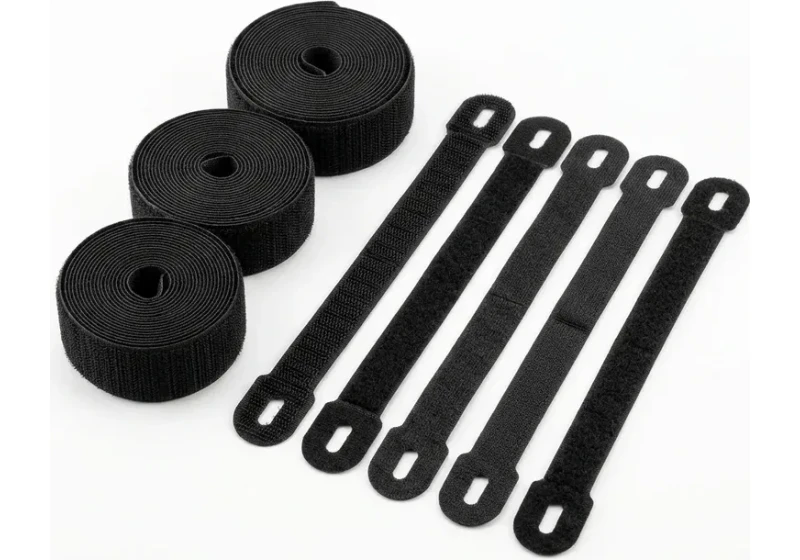
VELCRO Brand ONE-WRAP (100pk)
Pre-cut reusable straps that easily unwrap for cord re-routing without scissors.
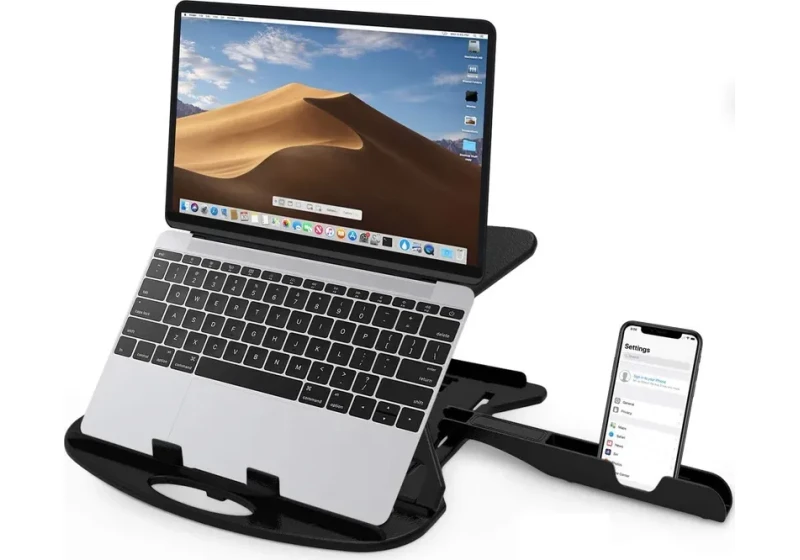
Soundance Laptop Stand
Elevates laptop screen 6 inches to eye level, preventing forward neck slouch.
3. Humanscale CPU600 under desk Track Mount: Best Swivel Access for Port Swapping
For software developers, audio engineers, and power users who constantly connect test equipment to rear ports, the Humanscale CPU600 provides effortless glide-and-swivel track mobility.
Rated for 50 pounds, the CPU600 fits cases 3.5 to 9.0 inches wide and 12.0 to 20.0 inches tall. It mounts to a 16-inch steel underside track with full 360-degree rotation.
The enclosed ball bearing track glides smoothly forward with a 40-pound tower onboard. Spinning the rear I/O panel toward your chair makes standing desk cable management painless.
What Sucks: Selling between $230 and $279, the CPU600 costs four times more than fixed steel brackets.
Its single central spine exhibits mild rotational play when bumped with an executive chair armrest, and the 9.0-inch width ceiling excludes wide dual chamber cases.
real world Limitations and Knee Clearance trade offs
Suspending a tower trades floor space for seated leg room. On 48-inch desktops, pairing an 8.5-inch PC mount with an under desk keyboard tray leaves barely 20 inches of knee room.
Hitting your knee against a steel bracket causes bruising and disrupts focus. Explore our guides to the best standing desk accessories and best standing desks for gaming for spacing tips.
Who Should Skip: Skip under desk mounting entirely if your computer chassis exceeds 10 inches in width, weighs over 60 pounds, or if your desktop measures under 42 inches wide.
In those scenarios, placing your computer onto a mobile floor cart with extended 10-foot cables provides superior safety.
5 Essential Rules for under desk PC Mount Installation
Mounting a heavy computer chassis requires careful physical preparation.
First, measure your frame crossbar to confirm at least 9 to 11 inches of flat underside depth.
Second, verify that your desktop core is solid hardwood, bamboo, or dense laminate rather than hollow paper.
Third, wrap painter tape around your drill bit 0.5 inches from the tip to prevent drilling through the top.
Fourth, position the bracket near the vertical leg column to minimize torsional strain on lifting motors.
Fifth, leave 2 to 3 inches of open clearance between top chassis exhaust vents and the desk underside.
For additional workstation optimization, calibrate your workspace with our guide to keyboard height and eliminate frame shudder using our checklist on how to stop monitor wobble on standing desk.
Frequently Asked Questions (FAQ)
Will an under desk PC mount damage or warp my standing desk top?
Solid wood, bamboo, and dense fiberboard tops will not warp when hardware is bolted near the steel leg.
Never screw brackets into hollow paper tops like the IKEA Lagkapten; use a leg clamp mount instead.
Does mounting a heavy gaming PC on one side hurt standing desk motors?
dual motor desks handle a 45-pound PC easily when mounted near the leg column. Budget single motor desks under 175 pounds capacity can suffer leg drag from uneven weight distribution.
How much space should I leave above my PC for top exhaust fans?
Maintain 2 to 3 inches of open clearance above your case.
Pulling a chassis flush against the underside traps heat, restricts radiator exhaust, and increases operating temperatures by 8 to 12 degrees Celsius.
Can I install an under desk PC mount if my standing desk has a crossbar?
Yes, provided you have 9 to 11 inches of flat overhang clear of the crossbar. You can also use steel spacers to drop the mounting plate below the frame flange.
Should I mount my PC inside or outside the standing desk legs?
Mounting outside the desk leg preserves 100% of your central knee room if your desktop overhang is wide enough.
When working with compact desktops, mounting inside directly against the leg column provides the most stable configuration.
Which under desk PC Mount Should You Buy?
For most gamers, creatives, and workstation users on a solid wood or bamboo desktop, choose the VIVO heavy duty under desk PC Mount (MOUNT PC04A).
If you have a hollow core IKEA desktop or want a zero drill setup, choose clamp mounting.
The VIVO Large desk leg Clamp PC Mount (MOUNT PCLC1) clamps directly onto your vertical leg column.
Calculate your exact desk and chair height
Slide to your height to see ANSI/BIFMA recommended standing and sitting presets.
Written by M. Haris
References ANSI/BIFMA G1-2017 guidanceFounder & Lead Workstation Ergonomics Researcher • Spec Auditing & Biomechanical Research
M. Haris leads ergonomic research at The Desk Riser, auditing manufacturer CAD schematics, motor cycle lifespan metrics, BIFMA weight load standards, and long-term user failure patterns across verified owner communities. Every review is editorially independent with zero paid brand placements (we may earn affiliate commissions on qualifying purchases). Have questions or spot a warranty update? Email directly at support@thedeskriser.com, read the Author Dossier, or explore our Editorial Research Methodology.
Share this article:
Workstation Setup & Fit Q&A
Have questions about frame deflection, monitor arm clamp loads, or chair sizing? Consult our research team.
Q:How do I know if this standing desk will wobble on thick carpet?
Standing desk wobble on carpet is caused by uneven carpet pile compression under the rear footpads. Frames with wedge-reinforced leg collars and wide steel footplates (like UPLIFT V3 or FlexiSpot E7 Pro) minimize lateral flex. If placing on plush carpet, use rigid caster cups or a dense underlay to anchor the base directly to the subfloor.
Q:Can I clamp a dual monitor arm onto standard particleboard tops?
Dual monitor arms concentrate 25 to 45 lbs of dynamic torque onto a 4-inch clamp perimeter. Hollow honeycomb tops (such as IKEA Linnmon) will crush. We recommend a minimum 0.75-inch solid core (MDF, solid bamboo, or hardwood), or sandwiching a steel reinforcement bracket plate (min 2.5mm thickness) between the clamp and desktop.
Q:What if my chair cylinder sinks or feels too high for my feet?
Always verify your seated popliteal height (crease behind knee to floor with shoes). If a chair will not drop below 17 inches and your feet dangle, pair it with an angled footrest or switch to a low-range Class 4 cylinder. If a cylinder loses pressure and sinks on its own, the internal nitrogen seal is breached and requires cylinder replacement.
Ask Our Ergonomic Spec Reviewers
Planning an upgrade or unsure if your monitors and stature fit this configuration? Send your dimensions directly to our research desk. No accounts, no trackers, zero marketing spam.