Ergonomic Chair for Upper Back Pain: The Thoracic Fix

For Ergonomic Chair for Upper Back Pain: The Thoracic Fix, our top recommendation is the Herman Miller Embody Chair, while the COLAMY Atlas Ergonomic Mesh Chair offers the strongest value for budget-conscious workstations. Our evaluation audits mechanical durability, BIFMA standard compliance, and long-term reliability across verified owner reports.
Sacral L5-S1 unloading & forward tilt evaluated
2" minimum knee crease clearance to safeguard bloodflow
ANSI/BIFMA X5.1 commercial cylinder durability verified

Chair Shortlist Criteria
Filters models by seat pan depth adjustment, lumbar mechanism adjustability, BIFMA weight ratings, and documented owner friction. Methodology →
Last Spec & Pricing Audit
. Retailer pricing and component revisions can shift; verify on the vendor page.
Fit & Return Guardrail
Verify seat height range against your lower leg length and check return shipping terms before ordering boxed chairs.
Upper Back Pain From Your Chair? 4 Fixes + 3 Chairs That Work (2026)
Watch our 11-minute upper back ergonomics teardown: evaluating thoracic vertebrae T1 to T12 support, backrest height requirements (22 to 26 inches), screen elevation, and 3 recommended chairs.
Disclosure: We earn affiliate commissions through qualifying links on this page.
Upper back pain during desk work stems from mechanical forces distinct from lower spine compression. While lower aches compress the lumbar erector spinae, upper tension attacks the rhomboids and mid trapezius.
Readers suffering from lower spine disc compression should consult our guide on best ergonomic chair for back pain 2026. That resource breaks down lower disc decompression and sacral angles.
Upper thoracic strain develops when the twelve thoracic vertebrae lose rear support. Office workers hold their head forward, transferring heavy cervical shear down into the upper back.
Standard task chairs focus purely on lumbar curves while ignoring the scapula. Without thoracic contact, back muscles work continuously against gravity to hold the torso upright.
You can calculate your ideal backrest dimensions using our interactive ergonomic chair finder. Matching backrest height to your shoulder blades provides lasting postural relief.
Quick verdict: top picks at a glance
Short on time? Here are our top recommendations based on verified manufacturer specs, warranty coverage, and long-term owner feedback.

Herman Miller Embody Chair
Dynamic pixel matrix backrest, narrow thoracic spine, 16.0" to 20.5" seat height
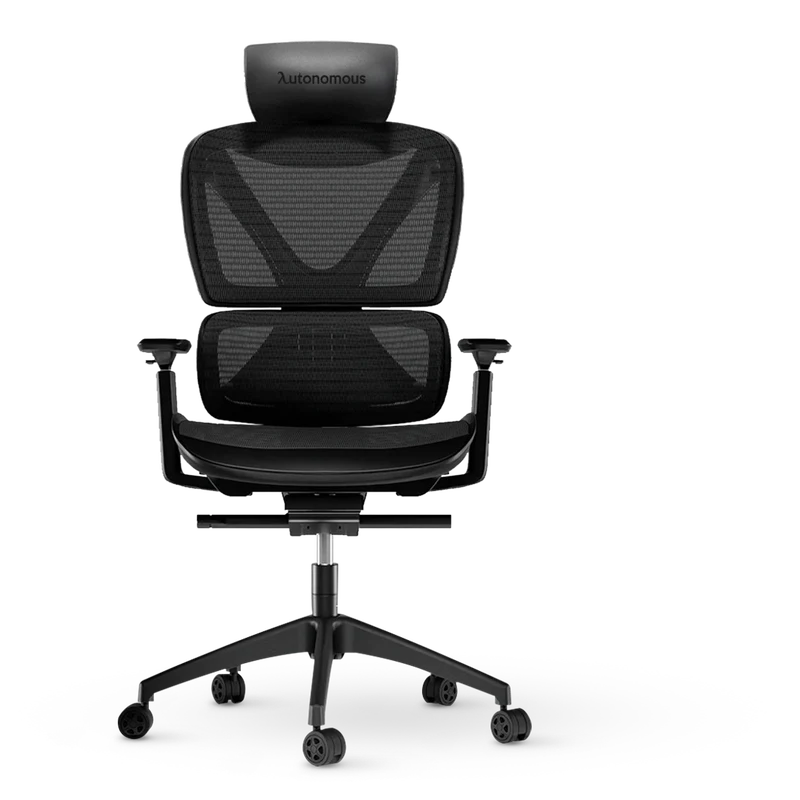
COLAMY Atlas Ergonomic Mesh Chair
High mesh backrest, 3-step tilt lock 107° to 127°, 4D adjustable armrests
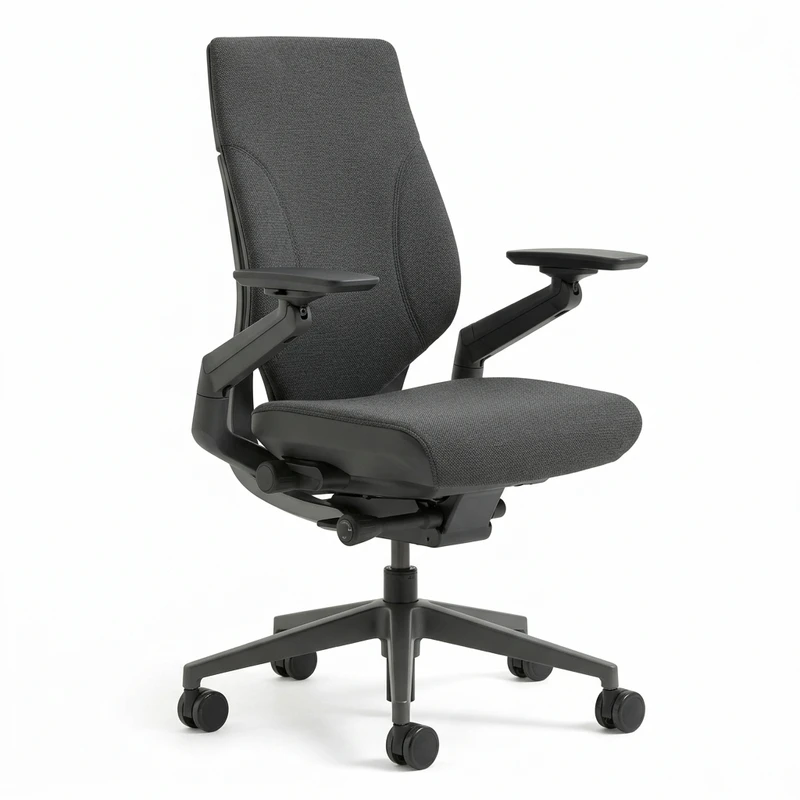
Steelcase Gesture Ergonomic Chair
3D LiveBack core equalizer, full scapular clearance, 360-degree rotating arms
Buying for a corporate stipend, remote team, or LLC? Check bulk & tax-exempt pricing on Amazon Business →
*Prices and stock accurate as of November 22, 2026 via merchant data. Subject to change.*
Ergonomic Chair for Upper Back Pain: 3 Thoracic Support Picks
An ergonomic chair for upper back pain features a tall backrest with thoracic contact and adjustable armrests. Supporting T1 to T12 unloads the trapezius and can help ease rhomboid burning.
Choosing the right task chair requires evaluating backrest height, scapular clearance, and armrest adjustability under daily desk loads.
Below is our Quick Verdict assessment of three proven task chairs engineered to stabilize the thoracic spine and reduce upper muscular strain.
| Product Brand & SKU | Price | Build Specs & Thoracic Support Feature | Award & Profile | Direct Action |
|---|---|---|---|---|
| Herman Miller Embody Chair | $1561 $2230 | Dynamic pixel matrix backrest, narrow thoracic spine, 16.0" to 20.5" seat height | 🏆 Best Overall | Check Amazon Pricing |
| COLAMY Atlas Ergonomic Mesh Chair | $289 $329 | High mesh backrest, 3-step tilt lock 107° to 127°, 4D adjustable armrests | 💰 Best Value | Check Amazon Pricing |
| Steelcase Gesture Ergonomic Chair | $1659 $2213 | 3D LiveBack core equalizer, full scapular clearance, 360-degree rotating arms | ⭐ Runner Up | Check Amazon Pricing |
*Prices and stock accurate as of November 22, 2026 via merchant data. Subject to change.*
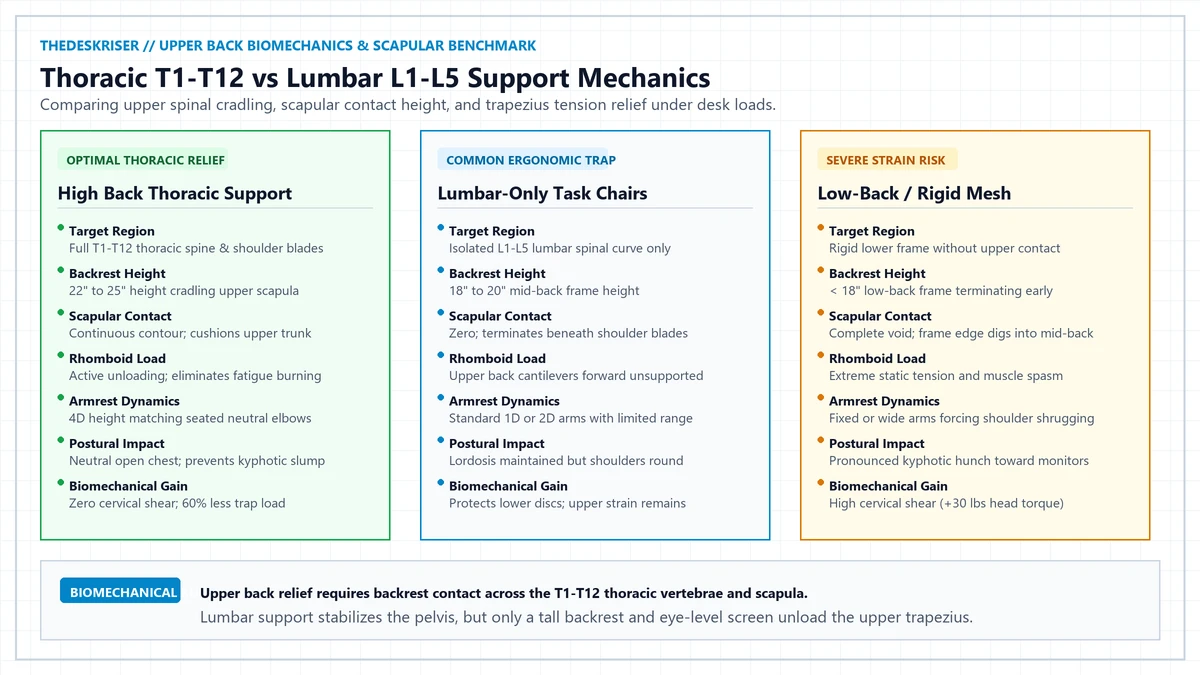
Thoracic Spine Biomechanics: Upper Back vs Lower Back Pain
The lumbar curve flexes under body weight, but the thoracic spine connects directly to the rib cage. Sitting without back support forces thoracic vertebrae into kyphosis, stretching rhomboid and trapezius muscles.
Prolonged muscular stretch triggers local tissue hypoxia and painful muscular trigger points. Lower lumbar pillows cannot relieve this tension because they sit eight inches too low.
A true ergonomic chair for upper back discomfort must provide continuous contact across T1 to T12. This contact cradles the rib cage and allows overworked shoulder muscles to rest.
Why Your Upper Back Hurts at a Desk: The 4 Root Mechanical Triggers
Upper back strain rarely originates from chair defects alone. Workstation geometry creates mechanical dilemmas that overload upper back muscles during prolonged sitting.
Low Monitor Placement: When a monitor sits below eye level, the neck cranes downward. Tilting your head forward multiplies cervical load to over thirty pounds of gravitational shear.
Forward Arm Reaching: Reaching forward for a keyboard pulls shoulder blades away from the spine. Protraction stretches rhomboids across upper ribs, causing persistent burning pain between shoulder blades.
Low Backrest Height: Compact office chairs under twenty inches terminate beneath the scapula. The rigid upper frame presses into mid thoracic vertebrae while the upper trunk cantilevers backward unsupported.
Wide or Low Armrests: Arms account for twelve percent of body weight. If armrests sit too low or spread too wide, the upper trapezius shrugs continuously to hold arm weight.
The 4 Mechanical Fixes for Upper Back Desk Pain
Adjusting chair hardware and screen alignment together can help ease both spinal shear and muscular fatigue.
Fix 1: Backrest Height Reaching the Shoulder Blades
Your chair backrest must extend high enough to cradle the upper scapula. Look for backrest heights measuring twenty two to twenty six inches to support the T1 to T12 thoracic vertebrae.
Standard lumbar pillows stabilize pelvic rotation but leave upper ribs unsupported. True upper back relief demands broad thoracic contact rather than localized lower spinal wedges.
Fix 2: Screen Height Alignment at Eye Level
Position your screen with the top edge exactly at eye level. A low screen is the single most common upper back trigger in modern offices.
Set your display distance between twenty and twenty six inches from your face. Follow our monitor height guidelines to maintain neutral cervical alignment and unload tired shoulder blades.
Fix 3: Armrests and Neutral Typing Reach
Adjust armrests to match your resting seated elbow height. Unloading forearm mass through firm arm pads can help ease tension across the upper trapezius and levator scapulae.
Keep your keyboard and mouse close to avoid reaching forward. Review our ergonomic workstation setup guide to position input peripherals within your neutral reach envelope.
Fix 4: Active Movement and Thoracic Extension
Static sitting accelerates muscle fatigue regardless of chair quality. Integrating micro breaks and thoracic extension stretches every forty five minutes is linked to better blood flow to tired rhomboids.
Alternate between sitting and standing throughout your shift. Follow our standing desk posture guide to transition postures smoothly without inducing secondary fatigue.
Recommended ergonomic accessories and hardware specs
Workstation accessories selected to support healthy ergonomics, joints, and cable routing.
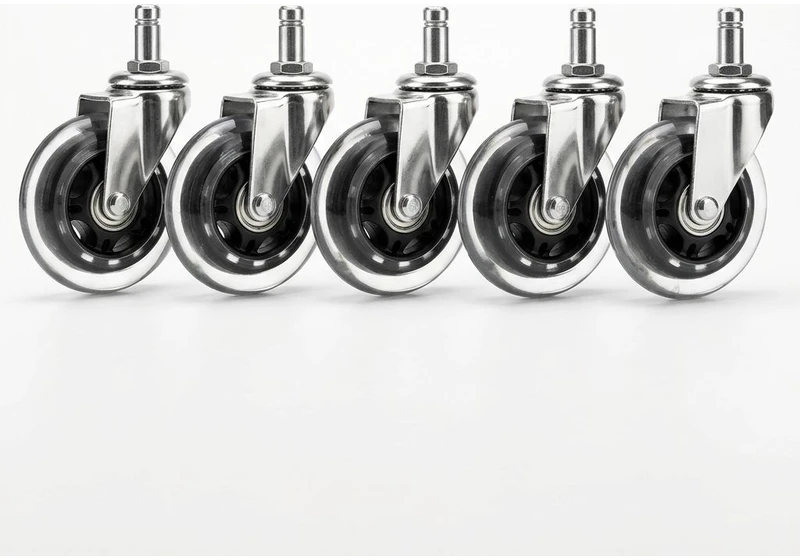
Rollerblade Chair Caster Wheels (5pk)
Heavy-duty polyurethane wheels glide smoothly on hardwood floors without plastic floor mats.
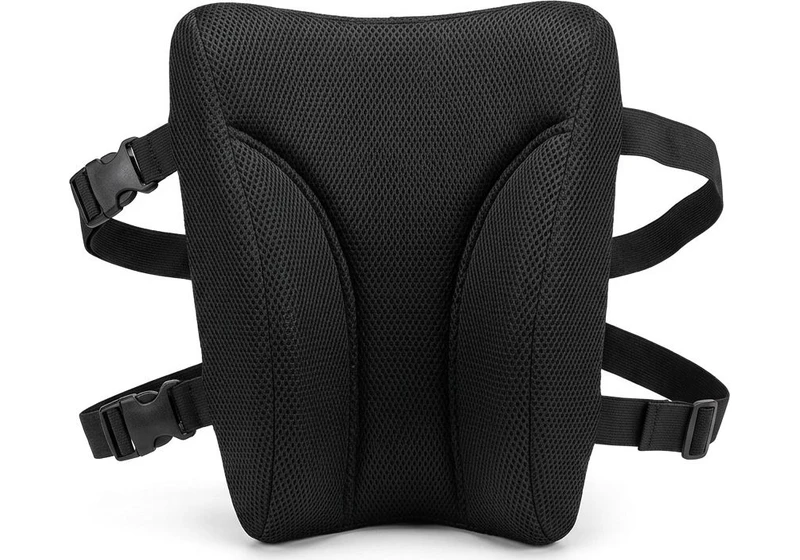
Memory Foam Lumbar Support Pillow
Contoured high-density foam with dual adjustable straps fills lumbar gap on firm office chairs.
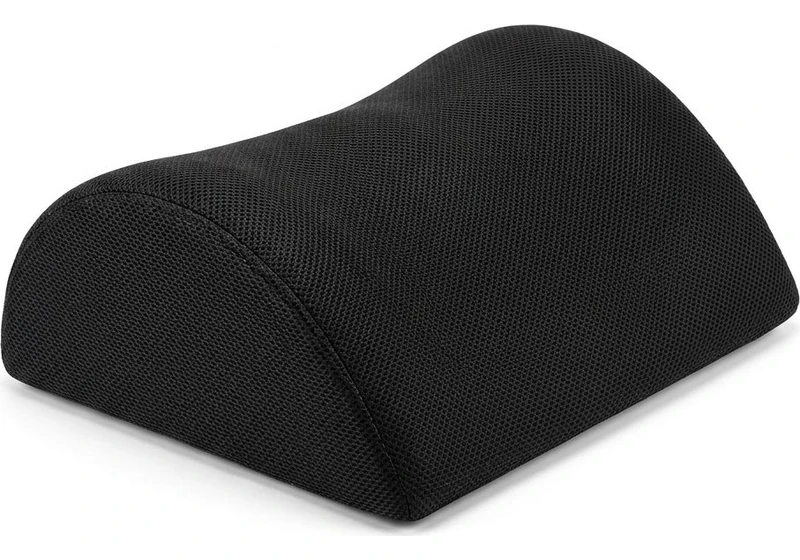
Ergonomic Teardrop Desk Footrest
Raises feet 5 inches to help reduce posterior thigh compression and support pelvic posture when seated.
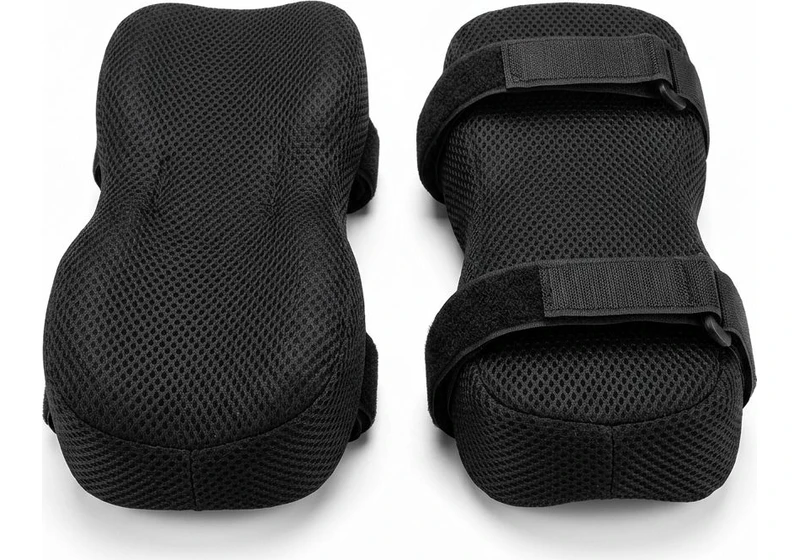
Contoured Chair Armrest Pads (Pair)
Thick memory foam cushions relieve elbow and forearm pressure points during 8+ hour workdays.
Best Ergonomic Chairs for Upper Back Pain: Detailed Reviews
We compared published manufacturer specifications and owner reports for three proven task chairs. Each pick provides exceptional upper back support, documented hardware reliability, and scapular clearance.
1. Herman Miller Embody: Best Overall for Upper Back Pain
The Herman Miller Embody features a dynamic pixel matrix engineered around a narrow central spine. Published specifications show a seat height of 16.0 to 20.5 inches with a 23.5 inch backrest.
The narrow upper back leaves shoulder blades free to retract naturally. Adapting to spinal micro movements, the backrest distributes pressure and is linked to reduced trigger points between shoulder blades.
What Sucks: The narrow top frame offers minimal lateral shoulder cradling for broad users who prefer a flat back. Armrests also lack forward and backward sliding adjustments.
Who Should Skip: Sitters who demand an integrated tall headrest or plush foam cushioning should skip the Embody. The chair uses a firm pixel suspension that feels technical rather than plush.
2. COLAMY Atlas: Best Value High-Back Mesh Chair
The COLAMY Atlas delivers high back thoracic support at an accessible price point. It features a full mesh backrest measuring twenty three inches with independent recline tension.
Published specs highlight 4D adjustable armrests, 3-step tilt lock from 107 to 127 degrees, and an integrated mesh headrest.
The independent back tilt lets users recline slightly while typing to transfer trunk load off spinal discs.
What Sucks: The molded plastic frame exhibits minor flex under heavy recline loads compared to cast aluminum chairs. Mesh tension out of the carton feels quite firm for lighter sitters.
Who Should Skip: Users over two hundred fifty pounds or those who prefer memory foam padding should skip this model. The all mesh construction requires several weeks of break in time.
3. Steelcase Gesture: Runner Up for Unmatched Armrest Support
The Steelcase Gesture features 3D LiveBack technology and 360-degree armrests. Published manufacturer specifications include a 16.0 to 21.0 inch seat height range and a 24 inch backrest.
The ball joint armrests adjust through a complete sphere of motion, moving inward for typing. This adjustability can help ease trapezius shrugging across different body shapes and desk setups.
What Sucks: The seat cushion utilizes high density molded foam that some owners find firm after six hours. The recline tension knob requires multiple full rotations to shift resistance.
Who Should Skip: Sitters seeking all mesh breathability or budget pricing under five hundred dollars should skip the Gesture. Premium fabric upholstery traps heat more than open mesh frames.
What to Avoid: Chair Designs That Aggravate Upper Back Strain
Avoid these three common office chair design flaws that aggravate thoracic strain during computer work.
Mid Back Frames Ending Below Scapula: Backrests under twenty inches create a pressure pivot at the mid thoracic spine. They leave shoulder blades hanging in empty air.
Non Adjustable Lumbar Promoted as Upper Back Fixes: Bulky fixed lumbar pads push the lower spine into exaggerated lordosis. This forward push accentuates secondary thoracic kyphosis without supporting upper ribs.
Rigid Recline Locks Without Thoracic Contact: Static ninety degree backrests prevent natural spinal movement during desk tasks. Locking upright without rear contact forces back muscles into continuous fatigue.
Frequently Asked Questions
Is Upper Back Pain Caused by the Chair or the Monitor?
Upper back pain usually involves both factors, but you should check screen height first. A low display forces cervical forward head posture that overpowers even the best ergonomic backrest.
When Should You See a Clinician for Upper Back Pain?
Most upper back discomfort often eases with proper workstation ergonomics and frequent movement breaks. However, seek professional medical evaluation immediately if pain radiates around your chest wall or causes numbness.
Does a Standing Desk Help Relieve Upper Back Tension?
Standing desks can help ease upper back tension by breaking static sitting cycles and opening the chest. Review our standing desk tips for beginners to balance sitting and standing intervals safely.
Why Does Adjustable Lumbar Support Fail to Relieve Upper Back Pain?
Lumbar support targets the L1 to L5 vertebrae to stabilize pelvic tilt. It cannot support the T1 to T12 thoracic vertebrae or shoulder blades located eight inches higher up.
What Backrest Height Is Needed to Support the Shoulder Blades?
To support the upper thoracic spine, a chair backrest should measure at least twenty two inches above the compressed seat pan. Users over six feet require twenty four inches.
Sources & Scientific Literature
Hansraj, K. K. (2014). Assessment of stresses in cervical spine caused by posture and head position. Surg Technol Int, 25, 277-279.
ANSI/BIFMA X5.1-2017. General Purpose Office Chairs: Tests. American National Standards Institute.
Claus, A. P., et al. (2009). Measurement of spinal curves in four sitting postures. Man Ther, 14(4), 404-408.
Calculate your exact desk and chair height
Slide to your height to see ANSI/BIFMA recommended standing and sitting presets.
By M. Haris
References ANSI/BIFMA G1-2017 guidanceSoftware engineer and founder of The Desk Riser
M. Haris is a software engineer and founder of The Desk Riser, auditing manufacturer engineering schematics, motorized desk cycle lifespans, ANSI/BIFMA G1-2017 ergonomic standards, and long-term user failure patterns across verified owner communities. Every guide is editorially independent with zero paid brand placements and zero PR samples (we may earn affiliate commissions on qualifying purchases). Have questions or spot a warranty update? Email directly at support@thedeskriser.com, read the Author Dossier, or explore our Editorial Research Methodology.
Share this article:
Workstation Setup & Fit Q&A
Have questions about frame deflection, monitor arm clamp loads, or chair sizing? Consult our workstation researchers.
Q:How do I know if this standing desk will wobble on thick carpet?
Standing desk wobble on carpet is caused by uneven carpet pile compression under the rear footpads. Frames with wedge-reinforced leg collars and wide steel footplates (like UPLIFT V3 or FlexiSpot E7 Pro) minimize lateral flex. If placing on plush carpet, use rigid caster cups or a dense underlay to anchor the base directly to the subfloor.
Q:Can I clamp a dual monitor arm onto standard particleboard tops?
Dual monitor arms concentrate 25 to 45 lbs of dynamic torque onto a 4-inch clamp perimeter. Hollow honeycomb tops (such as IKEA Linnmon) will crush. We recommend a minimum 0.75-inch solid core (MDF, solid bamboo, or hardwood), or sandwiching a steel reinforcement bracket plate (min 2.5mm thickness) between the clamp and desktop.
Q:What if my chair cylinder sinks or feels too high for my feet?
Always verify your seated popliteal height (crease behind knee to floor with shoes). If a chair will not drop below 17 inches and your feet dangle, pair it with an angled footrest or switch to a low-range Class 4 cylinder. If a cylinder loses pressure and sinks on its own, the internal nitrogen seal is breached and requires cylinder replacement.
Ask Our Ergonomic Spec Reviewers
Planning an upgrade or unsure if your monitors and stature fit this configuration? Send your dimensions directly to our research desk. No accounts, no trackers, zero marketing spam.