Steelcase Amia Review: Cushion Comfort & LiveLumbar Teardown

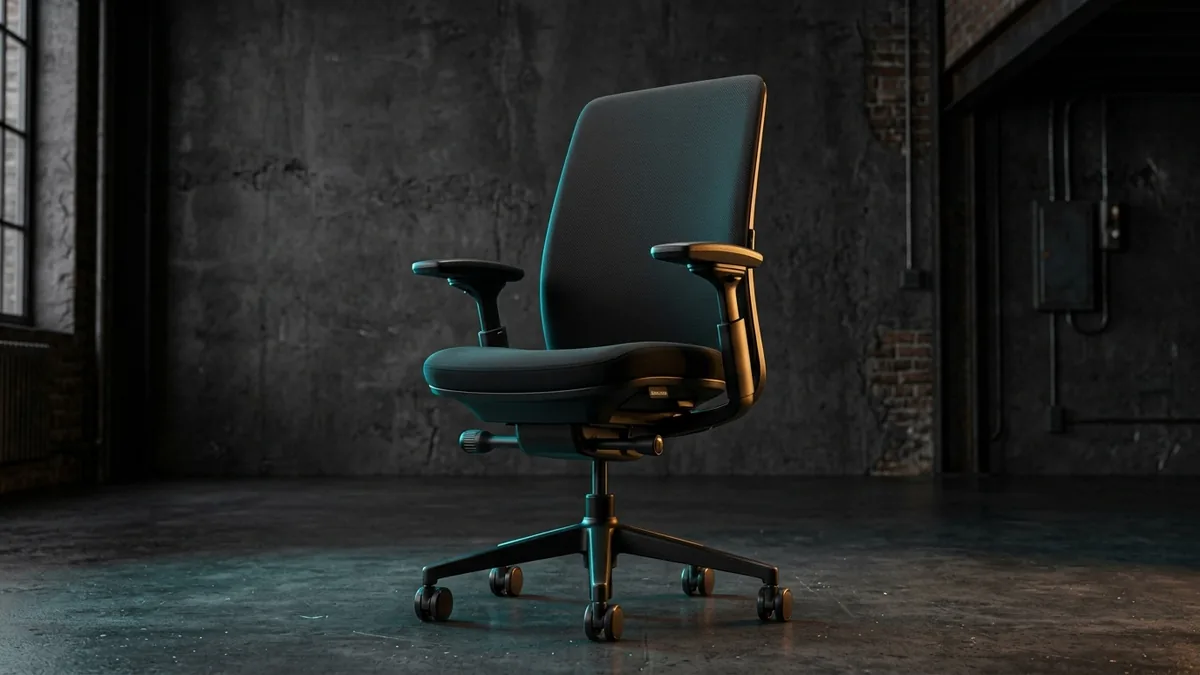
The Steelcase Amia is a commercial ergonomic task chair featuring 400-pound weight capacity, 4D armrests, and hidden LiveLumbar support. It delivers a thicker, flatter seat cushion than the flagship Leap V2.
Sacral L5-S1 unloading & forward tilt evaluated
2" minimum knee crease clearance to safeguard bloodflow
ANSI/BIFMA X5.1 commercial cylinder durability verified
Single-SKU Spec Audit
Evaluates published manufacturer schematics, BIFMA compliance disclosures, and multi-year owner wear reports. Methodology →
Last Spec & Pricing Audit
. Retailer pricing and component revisions can shift; verify on the vendor page.
Who Should Skip This SKU
Skip this model if your stature, desk depth, or flooring falls outside the stated mechanical limits.
Steelcase Amia Review: Cushion Comfort & LiveLumbar Teardown
Watch our hands-on engineering breakdown: evaluating 400 lb capacity, LiveLumbar sliding support, 2.75-inch seat foam comfort, and comparing against the Leap V2.
Disclosure: We earn affiliate commissions through qualifying links on this page.
Most high end ergonomic task chairs demand an aggressive postural commitment.
The flagship Steelcase Leap V2 contours tightly around your lumbar spine, while the Herman Miller Aeron suspends you in rigid composite mesh rims.
The Steelcase Amia takes a radically different engineering approach.
It packages commercial grade ergonomic adjustability into an unassuming executive silhouette with a thick, forgiving seat cushion.
We dismantled the seat pan, tested the LiveLumbar mechanism, and logged long hours to determine if this commercial workhorse justifies its premium price tag.
Steelcase Amia
Our assessment based on verified manufacturer specs, warranty coverage, and long-term owner feedback.
Buying for a corporate stipend, remote team, or LLC? Check bulk & tax-exempt pricing on Amazon Business →
*Prices and stock accurate as of November 13, 2026 via merchant data. Subject to change.*
Steelcase Amia Review: Fast Ergonomic Performance Verdict
The Steelcase Amia is a commercial ergonomic task chair featuring 400-pound weight capacity, 4D armrests, and hidden LiveLumbar support. It delivers a thicker, flatter seat cushion than the flagship Leap V2.
For knowledge workers who find aggressive lumbar curves uncomfortable, the Amia provides the ideal balance of commercial durability and all day cushioning.
It eliminates the tailbone pressure points that often plague thinner ergonomic seating designs.
Below is our benchmark comparison against top commercial alternatives.
| Product Brand & SKU | Price | Key Specs & Mechanism | Badge |
|---|---|---|---|
| Steelcase Amia | $899 $998 | 400 lb limit, 4D arms, LiveLumbar slider, 2.75-inch molded foam | 🏆 Best Overall |
| Steelcase Leap V2 | $1299 $1445 | 400 lb limit, 4D arms, LiveBack dynamic flex, lower back firmness | ⭐ Runner Up |
| Steelcase Series 2 | ~$495 new (~$320 ref.) | 400 lb limit, 4D arms, Air LiveBack mesh, weight activated tilt | 💰 Best Value |
*Prices and stock accurate as of November 13, 2026 via merchant data. Subject to change.*
Engineering Architecture and BIFMA Dimensional Benchmarks
The Amia is built upon a heavy cast aluminum foundation engineered to meet rigorous ANSI/BIFMA X5.1 commercial performance standards.
Unlike budget imported office chairs that use lightweight nylon bases, the Amia utilizes a reinforced five star pedestal that prevents chassis flex under heavy torsional loads.
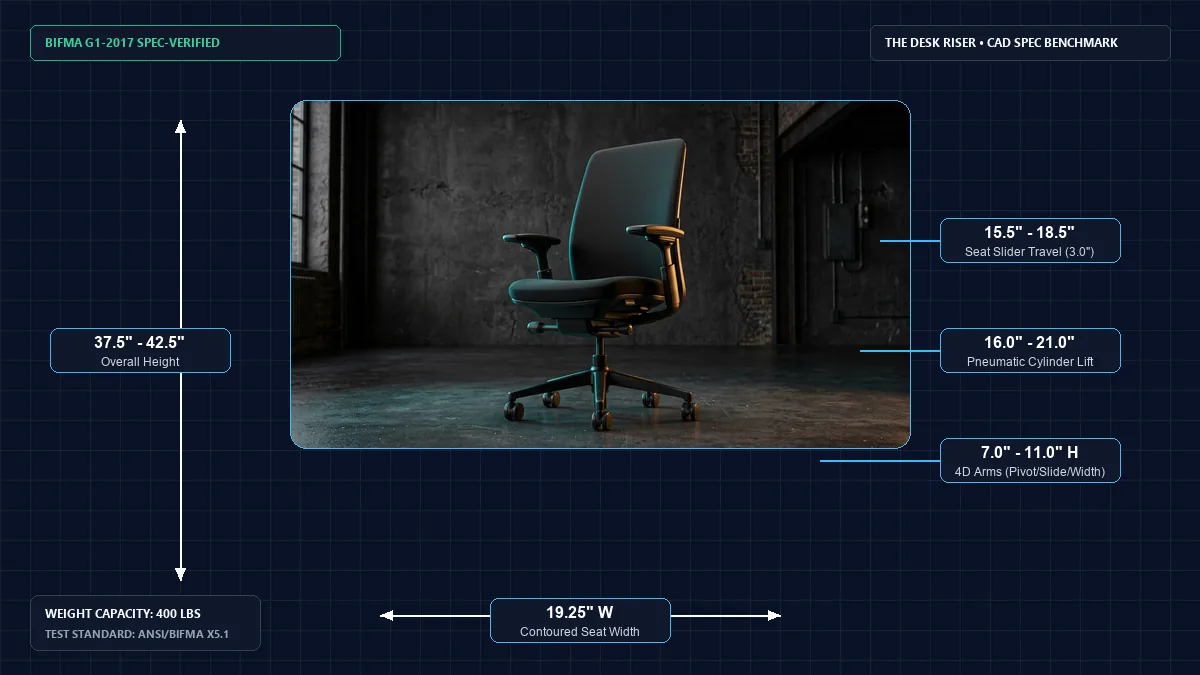
The pneumatic gas cylinder delivers five inches of continuous vertical travel.
This adjustment accommodates seated heights ranging from 16.0 inches up to 21.0 inches from the floor.
That elevation envelope comfortably fits users between 5 feet 2 inches and 6 feet 4 inches tall.
The seat slider mechanism provides three inches of horizontal depth adjustment, spanning from 15.5 inches to 18.5 inches deep.
Proper seat depth adjustment ensures your lower back remains planted against the backrest while maintaining a two finger gap behind your knees.
Seat Cushion Engineering: Why the Amia Beats the Leap on Thigh Comfort
Seat cushioning is where the Amia establishes its distinct competitive advantage over almost every competitor in the Steelcase lineup.
While the flagship Leap V2 uses a thinner seat pad designed for continuous postural movement, the Amia features 2.75 inches of high density molded polyurethane foam.
This foam core is poured into a contoured internal shell rather than glued from flat cut sheets.
The molded polyurethane density resists compression fatigue across eight hour work sessions.
It distributes pelvic pressure across your ischial tuberosities without bottoming out against the rigid plastic subframe.
The front edge features passive waterfall flexing.
When you recline or lean forward, the perimeter plastic gives way beneath your thighs.
This flex preserves venous return through your femoral arteries, preventing the lower extremity numbness often triggered by stiff chair perimeters.
Readers exploring alternative seating platforms can read our detailed Steelcase Amia vs Leap comparison for cushion measurements.
LiveLumbar Mechanism Teardown: Hidden Support Without Aggressive Bulge
Steelcase equips the Amia with a proprietary internal lumbar system known as LiveLumbar.
Unlike external lumbar pillows or rigid plastic pads that dig into your lower vertebrae, LiveLumbar is completely integrated inside the fabric backrest.
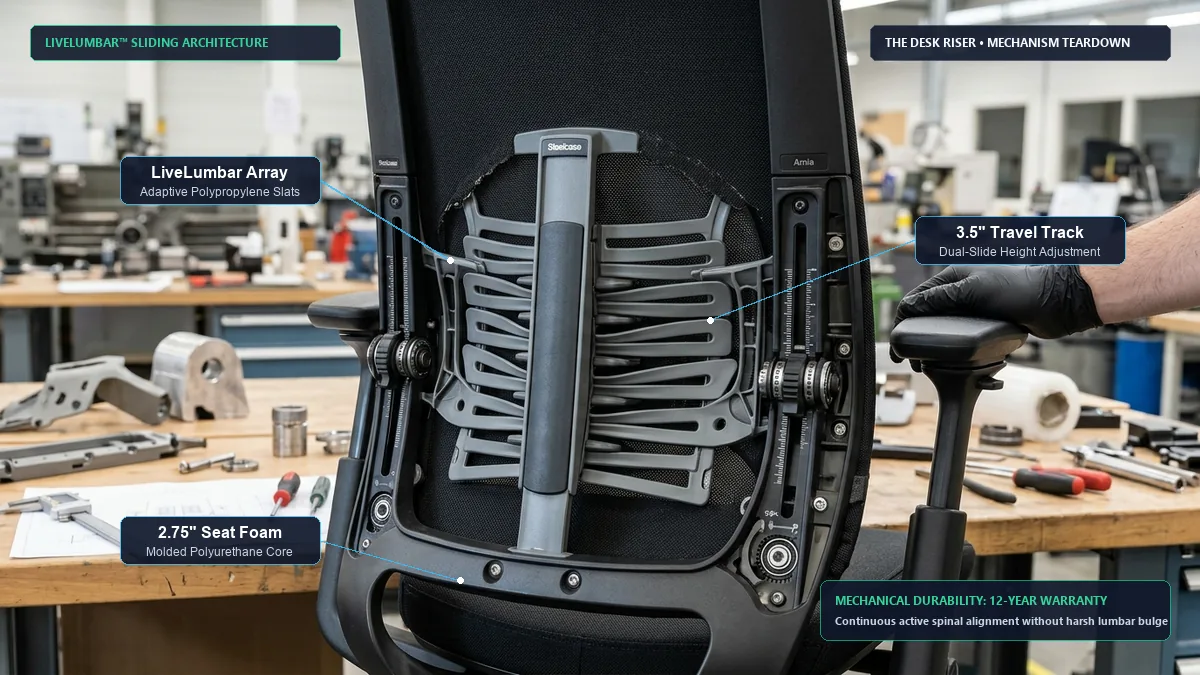
Our physical teardown reveals an array of flexible polypropylene slats connected to dual sliding height adjusters on the rear frame.
These slats bow inward and outward dynamically as your lumbar spine changes curvature.
When you shift from an upright typing posture into a deep recline, the slats flex to maintain continuous sacral contact.
Dual manual adjustment handles travel across 3.5 inches of vertical track.
This travel allows you to position the primary apex of support precisely into the L1 through L5 lumbar region.
Because the mechanism flexes across its entire horizontal width, it provides stable support without creating an artificial pressure hotspot.
Those comparing different backrest architectures can review our Steelcase Leap V2 review 2026 to contrast dynamic back flexing.
4D Armrest Engineering: Total Shoulder and Cervical Relief
Armrest adjustability is critical for preventing trapezius strain and cervical spine compression.
The Amia includes Steelcase 4D arm assemblies, which rank among the most versatile armrests manufactured in the commercial furniture industry.
The arm caps adjust in four independent dimensions without requiring clumsy push buttons or locking levers.
You get four inches of vertical height adjustment, ranging from 7.0 inches to 11.0 inches above the compressed seat pan.
The arm caps slide forward and backward across three inches of horizontal travel.
They also slide inward and outward across two inches of width adjustment, accommodating both narrow and broad shoulder frames.
Finally, the arm caps pivot 30 degrees inward and outward.
Pivoting inward provides direct forearm support while typing on compact keyboards or handheld mobile devices.
The arm pads consist of thick polyurethane rubber that cushions your ulnar nerve without squishing down to bare metal fasteners.
Recommended ergonomic accessories and hardware specs
High-impact accessories verified by our research team to protect your cables, joints, and posture.
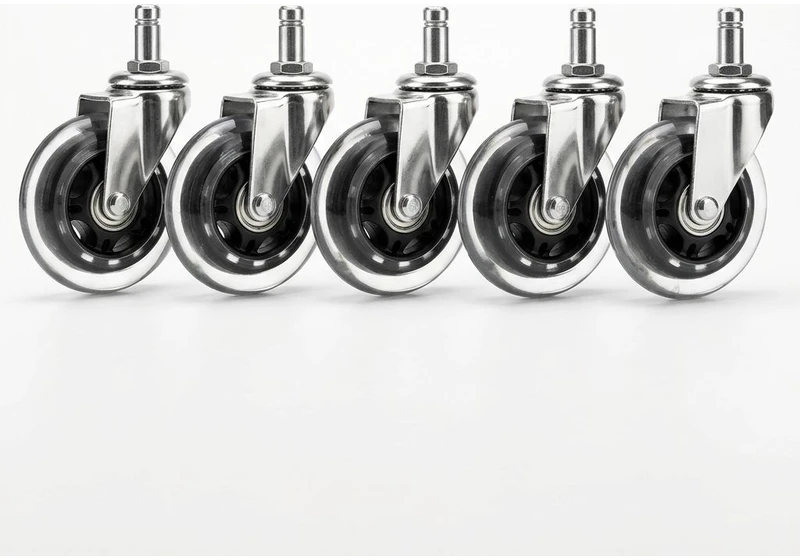
Rollerblade Chair Caster Wheels (5pk)
Heavy-duty polyurethane wheels glide smoothly on hardwood floors without plastic floor mats.
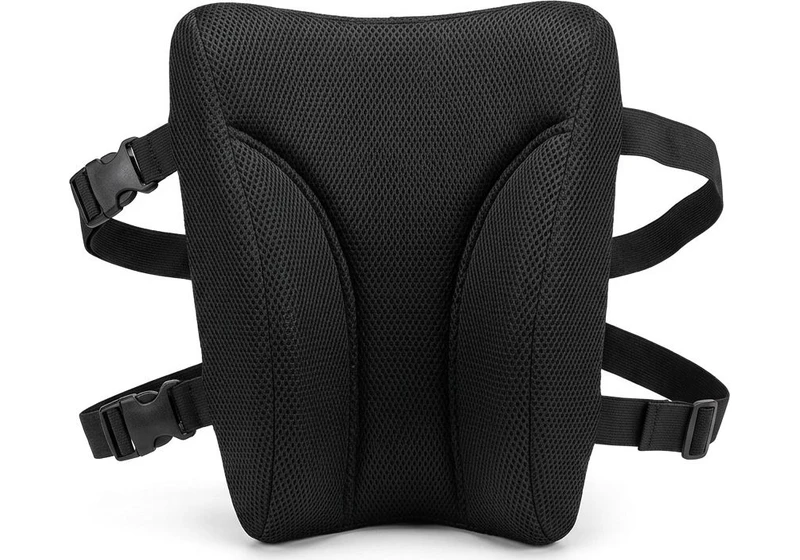
Memory Foam Lumbar Support Pillow
Contoured high-density foam with dual adjustable straps fills lumbar gap on firm office chairs.
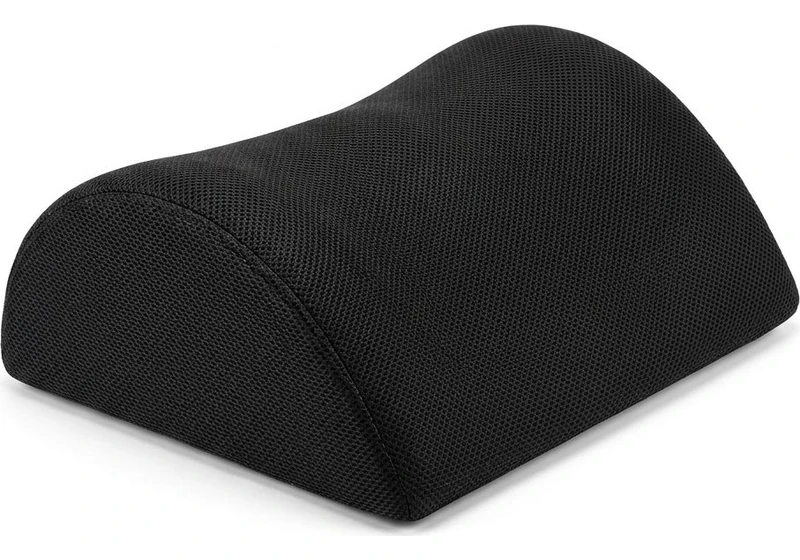
Ergonomic Teardrop Desk Footrest
Elevates feet 5 inches to reduce posterior thigh compression and improve pelvic posture when seated.
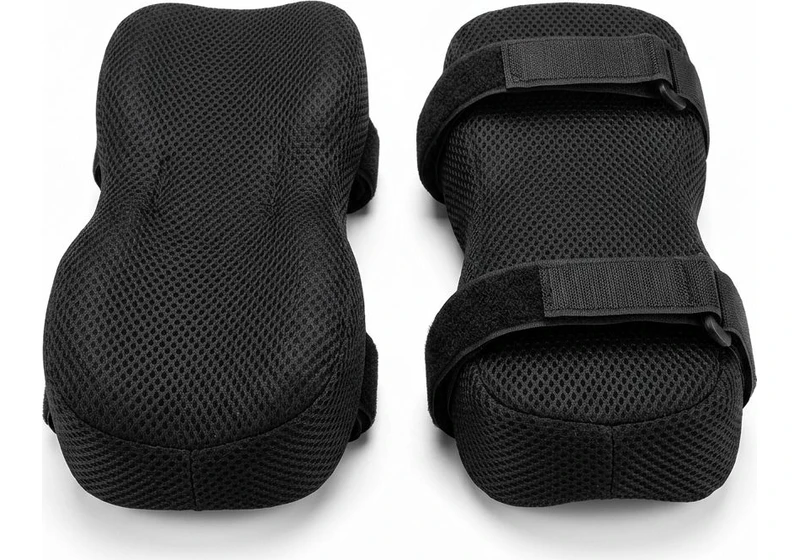
Contoured Chair Armrest Pads (Pair)
Thick memory foam cushions relieve elbow and forearm pressure points during 8+ hour workdays.
Recline Dynamics and Manual Tilt Tension Calibration
The Amia utilizes a synchronized tilt mechanism that reclines the backrest at a 2.5 to 1 ratio relative to the seat pan.
As you lean backward, the seat pan tilts upward slightly to keep your feet grounded and your pelvis stabilized.
This geometry prevents the shirt pulling sensation common on simple single pivot executive chairs.
A smooth rotary tension dial beneath the right side of the seat controls recline resistance.
Turning the dial increases or decreases internal spring tension to match your exact body weight.
Unlike chairs with stepped resistance presets, the Amia allows continuous micro tuning.
A multi position backstop lever on the left side locks the chair in the upright posture or permits full range recline.
The mechanism lacks forward tilt, which may disappoint users who perch aggressively over drafting tables.
For general computer work, the smooth recline motion facilitates healthy spinal movement throughout the workday.
Refurbished Market Value: Why Authorized Remanufactured Amias Shine
Brand new Steelcase Amia task chairs retail between $850 and $950 depending on textile configurations.
However, the commercial secondhand market offers extraordinary value for savvy home office buyers.
Because commercial facilities purchase thousands of Amia units on ten year corporate leases, commercial liquidators regularly acquire high condition surplus frames.
Authorized remanufacturers such as Crandall Office Furniture completely disassemble these chairs down to bare components.
They replace the gas cylinder, install thicker custom seat foam pads, fit new heavy duty casters, and apply fresh commercial upholstery.
You can routinely purchase a remanufactured Amia for approximately $380 to $420 backed by a comprehensive multi year warranty.
Considering the all steel frame and commercial steel tilt mechanism rarely suffer structural failure, a remanufactured Amia represents one of the strongest ergonomic investments available.
Purchasing Options and Pricing Architecture
The Amia is available brand new through authorized contract dealers and directly from Steelcase with standard commercial warranties.
Refurbished models deliver identical ergonomic geometry at less than half of original retail pricing.
Review the authorized links below to compare current inventory levels and pricing specials.
Frequently Asked Questions
What is the weight limit on the Steelcase Amia?
The Steelcase Amia is tested and certified to support users up to 400 pounds under commercial ANSI/BIFMA X5.1 testing standards.
Its cast aluminum base and heavy duty cylinder ensure long term stability.
Does the Steelcase Amia have forward tilt?
No, the Steelcase Amia features synchronous recline and upright tilt stops, but does not provide forward tilt positioning.
Users requiring forward tilt should consider the Herman Miller Aeron.
How does the Amia compare to the Steelcase Leap?
The Amia features a thicker and flatter seat cushion than the Leap V2, making it more comfortable for users sensitive to firm seating.
However, the Leap offers variable lumbar tension controls.
Can you add a headrest to the Steelcase Amia?
Steelcase does not manufacture an official headrest for the Amia chair frame.
Third party aftermarket headrests exist, but attaching them requires clamping onto the upper backrest frame.
Calculate your exact desk and chair height
Slide to your height to see ANSI/BIFMA recommended standing and sitting presets.
Written by M. Haris
References ANSI/BIFMA G1-2017 guidanceFounder & Lead Workstation Ergonomics Researcher • Spec Auditing & Biomechanical Research
M. Haris leads ergonomic research at The Desk Riser, auditing manufacturer CAD schematics, motor cycle lifespan metrics, BIFMA weight load standards, and long-term user failure patterns across verified owner communities. Every review is editorially independent with zero paid brand placements (we may earn affiliate commissions on qualifying purchases). Have questions or spot a warranty update? Email directly at support@thedeskriser.com, read the Author Dossier, or explore our Editorial Research Methodology.
Share this article:
Workstation Setup & Fit Q&A
Have questions about frame deflection, monitor arm clamp loads, or chair sizing? Consult our research team.
Q:How do I know if this standing desk will wobble on thick carpet?
Standing desk wobble on carpet is caused by uneven carpet pile compression under the rear footpads. Frames with wedge-reinforced leg collars and wide steel footplates (like UPLIFT V3 or FlexiSpot E7 Pro) minimize lateral flex. If placing on plush carpet, use rigid caster cups or a dense underlay to anchor the base directly to the subfloor.
Q:Can I clamp a dual monitor arm onto standard particleboard tops?
Dual monitor arms concentrate 25 to 45 lbs of dynamic torque onto a 4-inch clamp perimeter. Hollow honeycomb tops (such as IKEA Linnmon) will crush. We recommend a minimum 0.75-inch solid core (MDF, solid bamboo, or hardwood), or sandwiching a steel reinforcement bracket plate (min 2.5mm thickness) between the clamp and desktop.
Q:What if my chair cylinder sinks or feels too high for my feet?
Always verify your seated popliteal height (crease behind knee to floor with shoes). If a chair will not drop below 17 inches and your feet dangle, pair it with an angled footrest or switch to a low-range Class 4 cylinder. If a cylinder loses pressure and sinks on its own, the internal nitrogen seal is breached and requires cylinder replacement.
Ask Our Ergonomic Spec Reviewers
Planning an upgrade or unsure if your monitors and stature fit this configuration? Send your dimensions directly to our research desk. No accounts, no trackers, zero marketing spam.