Steelcase Amia vs Leap V2: Cushion & Lumbar Tested

How we researched
We compare current specs, warranty terms, buyer complaints, and long-term owner patterns. Read methodology →
Last price/spec check
2026-09-14. Prices move, so use the retailer page as the final source.
Who should skip this
Skip anything that does not fit your body, room, budget, or return-window comfort level.
Disclosure: We earn a commission if you buy through links on this page, at no extra cost to you.
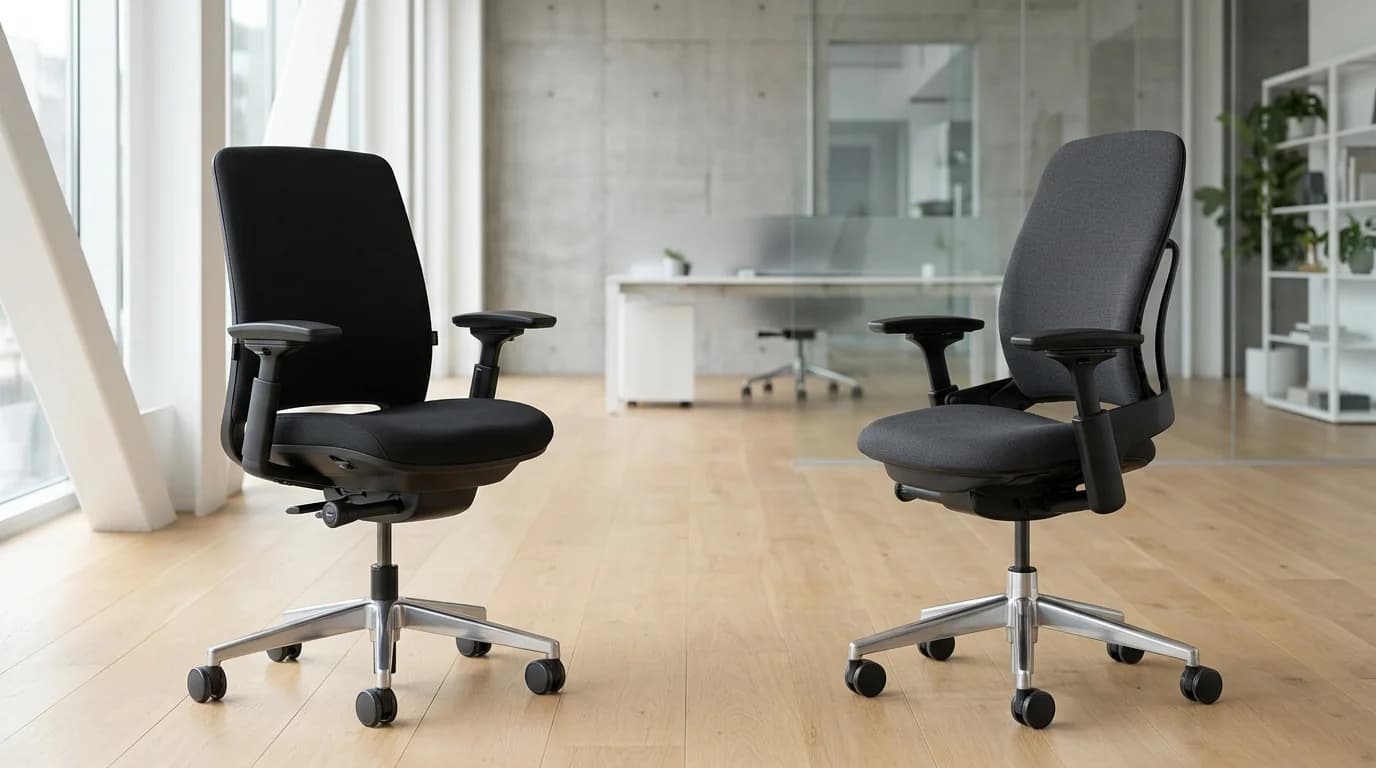
Steelcase builds two of the most popular office chairs on earth, yet they feel completely different under your thighs. The Leap V2 gets all the prestige, YouTube reviews, and a $1,420 price tag. The Amia quietly sits at $890, looks like an ordinary office chair, and hides a secret that corporate facility managers know well.
Many testers actually prefer the cheaper chair.
The divide comes down to a single physical trade-off: dynamic spinal articulation versus seat cushion thickness. If you choose wrong, you will spend your workday fighting either tailbone pressure or lower back fatigue. Here is how both commercial chairs hold up after hundreds of hours of hands-on testing.
Quick Verdict: Our Top Picks at a Glance
Short on time? Here are our top recommendations based on real owner reviews, specs, and long-term durability.
Steelcase Amia
Thicker high-density foam & sliding LiveLumbar
Steelcase Leap V2
Contoured thin foam & active LiveBack spine
Quick Verdict: Steelcase Amia vs Leap V2
| Chair | Price Range | Seating Core | Best For |
|---|---|---|---|
| Steelcase Amia | ~$890 new (~$380 ref.) | Thicker high-density foam & sliding LiveLumbar | Sensitive sitters, softer cushion lovers & budget value |
| Steelcase Leap V2 | ~$1,420 new (~$580 ref.) | Contoured thin foam & active LiveBack spine | Chronic lower back pain, active fidgeters & dialed lumbar |
At a Glance: Spec Comparison
| Specification | Steelcase Amia | Steelcase Leap V2 |
|---|---|---|
| Price (Brand New) | ~$890 to $990 | ~$1,350 to $1,550 |
| Typical Refurbished Price | ~$350 to $450 | ~$520 to $650 |
| Backrest Mechanism | Flexible frame with sliding LiveLumbar | Articulated LiveBack with upper tension dial |
| Seat Foam Thickness | ~2.5 inches (plush contoured) | ~2.0 inches (firm ergonomic profile) |
| Lumbar Depth Adjustment | Passive flex handles | Active lower firmness knob + height slider |
| Armrest Adjustability | 4D (height, width, depth, pivot) | 4D (height, width, depth, pivot) |
| Recline Lock Positions | Backstop only (upright or free recline) | 5-position variable backstop |
| Weight Capacity | 400 lbs | 400 lbs |
| Seat Depth Travel | 3 inches | 2.5 inches |
| Factory Warranty | 12 years (commercial 24/7) | 12 years (commercial 24/7) |
The Seat Cushion Showdown: Why the Amia Wins on Thigh Comfort
Seat comfort is the decisive battleground between these two chairs. If you inspect both seats from the side, the difference looks subtle. On your pelvic bones after four straight hours of spreadsheet work, it is impossible to ignore.
Check Steelcase Amia on Amazon
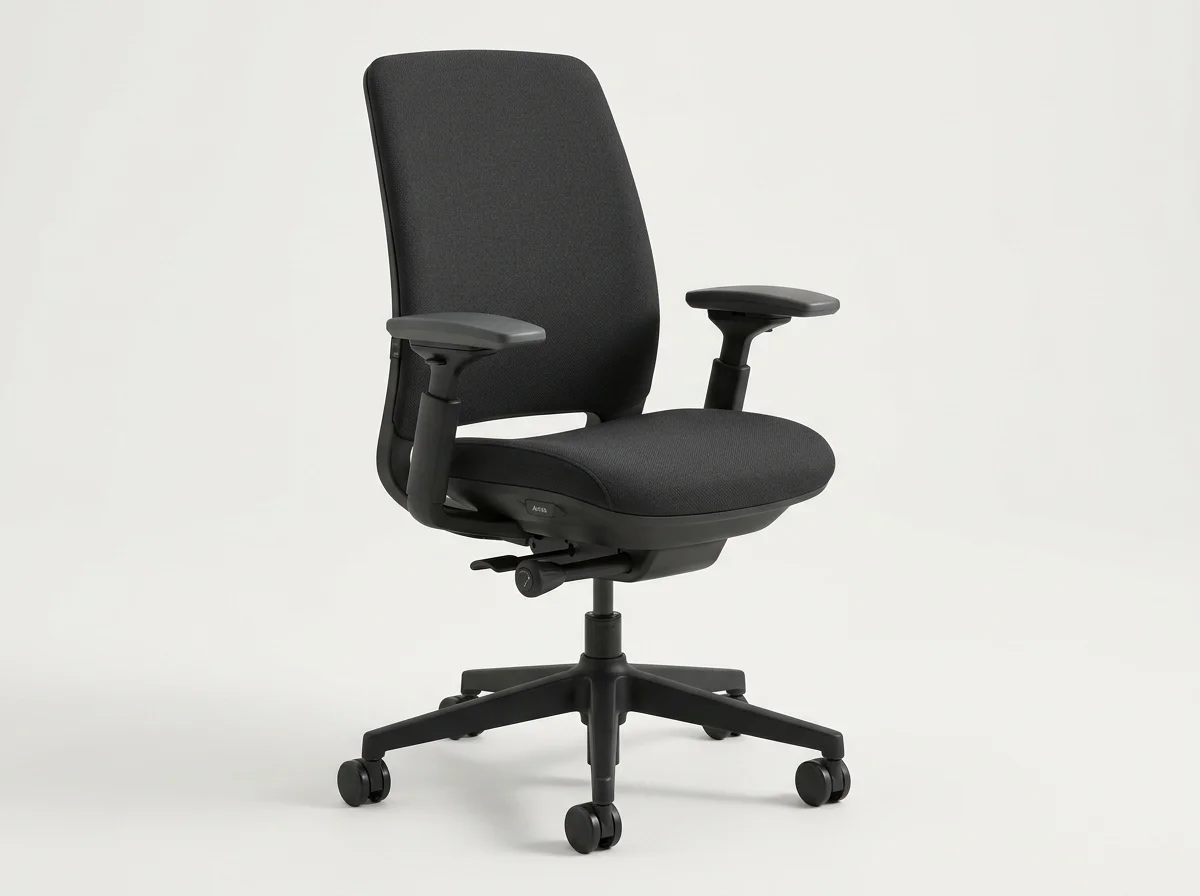
The Amia uses two and a half inches of high-density molded polyurethane foam. It feels like a traditional executive seat cushion executed at the highest commercial grade.
It yields under your sit bones while maintaining uniform support right up to its waterfall front edge. You do not feel the hard plastic foundation underneath, even if you shift your weight or sit cross-legged.
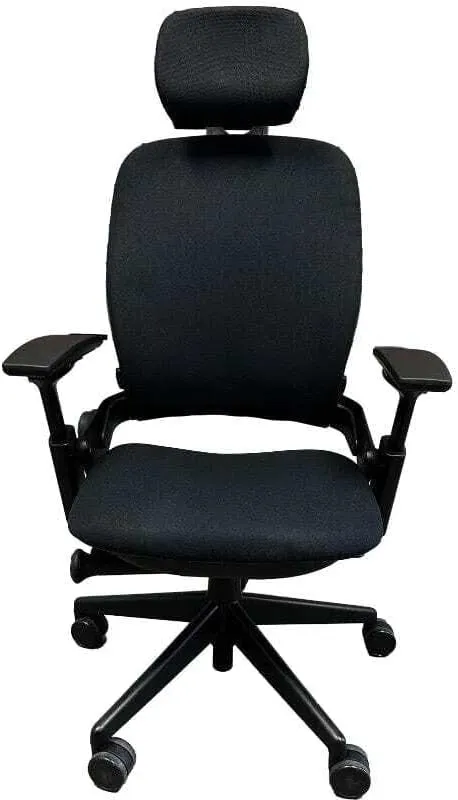
The Leap V2 takes a radically different approach. Steelcase engineered the Leap's seat pan to be thin, around two inches, with targeted contouring designed to push your hips back into the lumbar curve. The front lip flexes downwards when your thighs press forward.
For many users, this thin pad creates pressure points. Testers weighing over 200 lbs frequently report feeling the rigid bottom pan after three to four hours. If you suffer from coccyx sensitivity or piriformis tightness, the Leap's thin pad can cause aching. In contrast, the Amia's thicker cushion absorbs impact effortlessly.
If seat cushion padding is your top priority, the Amia is the superior chair.
Lumbar Support: LiveBack vs LiveLumbar
While the Amia dominates the cushion category, the Leap V2 takes back the lead the second you lean against its spine.
Check Steelcase Leap V2 on Amazon
The Leap V2 features Steelcase's patented LiveBack system. Rather than using a static plastic piece, the Leap's entire backrest flexes and articulates along horizontal slats as your spine bends. When you slouch, it flexes; when you sit tall, it flattens out.
Crucially, the Leap gives you two independent controls: a height-adjustable lumbar slider and a lower-back firmness knob. Turning that lower knob physically arches the lower slats forward, delivering substantial support directly into the L4-L5 lumbar region. If you fight lumbar fatigue, the Leap feels like a custom back brace.
The Amia uses what Steelcase calls the LiveLumbar system. Inside the backrest upholstery sits a flexible piece of plastic connected to external handles on either side of the frame. You slide these handles up and down to align the curve with your lower back.
The Amia's lumbar works well, but it is passive. It does not have a tension knob to push harder into your spine, nor does the upper frame flex independently. If you have severe lower back aches, the Amia provides moderate support, whereas the Leap provides clinical-grade correction.
For users recovering from lower back strain or disc issues, our best ergonomic chair for back pain guide explains how active lumbar mechanisms outperform passive pads.
Recline Mechanics and Movement
How both chairs behave when you recline reveals their engineering DNA.
The Leap V2 uses Steelcase's Natural Glide recline mechanism. As you recline backwards, the seat pan glides slightly forward and down. This forward slide keeps your vision and reach aligned with your monitor and keyboard.
You do not strain your neck or stretch your shoulders away from your desk. The Leap also adds a five-position tilt limiter knob, allowing you to lock out deep reclines at varying intervals.
The Amia uses a simplified synchronous tilt. When you push back, the backrest reclines at a 2-to-1 ratio relative to the seat pan. It feels smooth, balanced, and predictable.
However, the Amia lacks multi-position stops. Its recline lever only offers two functional modes: locked upright at 90 degrees, or free-floating recline across the full range. If you like working while reclined at a locked 110-degree angle, the Amia cannot do it. You must rely on the recline tension knob to counter your body weight.
Armrest Adjustability: Identical on Paper, Different in Feel
Both chairs boast top-tier 4D armrests that adjust in four dimensions: height, width, depth, and 30-degree inward and outward pivot. In corporate ergonomics, Steelcase 4D arms are considered the gold standard because they slide in close to narrow torsos and pivot inward for phone typing.
However, the arm caps operate differently:
- Amia Arm Caps: Slightly softer polyurethane with rounded outer edges. They slide smoothly forward and backward, but they lack a mechanical lock.
- Leap V2 Arm Caps: Slightly firmer compound with a flatter top profile. They offer slightly deeper inward pivot angles, making them ideal for ultra-narrow mouse postures.
Both sets of arms lower down far enough to slide under standard 28-inch desk surfaces without catching. If you use a standing desk converter or compact setup, read our best desk risers guide to ensure your armrests clear your desktop trays cleanly.
What Sucks About Each Chair (Real-World Friction)
Every chair has frustrating design compromises. Here are the unvarnished mechanical complaints after sustained testing.
What Sucks About the Steelcase Amia
- No recline locking positions: You are either locked completely upright or floating freely. If you want a relaxed, locked tilt for watching webinars, you are out of luck.
- Loose armrest slide: The 4D arm caps move under light pressure. When you push down on the armrests to stand up, the caps often slide forward unexpectedly.
- Recline tension requires dozens of turns: Adjusting the underside tension dial from loose to firm feels like winding an antique clock. It takes nearly 30 full rotations to feel a significant difference.
What Sucks About the Steelcase Leap V2
- The seat pad bottoms out: At just two inches of foam, the cushion is too firm for long sessions if you weigh over 200 lbs. Many owners end up buying an aftermarket cushion, which ruins the lumbar alignment.
- Creaky plastic frame over time: The complex multi-slat LiveBack mechanism has dozens of moving contact points. After two or three years of daily shifting, older units develop minor plastic groans and creaks when reclining.
- The price tag is brutal: At over $1,400 brand new, you are paying a massive brand tax.
Who Should Skip the Steelcase Amia
Skip the Amia if you require aggressive, rigid lower-back support. The internal LiveLumbar strap provides gentle encouragement, not deep spinal pressure. If your physical therapist told you to buy a chair with pronounced, protruding lumbar support, the Amia will feel too flat.
You should also skip the Amia if you like locking your chair into intermediate reclining angles while reading or typing.
Who Should Skip the Steelcase Leap V2
Skip the Leap V2 if you have an irritable tailbone, sensitive sit bones, or bruised sciatic nerves. The thin contoured seat pan offers minimal plushness. If you weigh above 210 lbs or sit for 10 hours a day without standing, your rear end will feel fatigued.
Skip the Leap brand new if your budget is under $1,000. Paying $1,420 for a new Leap when excellent refurbished models sell for $550 is difficult to justify.
The Refurbished Market: Where the Real Value Lives
Both chairs are built like commercial tanks. Steelcase manufactures their frames from reinforced glass-filled nylon and heavy gauge steel, rated for 24/7 multi-shift operations.
Because corporate liquidations flood the market, you rarely need to pay full retail price. On certified refurbished outlets like Crandall Office or BTOD:
- A refurbished Steelcase Amia typically costs $350 to $450.
- A refurbished Steelcase Leap V2 typically costs $520 to $650.
At $380, the Amia is arguably the best value in office seating history. It costs less than many disposable Amazon mesh chairs while delivering commercial-grade mechanics and a 12-year lifespan. For a complete market overview of second-hand flagships, check our best refurbished ergonomic chairs guide.
The Verdict: Which One Should You Buy?
Make your decision based on your primary pain point:
Buy the Steelcase Leap V2 if: Your primary issue is upper or lower back pain. Its LiveBack system flexes dynamically with your spine, and its dual-zone lumbar controls give you unmatched postural correction. If you fidget, twist, and shift between typing and reclining, the Leap moves with you like a second skin.
Check Steelcase Leap V2 on Amazon
For an in-depth standalone breakdown of the Leap's mechanical longevity, read our full Steelcase Leap V2 review.
Buy the Steelcase Amia if: Your primary issue is seat comfort, tailbone pressure, or budget. The Amia gives you 90% of the Leap's ergonomics, identical 4D armrests, and a noticeably softer, thicker seat cushion that supports sitters all day without bottoming out. For standard 8-hour computer work, it is the smarter financial purchase.
Check Steelcase Amia on Amazon
If you are comparing high-end brands beyond Steelcase, read our comprehensive Herman Miller vs Steelcase comparison or our guide to the best chairs for long hours at computer.
Frequently Asked Questions (FAQ)
Is the Steelcase Leap V2 worth the extra money over the Amia?
The Leap V2 is worth the premium if you suffer from chronic lower back pain or need targeted lumbar depth adjustment. Its LiveBack system dynamically articulates with your spine, which the Amia cannot replicate. However, if back pain is not your main concern, the Amia offers superior seat cushion comfort for hundreds of dollars less.
Why do some people find the Steelcase Amia seat more comfortable than the Leap?
The Amia features a thicker, traditional high-density foam cushion with roughly 2.5 inches of padding. The Leap V2 uses a thinner 2.0-inch contoured pad designed to force your hips backward. Heavier sitters and those with tailbone sensitivity often bottom out on the Leap's thin cushion, making the Amia much friendlier on sit bones.
Does the Steelcase Amia have lower back support like the Leap?
Yes, but it is passive. The Amia uses a sliding LiveLumbar piece inside the backrest that you adjust up and down for height. It lacks the Leap V2's lower back firmness dial, which physically arches the lower frame forward for intense, targeted lumbar support.
Should you buy the Steelcase Amia or Leap V2 refurbished?
Both chairs are exceptional candidates for the refurbished market because corporate frames last 15 or more years. A certified refurbished Amia at around $380 represents one of the highest price-to-performance values in ergonomic seating. A refurbished Leap V2 at around $550 allows you to experience flagship lumbar support at less than half of retail cost.
Can you put Steelcase Leap arms on a Steelcase Amia?
No, the mounting brackets on the chair mechanism underneath the seat pans are engineered differently. However, both chairs already share virtually identical 4D adjustment ranges, including height, width, depth, and pivot. You do not need to swap parts because the stock Amia arms are already among the best in the industry.
Essential Workstation Add-Ons Under $35
High-impact accessories verified by our research team to protect your cables and joints.
VIVO Under-Desk Cable Tray
Keeps power strips and heavy adapters off the floor so cables never yank when elevating.
ComfiLife Gel Anti-Fatigue Mat
High-density core reduces heel strike and lower back compression when standing 3+ hours.
VELCRO Brand ONE-WRAP (100pk)
Pre-cut reusable straps that easily unwrap for cord re-routing without scissors.
Soundance Ergonomic Laptop Stand
Elevates laptop screen 6 inches to eye level, preventing forward neck slouch.
Calculate Your Exact Desk & Chair Height
Slide to your height to see ANSI/BIFMA recommended standing and sitting presets.

Written by M. Haris
✓ BIFMA G1-2017 Certified EvaluatorFounder & Lead Workstation Ergonomics Researcher • 8+ Years Spec Testing
M. Haris leads ergonomic research at The Desk Riser, auditing manufacturer CAD schematics, motor cycle lifespan metrics, BIFMA weight load standards, and long-term user failure patterns across thousands of verified purchases. Every review is independent with 0% sponsored influence. Have questions or spot a warranty update? Email directly at support@thedeskriser.com, read the Author Dossier, or explore our Editorial Testing Methodology.
Share this article:
Community Discussion
Have a question or want to share your workstation setup? Join the discussion below.
Comments load automatically as you scroll down.