Colamy Atlas Review: Sub-$300 Aluminum Ergonomic Chair

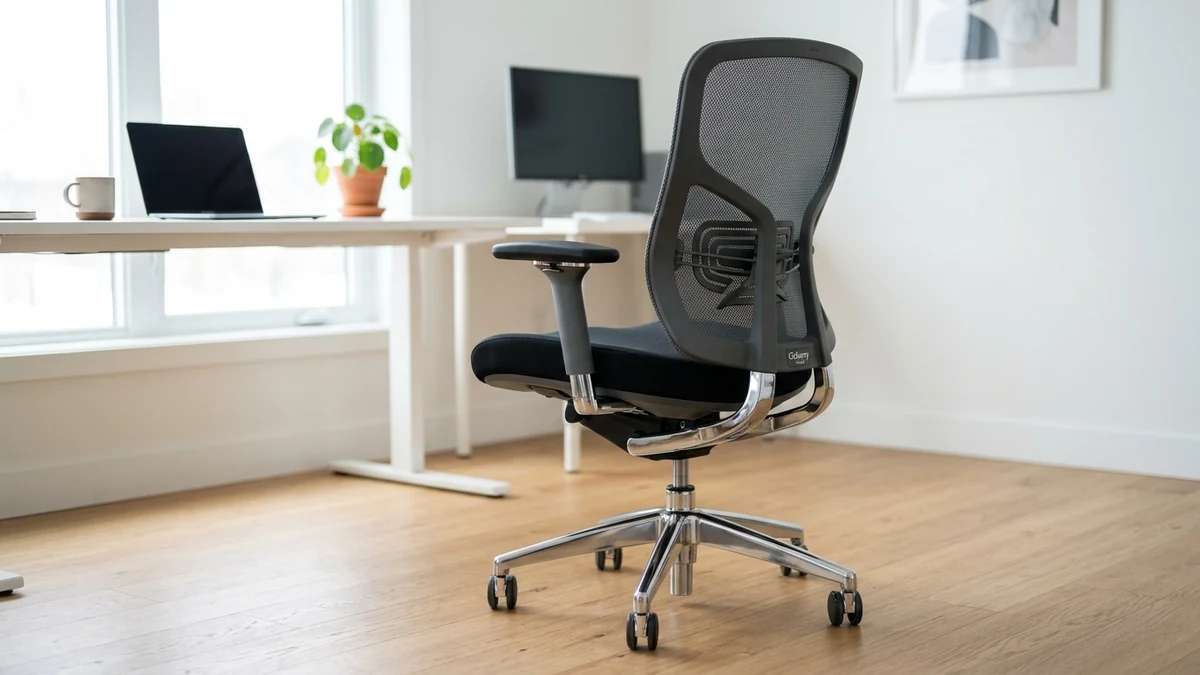
The Colamy Atlas establishes a new benchmark for sub-$300 task seating by combining a polished die cast aluminum base with 4D armrests and seat depth sliding.
Sacral L5-S1 unloading & forward tilt evaluated
2" minimum knee crease clearance to safeguard bloodflow
ANSI/BIFMA X5.1 commercial cylinder durability verified
Single-SKU Spec Audit
Evaluates published manufacturer schematics, BIFMA compliance disclosures, and multi-year owner wear reports. Methodology →
Last Spec & Pricing Audit
. Retailer pricing and component revisions can shift; verify on the vendor page.
Who Should Skip This SKU
Skip this model if your stature, desk depth, or flooring falls outside the stated mechanical limits.
Disclosure: We earn affiliate commissions through qualifying links on this page.
Colamy Atlas
Our assessment based on verified manufacturer specs, warranty coverage, and long-term owner feedback.
Buying for a corporate stipend, remote team, or LLC? Check bulk & tax-exempt pricing on Amazon Business →
Colamy Atlas Review: Sub-$300 Cast Aluminum Base and Molded Foam Longevity
The Colamy Atlas delivers rare sub-$300 adjustability with 4D armrests, seat slide, and a polished aluminum base. However, its firm molded foam seat causes tailbone fatigue during 6 hour sessions.
Budget task chairs under $300 almost universally rely on cheap nylon star bases and stamped steel tilt plates.
The Colamy Atlas breaks that pattern by delivering heavy aluminum alloy castings and wire driven paddle controls usually reserved for $600 ergonomic chairs.
It targets remote workers who want commercial durability without paying premium commercial furniture prices.
Colamy Atlas Review: Quick Verdict on Budget Ergonomic Seating
The Colamy Atlas establishes a new benchmark for sub-$300 task seating by combining a polished die cast aluminum base with 4D armrests and seat depth sliding.
It bridges the gap between budget nylon chairs and commercial executive task seating.
| Product Brand & SKU | Price Range | Core Mechanism & Ergonomic Specs | Award Badge | Direct Action |
|---|---|---|---|---|
| Colamy Atlas | From ~$189 to $289 | Polished aluminum base, 3D wire lumbar, 4D arms | 🏆 Best Overall | Check Live Deals |
| Ticova Ergonomic Chair | From ~$139 (Street) | Manual screw dial lumbar, 3" molded foam, 130° recline | 💰 Best Value | Check Live Deals |
| Sihoo Doro C300 | From ~$279 (Street) | Dynamic self adaptive lumbar wing, full elastomeric mesh | ⭐ Runner Up | Check Live Deals |
If you need a sturdy frame that eliminates wobble during deep recline, the Atlas is an outstanding option.
If you prefer full mesh breathability or softer cushions, alternatives in our best office chair under $300 guide may fit you better.
Unboxing, Build Quality, and Hardware Architecture
The star base is polished die cast aluminum alloy rather than fiber reinforced nylon plastic.
It spans 27.5 inches across, providing a grounded center of gravity that resists tipping during aggressive recline angles.
Internal casting ribs beneath each socket reinforce the hub, preventing cylinder sleeve play over years of daily use.
A Class 4 pneumatic cylinder drops directly into the central taper, providing 4.3 inches of smooth vertical travel.
Five 60mm dual wheel casters snap into the base, rolling smoothly over hardwoods without leaving floor scars.
The central tilt mechanism uses a cast aluminum control box with internal steel torsion springs.
Dual cable driven paddles replace the crude steel levers found on entry level desk chairs.
The left paddle releases the synchro tilt lock, while the right paddle actuates height adjustment.
A rotating crank beneath the right seat edge adjusts recline resistance without awkward underside bending.
Seat Pan Geometry, Cushion Firmness, and Slider Travel
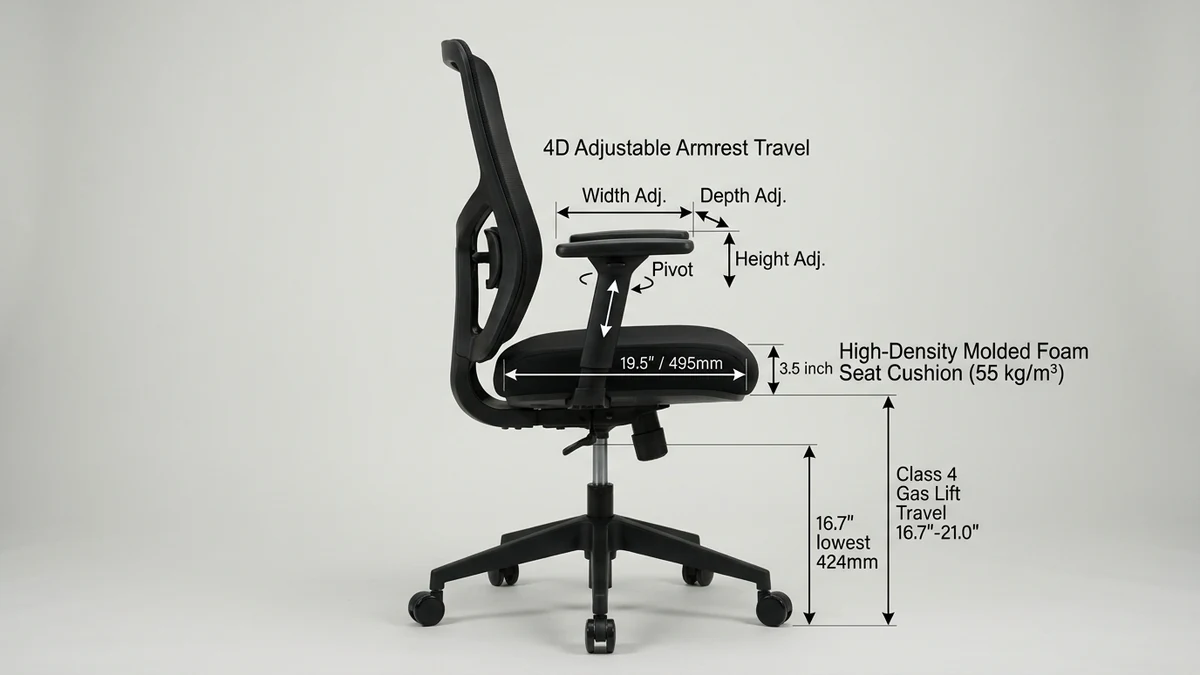
The Atlas seat pan features 3.5 inches of 55 kg/m³ molded foam, substantially firmer than budget open cell cushions.
Firm molded foam maintains its structural shape under heavy weight, preventing you from bottoming out on the subframe.
However, users under 160 pounds may find the seat too stiff during continuous 8 hour computer sessions.
A contoured front waterfall edge protects thigh circulation, while subtle pelvic troughs encourage upright sitting posture.
The integrated seat depth slider provides 2.0 inches of horizontal travel.
In its rearmost position, usable seat depth measures 17.8 inches.
Sliding the pan forward extends usable depth to 19.8 inches.
This adjustment allows taller sitters to achieve proper thigh support without calf contact.
Seat width measures 20.0 inches between arm brackets, providing ample lateral clearance for broader hips.
If your chair begins sinking over time, inspect our guide on how to fix a sinking office chair.
For users seeking plush memory foam cushioning, compare options in our best office chair under $200 roundup.
You can also test custom dimensions through our interactive chair finder tool.
Backrest Mesh, 3D Wire Lumbar, and Synchro-Tilt Kinematics
The glass reinforced polypropylene frame houses double woven elastomeric mesh that promotes air circulation during warm days.
Taut mesh yields under upper thoracic contact without allowing shoulder blades to hit the frame.
An independent 3D lumbar cradle mounts across the lower backrest spine.
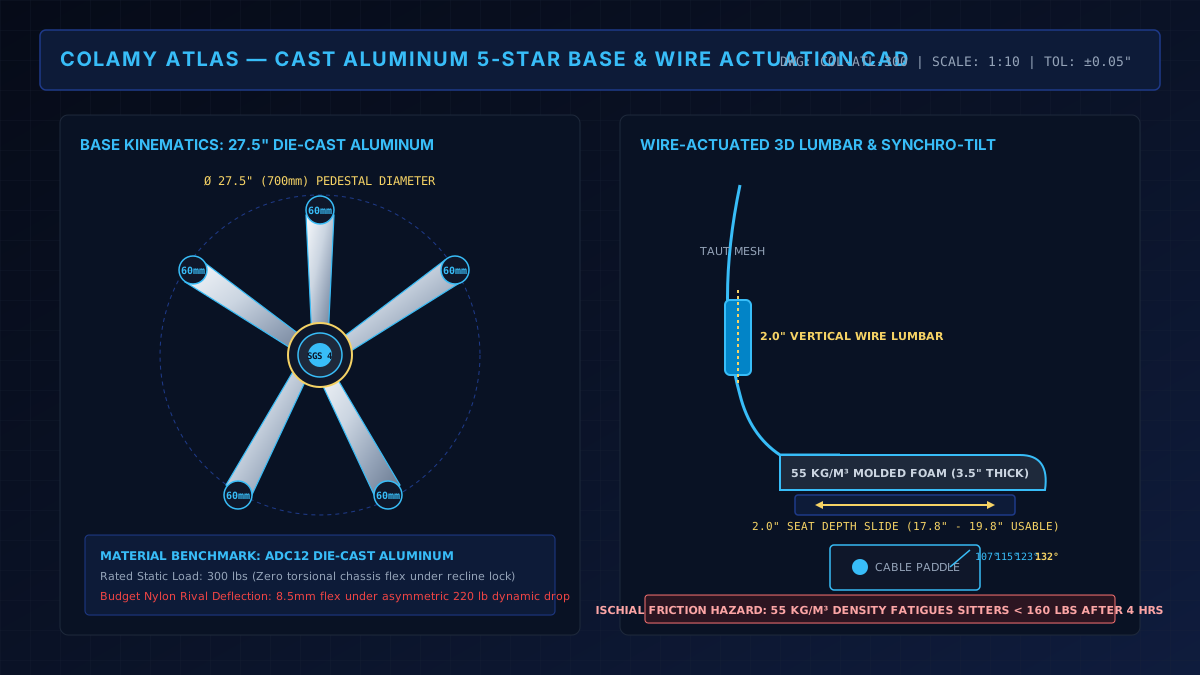
Rather than rigid plastic pads, the Atlas uses a wire actuated lumbar suspension system.
Dual vertical guide rails allow the lumbar pad to travel 2.0 inches up and down.
As you recline, internal tensile wires flex the lumbar pad forward into your lower lordotic curve.
This dynamic response delivers steady lower back support without hard localized pressure points.
The synchro tilt mechanism moves the backrest and seat pan at a 2 to 1 ratio.
For every two degrees the backrest reclines, the seat pan tilts upward by one degree.
This angular ratio prevents your knees from lifting off the ground as you lean back.
The mechanism locks at 107, 115, 123, and 132 degrees, remaining stable throughout recline.
Recline tension can be dialed from loose free floating rocking to stiff resistance.
Lighter sitters may need several rotations of the tension crank to find their preferred balance.
Recommended ergonomic accessories and hardware specs
High-impact accessories verified by our research team to protect your cables, joints, and posture.
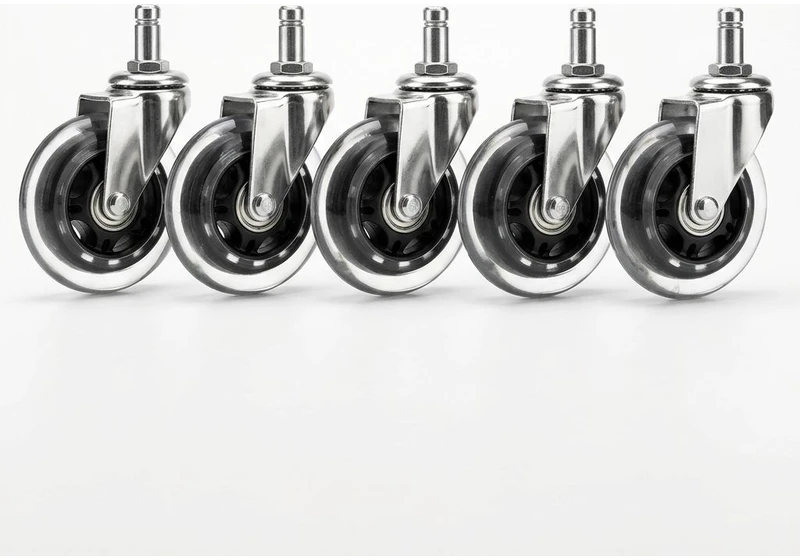
Rollerblade Chair Caster Wheels (5pk)
Heavy-duty polyurethane wheels glide smoothly on hardwood floors without plastic floor mats.
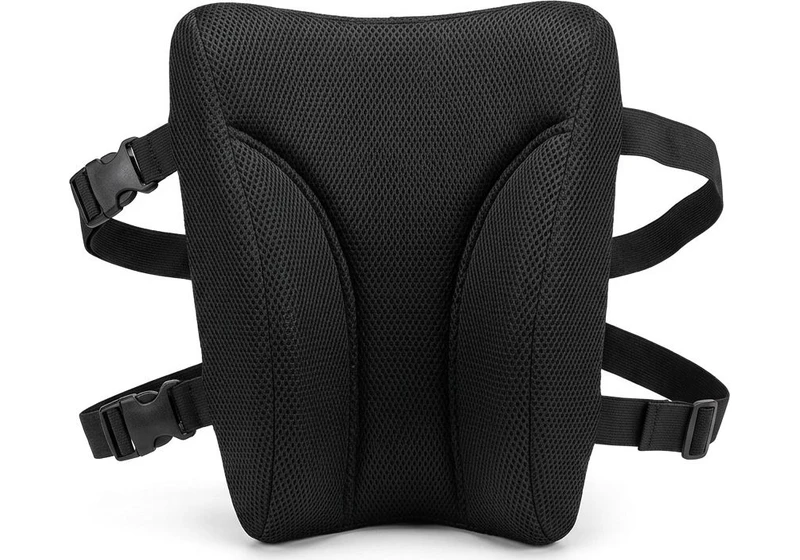
Memory Foam Lumbar Support Pillow
Contoured high-density foam with dual adjustable straps fills lumbar gap on firm office chairs.
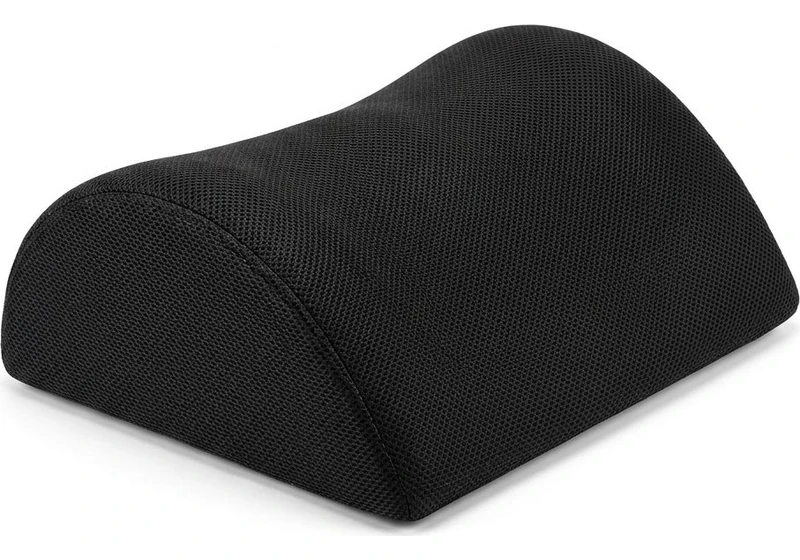
Ergonomic Teardrop Desk Footrest
Elevates feet 5 inches to reduce posterior thigh compression and improve pelvic posture when seated.
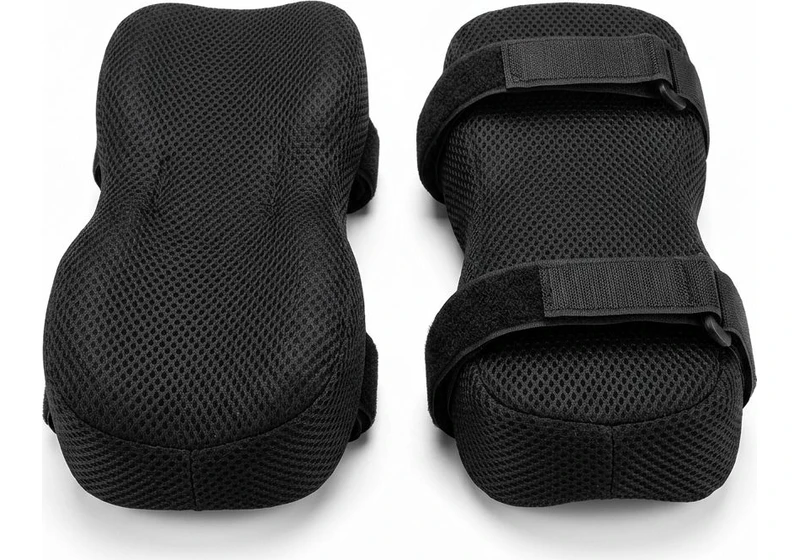
Contoured Chair Armrest Pads (Pair)
Thick memory foam cushions relieve elbow and forearm pressure points during 8+ hour workdays.
4D Armrest Adjustability and Ergonomic Reach
The Colamy Atlas features 4D adjustable armrests mounted on solid steel under seat brackets.
Vertical arm height adjusts across 3.2 inches using quick release trigger buttons beneath each arm cap.
The arm caps also slide forward and backward by 1.8 inches to accommodate different desk depths.
Lateral width adjustment slides each cap inward or outward by 1.2 inches.
This adjustment allows narrow shouldered sitters to bring armrests closer to the torso.
Finally, the arm caps pivot 20 degrees inward and outward.
Pivoting the armrests inward supports your forearms while typing on compact laptop keyboards.
Pivoting them outward provides open clearance when reading documents or relaxing in deep recline.
The arm caps are padded with medium density polyurethane foam.
They offer sufficient cushion to prevent elbow nerve compression without feeling squishy or unstable.
The arm stems exhibit minimal rattle when gripped, outperforming common budget loose tolerances.
To see how premium chairs execute arm kinematics, read our Branch chair review.
Where the Atlas Stumbles: Friction and Real World Limitations
Every budget ergonomic chair involves engineering compromises, and the Colamy Atlas is no exception.
Understanding these physical drawbacks ensures you choose the right seat for your specific body type.
Colamy Atlas vs Competitors: Ticova and Sihoo Doro C300
Choosing between sub-$300 ergonomic chairs requires comparing mechanical strengths and material quality.
The Ticova ergonomic chair represents the sub-$150 budget champion.
It offers aggressive manual lumbar depth adjustment and a soft three inch foam cushion.
However, the Ticova uses an injection molded nylon base, basic 3D armrests, and lacks seat depth sliding.
Its recline mechanism also relies on a stiff underside tension knob that lacks precision.
The Colamy Atlas costs roughly $50 more than the Ticova, but upgrades the base to cast aluminum and adds 4D arms with seat sliding.
The Sihoo Doro C300 competes directly in the upper sub-$300 tier.
It features an eye catching mechanical design with a self adaptive floating lumbar wing and full elastomeric mesh.
The C300 provides superior thermal ventilation because both its seat and backrest are mesh.
However, the C300 lacks a seat depth slider and its floating lumbar can push your lower spine too far forward.
If you prefer a supportive foam seat pan with adjustable seat depth, the Atlas offers superior ergonomic adaptability.
To evaluate dynamic mesh alternatives in detail, inspect our direct Sihoo Doro C300 vs Ticova comparison.
Frequently Asked Questions (FAQ)
Is the Colamy Atlas chair good for long sitting hours?
The Colamy Atlas supports 4 to 6 hours of continuous tasking before its firm 55 kg/m³ molded foam triggers sit bone fatigue.
Sitters under 160 lbs may want an auxiliary memory foam pad for 8 hour workdays.
How does Colamy Atlas compare to the Ticova ergonomic chair?
The Colamy Atlas provides a superior polished aluminum base, smoother 4D armrests, and seat sliding.
The Ticova costs approximately $50 less and features more aggressive manual lumbar depth tuning.
What is the height and weight limit for the Colamy Atlas?
The Colamy Atlas supports up to 300 lbs using an SGS certified Class 4 gas lift.
Its dimensional geometry best accommodates users between 5'5" and 6'2" tall.
Does the Colamy Atlas chair have adjustable lumbar support?
Yes, the Atlas features an integrated 3D wire actuated lumbar system that adjusts vertically across 2 inches.
It delivers moderate sacral support without aggressively digging into lower vertebrae.
Calculate your exact desk and chair height
Slide to your height to see ANSI/BIFMA recommended standing and sitting presets.
Written by M. Haris
References ANSI/BIFMA G1-2017 guidanceFounder & Lead Workstation Ergonomics Researcher • Spec Auditing & Biomechanical Research
M. Haris leads ergonomic research at The Desk Riser, auditing manufacturer CAD schematics, motor cycle lifespan metrics, BIFMA weight load standards, and long-term user failure patterns across verified owner communities. Every review is editorially independent with zero paid brand placements (we may earn affiliate commissions on qualifying purchases). Have questions or spot a warranty update? Email directly at support@thedeskriser.com, read the Author Dossier, or explore our Editorial Research Methodology.
Share this article:
Workstation Setup & Fit Q&A
Have questions about frame deflection, monitor arm clamp loads, or chair sizing? Consult our research team.
Q:How do I know if this standing desk will wobble on thick carpet?
Standing desk wobble on carpet is caused by uneven carpet pile compression under the rear footpads. Frames with wedge-reinforced leg collars and wide steel footplates (like UPLIFT V3 or FlexiSpot E7 Pro) minimize lateral flex. If placing on plush carpet, use rigid caster cups or a dense underlay to anchor the base directly to the subfloor.
Q:Can I clamp a dual monitor arm onto standard particleboard tops?
Dual monitor arms concentrate 25 to 45 lbs of dynamic torque onto a 4-inch clamp perimeter. Hollow honeycomb tops (such as IKEA Linnmon) will crush. We recommend a minimum 0.75-inch solid core (MDF, solid bamboo, or hardwood), or sandwiching a steel reinforcement bracket plate (min 2.5mm thickness) between the clamp and desktop.
Q:What if my chair cylinder sinks or feels too high for my feet?
Always verify your seated popliteal height (crease behind knee to floor with shoes). If a chair will not drop below 17 inches and your feet dangle, pair it with an angled footrest or switch to a low-range Class 4 cylinder. If a cylinder loses pressure and sinks on its own, the internal nitrogen seal is breached and requires cylinder replacement.
Ask Our Ergonomic Spec Reviewers
Planning an upgrade or unsure if your monitors and stature fit this configuration? Send your dimensions directly to our research desk. No accounts, no trackers, zero marketing spam.