How to Use a Kneeling Chair: Setup & Posture Guide

For How to Use a Kneeling Chair: Setup & Posture Guide, our top recommendation is the Rollerblade Chair Caster Wheels (5pk), while the Memory Foam Lumbar Support Pillow offers the strongest value for budget-conscious workstations. Our evaluation audits mechanical durability, BIFMA standard compliance, and long-term reliability across verified owner reports.
Sacral L5-S1 unloading & forward tilt evaluated
2" minimum knee crease clearance to safeguard bloodflow
ANSI/BIFMA X5.1 commercial cylinder durability verified
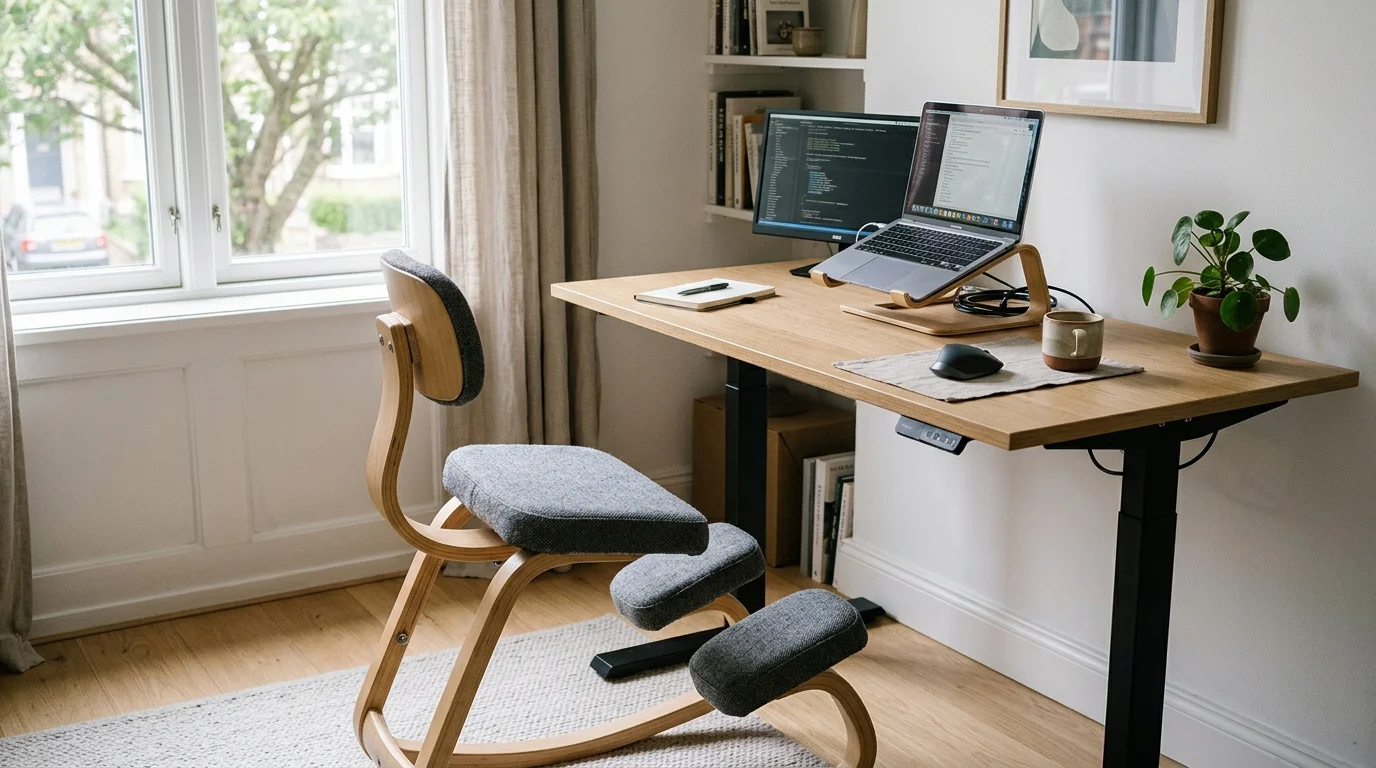
Chair Shortlist Criteria
Filters models by seat pan depth adjustment, lumbar mechanism adjustability, BIFMA weight ratings, and documented owner friction. Methodology →
Last Spec & Pricing Audit
. Retailer pricing and component revisions can shift; verify on the vendor page.
Fit & Return Guardrail
Verify seat height range against your lower leg length and check return shipping terms before ordering boxed chairs.
Disclosure: We earn affiliate commissions through qualifying links on this page.
Most people sit down on a kneeling chair incorrectly on their first day.
A kneeling chair is not built to support your knees.
It is a forward sloping seat that transfers primary torso weight to your pelvic sit bones while lower pads stabilize your shins.
Mastering this posture requires understanding mechanical adjustments, safe entry steps, and a structured break in schedule.
Before adjusting your workstation seating, audit your elbow horizon and keyboard distance using our interactive desk height calculator.
How to Use a Kneeling Chair: Setup and Posture Sequence
To use a kneeling chair correctly, straddle the frame and lower your pelvis firmly onto the angled seat.
Allow your thighs to slope downward at thirty degrees, opening your pelvic hip angle past ninety degrees.
Position your upper shins against the lower padded bolsters so your kneecaps remain completely clear in open air.
Your spine stacks vertically in neutral alignment without requiring an artificial back pad.
When asking how do you sit in a kneeling chair, remember that your sit bones carry eighty percent of your mass.
The shin rests merely absorb the remaining twenty percent to keep your body from sliding down the seat slope.
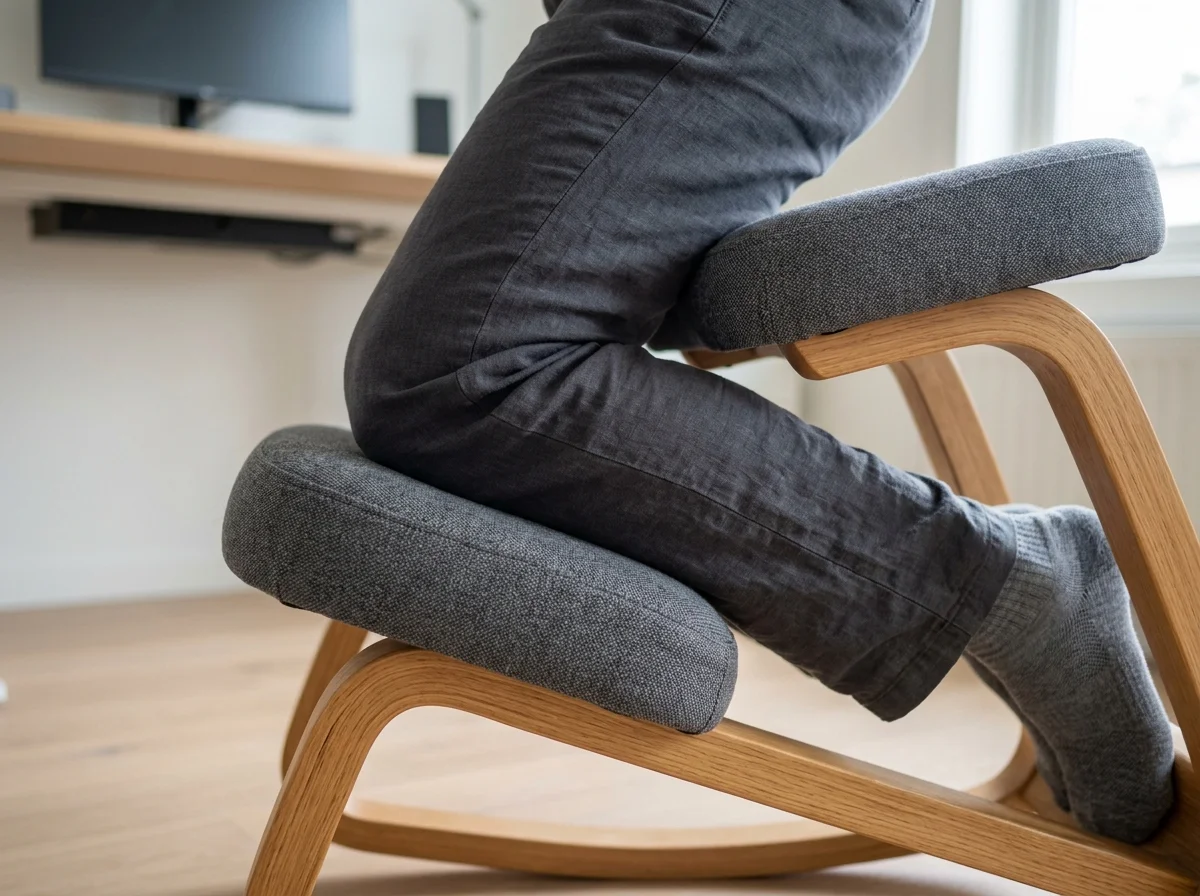
Before You Sit: The Two Minute Fit Check
Before mounting any kneeling frame, confirm that the frame dimensions match your leg length.
Check that the distance between seat cushion and shin pads accommodates your lower leg without crowding your calves.
Kneeling chairs require healthy knee flexion and mobile hip joints.
If you experience chronic meniscus damage, severe osteoarthritis, or recent knee surgery, skip this seating style entirely.
Check our vetted exclusion criteria and complete skip list in our detailed best kneeling chair guide before purchasing.
Set the Seat Height and Frame Angle
Adjusting seat height establishes the mechanical foundation for neutral spinal posture.
Most steel kneeling chairs use manual adjustment pins along the central diagonal strut.
Higher pin positions raise the seat pan and increase the downward slope of your thighs.
Choose a height pin setting that keeps your hips positioned higher than your knee joints.
Fixed angle rocking models like Scandinavian bentwood rockers rely on body balance rather than manual pins.
Rest your forearms on your desk surface to confirm a relaxed ninety degree elbow bend.
Place Your Shins: The Tibial Clearance Rule
The most common mistake new users make is resting patellar bone directly on lower cushions.
Your patella is a sensitive floating bone encased in tendons that cannot tolerate sustained mechanical compression.
Instead, place the broad upper portion of your shin bone, the tibial tuberosity, against the pads.
Your kneecaps must float entirely free in open air above the cushion edge.
When positioned correctly, the sloped seat pan carries the vast majority of your body weight.
We detailed the distribution mechanics and eighty twenty weight split in our kneeling chair advantages breakdown.
The lower pads act only as mechanical stops that keep your torso from sliding forward.
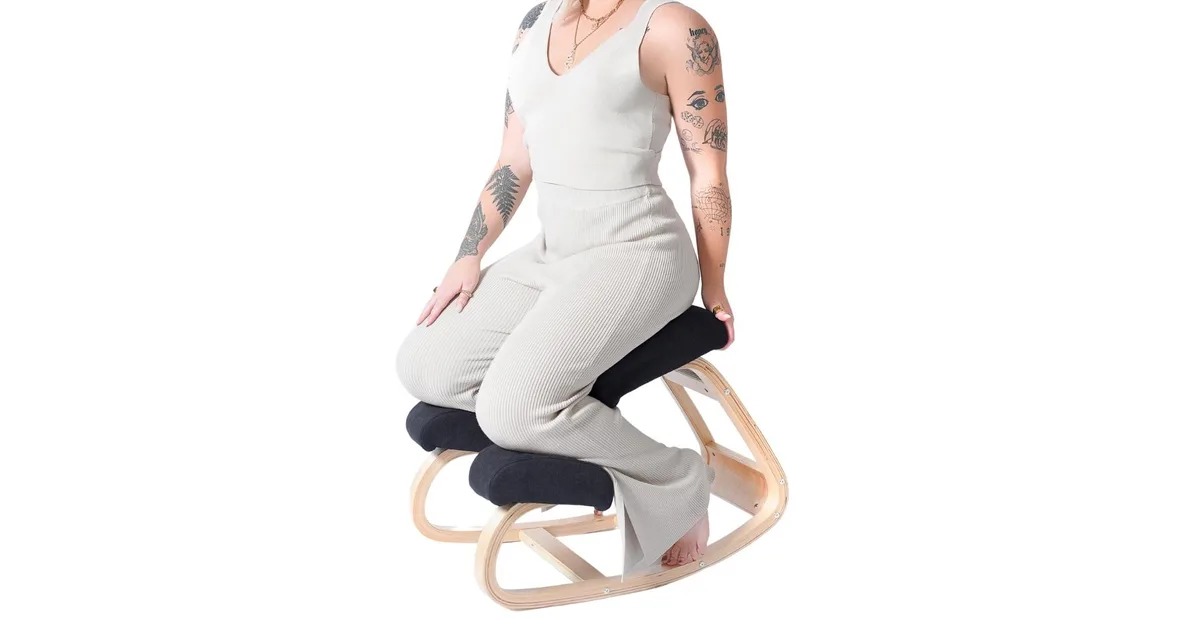
Recommended ergonomic accessories and hardware specs
Workstation accessories selected to support healthy ergonomics, joints, and cable routing.
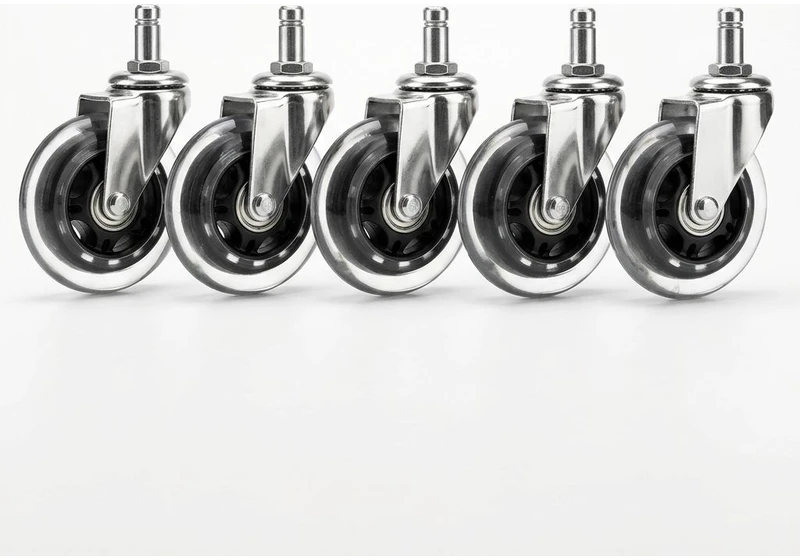
Rollerblade Chair Caster Wheels (5pk)
Heavy-duty polyurethane wheels glide smoothly on hardwood floors without plastic floor mats.
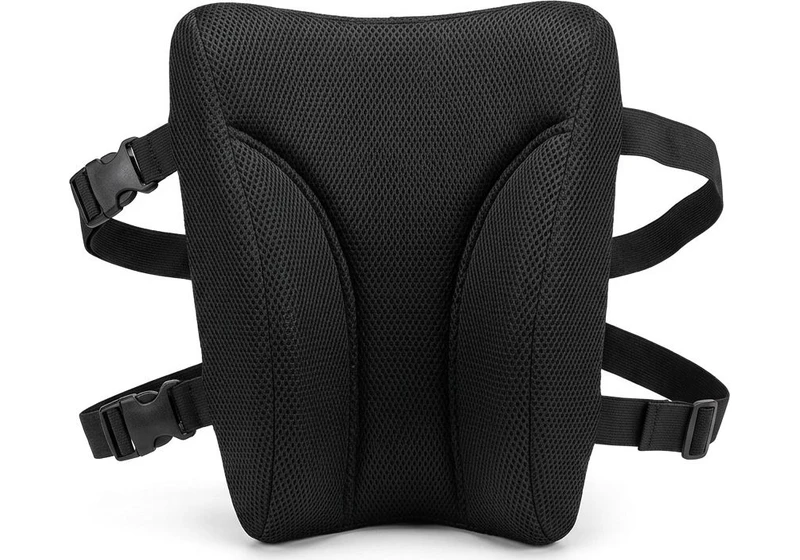
Memory Foam Lumbar Support Pillow
Contoured high-density foam with dual adjustable straps fills lumbar gap on firm office chairs.
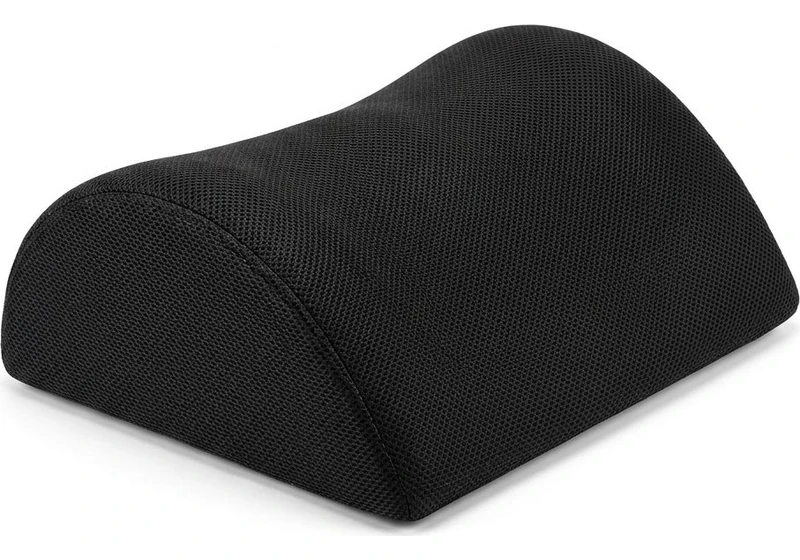
Ergonomic Teardrop Desk Footrest
Raises feet 5 inches to help reduce posterior thigh compression and support pelvic posture when seated.
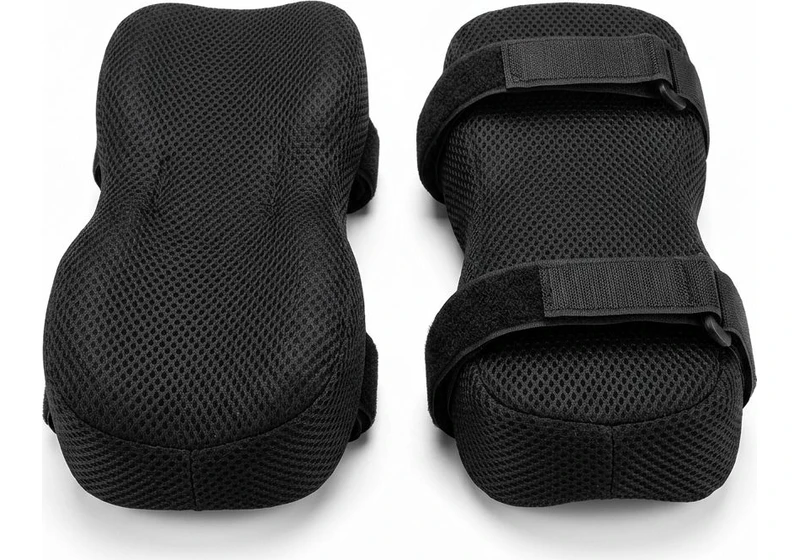
Contoured Chair Armrest Pads (Pair)
Thick memory foam cushions relieve elbow and forearm pressure points during 8+ hour workdays.
How to Get In and Out Safely
Mounting a kneeling chair feels awkward if you are accustomed to conventional swivel chairs.
Stand directly beside the chair and place one hand on your desk edge for balance.
Lower your buttocks onto the angled seat cushion first, keeping your feet on the floor.
Once your seat bones are firmly planted, slide your lower legs backward onto the shin rests one side at a time.
Exiting the chair follows the exact reverse sequence to avoid losing stability.
Slide your feet forward to touch the floor, press through your thighs to stand, and step out laterally.
Pair the Kneeling Chair with Your Workstation
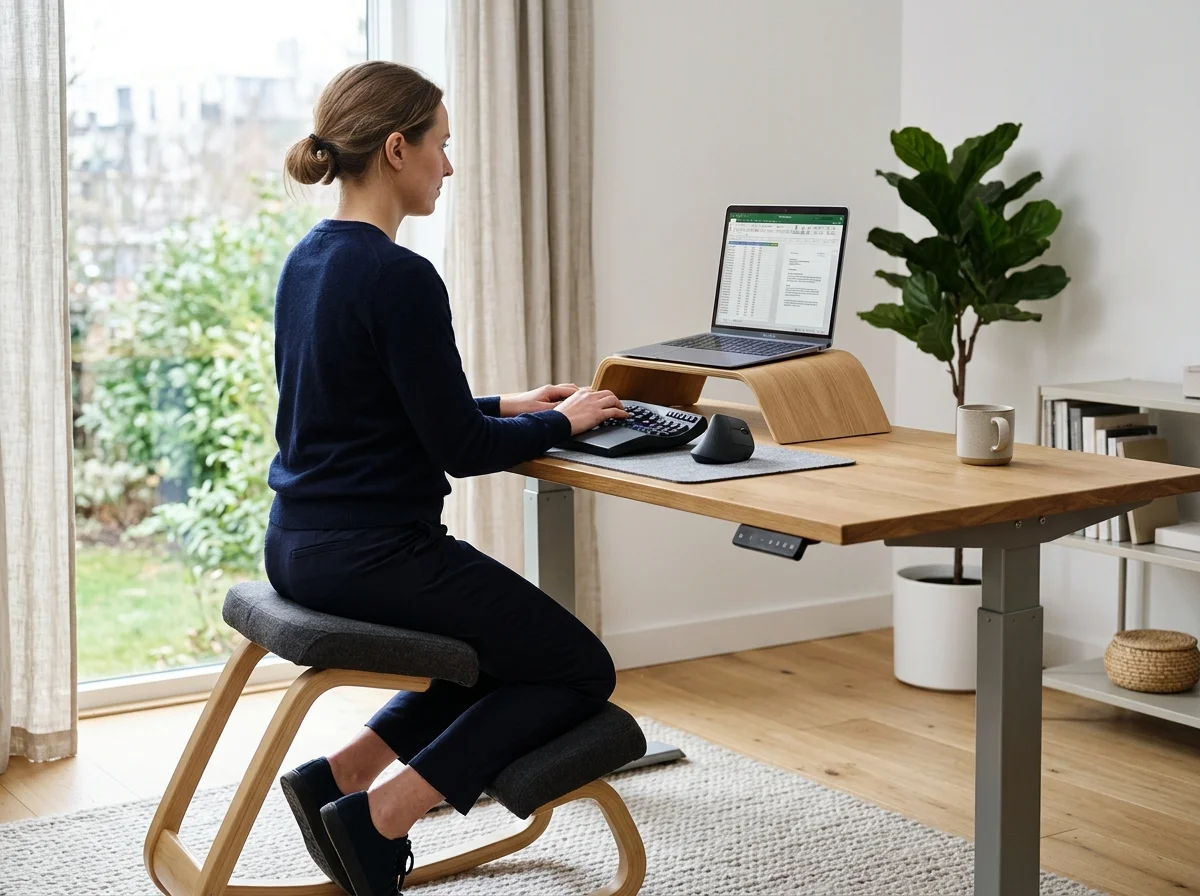
A kneeling chair alters your seated eye height compared to standard office seating.
Because your pelvis tilts forward and sits higher, your torso rises roughly three inches taller.
Verify standard furniture dimensions in our guide to standard desk height to evaluate your workspace.
If your desk is fixed at standard height, raise your monitor using a sturdy riser shelf or monitor arm.
The top third of your computer display should align directly with your horizontal eye line.
Position your keyboard so your wrists remain flat and forearms stay parallel to the floor.
Learn how to set proper typing angles in our dedicated guide on keyboard height.
An electric sit stand desk provides the ideal companion, allowing millimeter height calibration as you alternate postures.
The First Three Weeks: Shin Conditioning and Adaptation
Adapting to an open hip kneeling chair requires physical conditioning.
The front of your lower legs has never carried contact pressure, and postural muscles need time to adapt.
During week one, limit your kneeling sessions to twenty or thirty minutes twice daily.
Review our structured week by week conditioning schedule in our kneeling chair advantages protocol.
In week two, extend your intervals to forty-five minutes as initial surface soreness fades.
Check equipment break in recommendations in our best kneeling chair guide to manage foam firmness.
By week three, your paraspinal muscles will comfortably sustain sixty to ninety minute working blocks without fatigue.
Troubleshooting Common Problems and Mechanical Issues
Even with careful setup, new kneeling chair users encounter predictable mechanical hurdles.
1. Sliding Forward on the Seat
If you feel like you are sliding forward, your seat angle is tilted too steeply.
Excessive seat tilt forces your shins to push hard against lower cushions to hold your position.
Move your height adjustment pin to a slightly lower notch to level the seat pan by two degrees.
2. Shin Tenderness Versus Joint Pain
Surface tenderness along your shins during the first ten days is normal muscular adaptation.
However, sharp or burning pain inside the knee joint capsule is an immediate warning signal.
Joint pain indicates that your kneecap is bearing weight or your knee joint is compressed too tightly.
If sharp joint discomfort persists beyond two weeks despite adjustment, stop using the chair and consult a clinician.
3. Foot and Toe Numbness
Pins and needles in your feet indicate localized nerve compression or restricted vascular flow.
This occurs when your knees are bent too sharply or cushion contact psi concentrates on the peroneal nerve.
Adjust your frame pin to widen the distance between seat and shin pads.
Stand up and take a two minute walking break immediately whenever you detect tingling in your toes.
4. Excessive Frame Wobble and Rocking
Rocking models move gently with your center of gravity, but uncontrolled frame wobble creates upper body tension.
For metal frames on casters, ensure all wheels are pressed firmly into their sockets and locking levers are disengaged.
Daily Rotation Template for Long Workdays
A kneeling chair is an active posture tool, not an eight hour static replacement for office chairs.
The most effective ergonomic strategy combines kneeling with periods of standing and conventional sitting.
Use your kneeling chair for focused morning blocks lasting sixty to ninety minutes.
To calibrate your daily intervals between sitting and standing, review our standing desk posture guide.
Never exceed two to three total hours of kneeling per day during your first month of use.
Frequently Asked Questions (FAQ)
How do you sit in a kneeling chair without hurting your knees?
Sit so your pelvic sit bones support eighty percent of your body weight on the sloped seat.
Keep your kneecaps completely free in open air with only your upper shins resting on lower pads.
Can you use a kneeling chair with a normal 29-inch desk?
Yes, but you will need to raise your computer monitor using a desktop riser or monitor arm.
Because kneeling lifts your torso slightly taller, raising your screen is linked to reduced downward cervical neck strain.
How many hours a day should you use a kneeling chair?
Ergonomists recommend using a kneeling chair for two to three hours daily in sixty to ninety minute intervals.
Alternating kneeling sessions with standing desk intervals and standard task chairs is associated with lower physical fatigue.
Why do my shins hurt after using a kneeling chair?
Mild shin soreness occurs because the anterior lower leg tissues are unconditioned to bearing weight.
This surface tenderness resolves within two to three weeks of gradual thirty minute adaptation sessions.
Is a kneeling chair good for lower back pain?
Yes, by opening your hip angle beyond ninety degrees, a kneeling chair restores natural lumbar lordosis.
This forward pelvic tilt is linked to lower static pressure on lower spinal discs during focused computer work.
Sources & Ergonomic Literature
Opsvik, Peter. Rethinking Sitting. Norton & Company, 2009. Biomechanics of dynamic balance and open hip angle seating.
ANSI/BIFMA G1:2017. Ergonomics Guideline for Furniture Used in Office Workspaces. Anthropometric measurements and workstation clearances.
Hedge, Alan. Ergonomic Workplace Design. Cornell University Ergonomics Web. Intradiscal lumbar pressure under varied seating angles.
OSHA Computer Workstation Guidelines. Department of Labor. Neutral posture, forearm typing horizons, and musculoskeletal risk factors.
Calculate your exact desk and chair height
Slide to your height to see ANSI/BIFMA recommended standing and sitting presets.
By M. Haris
References ANSI/BIFMA G1-2017 guidanceSoftware engineer and founder of The Desk Riser
M. Haris is a software engineer and founder of The Desk Riser, auditing manufacturer engineering schematics, motorized desk cycle lifespans, ANSI/BIFMA G1-2017 ergonomic standards, and long-term user failure patterns across verified owner communities. Every guide is editorially independent with zero paid brand placements and zero PR samples (we may earn affiliate commissions on qualifying purchases). Have questions or spot a warranty update? Email directly at support@thedeskriser.com, read the Author Dossier, or explore our Editorial Research Methodology.
Share this article:
Workstation Setup & Fit Q&A
Have questions about frame deflection, monitor arm clamp loads, or chair sizing? Consult our workstation researchers.
Q:How do I know if this standing desk will wobble on thick carpet?
Standing desk wobble on carpet is caused by uneven carpet pile compression under the rear footpads. Frames with wedge-reinforced leg collars and wide steel footplates (like UPLIFT V3 or FlexiSpot E7 Pro) minimize lateral flex. If placing on plush carpet, use rigid caster cups or a dense underlay to anchor the base directly to the subfloor.
Q:Can I clamp a dual monitor arm onto standard particleboard tops?
Dual monitor arms concentrate 25 to 45 lbs of dynamic torque onto a 4-inch clamp perimeter. Hollow honeycomb tops (such as IKEA Linnmon) will crush. We recommend a minimum 0.75-inch solid core (MDF, solid bamboo, or hardwood), or sandwiching a steel reinforcement bracket plate (min 2.5mm thickness) between the clamp and desktop.
Q:What if my chair cylinder sinks or feels too high for my feet?
Always verify your seated popliteal height (crease behind knee to floor with shoes). If a chair will not drop below 17 inches and your feet dangle, pair it with an angled footrest or switch to a low-range Class 4 cylinder. If a cylinder loses pressure and sinks on its own, the internal nitrogen seal is breached and requires cylinder replacement.
Ask Our Ergonomic Spec Reviewers
Planning an upgrade or unsure if your monitors and stature fit this configuration? Send your dimensions directly to our research desk. No accounts, no trackers, zero marketing spam.