How to Make an Office Chair More Comfortable

For How to Make an Office Chair More Comfortable, our top recommendation is the Rollerblade Chair Caster Wheels (5pk), while the Memory Foam Lumbar Support Pillow offers the strongest value for budget-conscious workstations. Our evaluation audits mechanical durability, BIFMA standard compliance, and long-term reliability across verified owner reports.
Sacral L5-S1 unloading & forward tilt evaluated
2" minimum knee crease clearance to safeguard bloodflow
ANSI/BIFMA X5.1 commercial cylinder durability verified

Chair Shortlist Criteria
Filters models by seat pan depth adjustment, lumbar mechanism adjustability, BIFMA weight ratings, and documented owner friction. Methodology →
Last Spec & Pricing Audit
. Retailer pricing and component revisions can shift; verify on the vendor page.
Fit & Return Guardrail
Verify seat height range against your lower leg length and check return shipping terms before ordering boxed chairs.
Legs Fall Asleep at Your Desk? Your Chair Seat Is Too Deep
Watch our seat pan adjustment guide: diagnosing popliteal vein compression behind the knees, calculating seat depth clearance, and stopping leg numbness.
Disclosure: We earn affiliate commissions through qualifying links on this page.
Most people blame their bodies when their lower back throbs at mid-afternoon, assuming sitting eight hours naturally hurts.
In reality, your office chair is fighting your skeleton. You do not need to drop twelve hundred dollars on a flagship task chair to work without hip stiffness.
Before replacing a chair, you can resolve most comfort problems using mechanical adjustments that cost nothing.
For remaining pressure points, a few targeted accessory upgrades turn a rigid budget seat into a supportive workstation.
Here is the step by step blueprint to diagnose what hurts and make your office chair comfortable for long workdays.
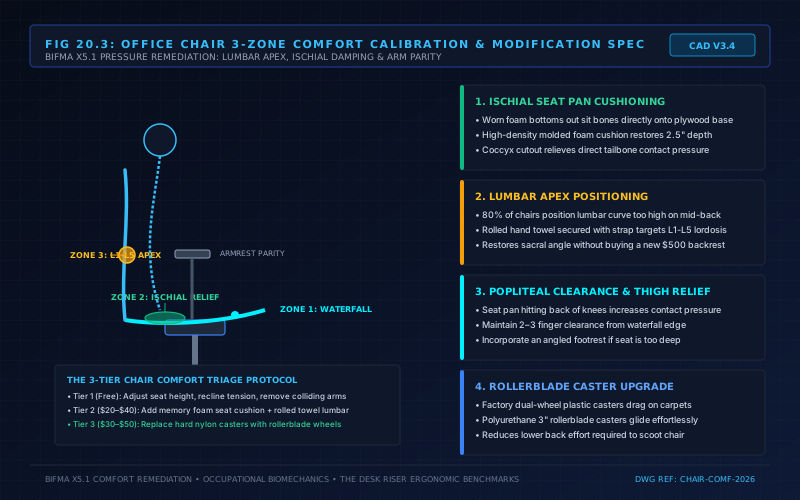
How to Make an Office Chair More Comfortable: Zero-Dollar Mechanical Adjustments
Before buying foam cushions, retorque loose bolts and fix office chair squeaks to stabilize the frame.
Most desk workers never adjust their chairs beyond the primary gas lift lever on day one.
Leaving factory mechanisms untouched forces your body to adapt to the chair rather than letting the chair support your skeleton.
Take ten minutes to dial in these four mechanical settings in this exact order.
1. Match Seat Height to Your Popliteal Plane
Setting seat height arbitrarily based on your desk is a common mistake. When you raise the seat too high, your feet dangle and compress your femoral arteries.
Adjust your gas cylinder so your feet rest flat on the floor with knees bent at roughly ninety degrees.
This grounds your thighs horizontally, distributing upper body mass evenly across your sit bones.
2. Establish Proper Seat Depth and the Three-Finger Rule
Seat depth is the horizontal distance between the lumbar curve and the front edge of your seat cushion.
If your seat pan is too deep, the front waterfall edge presses into your popliteal fossa, restricting lower leg circulation.
Sit all the way back so your tailbone contacts the lower backrest, then place your hand sideways behind your knee.
You want a clearance gap of two to three fingers between the seat cushion edge and your calves.
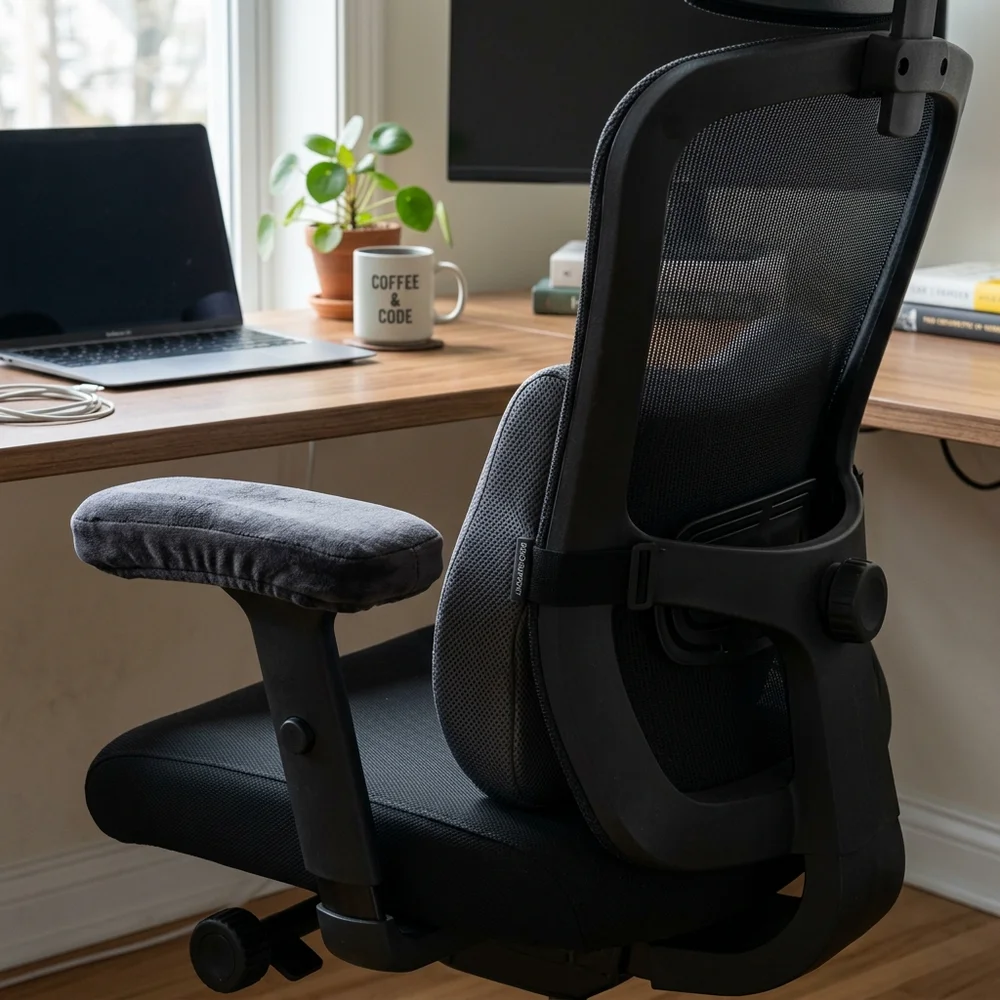
3. Disengage the Tilt Lock and Recline to 110 Degrees
Sitting bolt upright at a rigid ninety degree angle is an outdated myth that increases spinal fatigue. Biomechanical research confirms that sitting vertical generates significantly higher lumbar disc pressure than reclining.
Reclining backward between 105 and 110 degrees transfers upper body mass directly into the backrest.
Disengage the tilt lock lever and adjust the cylindrical tilt tension knob until the backrest supports your spine with fluid resistance.
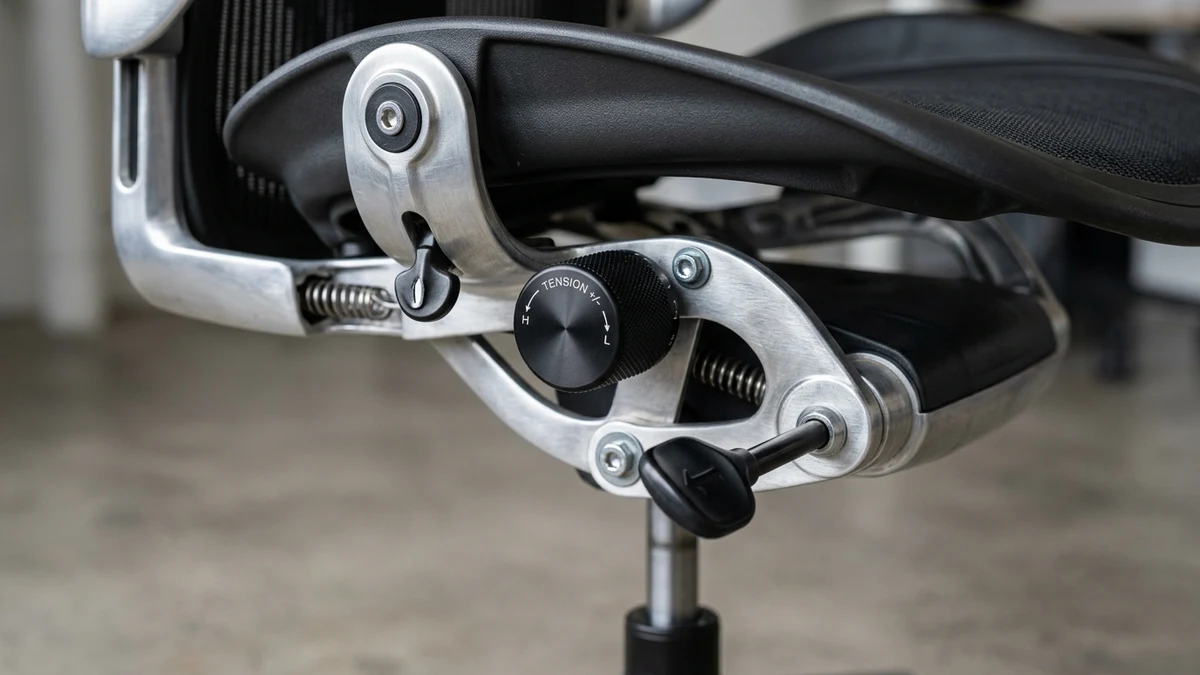
4. Drop Your Armrests to Eliminate Shoulder Shrugging
Armrests cause severe neck tension when set too high, forcing your trapezius muscles into a constant shrug.
Relax your shoulders, bend your elbows at ninety degrees, and raise the arm caps until they touch your forearms without lifting your shoulders.
If your chair features fixed arms that collide with your desk frame, unbolt them completely. Review our guide on why office chairs have fixed arms to understand clearance trade offs.
The Office Chair Comfort Optimization Hierarchy
Before spending money on replacement hardware, consult this diagnostic hierarchy to match your specific physical symptom with the most effective ergonomic intervention.
| Problem Area | Mechanical Root Cause | Zero-Dollar Adjustment | Recommended Hardware Fix |
|---|---|---|---|
| Lower back throbbing | Missing lumbar lordosis support | Recline backrest to 110 degrees | high density memory foam lumbar roll |
| Sit bone & tailbone pain | Collapsed seat pan foam | Stand up every 45 minutes | Ergonomic contoured coccyx seat cushion |
| Numb feet or leg tingling | Seat height set too high | Lower chair until feet rest flat | under desk adjustable footrest |
| Tight neck & trap spasm | Armrests set too high | Drop armrest height to elbow plane | Contoured memory foam armrest pads |
| Stiff chair rolling | Caster wheels dragging debris | Clear hair and dirt from wheel axles | 3-inch polyurethane rollerblade casters |
low cost Hardware Upgrades Under Fifty Dollars
Selecting the best office chair cushion for sciatica pain and pelvic pressure restores supportive geometry to worn foam.
If mechanical adjustments still leave stiff padding, upgrading to the best office chair wheels for hardwood floors provides silent, low-friction rolling for under forty dollars.
Adding targeted ergonomic accessories solves specific structural deficits for a fraction of the cost of new furniture.
Review sites like Wirecutter often advise buying four-figure chairs at the first sign of discomfort.
In reality, targeted low cost upgrades resolve most seating fatigue caused by thin foam or missing lumbar support.
Add a high density Memory Foam Lumbar Cushion
Many budget office chairs provide zero lumbar curvature, leaving a hollow gap between your lower spine and the backrest mesh. Without support, your lumbar lordosis flattens out, straining lower back ligaments.
Roll a bath towel into a four inch cylinder across your back to test the concept.
If your muscles relax, adding a memory foam lumbar support pillow for office chairs locks in supportive lordotic curvature.
If your chair seat is too deep, inspect our guide on the best lumbar support pillows for office chairs to bridge the gap without crowding your hips.
Upgrade Collapsed Seat Foam with an Ergonomic Cushion
Budget manufacturers cut costs on foam density, causing seats to compress against the rigid baseboard under prolonged load.
A contoured memory foam seat cushion for office chairs with a rear coccyx cutout suspends your tailbone in free air. Readjust your gas cylinder downward after adding cushion thickness.
Place an under desk Footrest to Relieve Thigh Pressure
If your desk sits at a fixed standard height of thirty inches, lowering your chair leaves your elbows below the desktop.
Raising your chair to match the desk lifts your feet off the floor.
An under desk footrest creates an raised platform that supports your knees and eliminates thigh pressure. Review our desk footrest buying guide to select the right platform.
Cushion Hard Armrest Caps with Memory Foam Pads
Resting forearms on rigid plastic caps concentrates pressure across the cubital tunnel in your elbow. Strap-on memory foam armrest pads slip directly over factory caps, evenly distributing contact pressure while adding height.
Swap Out Standard Plastic Wheels for Rollerblade Casters
Standard dual wheel plastic casters collect hair and dirt inside their axles, causing chairs to drag stiffly.
Replacing stock casters with rollerblade caster wheels for office chairs lets your chair glide smoothly across carpet and hardwood without a plastic floor mat.
Sync Your Chair with Your Surrounding Workstation
Your office chair does not operate in a vacuum. A well-adjusted chair still feels uncomfortable if your desk and computer screen are misaligned with your seated eye line and elbow plane.
When seated with relaxed shoulders, your keyboard should sit at your resting elbow level.
If your desk is too high, consult our standard desk height guide or use our interactive workstation calculator to determine your ideal measurements.
Align the top third of your monitor with your horizontal gaze.
Follow our ergonomic monitor height guide to prevent neck flexion, or explore an office chair that leans back comfortably for supported reclining.
Recommended ergonomic accessories and hardware specs
Workstation accessories selected to support healthy ergonomics, joints, and cable routing.
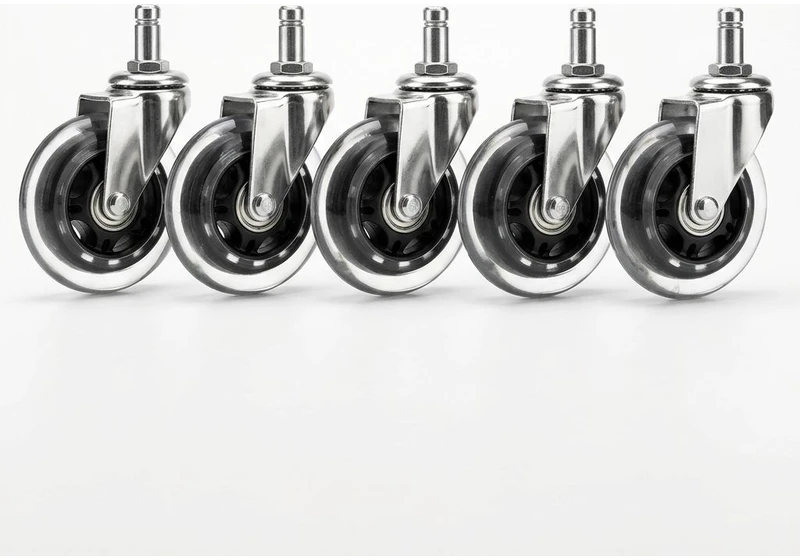
Rollerblade Chair Caster Wheels (5pk)
Heavy-duty polyurethane wheels glide smoothly on hardwood floors without plastic floor mats.
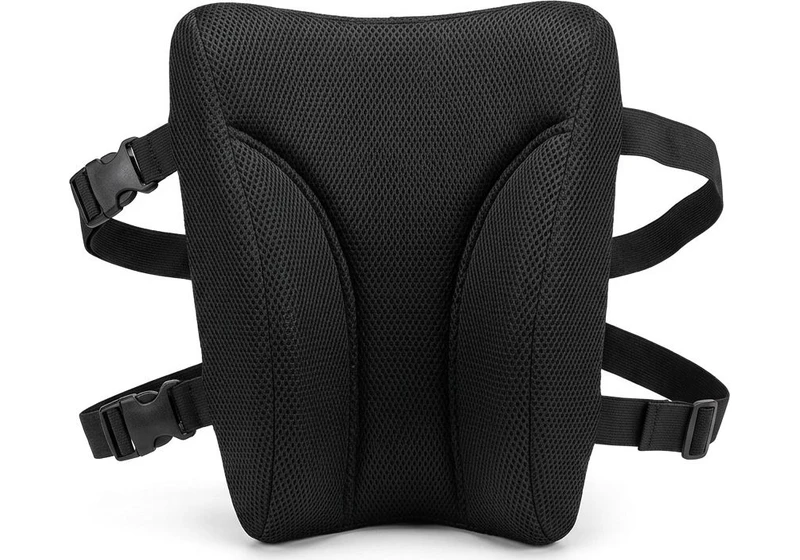
Memory Foam Lumbar Support Pillow
Contoured high-density foam with dual adjustable straps fills lumbar gap on firm office chairs.
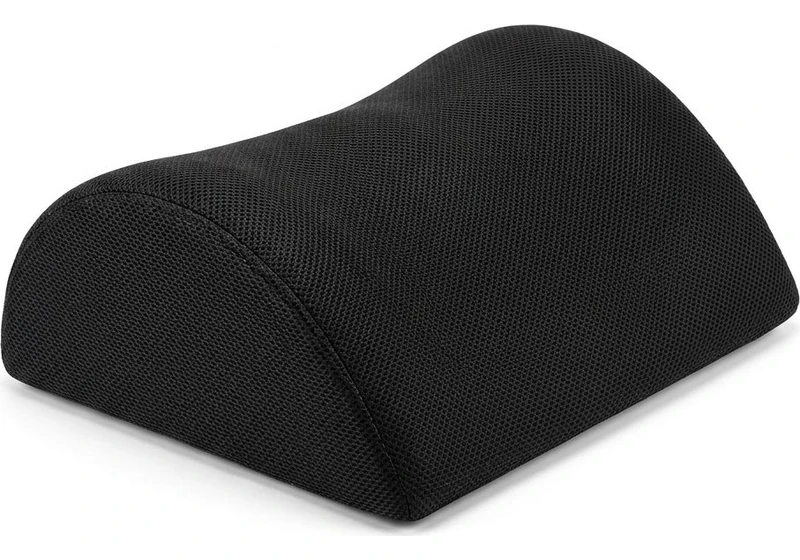
Ergonomic Teardrop Desk Footrest
Elevates feet 5 inches to reduce posterior thigh compression and improve pelvic posture when seated.
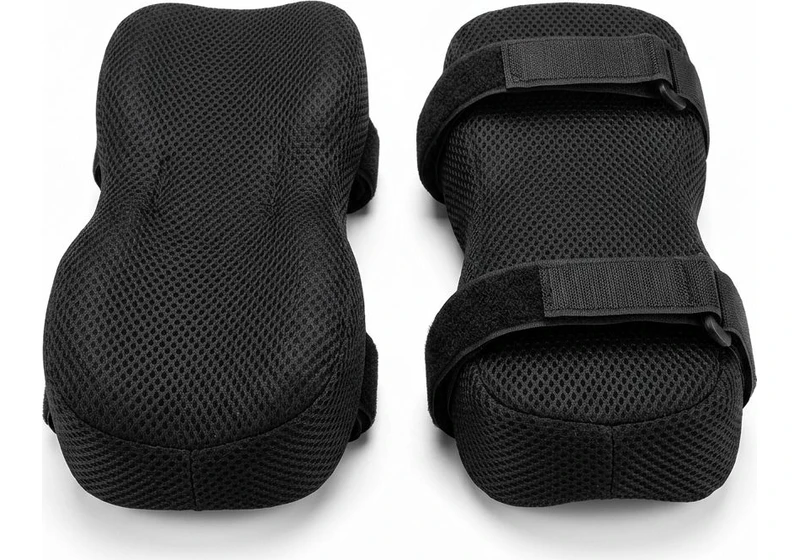
Contoured Chair Armrest Pads (Pair)
Thick memory foam cushions relieve elbow and forearm pressure points during 8+ hour workdays.
When Is an Office Chair Beyond Saving?
Upgrades solve minor padding flaws, but peeling upholstery and flaking bonded vinyl require understanding what is pu leather before deciding whether to replace cracked furniture.
A blown gas cylinder that slowly sinks indicates failed nitrogen seals. A cracked seat frame or broken tilt lock teeth mean internal mechanisms are sheared and unsafe.
When structural components fail, buying accessories is wasted money. If the frame remains sound, mechanical calibration restores comfortable seating.
Frequently Asked Questions (FAQ)
What is the quickest way to fix an uncomfortable office chair today?
Lower your seat height until your feet rest flat on the floor and disengage your backrest tilt lock.
Allowing the chair to recline slightly to roughly 110 degrees unloads pressure from your lumbar spine without spending any money.
Can an office chair cause lower back pain if it lacks lumbar support?
Yes, sitting without lumbar support allows your lower back to flatten and sag into a c-shaped curve.
This posture stretches spinal ligaments and increases intervertebral disc pressure, which a rolled towel or memory foam cushion quickly relieves.
How do I know if my office chair is set too high?
If your feet dangle, if you feel pressure on the undersides of your thighs, or if you perch on your tiptoes, your chair is set too high.
Lower the cylinder until your heels rest firmly on the ground with your knees bent at roughly ninety degrees.
Are memory foam seat cushions worth it for cheap office chairs?
Yes, high density memory foam cushions are an effective upgrade for budget chairs with thin padding.
A quality contoured cushion distributes body weight across your thighs while suspending your tailbone in a rear cutout, preventing numbness.
Should I remove my chair armrests if they do not fit my desk?
Yes, if your armrests hit the desk edge and prevent you from pulling close to your keyboard, unbolting them is recommended.
Typing with free arms and relaxed shoulders is far healthier than maintaining constant shoulder tension.
Sources & Ergonomic Literature
ANSI/BIFMA G1:2017: Ergonomics Guideline for Furniture Used in Office Spaces Featuring Computer Workstations.
Nachemson, A. (1976): The Lumbar Spine: An Orthopaedic Challenge. Spine, 1(1), 59-71. (Biomechanical investigation demonstrating increased intradiscal pressure in unsupported sitting compared to reclined postures).
Wilke, H. J., et al. (1999): New In Vivo Measurements of Pressures in the Intervertebral Disc in Daily Life. Spine, 24(8), 755-762. (Empirical pressure measurement confirming spinal unloading during reclined seating supported by lumbar contours).
OSHA Workstation Ergonomics Guidelines: Computer Workstations Evaluation Checklist and Component Positioning Guidance (United States Department of Labor).
Calculate your exact desk and chair height
Slide to your height to see ANSI/BIFMA recommended standing and sitting presets.
By M. Haris
References ANSI/BIFMA G1-2017 guidanceSoftware engineer and founder of The Desk Riser
M. Haris is a software engineer and founder of The Desk Riser, auditing manufacturer engineering schematics, motorized desk cycle lifespans, ANSI/BIFMA G1-2017 ergonomic standards, and long-term user failure patterns across verified owner communities. Every guide is editorially independent with zero paid brand placements and zero PR samples (we may earn affiliate commissions on qualifying purchases). Have questions or spot a warranty update? Email directly at support@thedeskriser.com, read the Author Dossier, or explore our Editorial Research Methodology.
Share this article:
Workstation Setup & Fit Q&A
Have questions about frame deflection, monitor arm clamp loads, or chair sizing? Consult our workstation researchers.
Q:How do I know if this standing desk will wobble on thick carpet?
Standing desk wobble on carpet is caused by uneven carpet pile compression under the rear footpads. Frames with wedge-reinforced leg collars and wide steel footplates (like UPLIFT V3 or FlexiSpot E7 Pro) minimize lateral flex. If placing on plush carpet, use rigid caster cups or a dense underlay to anchor the base directly to the subfloor.
Q:Can I clamp a dual monitor arm onto standard particleboard tops?
Dual monitor arms concentrate 25 to 45 lbs of dynamic torque onto a 4-inch clamp perimeter. Hollow honeycomb tops (such as IKEA Linnmon) will crush. We recommend a minimum 0.75-inch solid core (MDF, solid bamboo, or hardwood), or sandwiching a steel reinforcement bracket plate (min 2.5mm thickness) between the clamp and desktop.
Q:What if my chair cylinder sinks or feels too high for my feet?
Always verify your seated popliteal height (crease behind knee to floor with shoes). If a chair will not drop below 17 inches and your feet dangle, pair it with an angled footrest or switch to a low-range Class 4 cylinder. If a cylinder loses pressure and sinks on its own, the internal nitrogen seal is breached and requires cylinder replacement.
Ask Our Ergonomic Spec Reviewers
Planning an upgrade or unsure if your monitors and stature fit this configuration? Send your dimensions directly to our research desk. No accounts, no trackers, zero marketing spam.