Dual Motor Standing Desk: Single vs Dual Compared

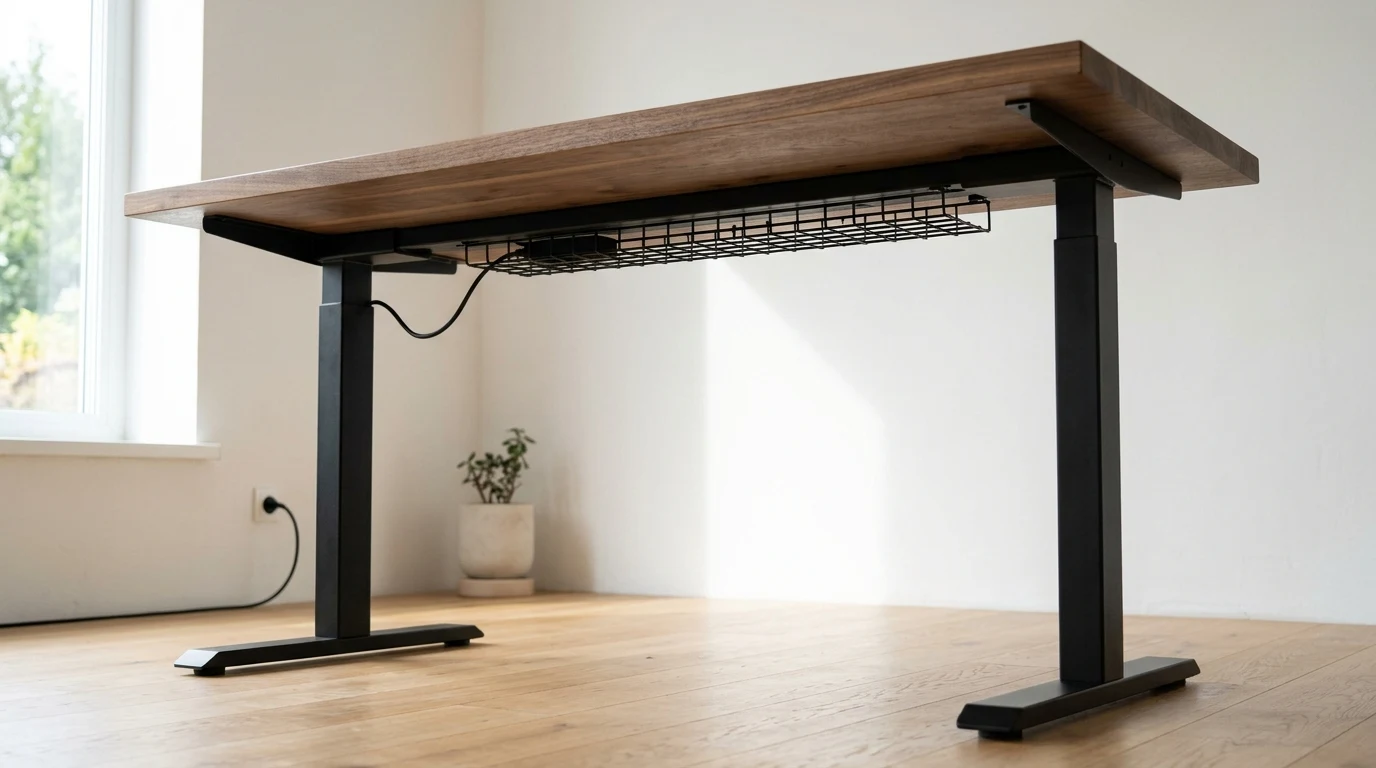
A dual motor standing desk puts one motor inside each lifting column instead of driving both legs from a single motor through a hex shaft. The step buys capacity (about 220 to 355 lb against 110 to 187 lb for single motor desks), not speed or silence. If your whole setup weighs under about 150 lb, single motor is enough; above that, buy dual.
ANSI/BIFMA G1-2013 22.6" to 48.7" reference span
Published motor count, lift speed & payload capacity compared
Crossbeam design and column stage specs compared
Head-to-Head Desk Spec Audit
Compares published frame tolerances, motor transit speeds, crossbeam rigidity, and warranty exclusions side by side. Methodology →
Last Spec & Pricing Audit
. Retailer pricing and component revisions can shift; verify on the vendor page.
Decisive Winner Rule
Neither model wins for every body type; check the stature and floor-type exclusions before ordering.
Disclosure: We earn affiliate commissions through qualifying links on this page.
Most shopping guides sell motor count as an automatic upgrade for speed, silence, and desk steadiness.
Published maker specifications tell a sharper story once you normalize weight ratings and compare named models side by side.
Need a full ranked verdict instead of a drivetrain breakdown? Jump straight to our best standing desk for home office roundup.
Measure your seated and standing elbow heights beforehand inside our standing desk height calculator.
What Dual Motor Standing Desk Actually Means
A dual motor standing desk puts one motor in each leg column instead of driving both legs through a hex shaft. The step buys capacity (220 to 355 lb vs 110 to 187 lb single motor), not speed or silence.
If your complete desk load stays under about 150 lb, a single motor frame is enough; above 150 lb, buy dual.
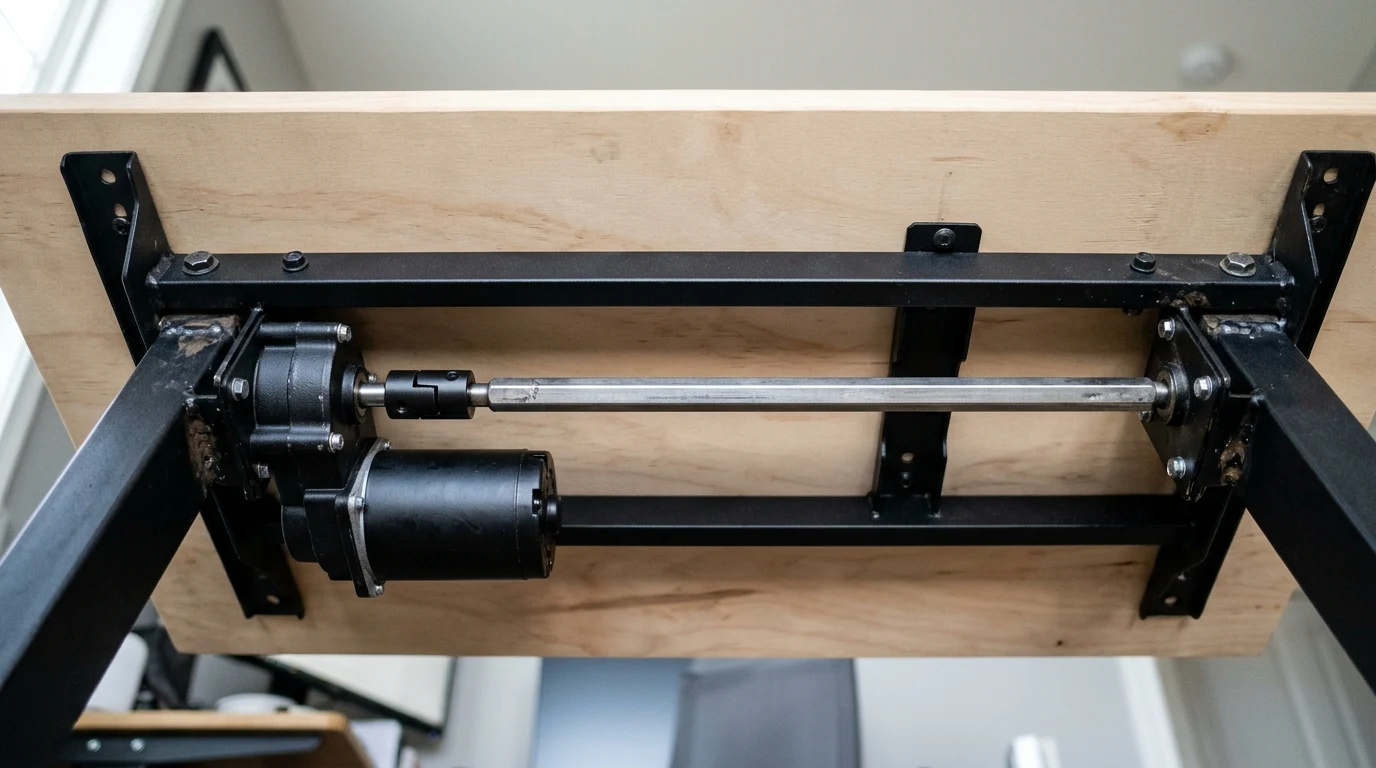
In a single motor desk, one external motor gearbox mounts under one side of the frame and spins a horizontal hex shaft across the crossbar.
That mechanical sync rod forces both lifting legs up and down at the exact same ratio whenever power turns the main gearbox.
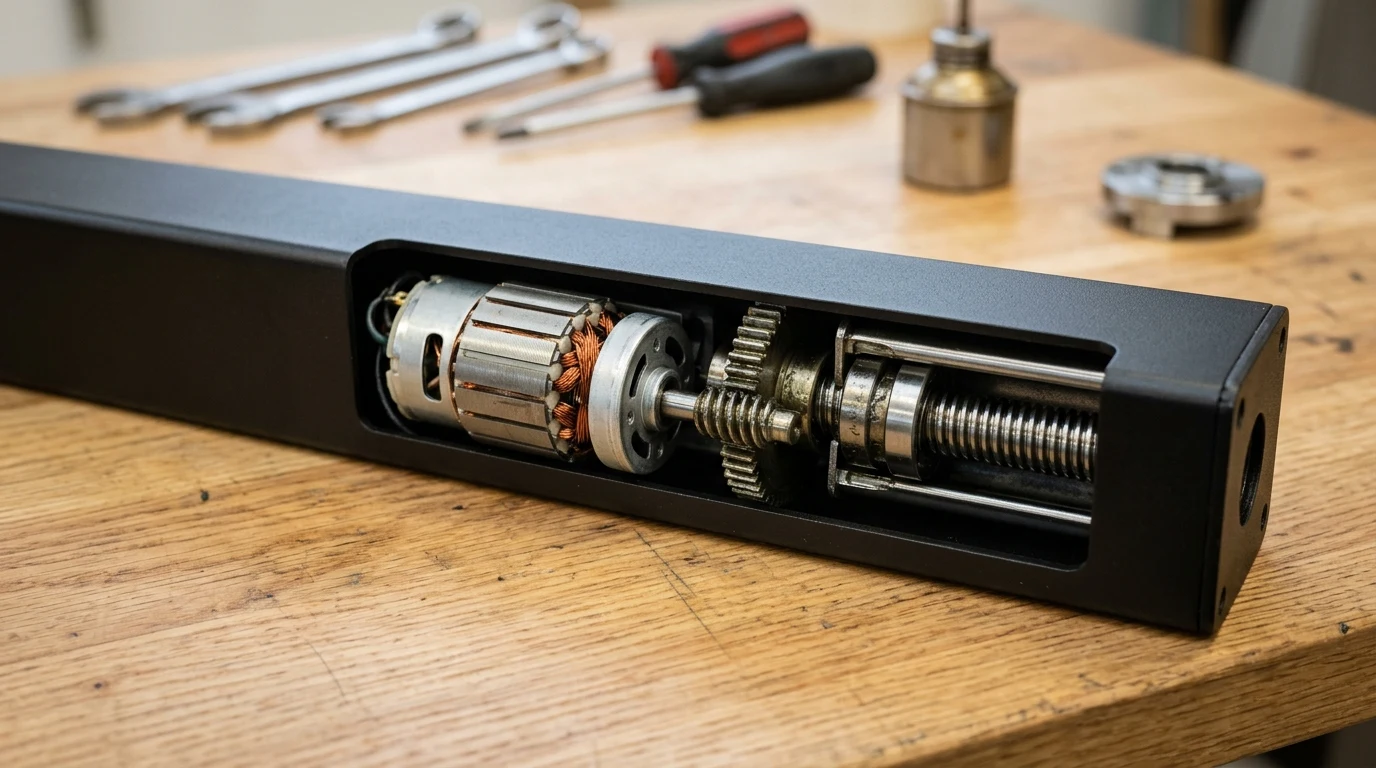
In a dual motor frame, no metal rod crosses underneath the desktop.
Each lifting leg contains its own compact electric motor and worm gear assembly inside the upper steel column.
A central control box synchronizes both legs electronically by reading Hall position pulses from each motor shaft.
LINAK DESKLINE CBD6S parallel documentation confirms this electronic sync relies on continuous Hall pulse counting paired with per column current limiting.
FlexiSpot and Desky technical manuals document the same electronic column synchronization method.
The 60-Second Check to Count Motors on Any Desk
Do not rely on vague marketplace titles when checking an owned desk or a local used listing.
Grab a phone flashlight and inspect under the desktop in sixty seconds:
- Check between both legs along the crossbar. A visible hexagonal metal rod spanning from leg to leg confirms single motor hardware.
- Count motor plugs entering the control box. Two thick braided leg cables plugged into separate M1 and M2 ports identify dual in column motors.
- Look for a black drum cylinder near one bracket. A horizontal motor housing bolted beside a single leg only appears on single motor frames.
Compare electric gearboxes against outlet free manual cranks in our hand crank vs electric standing desk guide.
Single vs Dual Motor Standing Desk: Normalized Class Comparison
Raw spec sheets mislead shoppers whenever brands mix dynamic lifting capacity with static weight limits or desktop inclusion.
We keep every figure below on its exact maker published basis without blending conflicting ratings.
| Axis | Single Motor Class | Dual Motor Class | Normalization Basis |
|---|---|---|---|
| Drivetrain | 1 motor + hex sync shaft | 2 column motors + Hall sync | LINAK CBD6S, FlexiSpot, Desky docs |
| Capacity | 110 lb (EW8) to 187 lb (E2-V2 + hooks) | 220 lb (E5) to 355 lb (UPLIFT V3 incl. top) | Maker published limits; zero overlap |
| Speed | 1.5 in/s (38 mm/s, Desky Single) | 1.0 in/s (E5) to 2.0 in/s (UPLIFT V3) | Named models only; E7 1.5–2 in/s no load |
| Noise | 45 dB (Desky Single) | 40 dB (Desky Dual) to <50 dB (E5) | Named models only; no class rule |
| Duty Cycle | 10% (2 min on / 18 min rest) | 10% (2 min on / 18 min rest) | Identical across control boxes |
| Frame Step | $109.99 sale / $289.99 list (E2-V2) | $209.99 sale / $359.99 list (E5) | $100 sale step ($70 list), Nov 28 pin |
| Fault Mode | Stops level on hex rod | Can tilt until Hall drift cutoff | FlexiSpot UK fault guide |
| Spare Parts | Mostly support tickets | UPLIFT leg $180, box $129+; FlexiSpot ticket | Checked upliftdesk.com Nov 28, 2026 |
Buying for a corporate stipend, remote team, or LLC? Check bulk & tax-exempt pricing on Amazon Business →
Prices checked November 28, 2026 at 1:54 PM EST
Two popular claims disappear once you inspect those named figures.
First, dual motor desks are not inherently faster: Desky's single motor frame lifts at 38 mm/s (1.5 in/s), outpacing the dual motor FlexiSpot E5 (1.0 in/s).
Second, dual motor desks are not inherently quieter: Desky's single motor 45 dB spec beats <50 dB ceilings on several dual frames.
FlexiSpot publishes 1.5 to 2 in/s on the E7 strictly with a no load qualifier and lists 352 lb dynamic capacity on its current comparison spec.
FlexiSpot also keeps a legacy 154 lb E2 sheet live online, though its current E2-V2 listing governs at 187 lb (plus 11 lb hook capacity).
Example Tier List Across Motor Classes (No Rankings)
Three named examples anchor the current US market without assigning awards or competing against our ranked home office roundup.
For ranked awards across complete bundles, read our best standing desk for home office guide.
Compare sub $500 complete desks inside our best budget standing desk breakdown.
| Example SKU | Class | Frame Price (Nov 28 Pin) | Complete Entry Price | Key Specs & Basis |
|---|---|---|---|---|
| FlexiSpot E2-V2 | Single Motor | $109.99 ($289.99 list) | $179.99 48x24 laminate ($369.99 list) | 187 lb capacity (+11 lb hooks) |
| FlexiSpot E5 (E5-V3) | Dual Motor (Budget) | $209.99 $359.99 | $299.99 48x24 laminate ($449.99 list) | 220 lb static spec, 1.0 in/s, <50 dB |
| UPLIFT V3 | Dual Motor (Heavy) | Check price on Amazon | $599 42x30 / $659 48x30 laminate | 355 lb incl. top, 2 in/s, <48 dB |
Prices and stock accurate as of November 28, 2026 via merchant data. Subject to change.
FlexiSpot's live checkout sets the single to dual jump cleanly at $100.00 on sale ($109.99 E2-V2 frame to $209.99 E5 frame), or $70.00 at list.
Do not treat the gap from FlexiSpot E5 ($299.99 frame) to FlexiSpot E7 ($299.99 frame, $299.99 48x24 laminate) as a motor count difference.
Both models use dual motors; that extra $90 buys 352 lb dynamic capacity, lower three stage travel (22.8 to 48.4 in), USB keypad, and 15 year coverage.
Read full details in our FlexiSpot E5 review and FlexiSpot E7 review.
Check FlexiSpot E5 on FlexiSpot • Check FlexiSpot E7 on FlexiSpot • Check UPLIFT V3 on Amazon
Weigh-Your-Setup Worksheet and the 150 lb Rule
Shopper questions in standing desk communities almost always boil down to whether a regular laptop and single monitor desk needs dual motors.
Total your real desktop weight first instead of guessing.
| Component | Light 1-Monitor Setup | Heavy Dual-Monitor + PC Setup |
|---|---|---|
| Desktop Top | 32 lb (48x24 laminate) | 65 lb (60x30 hardwood / KARLBY) |
| Monitors | 12 lb (1x 27 in) | 38 lb (2x 32 in) |
| Monitor Arm | 7 lb | 16 lb |
| Computer | 5 lb (laptop + dock) | 35 lb (full ATX tower) |
| Peripherals & Arms | 32 lb (12 lb gear + 20 lb arms) | 42 lb (22 lb gear + 20 lb arms) |
| All-In Column Load | 88 lb (Single Motor OK) | 196 lb (Dual Motor Needed) |
If your combined desktop, monitors, PC, and resting forearm weight stays under about 150 lb, a 176 to 187 lb single motor frame fits comfortably.
Once total weight crosses 150 lb, or you bolt on a heavy hardwood slab plus tower PC, choose a dual motor frame (220 to 355 lb).
Also follow the asymmetric load placement rule whenever mounting a heavy desktop PC tower.
Position a heavy 35 lb tower directly over one steel leg rather than mid span.
Centered towers flex hex rods and force one leg on dual motor desks to pull against uneven bracket friction.
Recommended ergonomic accessories and hardware specs
Workstation accessories selected to support healthy ergonomics, joints, and cable routing.
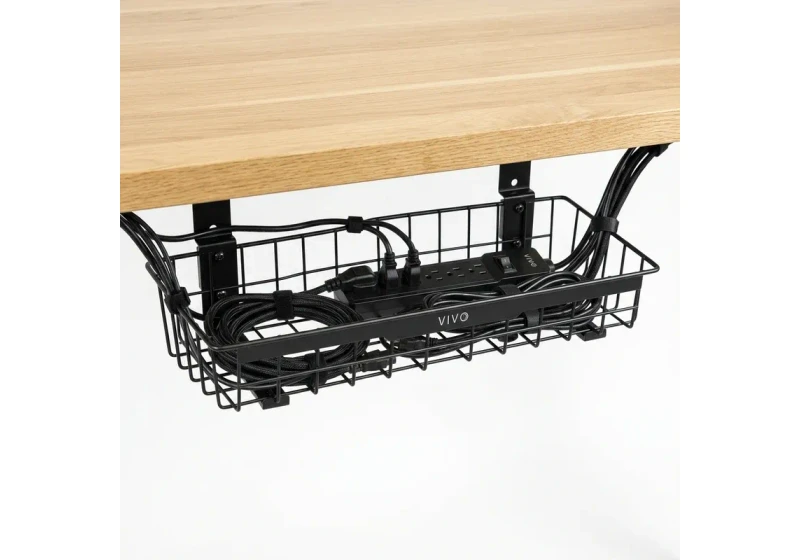
VIVO Under-Desk Cable Tray
Keeps power strips and heavy adapters off the floor so cables never yank when adjusting desk height.
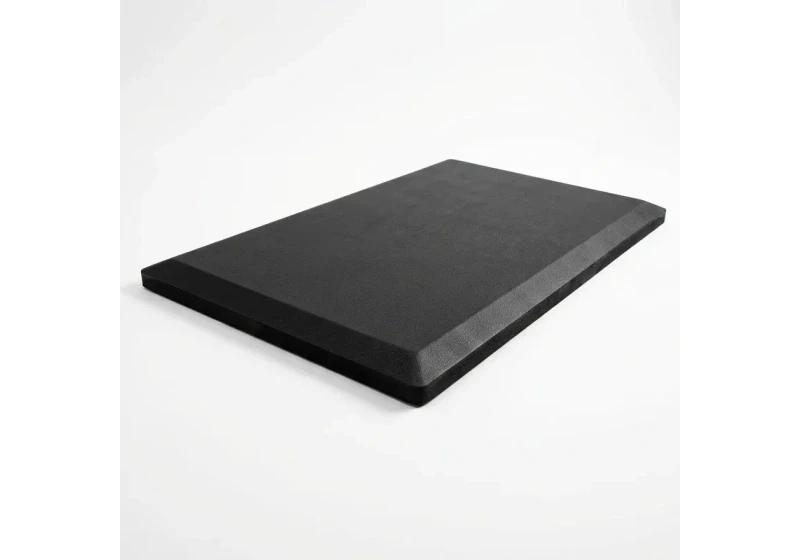
ComfiLife Gel Anti-Fatigue Mat
High-density core cushions heel strike and helps ease lower back compression when standing 3+ hours.
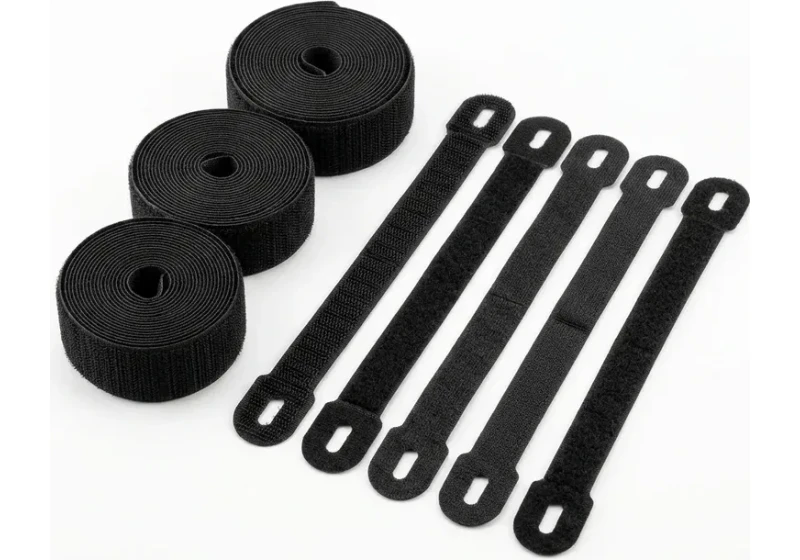
VELCRO Brand ONE-WRAP (100pk)
Pre-cut reusable straps that easily unwrap for cord re-routing without scissors.
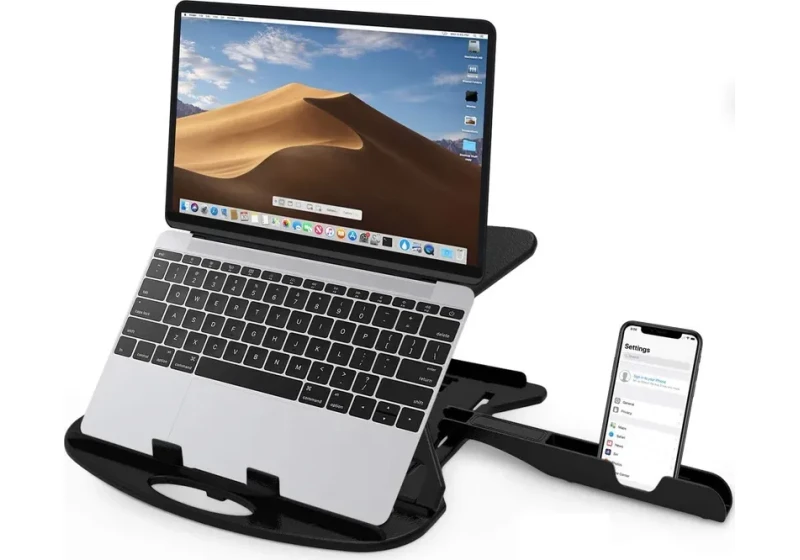
Soundance Laptop Stand
Raises laptop screen 6 inches to eye level, helping reduce forward neck slouch.
Sit-to-Stand Trip Times and Load Derating
Unloaded maker speeds give clear 15 inch travel times across named models:
- FlexiSpot E5 (
1.0 in/s):15.0 secondsper15 inchrise. - Desky Single (
1.5 in/s/38 mm/s):10.0 seconds. - Desky Dual (
1.6 in/sloaded):9.4 seconds. - UPLIFT V3 (
2.0 in/s):7.5 seconds.
Remember Product Bible's load derating caveat: motor speed drops measurably once gear weight nears rated frame capacity.
Cycle Life in Years Plus the 10 Percent Duty Cycle
Marketing badges advertise 50,000 or 100,000 cycles, yet raw numbers mean nothing without converting to calendar years alongside thermal duty limits.
At four full sit to stand cycles per workday across 250 workdays yearly (1,000 cycles/year):
20,000cycles equals 20 years of normal daily transitions.50,000cycles equals 50 years of daily office travel.100,000cycles equals 100 years, outlasting every control board and desktop warranty.
Crucially, both single and dual motor LINAK and FlexiSpot control boxes enforce the same 10 percent duty cycle: 2 minutes continuous run, 18 minutes rest.
Rapid back to back demos trigger thermal rest codes (HOT / E01) equally on one motor or two.
Failure Modes, Error Codes, Reset Procedure, and Spare Parts
Electronic faults behave differently depending on whether your legs share a mechanical rod or run independent sensors.
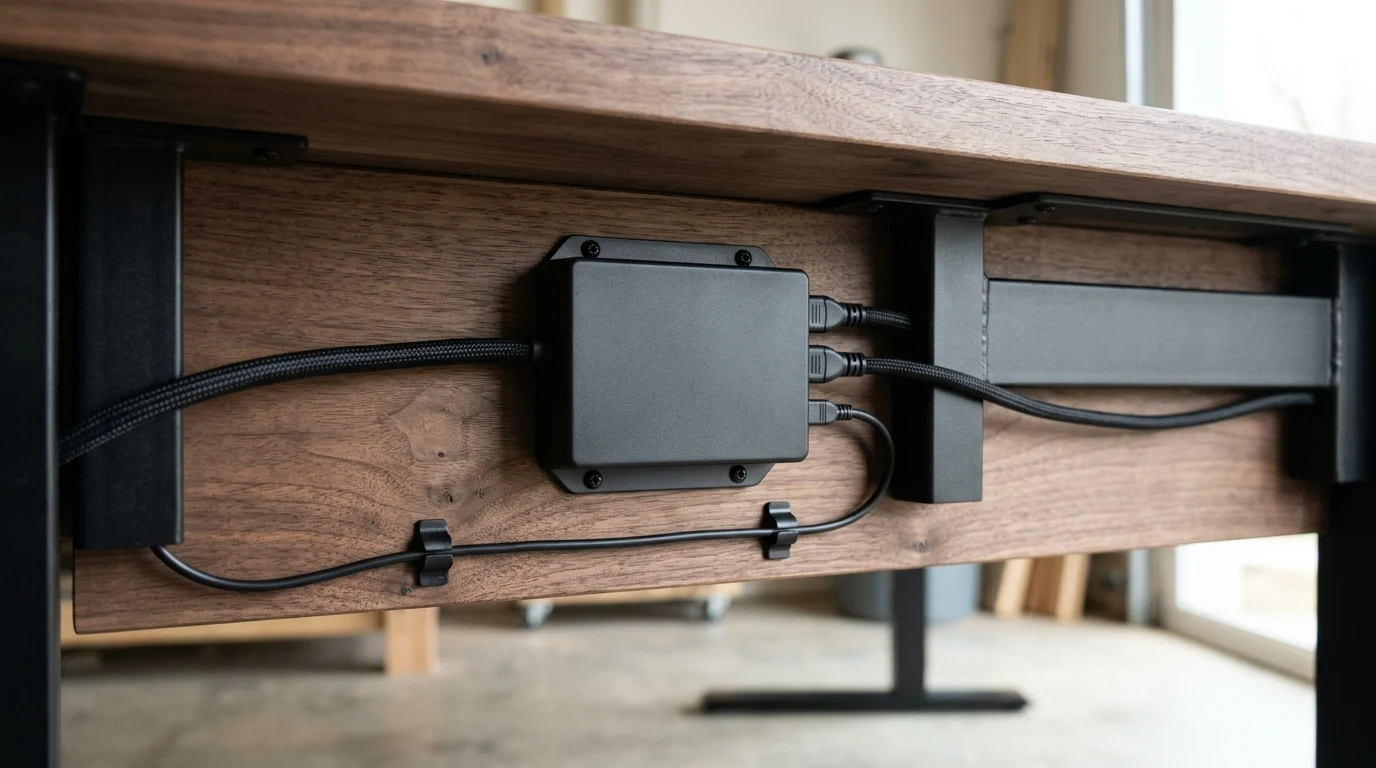
When a single motor fails, the hex rod halts both sides level immediately.
When one leg faults on a dual motor desk, the working side can lift slightly before the control box catches Hall drift and locks out.
FlexiSpot's UK troubleshooting manual documents this tilt behavior along with per column codes (E03/E04, E07/E08, and E20 to E23).
Check our UPLIFT V3 standing desk review to see how gyroscope collision sensors detect frame tilt earlier.
Reset-First Rule and Cable-Swap Test
UPLIFT Desk reports that 70 percent of returned control boxes were not defective, making a manual reset essential before claiming warranty parts:
- Unplug AC power and reseat both motor plugs and the keypad cord firmly.
- Hold Down continuously until both columns reach mechanical bottom and display
RSTorASR. - Keep holding Down for
5 to 10 secondsuntil the frame drops slightly and rebounds level. - Run the cable swap test if tilt errors persist: unplug power, swap
M1andM2leg cords, and retest to see if the code follows the port (box fault) or stays with the leg (motor fault).
| Brand | Replacement Leg | Replacement Control Box | Public US Parts Store |
|---|---|---|---|
UPLIFT Desk (V1 / V2 / V2-Com) | $180 each | $129+ each | Open checkout on upliftdesk.com |
FlexiSpot (E2 / E5 / E7) | Support quote | Support quote | Support ticket only (no parts store) |
Verified November 28, 2026: UPLIFT lists $180 legs and $129+ boxes for V1, V2, and V2-Commercial frames, while dedicated V3 spare SKUs are not yet posted separately.
Frame-Only Finished Cost vs Complete Desk
A $109.99 single motor frame or $209.99 dual motor frame still requires a slab, wood screws, and assembly time.
Pairing a $299.99 FlexiSpot E7 frame with a $299.99 IKEA KARLBY countertop lands at $578.99, well above the $299.99 complete E5 laminate desk.
See our best standing desk frames guide for complete DIY slab math and ranked bare frames.
What Sucks and Who Should Skip
$100higher entry cost & asymmetric tilt risk: Dual motor frames cost roughly$100more ($209.99vs$109.99at FlexiSpot) and rely on sensor lockouts if one cable loosens.- No speed, noise, or duty cycle guarantee: Independent motors still obey the same
2 min on / 18 min restthermal cap and do not beat single motors on speed or dB automatically.
Who Should Skip Dual Motor vs Single Motor
- Skip dual motor desks if your whole setup sits below
150 lb, budget is tight, or you rarely change height. Browse best budget standing desk for complete sub$300options. - Skip single motor desks if your slab, dual screens, and PC exceed
150 lb, or multiple family members need low22.6 to 23.8 inseated ranges on three stage legs.
Prolonged static sitting is associated with lower back stiffness, so pick whichever frame capacity matches your real load without paying for unused steel.
Frequently Asked Questions (FAQ)
Is a dual motor standing desk worth it for one monitor?
Not if total setup weight stays under 150 lb. One screen, arm, laptop, and top usually total 65 to 95 lb, fitting single motor specs unless needing low seated travel.
Does a dual motor standing desk last longer?
Not by motor count alone. Both classes enforce a 10% (2 min on / 18 min rest) thermal cap, while warranties track price tiers (3–5 yr budget vs 10–15 yr commercial).
Can a single motor standing desk wobble more?
Side and front to back stability depend on steel overlap, column width, foot length, and carpet thickness. Even SupplyUSA notes that dual motors alone do not cure frame wobble.
What happens when one motor fails on a dual motor desk?
Per FlexiSpot's guide, the working leg moves slightly before Hall drift triggers an error code (E03/E04, E07/E08, E20–E23). Resetting or swapping motor cables separates leg and box faults.
How do I tell how many motors my desk has?
Look under the desktop behind the front crossbar. A horizontal hexagonal shaft connecting legs signals one motor, whereas two motor cords plugged into M1 and M2 ports signal dual motors.
How We Researched
We did not run hands on stability, lift speed, acoustic decibel, or cycle endurance tests on any frame in this guide.
Mechanical behavior cites LINAK DESKLINE CBD6S parallel control documentation, FlexiSpot US/UK troubleshooting manuals, Desky sheets, and UPLIFT technical documentation.
Active pricing and specs (FlexiSpot E2-V2, E5, E7, UPLIFT V3 plus spare parts, Desky Single, and Desky Dual) were read live on November 28, 2026 across maker storefronts.
Under load speed derating notes cite Product Bible's load benchmarks, and UPLIFT's 70% non defective return statistic cites UPLIFT Desk troubleshooting guidance.
By M. Haris
References ANSI/BIFMA G1-2013 guidanceSoftware engineer and founder of The Desk Riser
M. Haris is a software engineer and founder of The Desk Riser, auditing manufacturer engineering schematics, motorized desk cycle ratings, ANSI/BIFMA G1-2013 ergonomic guidelines, and long-term owner feedback patterns. Every guide is editorially independent with zero paid brand placements and zero PR samples (we may earn affiliate commissions on qualifying purchases). Have questions or spot a warranty update? Email directly at support@thedeskriser.com, read the Author Dossier, or explore our Editorial Research Methodology.