Best Office Chair for Neck Pain 2026
Published 2026-08-08
How we researched
We compare current specs, warranty terms, buyer complaints, and long-term owner patterns. No fake hands-on claims.
Last price/spec check
2026-08-08. Prices move, so use the retailer page as the final source.
Who should skip this
Skip anything that does not fit your body, room, budget, or return-window comfort level.
Disclosure: We earn a commission if you buy through links on this page, at no extra cost to you.
By 3pm, your neck hurts. You've been telling yourself to sit up straighter. You've looked at chairs with headrests. Here's what most guides don't tell you: neck pain from sitting is almost never a headrest problem.
Your head weighs about 10 to 12 pounds. In a neutral position, your spine handles that load easily. Tilt your head 15 degrees forward and the effective load on your cervical spine jumps to 27 pounds. At 45 degrees forward, it's 49 pounds.
That forward tilt doesn't come from your neck. It starts at your pelvis. When you sit in a chair that doesn't support your lower back properly, your pelvis tilts back, your lumbar curve flattens, your mid-back rounds, and your head moves forward to compensate.
The neck ache is the symptom. The pelvis is the cause.
This means the chair features that matter for neck pain are the same ones that matter for back pain: lumbar height, seat depth, and backrest tension control. A headrest on a chair that's already failing you at the pelvis won't fix anything.
If you're dealing with back pain alongside neck issues, the best chairs for back pain guide covers that overlap in detail. For a full comparison of the Aeron and Leap V2, both of which appear below, see the Steelcase vs Herman Miller comparison.
What Actually Causes Neck Pain at a Desk
Poor lumbar support is the main driver, but two other things make it worse.
Monitor position. If your screen is too low, you tilt your head down all day. If it's too high, you tilt it back.
Eye level should land in the top third of your screen with your head in a neutral position. This is a $30 fix with a monitor arm or stand before you buy a $400 chair.
Armrest height. Arms dangling at your sides all day add weight to your shoulder and neck muscles constantly. Armrests set at the right height take that load off.
The armrests should be at or just below elbow height when you're sitting upright. If your chair's armrests don't adjust, that's a real limitation.
Backrest tension. A backrest that's too stiff forces you forward out of it. You stop using the support entirely and slump into the "reading a book on the couch" posture. Tension control that lets the chair support you without resistance is what keeps your back in contact with the lumbar support throughout the day.
Best Office Chairs for Neck Pain 2026
Steelcase Leap V2: Best Overall
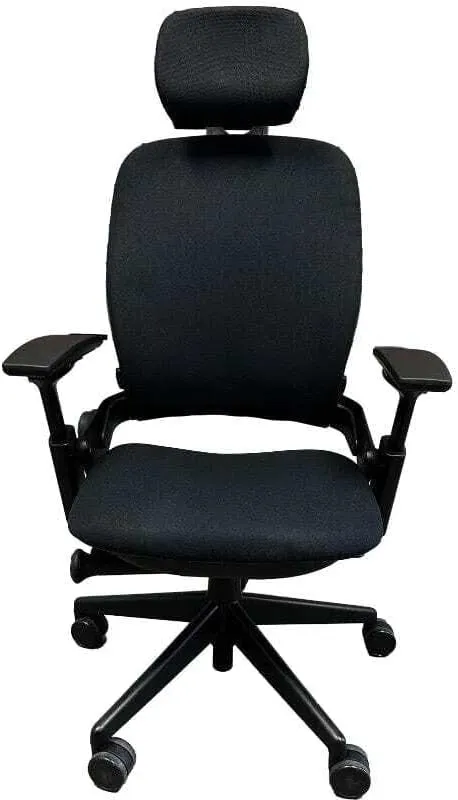
The Leap V2 is the best chair for neck pain because it's the only chair in this category that actively follows your spine as you move. The LiveBack system adjusts the shape of the backrest in real time as you shift positions. When you lean forward, the back follows. When you recline, it reclines with you proportionally.
This matters for neck pain more than it sounds. The typical pattern that causes neck ache: you sit down correctly, the chair supports you, and then over the next 20 minutes you shift, reach, adjust, and slowly lose your posture setup. By hour three, you're hunched. The Leap V2 prevents this because the back maintains contact with your spine regardless of what you're doing.
The lower back firmness adjustment dial is the other key feature. Turn it down slightly from center for neck pain use. You want the back to support you, not push you forward. A little less lumbar firmness than default dramatically reduces the "fighting the chair" sensation that sends people slumping away from the backrest.
Add the forward tilt seat pan option and your pelvis stays in the neutral forward-tilt position that keeps your lumbar curve intact and your head over your shoulders.
New Leap V2 chairs run around $1,375. Used ones on eBay and Craigslist (search specifically for V2, not V1) typically run $350 to $600. For neck pain that's affecting your daily productivity, the used market for the Leap V2 is one of the best value decisions in ergonomics.
Who it's for: Anyone whose neck pain has been going on for more than a few weeks. Anyone sitting 6+ hours daily. The mechanical design genuinely outperforms every other chair here for all-day posture maintenance.
Who should skip: Buyers who prefer a very firm, stable seat pan. The Leap's seat flexibility feels unstable to some people, particularly those with certain hip issues.
Check Steelcase Leap V2 on Amazon
Herman Miller Aeron: Best for Forward-Head Posture
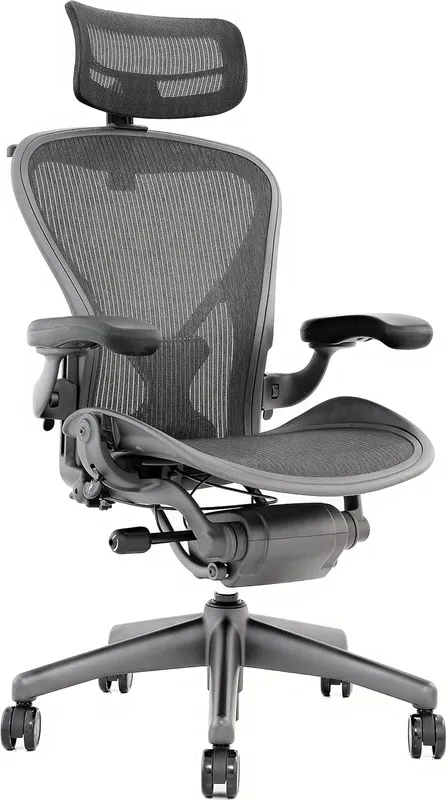
The Aeron's neck pain advantage is indirect and often missed. PostureFit SL supports both the sacrum and the lumbar simultaneously, with each pad independently adjustable. Most chair lumbar support only addresses the upper curve. The Aeron addresses the anchor.
When your sacrum is properly supported, your pelvis stays in a neutral position without effort. A neutral pelvis means an intact lumbar curve. An intact lumbar curve means your mid-back doesn't round. A non-rounded mid-back means your head stays over your shoulders.
That chain of cause and effect is why the Aeron works for neck pain even though it has no standard headrest. You're not propping your head up after the fact. You're preventing the cascade that puts it forward in the first place.
The forward tilt seat pan feature helps here too. Combined with PostureFit SL set to emphasize sacral support, the Aeron holds the base of your spine in place so the rest of your posture follows.
Sizing matters more here than with any other chair. The Aeron comes in three sizes: A (small), B (medium), C (large). If you get the wrong size, the PostureFit contact points don't land correctly.
Size B fits most adults 5'3" to 6'0". If you're shorter or taller, check the sizing guide carefully before ordering.
New units run around $1,445. Used Aerons from size B or C (look for ones with the PostureFit SL, not the older PostureFit) often run $400 to $750.
Who it's for: People whose neck pain comes from forward head posture specifically. Anyone who tends to lean slightly forward while working. Read the full Aeron review if you want the complete size breakdown.
Who should skip: People who primarily work in a reclined position. The Aeron's recline range is more limited than chairs like the Humanscale Freedom. Also not ideal if you need a headrest and won't add the optional attachment.
Check Herman Miller Aeron on Amazon
FlexiSpot C7: Best Budget Pick Under $400
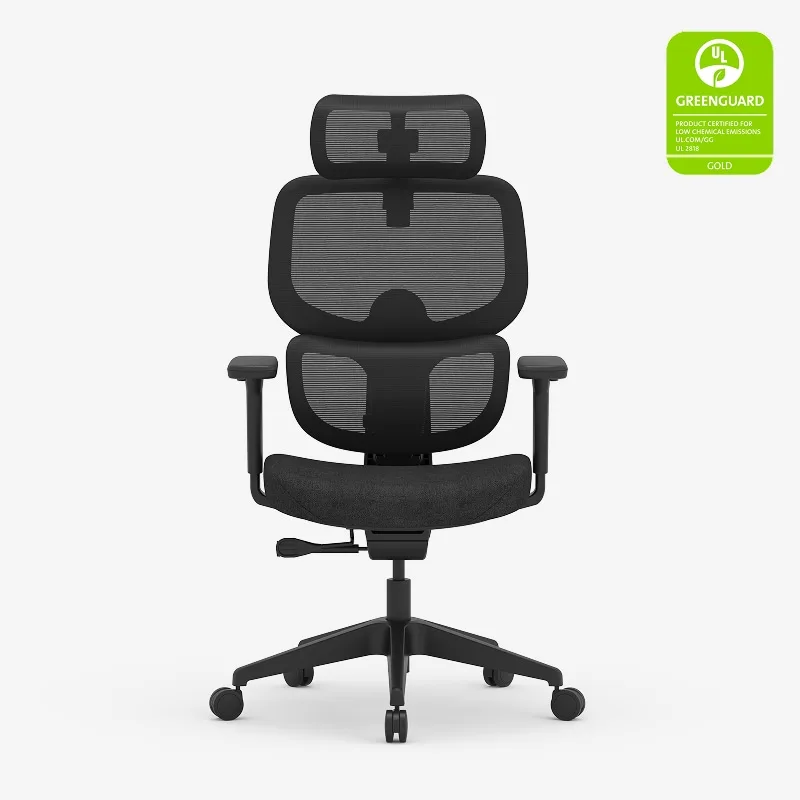
The C7 is the budget pick for neck pain because it has height-adjustable lumbar support and seat depth adjustment in a single chair at $300 to $430. That combination matters: you can get the lumbar to actually make contact with your lower back, which is the first requirement for fixing the cascade that causes neck ache.
The self-adaptive lumbar system shifts with your movement rather than locking into one position. For neck pain, this is better than a fixed pad that loses contact the moment you shift.
The 3D armrests (height, width, depth, and pivot angle) are the other key feature here. Adjustable armrests that take shoulder weight off are a direct neck pain intervention. Most budget chairs either have no armrests or armrests that only go up and down. The C7's full adjustment range lets you position them close enough to actually unload your arms.
The C7 doesn't have the dynamic back-following of the Leap V2 or the PostureFit SL of the Aeron. You'll notice the difference at hour five. But at 30 to 40% of the price, it covers the core mechanics that matter for neck pain and beats the ergonomics of any generic "ergonomic chair" at this price point.
Who it's for: Budget-constrained buyers who still need real ergonomic adjustments. Home offices where chair cost is a genuine constraint.
Who should skip: People sitting 8+ hours daily where neck pain is already causing symptoms. The Leap V2 or Aeron used market becomes worth the effort at that usage level.
Branch Ergonomic Chair: Best Under $350
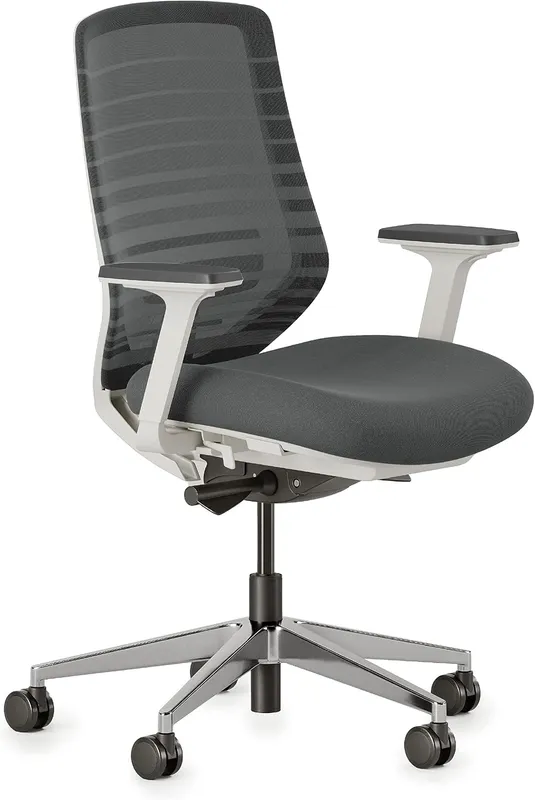
The Branch works for neck pain because its lumbar support moves vertically to find the right contact point for your specific spine. That height adjustment is what most chairs in this range don't offer. A fixed lumbar pad set for average anatomy hits too high on shorter backs and too low on taller ones. The Branch lets you dial it to where it actually touches your lumbar curve.
The honest limitation for neck pain use: no seat depth adjustment. If you're taller than about 5'11" or have long legs relative to your torso, you'll end up sitting forward of full seat depth to avoid pressure behind the knees. That moves you away from the lumbar contact. If you're sitting forward of the backrest, the lumbar support becomes decorative.
If your leg proportions mean you can sit all the way back in the chair, the Branch is excellent value. If not, the C7's seat depth adjustment makes it the better pick for neck pain at a similar price.
Who it's for: People with average or shorter leg proportions who can sit fully back in the chair without pressure behind the knees. Budget buyers under $350.
Who should skip: Taller users or anyone with long legs. The seat depth limitation will undermine the lumbar benefit and push you forward all day.
Check Branch Ergonomic Chair on Amazon
What About Headrests?
Some people specifically want a headrest. That's valid, particularly for people who recline while reading or take calls away from their keyboard. A headrest provides support during those moments.
The important thing to understand: a headrest on a chair that doesn't properly support your lumbar still gives you neck pain. The headrest just changes the angle. Fix the lower back first. If you still want a headrest after that, look at chairs with properly integrated headrests (not velcro-attached pillows that shift around).
The Aeron has an optional headrest attachment for $95 to $150 that integrates cleanly with the chair's design. For the Leap V2, Steelcase sells an optional headrest as well. Both are better solutions than a standalone neck pillow.
Non-Chair Fixes Worth Doing First
Before spending $300 to $1,400 on a chair, verify these:
Monitor height. The top of your screen should be at or near eye level when sitting with your head neutral. Most monitors sit too low on desks. A monitor arm or a simple stand fixes this for $30 to $100.
Keyboard position. Your arms should be close to your sides, not reaching forward. A keyboard tray that brings the keyboard slightly below desk height often fixes the shoulder-rounding that contributes to neck strain.
Phone habits. If you're tucking your phone between your ear and shoulder for calls, that's a neck pain cause no chair fixes. Use a headset.
For a full workstation setup guide that covers all these elements together, the ergonomic workstation setup guide walks through the complete picture.
FAQ
Does a headrest help neck pain?
Sometimes. A headrest provides support during reclined positions and low-activity moments. It doesn't fix neck pain caused by forward head posture during active work, because you're leaning into the screen, not into the headrest.
Fix your lumbar support and monitor height first. Add a headrest if you want support during reclined periods.
What's the best chair for neck pain under $400?
The FlexiSpot C7 at $300 to $430 is the best option under $400 that has the combination of adjustments needed: height-adjustable lumbar and seat depth. Below $300, most chairs offer cushioning in an ergonomic shape without the mechanical adjustments that actually move the needle on posture.
Can a chair fix chronic neck pain?
A proper chair reduces the daily load on your cervical spine by keeping your head in a more neutral position for more hours. For chronic pain, it's one piece of the solution. You likely also need monitor height adjustment, breaks from static posture, and possibly physical therapy for existing tension. Don't expect any chair to undo six months of bad posture overnight.
Is the Aeron or the Leap V2 better for neck pain?
Both are excellent. The Leap V2 wins for active movers who shift position a lot during the day. The Aeron wins for people who primarily sit upright and forward, and whose neck pain is rooted in pelvic tilt specifically.
If you can, try both in person. If not, the Leap V2 is the safer recommendation for general neck pain from desk work.
Why does my neck hurt more in the afternoon?
Muscle fatigue. Your postural muscles hold your head up all day, and as they fatigue, your head drifts forward. The load on your cervical spine increases progressively through the day.
A chair that maintains spinal support without requiring constant muscle activation (like the Leap V2) delays this fatigue. Hourly movement breaks also help significantly.
Does monitor arm help neck pain?
Yes, often more than a new chair. If your monitor is too low, you're tilting your head down every hour of every day. A monitor arm that puts your screen at proper eye level removes that load completely. It's worth doing before buying a new chair.
The Desk Riser Research Team
Standing Desk & Home Office Researchers
We research standing desks, ergonomic chairs, and home office gear by analyzing manufacturer specs, warranty terms, and real owner review patterns across thousands of purchases. No sponsored placements. No fake hands-on claims.
Share this article: