Best Standing Desk for Two Monitors 2026
Published 2026-08-07

How we researched
We compare current specs, warranty terms, buyer complaints, and long-term owner patterns. No fake hands-on claims.
Last price/spec check
2026-08-07. Prices move, so use the retailer page as the final source.
Who should skip this
Skip anything that does not fit your body, room, budget, or return-window comfort level.
Disclosure: We earn a commission if you buy through links on this page, at no extra cost to you.
Most standing desk guides treat dual monitors as a width problem. Get a 60-inch desk, they say, and you're sorted. That's the wrong frame.
The real problem with dual monitors on a standing desk is a stability and weight math problem. People searching this query are worried about wobble at standing height with two heavy screens. They're wondering whether their frame can handle the load.
They're thinking about 4+ cables moving every time the desk goes up or down. Width is the easy part. Stability under two monitors is where cheap desks fall apart.
Here's the thing most articles don't tell you: the monitor arm configuration determines which desk you need, not the other way around. Someone running dual 27-inch monitors on a single grommet-mount dual arm has very different requirements than someone running two independent clamp arms at opposite ends of a 72-inch surface. Get the arm decision right first. Then pick the desk to match it.
If you're shopping for a standing desk without the dual-monitor constraint, the best adjustable desks guide covers more options. If your main use case is coding or development work, the best standing desks for programmers covers the stability question in that specific context.
Why Dual Monitors Change What You Need
Two 27-inch monitors at 12-18 lbs each. A dual monitor arm at 10-20 lbs. A laptop stand, USB hub, and accessories adding another 5-10 lbs. You're looking at 40-65 lbs of load before anything else touches the desk surface.
That's not close to the weight capacity limit on any modern standing desk frame. A single-motor budget desk listing 176 lbs capacity can hold this setup just fine by the numbers.
The issue is stability under that load at full standing height, not the static weight limit. Two monitors amplify wobble. The vibration at the desk surface becomes visible movement in the top third of both screens, especially during typing.
This is the number one complaint about dual-monitor standing desks on r/standingdesk. Dual-motor frames handle it significantly better than single-motor frames at full extension. This is not a minor difference.
If you're committing to dual monitors, commit to a dual-motor desk. The cost difference is $50-150. The stability difference is noticeable every day.
What to Look for: The Non-Obvious Checklist
Desk width. 60 inches is the minimum for two standard 27-inch monitors on arms, with a keyboard in front. 72 inches gives real breathing room and removes the sense that the setup is crammed. If you're running 32-inch monitors or an ultrawide plus a standard, 60 inches is the floor, not the target.
Surface depth, not just width. To hit correct ergonomic eye distance (20-28 inches from eye to screen), monitor arms need enough reach from the grommet or clamp point. On a desk that's only 24 inches deep, arms often can't extend monitors far enough back.
Desks with 28-30 inch depth handle dual-arm setups better. Almost no competing article mentions this.
Frame stability under typing vibration. Test for this specifically if you're buying in person. At full standing height with the desk extended, press down lightly on the surface and observe the monitor tops.
Any visible sway means you'll notice it every day. Dual-motor C-frame designs (like the E7 Pro) eliminate the crossbar that can create torsional flex on wide surfaces.
Cable management. Dual monitors mean 4 display and power cables moving every height change. A cable spine on the desk leg and a cable tray under the surface go from nice-to-have to actually necessary. Check whether the desk has a built-in cable channel or whether you'd need to add one separately.
Grommet placement. If you want a single dual arm on a center grommet, make sure the desk has a grommet hole in the right position for your planned monitor layout. Some desks only offer edge-mount grommets, which limits dual-arm positioning.
Best Standing Desks for Two Monitors in 2026
FlexiSpot E7: Best Overall for Dual Monitors
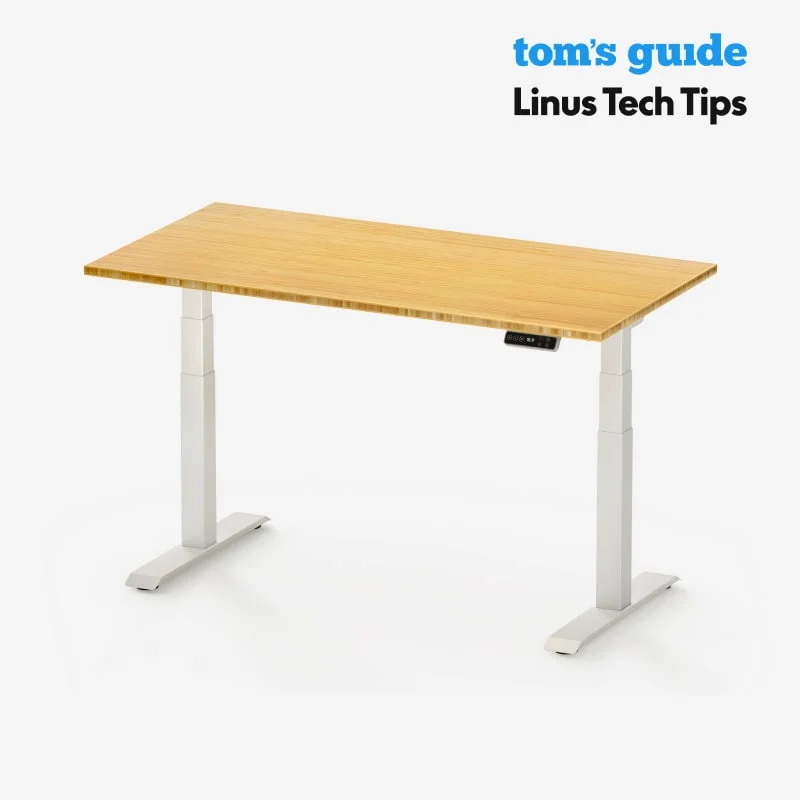
The E7 is the right desk for most dual-monitor setups, and the reason is specific: it pairs a dual-motor frame with 355 lbs load capacity and surface width options up to 80 inches, at a price that stays under $550 for most configurations.
The dual motors matter here more than on a single-monitor setup because two screens sitting on the surface amplify any frame flex at height. The E7's motor system keeps the frame level under asymmetric loads, which matters if your monitors are different sizes or positioned differently. You're not going to notice wobble when typing.
Width options start at 48 inches and go to 80 inches. For dual monitors, get the 60-inch surface minimum. If you want a laptop on the side or you plan to add a third screen later, start at 72 inches now.
The 15-year warranty on the frame and 5 years on the motor is worth noting for a desk you'll move daily. Budget desks often warranty the motor for 1-3 years. The E7's motor warranty reflects that FlexiSpot actually expects it to hold up.
Honest limitation: the crossbar on wide configurations (70+ inches) adds a visual weight under the surface that some people find obstructive for under-desk storage. If that's a concern, look at the E7 Pro below.
Who it's for: Most dual-monitor setups, home offices, programmers, anyone who wants a dependable dual-motor frame without overpaying.
Who should skip: If you specifically need a grommet-free surface for cable routing flexibility, or you want the C-frame design for under-desk access, the E7 Pro is the better pick.
FlexiSpot E7 Pro: Best for Wide Setups and Heavy Monitor Arms
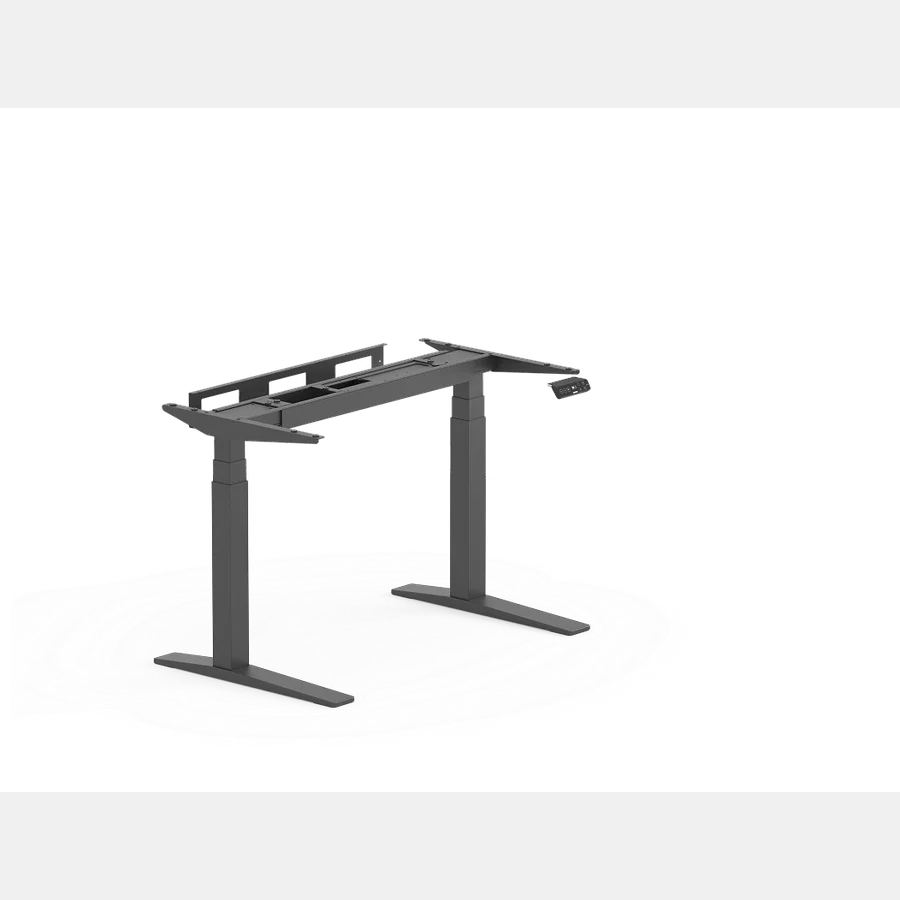
The E7 Pro uses a C-frame design that eliminates the center crossbar entirely. For dual-monitor users, this matters: you can clamp or grommet-mount arms anywhere along the full surface edge without the crossbar blocking cable routing or arm placement.
Load capacity goes up to 440 lbs on the frame (you won't approach this with dual monitors and accessories). The motor system handles wide surface configurations better than the standard E7 because the C-frame eliminates the torsional flex you can sometimes feel on very wide standard-frame desks.
The tradeoff is price. The E7 Pro runs $100-150 more than the standard E7 in equivalent configurations. For most home office dual-monitor setups, that premium isn't necessary. It earns its cost for wider 70-80 inch surfaces, for setups with very heavy monitor arms (Ergotron Ultra heavy arm systems, for example), or for anyone who cares about the under-desk aesthetic.
Who it's for: Wide 70-80 inch configurations, heavy monitor arm setups, users who want maximum cable routing flexibility.
Who should skip: Standard dual-27-inch setups on a 60-inch surface. The E7 handles that fine and costs less.
Budget Pick: FlexiSpot E5 or Equivalent Under $300
If budget is a hard constraint, a single-motor frame in the $250-300 range can handle two monitors. The load isn't the issue. Stability at full standing height is the honest limitation.
At sitting height or at moderate standing height (desk at 42-44 inches), single-motor budget desks feel fine with dual monitors. At full extension (48-50 inches for tall users), you'll notice more sway under typing than on a dual-motor frame.
If you're buying a budget desk for dual monitors, do two things: (1) keep the desk width at 60 inches or under, since wider surfaces amplify single-motor stability issues, and (2) use a dual monitor arm on a single grommet mount rather than two independent arms, which reduces the arm weight and keeps the load centered.
For the FlexiSpot E5 and comparable budget options, check current pricing on Amazon. Prices shift frequently and the E5 often goes on sale.
Check Budget Standing Desks on Amazon
UPLIFT V2 / V3: Premium Option (No Affiliate Link)
If you want zero compromise, the UPLIFT V2 and V3 have the best stability ratings in the industry and a 15-year comprehensive warranty covering everything. Prices start around $599 and go up quickly with accessories.
We don't have an affiliate relationship with UPLIFT, so there's no link here. If that's your budget and you want the absolute best frame, look it up directly on their site.
Two Monitors Plus a Laptop: What Changes
Adding a laptop to a dual-monitor setup changes the arm situation, not the desk requirements. You don't need a wider desk for a laptop if the laptop goes on a stand to the side at a comfortable height. What you do need is a USB-C hub or KVM switch to manage the cable situation, because now you're dealing with 6+ cables at the desk connection point.
Ergotron makes a laptop arm that mounts like a monitor arm. If you're planning a permanent dual-monitor-plus-laptop setup, that arm keeps the laptop at consistent ergonomic height and gets it off the desk surface. Worth considering if you switch between the laptop display and external monitors frequently.
The desk spec that actually changes: make sure your surface is 28+ inches deep if you're using a laptop stand in addition to two monitor arms. The arm reach requirements for three displays on a 24-inch deep surface get tight.
Monitor Arm Pairings That Work
The arms matter as much as the desk. A dual monitor arm on a single mount keeps the cable situation simple: one clamp or grommet point for both screens. Independent arms give more positioning flexibility but double the cable management work.
For dual-arm options, we cover specific models in the best monitor arms guide. The short version for dual-monitor standing desk setups: check the arm's weight capacity per screen (not the total), and make sure the vertical adjustment range covers both sitting and standing height transitions. Most budget arms are rated for 17-27 lbs per screen and travel about 15 inches vertically. That's adequate for most setups.
If you're building a complete home office setup from scratch, the home office setup under $1,000 guide has a full breakdown of how the desk, arms, and chair budget should be split.
FAQ
How wide does a standing desk need to be for two monitors?
60 inches minimum for two 27-inch monitors on arms with a keyboard in front. 72 inches if you're adding a laptop to the side or prefer more working room. Don't go below 60 inches and expect the setup to feel comfortable.
Can a standing desk wobble with two monitors on it?
Yes, especially single-motor frames at full standing height. Two monitors amplify any wobble because the movement shows up in the top of both screens simultaneously. Dual-motor frames fix this. If wobble is a concern, it's the single best reason to spend the extra $100 on a dual-motor desk.
Do I need a dual monitor arm or two separate arms?
Either works. A dual arm on a single grommet mount keeps both monitors on one cable cluster and one attachment point: simpler, slightly less flexible. Two independent arms let you set different heights and angles for each monitor and work better if your screens are different sizes.
If both monitors are the same size and you want the simpler setup, go with a dual arm.
How much weight can a standing desk hold with two monitors?
The weight isn't usually the problem. Two 27-inch monitors plus a dual arm is roughly 40-55 lbs, well within any dual-motor desk's capacity. The real constraint is stability at full height under that load, which is where single-motor budget frames show their limitations.
What's the best desk size for two monitors and a laptop?
72 inches wide and 28-30 inches deep handles it well. A 60-inch by 24-inch surface works if the laptop goes on an arm or stand rather than flat on the desk, but the setup will feel tighter.
Does a standing desk with dual monitors need special cable management?
More than a single-monitor setup does, yes. Every height change moves 4+ cables. A cable spine on the desk leg and a cable tray under the surface keep this manageable. Without them, cables start pulling at connections within a few weeks of daily height changes.
The Desk Riser Research Team
Standing Desk & Home Office Researchers
We research standing desks, ergonomic chairs, and home office gear by analyzing manufacturer specs, warranty terms, and real owner review patterns across thousands of purchases. No sponsored placements. No fake hands-on claims.
Share this article: