How to Fix a Squeaking Standing Desk (Noise Guide)
How we researched
We compare current specs, warranty terms, buyer complaints, and long-term owner patterns. Read methodology →
Last price/spec check
2026-09-08. Prices move, so use the retailer page as the final source.
Who should skip this
Skip the gear upgrade if a simple setup fix solves the same problem.
You press the up button on your electric standing desk, expecting a quiet glide, but instead your home office fills with a high-pitched metallic squeak, an aggressive mechanical grind, or an uneven clicking sound. In a quiet room, strange noises coming from a motorized desk do more than test your patience: they raise immediate red flags about stripped internal gears, burnt motors, or dangerous physical jams.
Motorized standing desks rely on telescoping steel columns, rotating lead screw drive spindles, internal nylon glide pads, and synchronized DC motors. When dry friction, uneven weight distribution, or loose structural fasteners interrupt that electromechanical chain, vibration resonates directly through the hollow steel frame and the wooden desktop, amplifying every squeak into an intolerable racket.
In roughly 85% of cases, a noisy standing desk does not require a replacement motor or an expensive warranty claim. The issue comes down to dry internal glide pads, misaligned hex synchronization rods, or loose crossbar bolts that take twenty minutes to service.
Below is our comprehensive, step-by-step diagnostic and repair walkthrough. You will learn how to identify the exact source of the noise by frequency, which lubricants will save your desk versus which will destroy internal plastic bushings, and how to silence squeaks permanently.
Standing Desk Noise Diagnostic Matrix
Different mechanical failures generate distinct sound profiles. Before unscrewing your frame or spraying lubricants, match your desk's symptoms against our diagnostic table below to identify the exact failure point.
| Sound Profile | Typical Location | Underlying Root Cause | Severity Level | Corrective Action |
|---|---|---|---|---|
| High-Pitched Squeak / Groan | Telescoping leg stages | Dry internal nylon glide pads or contaminated steel stages | Low | Clean stage surfaces and apply dry PTFE lubricant spray |
| Rattling / Buzzing Hum | Frame brackets or desktop | Loose frame bolts, unfastened cable trays, or uneven foot glides | Low | Retorque frame fasteners to 8 Nm and install silicone vibration pads |
| Rhythmic Clicking / Popping | Upper column or gearbox | Pinched drive rod, misaligned hex coupler, or uneven dual-motor sync | Medium | Re-center synchronization rod and execute a keypad recalibration |
| Harsh Metallic Grinding | Top motor housing | Dry lead screw spindle, stripped brass reduction gear, or dry bearings | High | Clean factory swarf and apply high-pressure white lithium or synthetic PTFE grease |
| Lurching Shudder with Stutter | Dual-leg system | Leg height desynchronization or severe off-center desktop load | Critical | Remove desktop weight, check leveling glides, and perform a factory system reset |
The Lubricant Warning: What Will Destroy Your Desk
Before attempting any maintenance, understand this critical mechanical rule: never spray standard multi-purpose WD-40 or automotive WD-40 onto your standing desk columns or gearboxes.
Standard WD-40 is a solvent-based water dispersant, not a long-term mechanical lubricant. Spraying it into your desk frame dissolves the dense factory lithium grease, strips protective surface coatings, and degrades internal polyoxymethylene (POM) glide bushings. Once those internal plastic bushings melt or become sticky, the telescoping columns will bind permanently, triggering motor overload errors.
1. Recommended: Dry PTFE Spray (For Telescoping Columns)
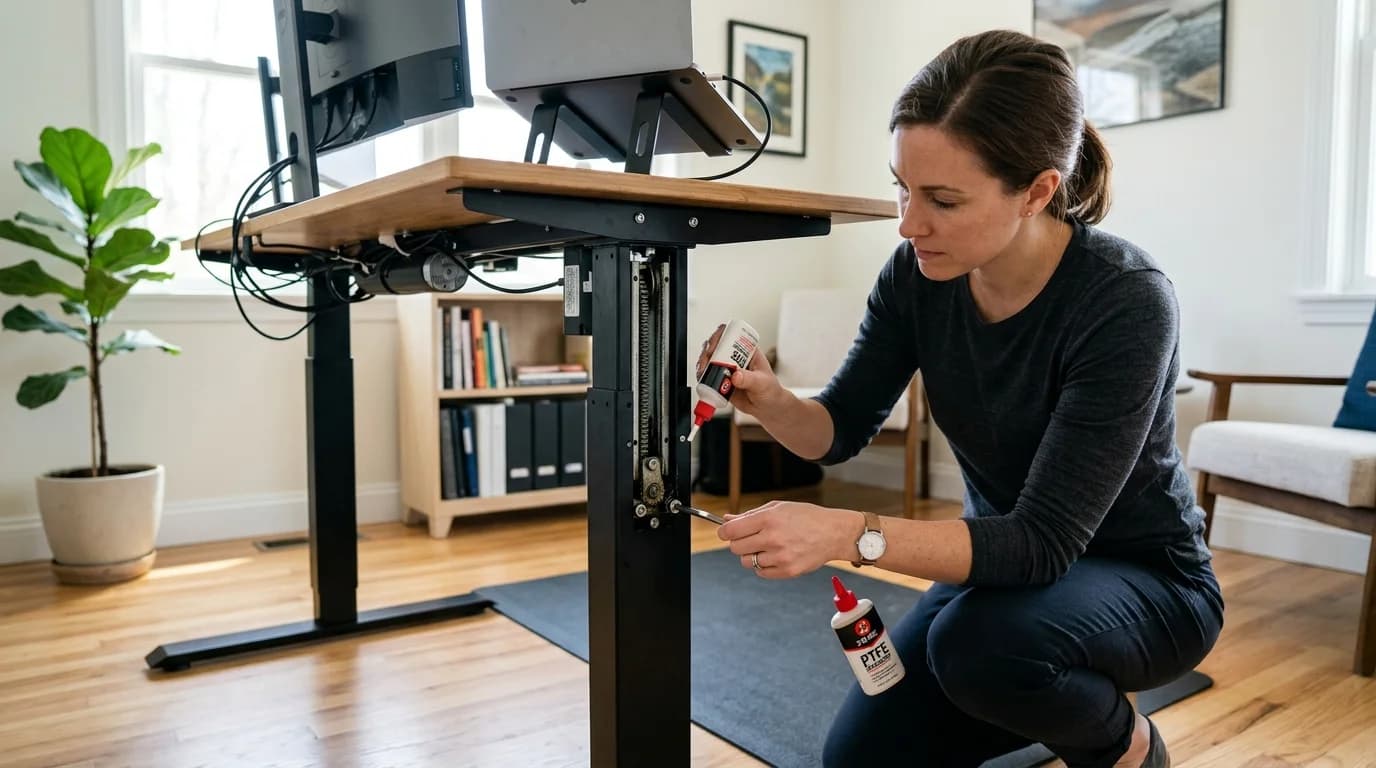
For the exterior and sliding seams of telescoping steel legs, always use a Dry PTFE Lubricant (such as WD-40 Specialist Dry Lube with PTFE). Dry PTFE applies wet, flushes out particulate matter, and evaporates in seconds, leaving behind an ultra-slick microscopic fluoropolymer film. Because it leaves zero oily residue, it will not attract household dust, pet hair, or carpet fibers that turn standard wet oils into an abrasive paste.
2. Recommended: Synthetic White Lithium Grease (For Internal Gears and Lead Screws)
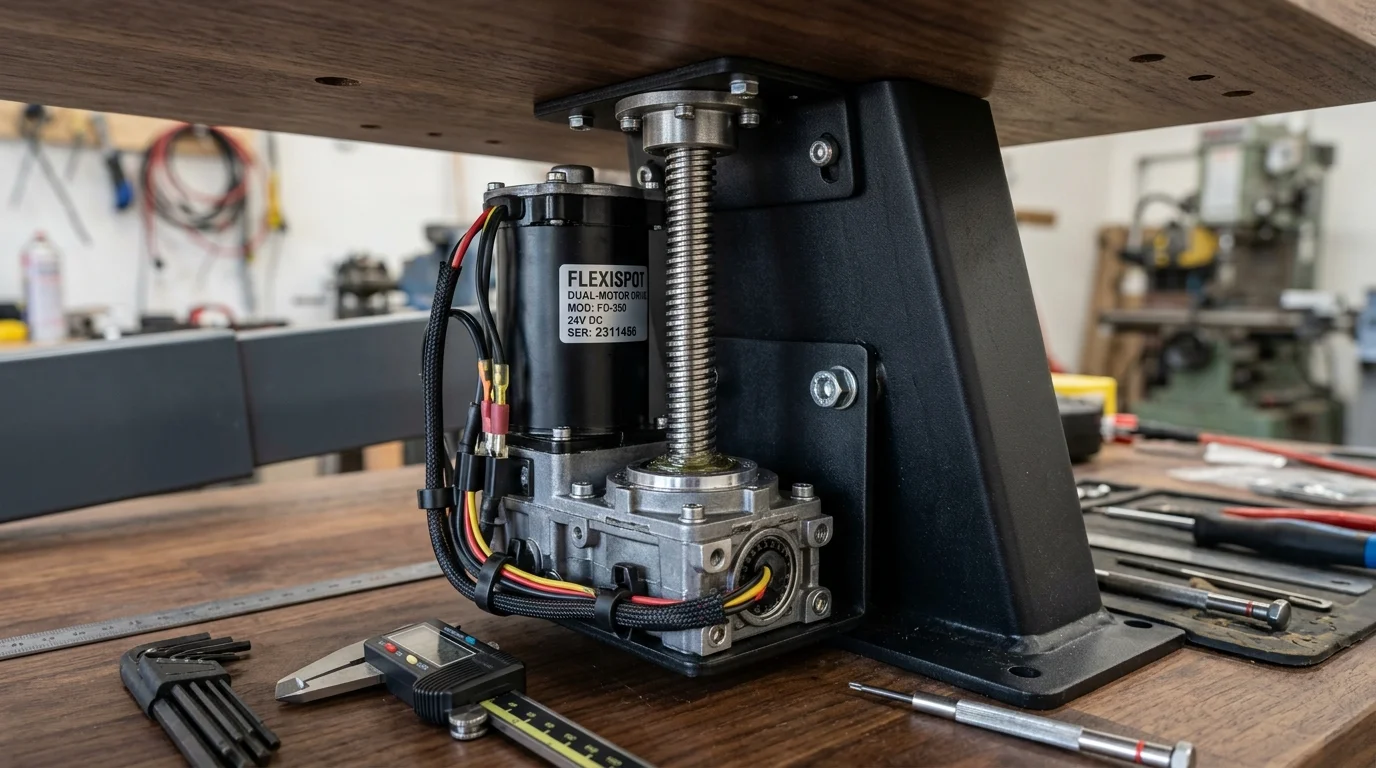
For interior mechanical drive spindles and reduction gearboxes, use NLGI Grade 2 Synthetic Grease with PTFE (such as White Lithium Grease Spray). This heavy, clinging grease resists extreme shear pressure, dampens gear chatter, and protects metal-on-metal drive spindles from thermal breakdown over thousands of elevation cycles.
3. Lubricants to Strictly Avoid:
- Standard WD-40 Multi-Use: Dissolves factory grease and softens structural nylon glides.
- Cooking Oils or Mineral Oil: Becomes rancid, gunks up tolerances, and attracts carpet dust.
- Heavy Motor Oil or Axle Grease: Dripping hazard on hardwood floors and ruins motor brake pads.
- Graphite Powder: Conductive powder that shorts out optical Hall-effect motor sensors if sucked into column housings.
Step 1: Isolating the Sound Source (The 5-Minute Isolation Test)
Before grabbing an Allen key, you must pinpoint whether the sound originates from structural frame deflection, drive train friction, or external peripherals. Follow this systematic process:
[Start Noise Check]
       │
       ▼
Strip all gear off the desktop (monitors, arms, PC tower)
       │
       ▼
Does the squeak persist when running the desk empty?
  ├─► NO  ──► Culprit: Weight overload, off-center monitor arm torque, or cable tension
  └─► YES ──► Culprit: Mechanical column friction, drive spindle, or loose frame fasteners
Unload the Workstation: Clear monitors, heavy computer cases, and desk accessories off the surface. If you have dual heavy displays mounted on an offset clamp, the rotational torque places extreme side-load friction on one telescoping leg. If your desk only squeaks when loaded with heavy displays, examine your weight limits in our best budget standing desk guide.
Listen at Ear Level: Run the desk through a full elevation cycle from bottom to top. Place your ear next to the left motor housing, then the right motor housing, and finally near the telescoping joints.
Check the Cables: Many mysterious clicking and scraping noises are simply stiff power bricks or braided monitor cords snagging behind the frame crossbar. Review our recommendations in standing desk cable management to ensure all cables drop freely inside flexible wire snakes.
Step 2: Servicing Telescoping Column Squeaks and Groans
When a standing desk makes an ear-piercing squeak during elevation, 90% of the time it is caused by the internal nylon shims (glide pads) rubbing dry against the inner walls of the powder-coated steel stages.
Outer Steel Leg Stage
┌────────────────────────┐
│  [Nylon Glide Pad]     │ <--- Squeaks occur here when dry or dirty
│  ──────────────────    │
│  Inner Steel Leg Stage │
│  │                  │  │
Telescoping desk legs fit together with microscopic tolerances (often under 0.5 mm) to prevent the desk from shaking. High-end manufacturers install precision nylon or Delrin glide pads between the stages. Over months of operation, factory lubricant collects airborne lint and dries out, causing high-friction chatter.
How to Clean and Lubricate the Columns:
- Raise to Max Height: Drive the standing desk to its absolute highest elevation limit to expose all stage overlap seams.
- Wipe Down Stages: Take a microfiber cloth dampened with isopropyl alcohol (70% or higher). Wipe down all four sides of each metal column stage thoroughly. You will likely see black streaks on the cloth, which represent contaminated factory lubricant mixed with microscopic steel swarf.
- Inspect for Scratches: Check the painted surface for deep vertical scratches. Deep grooves indicate a trapped metal burr or a fractured nylon glide pad inside the frame collar.
- Apply Dry PTFE Spray: Shake your dry PTFE lubricant can vigorously. Hold the nozzle roughly 4 to 6 inches away from the leg seams. Apply a light, even spray along the seam lines where the inner column emerges from the outer housing.
- Cycle the Frame: Immediately elevate and lower the desk three complete cycles. As the legs retract, the internal glide pads will distribute the PTFE film across the entire internal contact zone.
- Wipe Off Surface Excess: Wipe away any wet overspray on the exterior painted steel with a dry towel. The dry PTFE layer inside the track remains slick without leaving a dust-attracting exterior sheen.
Step 3: Eliminating Drive Spindle & Motor Gearbox Grinding
If the noise sounds like two heavy metal files rubbing together or an aggressive buzzing from inside the top motor cylinder, the issue lies in the motorized drive train.
Electric standing desks use one of two propulsion architectures:
1. Dual-Motor Independent Columns (FlexiSpot E7, UPLIFT V3, Jarvis)
In dual-motor desks, a dedicated DC motor sits directly atop each telescoping leg, connected to an internal threaded lead screw via a planetary reduction gearbox.
- The Cause of Noise: If one motor encounters slightly more resistance than the other, the controller micro-adjusts voltage, leading to phase chatter or gear whining.
- The Fix: Run a manual calibration reset. Recalibrating forces the control box to measure motor hall-sensor pulses and re-align both lifting columns to identical baseline micro-steps. If your handset shows error codes or stutters during this process, follow our full diagnostic steps in how to reset standing desk error codes.
2. Single-Motor Desks with Hex Synchronization Rods (Budget Models, Fezibo, SHW)
Single-motor desks utilize one central motor on one side, which drives the opposite leg through an external hexagonal steel drive rod spanning across the under-frame.
- The Cause of Noise: The hexagonal drive rod must sit completely straight inside both column couplers. If the locking set screws are loose or the rod is inserted unevenly, the rod bows slightly as it spins at 1,500 RPM, striking the under-desk crossbeam on every revolution with a rhythmic tapping or metallic clicking.
- The Fix:
- Lower the desk completely to bottom height and disconnect the wall power plug.
- Loosen the Allen set screws on the hex rod couplers using a quality metric hex key set.
- Slide the hex rod until exactly equal lengths penetrate the left and right gearbox collars (measure with a ruler to ensure symmetry within 2 mm).
- Ensure the rod does not contact the bottom edge of the wooden desktop.
- Retighten the locking collars firmly to 6 Nm of torque.
Step 4: Torquing Frame Fasteners & Installing Anti-Vibration Isolators
A surprising amount of squeaking does not come from moving parts at all. It comes from tiny, microscopic slips between the steel frame brackets and the wooden desktop when you lean or type.
When bolts loosen by even a quarter of a turn, frame deflection causes metal-on-wood or metal-on-metal scrubbing that sounds exactly like a failing motor.
Desktop Underside
══════════════════════════════════════
    ▲                       ▲
    │ [Rubber Washer]       │ [Rubber Washer]
┌───┴───────────────────────┴───┐
│     Steel Top Support Beam    │
└───┬───────────────────────┬───┘
    │                       │
  [Bolt torqued to 8 Nm]  [Bolt torqued to 8 Nm]
Essential Fastener Torque Checklist:
- Desktop Mounting Screws: Tighten all wood screws securing the top rails to the desktop underside. If your desk has rubber grommets, make sure they are centered in the frame holes and not pinched sideways.
- Crossbar Extension Screws: Most desks feature telescoping crossbar rails that slide to fit different desktop widths. Tighten the four or eight central locking bolts that clamp the inner and outer crossbar tubes together.
- Foot-to-Column Bolts: Inspect the large M8 or M10 bolts that secure the heavy floor feet to the bottom of the lifting columns. If these bolts work loose, the entire column tilts backward during motion, placing high diagonal shear loads on the internal gears.
- Install Rubber Isolation Washers: If your desk frame bolts directly against a hard laminate or solid bamboo desktop without factory dampeners, add rubber anti-vibration washers between the metal mounting flange and the wood. Rubber absorbs mechanical motor resonance and completely silences micro-chatter.
Step 5: Eliminating Floor Unevenness and Carpet Sway
If your desk frame is perfectly greased and tight but still produces a rhythmic creak as it elevates, the culprit is often uneven foundation contact.
When one desk foot sinks deeper into carpet padding or rests on an uneven floor tile, the entire frame experiences torsional twist. As the motors push upward, the twin columns must overcome severe angular binding forces, producing loud groans as the steel stages bind against internal limits.

How to Check and Balance Leveling Glides:
- Place a bubble level directly across the center of your desktop from left to right, then from front to back.
- Inspect the threaded leveling glides on the underside of each foot. If any glide is hovering even 1 mm off the surface, the desk will rock and groan under motor load.
- Thread the glides clockwise or counterclockwise until all four contact points exert equal ground pressure.
- If your workstation is situated on thick pile rug or plush carpet, the frame will shift unevenly under changing weight distributions. Follow our detailed fixes in how to stop standing desk wobble on carpet to anchor your base and eliminate structural strain.
Brand-Specific Squeak and Noise Quirks
Different desk brands engineer their columns differently, leading to specific, well-documented noise patterns.
1. FlexiSpot (E5, E7, E7 Pro)
- Typical Noise: A brief high-frequency squeak during the first two inches of ascent from the lowest position.
- Root Cause: The bottom collar dust seals fit tightly to prevent pet hair entry. When new, the rubber seal creates friction against the powder-coated leg finish.
- Solution: Spray a light mist of dry PTFE spray onto a clean microfiber rag and wipe the rubber dust wiper lip around the top of each lower column base. Compare structural differences in our FlexiSpot vs UPLIFT standing desk breakdown.
2. UPLIFT Desk (V2, V3 Commercial)
- Typical Noise: A dull metallic click occurring every 3 to 4 inches of travel.
- Root Cause: The patented crossbar-free wedge brackets at the top of the legs can settle under heavy monitor weights if not torqued down completely.
- Solution: Retighten the wedge mounting bolts using the provided long-handled hex key. Ensure the frame expansion rails are spread symmetrically.
3. Fully Jarvis / Herman Miller
- Typical Noise: High-pitched mechanical whine or vibration resonance.
- Root Cause: The motor covers on Jarvis columns are stamped metal. If cables or power bricks touch the metal motor shroud, the motor vibrations resonate like a speaker cone.
- Solution: Add adhesive foam pads or silicone tape between the motor housing and any nearby frame brackets.
4. IKEA (Bekant, Idasen)
- Typical Noise: Slow groaning sound or sudden stopping with clicking.
- Root Cause: IKEA motorized frames feature sensitive thermal overload sensors and lighter weight limits (around 154 lbs). Running heavy multiple-monitor setups pushes the internal lead screws to their maximum thermal friction threshold.
- Solution: Reduce top loading and lubricate the exposed lead screw through the service slot using synthetic white lithium grease.
When Does a Noise Mean Permanent Motor Failure?
While most desk sounds are easily remedied with lubrication or bolt adjustments, certain acoustic warning signs indicate that an internal drive component has reached the end of its operational life.
Safe Sound vs Danger Sound:
├── High pitched smooth hum (45-52 dB)   ──► NORMAL (Healthy motor operation)
├── Brief rubbing chirp at bottom        ──► BENIGN (Dry dust wiper or column seal)
├── Sharp mechanical crunch / snapping   ──► DANGER (Stripped worm gear teeth)
└── Acrid electrical smell with grinding ──► CRITICAL (Motor stator coil short)
Warning Signs of Terminal Component Failure:
- The Coffee Grinder Crunch: If your desk sounds like a blender crushing ice cubes, an internal plastic reduction gear has stripped its teeth. In this state, the motor spins at full speed while the column fails to lift or slips downward unpredictably.
- Thermal Motor Cutout Within 10 Seconds: If the lifting column emits a harsh strained groan followed immediately by an E02 or HOT error after moving just two inches, the internal bearing has seized, causing the motor controller to draw excessive amperage.
- Burning Plastic or Electrical Ozone Odor: If the noise is accompanied by an acrid smell near the motor cap, disconnect the AC power cord from the wall outlet immediately. This indicates stator winding breakdown or an overheating PCB.
When any of these three failure modes occur, stop operating the desk. Do not continue forcing elevation, as an uneven drop can damage your monitors. Contact the manufacturer with your frame serial number for a replacement motorized leg assembly under warranty.
Standing Desk Routine Maintenance Schedule
To keep your motorized workstation silent, stable, and operating smoothly for a decade or more, follow this preventative maintenance calendar:
| Frequency | Maintenance Task | Tools Required | Time Investment |
|---|---|---|---|
| Monthly | Microfiber dust wipe down of all telescoping steel leg stages | Microfiber cloth & 70% IPA | 2 minutes |
| Every 6 Months | Re-application of Dry PTFE spray to column glide seams | Dry PTFE Lubricant Spray | 5 minutes |
| Every 6 Months | Retorque frame fasteners, crossbar bolts, and desktop screws | 4mm & 5mm Allen Hex Keys | 10 minutes |
| Annually | Check and re-level threaded floor glides; verify motor sync | Bubble level & keypad reset | 5 minutes |
| Annually | Inspect under-desk cable bundles for rubbing or sheath friction | Hook-and-loop cable ties | 5 minutes |
Frequently Asked Questions
Can I use WD-40 to fix my squeaking standing desk?
No. You should never use standard blue-and-yellow-can WD-40 on a motorized standing desk. Standard WD-40 is a solvent-based water dispersant that dissolves internal factory lithium grease and degrades the delicate plastic nylon glide pads inside your telescoping legs. Always use a dedicated Dry PTFE Lubricant Spray on telescoping columns and a Synthetic White Lithium Grease on internal lead screws.
Why does my standing desk squeak only when going up, but not down?
When a standing desk elevates, the motorized drive system must actively fight gravity while lifting the combined weight of the steel frame, wooden desktop, monitors, and computer gear. This vertical force presses the internal nylon glide pads tightly against the steel stages. When lowering, gravity assists the movement, reducing motor torque and stage contact pressure, which often masks dry-glide squeaking.
Why does my desk make a clicking noise every few inches?
A rhythmic clicking sound typically indicates either a slightly bent hex synchronization rod rubbing against an under-desk crossbar, or an optical Hall-effect encoder re-syncing pulses between dual motors. Loosen the hex drive rod collars, re-center the rod so it does not bow under rotation, and execute a full keypad recalibration to clear micro-stepping differences.
How loud should an electric standing desk be during normal operation?
Quality dual-motor electric standing desks (such as models from FlexiSpot, UPLIFT, or Fully) operate at sound levels between 45 and 52 decibels (dB), which is quieter than a normal conversational voice or a quiet refrigerator hum. Single-motor budget desks operate slightly louder, typically between 55 and 60 dB. Any harsh grinding, high-pitched screeching, or rattling exceeding 65 dB indicates friction or mechanical wear that requires servicing.
Do standing desk motors require oiling?
Most modern dual-motor desk frames feature sealed motor housings that never require direct internal oiling. However, the mechanical drive components connected to the motor, including the threaded lead screw spindle and the telescoping column nylon glide pads, benefit significantly from cleaning and lubrication with dry PTFE or synthetic grease every six to twelve months.
What should I do if my desk squeaks and then stops moving with an error code?
If your desk produces a loud groaning sound and locks up with an error code like RST, E07, or E22, the control box detected abnormal motor resistance and activated an overload safety cutoff. Unload all heavy gear from the desk, check for mechanical obstructions or pinched cables, lubricate the leg columns with dry PTFE spray, and perform a manual 30-second keypad reset to recalibrate both legs.
Essential Workstation Add-Ons Under $35
High-impact accessories verified by our research team to protect your cables and joints.
VIVO Under-Desk Cable Tray
Keeps power strips and heavy adapters off the floor so cables never yank when elevating.
ComfiLife Gel Anti-Fatigue Mat
High-density core reduces heel strike and lower back compression when standing 3+ hours.
VELCRO Brand ONE-WRAP (100pk)
Pre-cut reusable straps that easily unwrap for cord re-routing without scissors.
Soundance Ergonomic Laptop Stand
Elevates laptop screen 6 inches to eye level, preventing forward neck slouch.
Calculate Your Exact Desk & Chair Height
Slide to your height to see ANSI/BIFMA recommended standing and sitting presets.
Written by M. Haris
✓ BIFMA G1-2017 Certified EvaluatorFounder & Lead Workstation Ergonomics Researcher • 8+ Years Spec Testing
M. Haris leads ergonomic research at The Desk Riser, auditing manufacturer CAD schematics, motor cycle lifespan metrics, BIFMA weight load standards, and long-term user failure patterns across thousands of verified purchases. Every review is independent with 0% sponsored influence. Have questions or spot a warranty update? Email directly at support@thedeskriser.com or explore our Editorial Testing Methodology.
Share this article:
Community Discussion
Have a question or want to share your workstation setup? Join the discussion below.
Comments load automatically as you scroll down.