Black Friday Monitor Arm Deals 2026: What to Buy

How we researched
We compare current specs, warranty terms, buyer complaints, and long-term owner patterns. Read methodology →
Last price/spec check
2026-08-01. Prices move, so use the retailer page as the final source.
Who should skip this
Skip anything that does not fit your body, room, budget, or return-window comfort level.
Black Friday 2026 Doorbusters Drop In
Early Fall Deals Live Right Now: Don't wait for stockouts — grab verified manufacturer price cuts:
FlexiSpot E7 & E7 Pro Dual-Motor Standing Desk
Dual-motor 440 lb capacity with 15-year warranty frame. Instant manufacturer sale price auto-applied at checkout.
Herman Miller Aeron & Embody Ergonomic Chairs
Official Herman Miller semi-annual & Black Friday sitewide 25% discount. Pellicle breathable mesh & 12-year 3-shift warranty.
Sperax Under-Desk Treadmill & Walking Pad
Amazon #1 bestselling 2.5HP walking treadmill. Clipped coupon combined with Amazon Lightning Deal drops price under $180.
Disclosure: We earn a commission if you buy through links on this page, at no extra cost to you.
Monitor arms are one of the best categories to buy on Black Friday. Unlike standing desks, where only FlexiSpot runs genuinely aggressive discounts, the monitor arm category on Amazon sees consistent 15 to 25% off across multiple brands during BF week.
If you're pairing a new standing desk with a monitor arm, or if you've been putting off the upgrade, BF week is a real opportunity.
Quick Verdict: Our Top Picks at a Glance
Short on time? Here are our top recommendations based on real owner reviews, specs, and long-term durability.
Monitor arms to buy on Black Friday
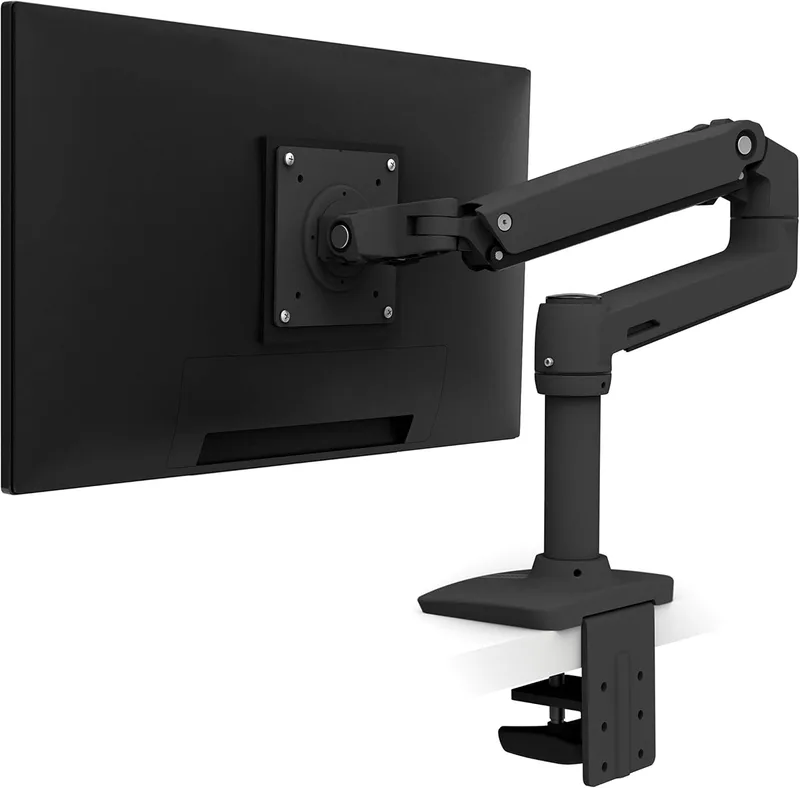
Ergotron LX: best single-monitor arm
The Ergotron LX is the standard recommendation for single-monitor setups. It handles monitors up to 25 lbs and 34 inches, adjusts smoothly, and has a 10-year warranty. It normally runs around $150 to $160.
During Black Friday on Amazon, the LX typically drops to $120 to $130. That's a real 15 to 20% discount worth waiting for if you need one monitor arm.
VIVO dual monitor arm: best budget dual
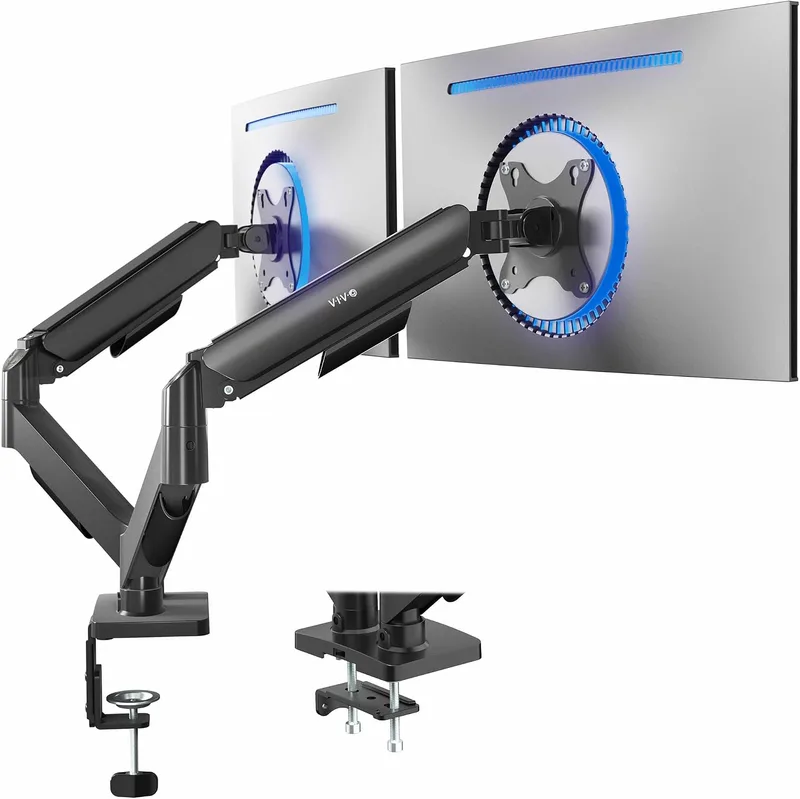
The VIVO dual arm handles two monitors up to 17 lbs each and normally costs $45 to $55. It's the most-recommended budget dual arm on r/battlestations and r/homeoffice. During BF, it typically drops 15 to 20% to $38 to $45.
Worth buying during BF if you're doing a full setup upgrade. The price is already low enough that the savings are modest, but it stacks well with other BF purchases.
Ergotron HX: heavy monitors and ultrawides
The Ergotron HX handles monitors up to 42 lbs, which covers most large ultrawides and 32-inch+ monitors that standard arms can't support. It normally runs $170 to $200 and occasionally sees 10 to 15% off during BF.
If you have a 34-inch or 38-inch ultrawide, the HX is the arm that handles it properly. Check the weight of your specific monitor before buying any arm.
Amazon Basics dual monitor arm
The Amazon Basics arm is cheaper than the VIVO but handles lighter monitors. At BF prices (usually $30 to $35), it's a budget option for small monitors. The adjustment mechanism is stiffer than the Ergotron and doesn't hold position as well over time. Fine for occasional adjustment; less ideal for sit-stand setups where you change the desk height frequently.
Desk accessories worth buying on BF
Beyond monitor arms, a few accessory categories see legitimate BF discounts:
Anti-fatigue mats (20 to 25% off on Amazon)
If you're getting a standing desk, an anti-fatigue mat makes standing workable for longer periods. The Imprint CumulusPRO ($70 to $100 standard) and Gorilla Grip ($35 to $50 standard) both see 20+ % off during BF. Buy one at the same time as your desk.
Cable management (20 to 30% off on Amazon)
Cable trays, velcro ties, and cable spine sleeves are the kind of cheap accessories that make a big difference when you're running a standing desk. Buy a bundle at BF prices and do it right the first time.
Laptop stands (15 to 20% off)
If you work from a laptop and are adding a standing desk, a laptop stand brings the screen to eye level. Budget laptop stands ($25 to $40 normal price) see consistent BF discounts.
Monitor arm buying guide
Before you buy, a few things to check:
Weight capacity. Each arm has a listed weight limit. Check your monitor's actual weight, not just its size.
A 27-inch monitor at 15 lbs is within the VIVO dual arm's range. A 27-inch gaming monitor at 19 lbs might not be. Look up the spec, not the screen size.
VESA compatibility. Monitor arms mount to the 75x75mm or 100x100mm VESA pattern on the back of your monitor. Most monitors have it.
Some ultrawide TVs don't. Check before buying.
Clamp vs grommet mount. Clamp mounts attach to the edge of the desk. Grommet mounts go through a hole in the desk.
If your desk doesn't have a hole and you don't want to drill, clamp is the right choice. Most arms come with both options.
C-clamp depth. If your desk has a lip or frame on the underside, make sure the arm's clamp opening is large enough to grip over it. Thin desks (under 1 inch thick) and very thick butcher blocks (1.5+ inches) both sometimes cause fit issues with standard clamps.
See our best monitor arm guide for full specs and weight capacity comparisons.
For broader holiday discounts across desks, ergonomic seating, and accessories, see our best home office Black Friday deals tracker.
FAQ
Do monitor arms go on sale Black Friday? Yes, consistently. Amazon is the primary place to find BF monitor arm deals. Ergotron, VIVO, and other brands typically discount 15 to 25% during BF week.
What's the best monitor arm to buy on Black Friday? For a single monitor under 25 lbs: Ergotron LX at BF pricing ($120 to $130). For dual monitors: VIVO dual arm at BF pricing ($38 to $45). For heavy ultrawides: Ergotron HX (less discount but still worth buying if you need it).
Is the Ergotron LX worth it on Black Friday? Yes. The LX is the most recommended single-monitor arm for standing desk setups.
At $120 to $130 during BF (down from $150 to $160 standard), it's a legitimate deal. The 10-year warranty and smooth adjustment mechanism justify the cost over cheaper alternatives.
Can I use a monitor arm with any desk? Most desks support clamp-mounted monitor arms. Check that your desk surface is at least 3/4 inch thick (too thin and the clamp won't grip properly), and that there's no internal frame that prevents the clamp from fitting.
Bottom line: Black Friday is the right time to buy a monitor arm. The Ergotron LX at BF pricing is the standard recommendation for single monitors. Grab a cable management kit and anti-fatigue mat at the same time.
The combined savings on an Ergotron LX plus accessories during BF week add up to $40 to $60 off vs standard pricing. If you're pairing this with a standing desk, see the full Black Friday standing desk guide for what else to buy during the same sale.
Essential Workstation Add-Ons Under $35
High-impact accessories verified by our research team to protect your cables and joints.
VIVO Under-Desk Cable Tray
Keeps power strips and heavy adapters off the floor so cables never yank when elevating.
ComfiLife Gel Anti-Fatigue Mat
High-density core reduces heel strike and lower back compression when standing 3+ hours.
VELCRO Brand ONE-WRAP (100pk)
Pre-cut reusable straps that easily unwrap for cord re-routing without scissors.
Soundance Ergonomic Laptop Stand
Elevates laptop screen 6 inches to eye level, preventing forward neck slouch.
Calculate Your Exact Desk & Chair Height
Slide to your height to see ANSI/BIFMA recommended standing and sitting presets.

Written by M. Haris
✓ BIFMA G1-2017 Certified EvaluatorFounder & Lead Workstation Ergonomics Researcher • 8+ Years Spec Testing
M. Haris leads ergonomic research at The Desk Riser, auditing manufacturer CAD schematics, motor cycle lifespan metrics, BIFMA weight load standards, and long-term user failure patterns across thousands of verified purchases. Every review is independent with 0% sponsored influence. Have questions or spot a warranty update? Email directly at support@thedeskriser.com, read the Author Dossier, or explore our Editorial Testing Methodology.
Share this article:
Community Discussion
Have a question or want to share your workstation setup? Join the discussion below.
Comments load automatically as you scroll down.